
Home / Wide-Format Printers / Epson SureColor
Epson · Wide-Format Plotter
Epson SureColor SC-S40610
64" technical / CAD plotter
- ModelSC-S40610
- Prints64" wide
- Score44/100
Authorized Epson dealerGenuine hardware & ink
2-year warranty includedExtendable to 5 years
Free shippingContinental U.S.
Plotter specialistsAEC experts, not just sellers
Analyst take
- The 64-inch maximum roll width is the main operational advantage for oversized color graphics and exhibits.
- The Epson SC-S40610 is better suited to a staffed print-room workflow than casual office walk-up printing.
- Ethernet LAN and USB 2.0 are available, but Wi-Fi is not.
Not sure if the SC-S40610 is right for you?
Compare key specs and an AI analyst read-out against similar models.
- Wide-format reach Prints up to 64" wide on rolls and sheets.
- Fine detail 1440 x 1440 DPI maximum resolution for crisp line work.
- Productivity Rated at 14.0 ISO ppm.
- Ink platform Black, Cyan, Magenta, Yellow.
- Connectivity Ethernet for shared team printing.
- Verified specs 5 specs checked against the manufacturer datasheet.
Overview
Built for the work
Epson SureColor SC‑S40610, Inkjet, 1440 x 1440 DPI, ESC/P-R, Black, Cyan, Magenta, Yellow, 0.1 – 1 mm, 64" (162.6 cm)
- 64″Max print width
- 4Ink channels
- 1,440 dpiMax resolution
- 24 moIncluded warranty
Spec Analysis
overall
overall
Expert analysis
What you should know

Key takeaways
- The 64-inch maximum roll width is the main operational advantage for oversized color graphics and exhibits.
- The Epson SC-S40610 is better suited to a staffed print-room workflow than casual office walk-up printing.
- Ethernet LAN and USB 2.0 are available, but Wi-Fi is not.
- Its listed operating-system support should be checked against the organization’s current endpoint and security standards.
- Support planning should include Epson UltraChrome GS3 ink, waste handling, printhead availability, and maintenance coverage.
- No direct in-family step-up or step-down model is listed in this catalog.
At 4:45 p.m., this printer’s job is not to win a spec-sheet argument. It is to put a readable, full-color 64-inch roll print in an architect’s, estimator’s, or field superintendent’s hands before the next coordination call. The Epson SC-S40610 is a discontinued wide-format inkjet unit that still has a place in installed AEC environments where large color graphics, marked-up plans, site exhibits, and presentation output share the same queue.
It offers four-color printing, Ethernet and USB connection, an LCD display, and output up to 64 inches wide. That makes it practical for oversized color work when the office has the floor space and a defined operator routine. It is not a quiet desktop plotter. At 103.1 inches wide and rated at 59 dB while printing, it needs a real print-room location, not the corner beside someone’s Revit station.
64" (162.6 cm)Maximum roll widthSupports oversized roll-based output.
1440 x 1440 DPIMaximum resolutionUseful context for fine graphical output.
0.004"–0.039" (0.1 – 1 mm)Media thicknessMedia selection must stay within this range.
480 WTypical power consumptionPlan power capacity around active printing, not off mode.
Where it earns its floor space
This machine fits best where AEC teams need wide color output as part of a controlled, repeatable print-room workflow. Think color-coded coordination drawings, GIS exhibits, construction phasing graphics, presentation panels, and large site communications. Its 1440 x 1440 DPI maximum resolution gives the operator a useful ceiling for detailed visual work, but resolution alone does not rescue a poorly prepared PDF. Line weights, embedded raster files, and page setup still decide whether the sheet reads cleanly from a few feet away.
The 64-inch roll width matters when a standard 36-inch technical plotter forces awkward tiling or scaling. It lets teams keep wide visual layouts intact. The trade-off is physical scale: this is a 103.1-inch-wide machine with a 42.9-inch depth and 52.7-inch height. A narrow corridor, improvised media storage, and deadline-day roll changes are an efficient way to teach everyone new vocabulary.
Bottom line: It makes sense for oversized color output that benefits from staying on one roll rather than being chopped into smaller sheets.
Workflow, IT, and support reality
For connection, the SC-S40610 provides Ethernet LAN and one USB 2.0 port. It does not provide Wi-Fi. That is often acceptable in a supervised print room, where wired networking is preferred, but it is a real limitation for teams expecting walk-up wireless submission. Its listed operating-system support covers Windows 7, Windows Vista, and Windows XP, plus Mac OS X releases through Mac OS X 11.0 Big Sur. IT should verify the actual submission path, driver behavior, permissions, and network policy before moving a live project queue onto it.
Consumables should be part of the acquisition conversation, not a footnote after the first emergency call. This model uses Epson UltraChrome GS3 ink and an Epson Waste ink bottle, with the Epson CP45OSSECE44 printhead and specified maintenance components. Confirm local availability, service response, and who owns routine maintenance. A dependable older machine is useful. An older machine waiting on a part during an addendum is decorative furniture.
Bottom line: A wired, operator-managed environment suits it better than an ad hoc office-printing setup.
How to compare it now
There is no listed in-family step-up or step-down model in this catalog for a direct family comparison. For buyers considering a current 64-inch alternative, the HP DesignJet Z6 64-in and HP DesignJet Z9+ 64-in are the catalog-listed cross-brand options. They should be evaluated as alternatives, not assumed replacements. Media requirements, network controls, output mix, operator habits, and local service coverage will decide more than the badge on the front panel.
Use the SC-S40610 and HP DesignJet Z6 64-in comparison to structure the conversation, then compare the SC-S40610 and HP DesignJet Z9+ 64-in comparison against the work actually leaving your print room. A team printing mostly black-line permit sets may be carrying more color-print capability than it needs. A team producing frequent full-color exhibits may find the width and color capability useful, provided the support situation is sound.
Bottom line: Compare the machine against the jobs that cause overtime, not against the prettiest sample print.
Useful next checks
The read
The Epson SC-S40610 remains a credible fit for an AEC print room that needs wide, full-color roll output and can support a wired, hands-on operating model. Its 64-inch width is the practical reason to consider it. Its age, physical footprint, lack of Wi-Fi, and listed legacy operating-system support are the reasons to inspect the service and IT plan with equal care. Bottom line: Buy or retain it for a specific oversized-color workflow, not because it happens to be sitting near the plot room.
Spec analysis
How the specs grade
Overall performance
within technical / CAD plotters
72% spec coverage
- This printer
Verified specifications
The specs that decide it
| Maximum print width | 64 in |
|---|---|
| Print technology | Inkjet |
| Maximum resolution | 1440 x 1440 DPI |
| Print speed | 14.0 ISO ppmmanufacturer-verified |
| Printing colors | Cyan, Magenta, Yellow and Blackmanufacturer-verified |
| Number of print cartridges | 4manufacturer-verified |
| Page description languages | Epson ESC/P-Rmanufacturer-verified |
| Internal memory | 512 MB |
| Media thickness | 0.1 – 1 mm |
| Wi-Fi | No |
| Ethernet | 10/100 Mbpsmanufacturer-verified |
| Sound level (printing) | 59 dB |
| Power consumption | 480 W |
manufacturer-verified = checked against the manufacturer’s official datasheet, not aggregator data. Everything else is standards-body / catalog data we consider reliable.
Specifications
Full technical detail
Print technologyInkjet
Max resolution1440 x 1440 DPI
Max print width64"
ColorColor
ConnectivityEthernet (Gigabit LAN), USB
Use caseGraphics / Production
Printing
| Color | Yes |
|---|---|
| Printing colors | Black, Cyan, Magenta, Yellow |
| Print technology | Inkjet |
| Maximum resolution | 1440 x 1440 DPI |
| Number of print cartridges | 4 |
| Page description languages | ESC/P-R |
Performance
| Display | LCD |
|---|---|
| Color display | Yes |
| Product color | Black, Blue, White |
| Internal memory | 512 MB |
| Built-in display | Yes |
| Sound pressure level (printing) | 59 dB |
Paper handling
| Media thickness | 0.1 – 1 mm |
|---|---|
| Maximum roll width | 64" (162.6 cm) |
Ports & interfaces
| Wi-Fi | No |
|---|---|
| USB port | Yes |
| Ethernet LAN | Yes |
| USB 2.0 ports quantity | 1 |
Weight & dimensions
| Depth | 42.9" (1090 mm) |
|---|---|
| Width | 103.1" (2620 mm) |
| Height | 52.7" (1338 mm) |
Power
| AC input voltage | 100 – 240 V |
|---|---|
| AC input frequency | 50 – 60 Hz |
| Power consumption (off) | 1.5 W |
| Power consumption (typical) | 480 W |
System requirements
| Mac operating systems supported | Mac OS X 10.4 Tiger, Mac OS X 10.5 Leopard, Mac OS X 10.6 Snow Leopard, Mac OS X 10.7 Lion, Mac OS X 10.8 Mountain Lion, Mac OS X 10.9 Mavericks, Mac OS X 11.0 Big Sur |
|---|---|
| Windows operating systems supported | Windows 7, Windows Vista, Windows XP |
Everything that fits the Epson SureColor SC-S40610
The full supplies hub lists every cartridge, printhead, roll and accessory verified against the manufacturer's own documentation for this machine.
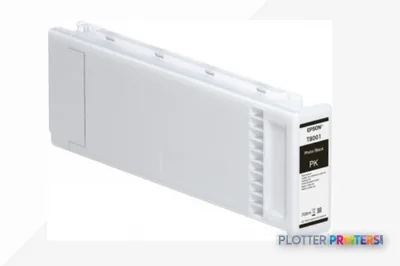
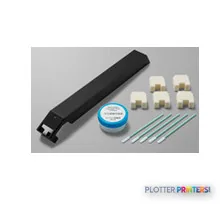
4 ink cartridges · 12 paper & media items · 3 accessories · 1 coverage plan
Epson SureColor SC-S40610 ink and paper →Supplies
Compatible ink, printheads & media
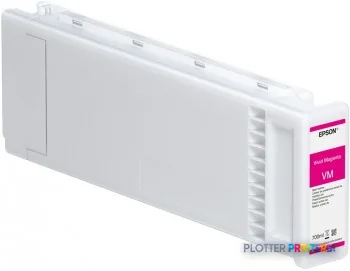
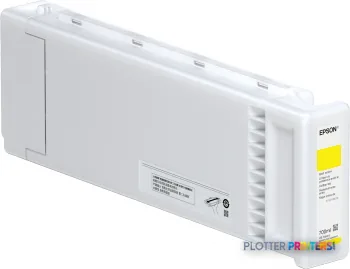
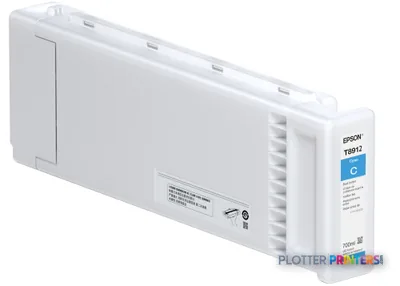
Genuine consumables that fit the Epson SureColor SC-S40610 64-in — only the cartridges, printheads and media compatible with this model.
Ink Cartridges 4
Paper & Media 12
 Representative image225gsm Solvent Satin PE PaperRepresentative image225gsm Gloss Solvent PE PaperRepresentative image10 Mil Solvent Blockout Display FilmRepresentative imageKODAK Premium Photo Paper, Satin / 10 Mil / Solvent (Pallet Only)Representative imageKODAK Premium Photo Paper, Satin / 10 Mil / SolventRepresentative imageKODAK Premium Photo Paper, Glossy / 10 Mil / SolventRepresentative imageMagic 8mil Satin Wet-Strength Paper (POSTERMAX)Representative image10mil Universal Blockout Film (POSPRO200)Representative imageMagic 7.5mil Inside Mount Perforated Window Vinyl (NEWVUE)Representative imageMagic 7mil Gloss Photorealistic Paper (GFPHOTO)Representative imageMagic 15mil Poly-Cotton Satin Canvas (GFCVM)Representative imageMagic 6mil Outside Mount Perforated Window Vinyl (BROADVUE)
Accessories 3
Coverage & Support Plans 1
Questions
Straight answers
Is the Epson SC-S40610 a good fit for standard black-line construction plan sets?
It can print color output, but its strongest fit is work that benefits from 64-inch-wide color graphics, such as coordination exhibits, GIS maps, site visuals, and presentation material. Firms producing mostly routine black-line sets should compare their actual output mix before committing floor space to it.
Can users print to it over Wi-Fi?
No. The listed connectivity includes Ethernet LAN and one USB 2.0 port, but no Wi-Fi.
What should IT check before deploying this printer?
Verify the driver and submission workflow on the organization’s current devices, along with network permissions and security policy. The listed support includes Windows 7, Windows Vista, Windows XP, and Mac OS X versions through Mac OS X 11.0 Big Sur.
How much room does the machine need?
The printer is 103.1 inches wide, 42.9 inches deep, and 52.7 inches high. Allow additional room for loading media, handling output, and routine operator access.
What consumables should a buyer confirm before acquiring a used or installed-base unit?
Confirm supply and service arrangements for Epson UltraChrome GS3 ink, the Epson Waste ink bottle, the Epson CP45OSSECE44 printhead, and the specified maintenance components. Local parts and technician coverage can matter more than the printer’s original feature list.
What current catalog-listed alternatives should be evaluated?
The HP DesignJet Z6 64-in and HP DesignJet Z9+ 64-in are the listed current cross-brand 64-inch alternatives. Compare media needs, connectivity, support arrangements, and the actual mix of AEC work before treating either as a replacement.
Ready to put the Epson SureColor SC-S40610 to work?
Configuration, media and a quote tailored to your workflow — from AEC plotter specialists.