
Size & Format Guide — No. 03
36-Inch Plotters: The Class That Runs the Plan Room
The 36-inch class prints every standard construction sheet up to ARCH E/A0 full-size — the AEC production default, and here's how to buy it right.
Shop these machines
Ranked live by our spec-graded scoring — prices & stock are current. Free U.S. shipping on every printer.
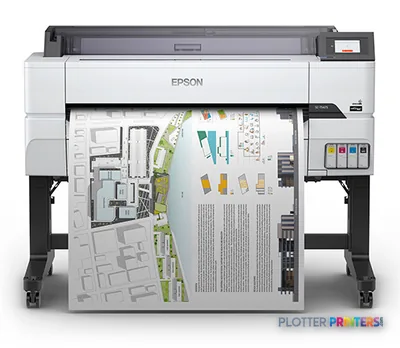 Epson SureColor T5475 36-in PlotterSCT5475SR36"2400 dpiWi-FiView details
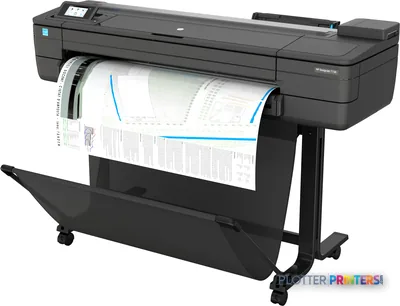 HP DesignJet T730 36-in PrinterF9A29D#B1936"2400 dpiWi-FiView details
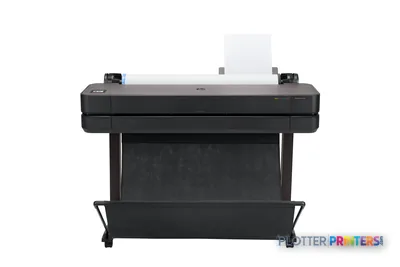 HP DesignJet T630 36-in Printer5HB11D36"2400 dpiWi-FiView details
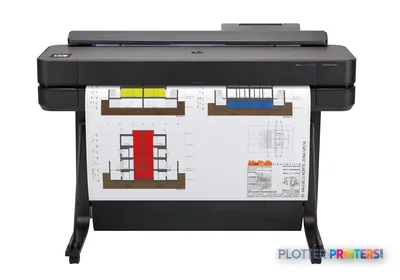 HP DesignJet T650 36-in Plotter5HB10D36"2400 dpiWi-FiView details
Free U.S. shipping on printersKlarna & Affirm at checkoutTalk to a person: 980-536-0080

A 36-inch plotter is the machine most architecture and engineering shops actually run their work on. It prints every standard construction sheet at full size — ANSI A through E, ARCH A through E, ISO A4 through A0 — off a roll, into a catch basket, for a network of users. That’s why it’s the default. Not the biggest, not the fanciest. The one that handles the whole sheet range without you thinking about it.
Now the trap. People search “24×36” and land on both this page and the 24-inch class hub. Here’s the plain answer: 24×36 is ARCH D, and both classes print it. A 24-inch roll prints it portrait — 24 inches wide, 36 inches of feed. A 36-inch roll prints it landscape — 36 wide, only 24 of feed. Shorter feed means faster page. So the 36-inch class prints your D-size sheets quicker and keeps ARCH E and A0 in reserve for when a project needs the big sheet. If 24×36 is the largest thing you print today but you’d like room to grow, this is the class.
Below you’ll find the live leaderboard — ranked, scored, current prices — plus a blueprint planner that runs own-versus-outsource break-even and matches your sheet sizes to roll width. This page explains what the numbers mean: single roll versus dual, print-only versus the scanner-equipped MFP, and which buyer each configuration actually fits. Read it, then let the grid do the shopping.
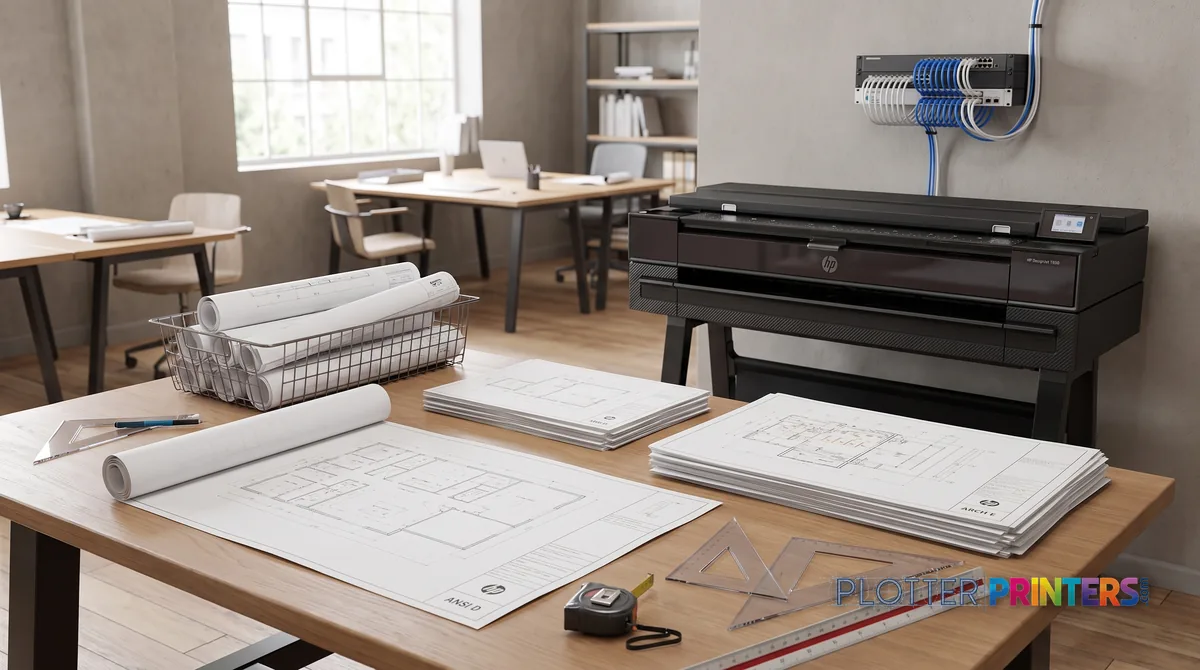
Who runs a 36-inch machine
SHT 02 · PLOTTERPRINTERS ANALYST DESKEvery construction sheet you’re likely to issue fits on a 36-inch roll. ARCH E is 36×48 inches. ANSI E is 34×44. ISO A0 is roughly 33×47. All of them clear a 36-inch machine at full scale. Half-size sets — 11×17, 12×18 — come off the same roll. You buy one width and you stop worrying about the sheet size.
Here’s the part a snippet can lift whole. A 24×36 sheet is ARCH D. A 24-inch plotter prints it portrait, feeding 36 inches of paper per sheet. A 36-inch plotter prints it landscape, feeding only 24 inches per sheet. Same drawing, less roll travel, faster page. And the 36-inch machine still has ARCH E and A0 in reserve when the job needs a full-size E sheet. That reserve is the whole reason firms size up.
Speed matters most on sets. A 40-sheet permit set is forty roll feeds and forty cuts in a row. Shorter feed per sheet compounds. On a Friday afternoon with a 5 p.m. courier, the difference between landscape and portrait D-size is real minutes.
These machines are built floor-standing for a reason. A catch basket holds the set as it drops. A network queue lets four people submit without walking to the machine. Roll capacity means nobody reloads mid-morning. This is a shared production tool, not a desktop peripheral — and it’s engineered that way. The cards below sort out which configuration fits which shop.
The standing plan room
You print sets every day — permit sets, bid sets, as-builts, half-size review copies. You need a floor-standing machine with a catch basket, deep roll capacity, and ideally a scanner for the redlines coming back from the field. A 36-inch MFP with dual roll fits this shop cleanly.
The multi-discipline firm
Architecture, structural, MEP — several teams, one shared plotter on the network. Nobody should walk to reload or wait behind another user’s set. Prioritize network queue handling, roll capacity for unattended runs, and reliable driver support across CAD and PDF workflows. Print-only is often enough here if scanning lives elsewhere.
The color-and-linework shop
Most of your output is crisp bond linework, but you also produce color site plans, GIS maps, or presentation sheets. Dual-roll pays off here — bond and coated stock loaded together, switching mid-set. Pigment ink gives you archival color and water resistance. This is the configuration that avoids a second machine.
The grids rank the class live — scores, prices and stock stay current on their own.
The ranked 36-inch machines
SHT 03 · PLOTTERPRINTERS ANALYST DESKCAD & technical — the workhorse core
Ranked live by our spec-graded scoring.
Print, scan & copy — 36-inch MFPs
 HP DesignJet T2600dr 36-in PostScript MFP — Plus Edition (Build Connected)3EK15D36"2400 dpiView details
 HP DesignJet T2600dr 36-in PostScript MFP — Plus Edition (Build Connected)3EK15P36"2400 dpiView details
 HP DesignJet T2600dr 36-in PostScript Multifunction Printer (Plus Edition)3EK15W36"2400 dpiView details
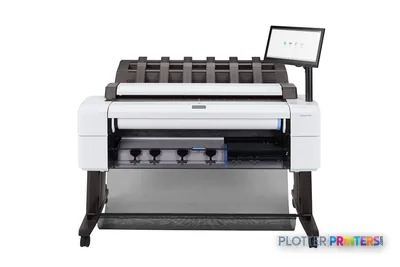 HP DesignJet T2600dr 36-in PostScript Multifunction Printer3EK15F#B1936"2400 dpiScanView details
Color-first — 36-inch graphics machines
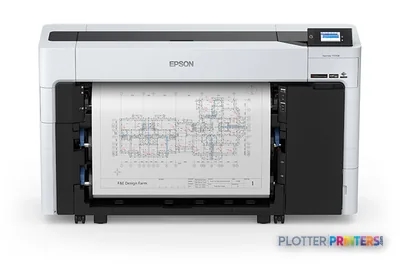 Epson SureColor T5770DR 36-in Dual-Roll PlotterSCT5770DR36"2400 dpiWi-FiView details
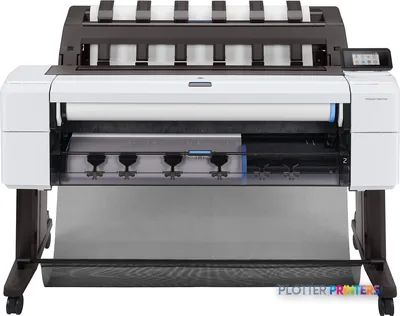 HP DesignJet T1600dr PS Managed Printer (36-in)3EK13P#B1936"2400 dpiView details
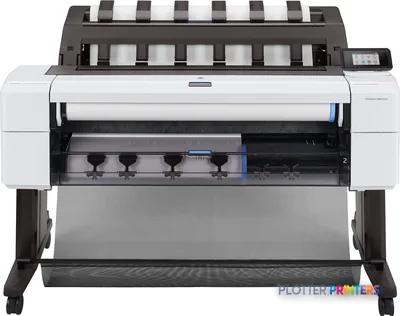 HP DesignJet T1600dr 36-in PostScript Printer, Plus Edition3EK13D36"2400 dpiView details
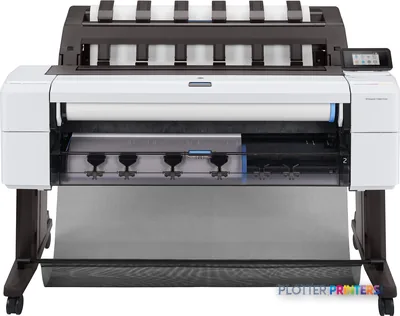 HP DesignJet T1600dr 36-in PostScript Printer3EK13F#B1936"2400 dpiView details
Single roll or dual roll
Single-roll machines hold one stock at a time. Load 20-lb bond, print your linework, done. That covers most CAD and construction output. It’s the honest default for a shop that prints one paper type all day.
Dual-roll holds two stocks loaded at once — say bond on one spindle, vellum or gloss on the other — and switches between them without you touching the machine. The value shows up mid-set. You’re running a 30-sheet package: 26 sheets of plain-bond linework and 4 sheets that need coated stock for a color site plan. On a single-roll machine that’s a manual swap, a reload, and a babysitting session. On dual-roll the queue handles it. The set comes out collated, right stock per sheet, while you’re doing something else.
Auto roll-switching also covers the boring failure: bond runs out at sheet 22 of 40. A dual-roll machine with two bond rolls loaded just keeps going. No 4:50 p.m. reload.
Who pays for it and never uses it? The single-discipline shop that prints bond and only bond. If your color work goes to a separate machine or gets outsourced, the second roll sits empty. Buy dual-roll when you genuinely mix stocks in the same set, or when unattended overnight runs matter enough that running out of paper is a real cost. Otherwise the money is better spent elsewhere.
The scanner question: print-only or MFP
SHT 05 · PLOTTERPRINTERS ANALYST DESKA 36-inch MFP adds an integrated scanner on top of the plotter — print, scan, copy, all one footprint. The question is whether your plan room actually scans enough to justify it.
Think about a real week. As-builts coming back from the field, marked up in red. Old permit drawings someone needs pulled from the flat file and digitized. A markup set a PM wants archived to PDF before it’s filed. Field redlines that have to go back into the model. If that’s a steady stream — daily, or several times a week — the MFP earns its place. Walk to one machine, scan, copy, done. No shuttling paper to a separate scanner across the room.
If scanning is occasional — a few sheets a month — a print-only machine plus a standalone wide-format scanner, or an outsourced scan-to-archive service, often makes more sense. You don’t pay for a scanner bolted to your production plotter that sits idle. And the print-only machine tends to have a smaller footprint.
One caution: an MFP is two machines in one enclosure. When the scanner needs service, you don’t want the printer down with it. Ask the dealer how service is structured. The 36-inch MFP leaderboard ranks the scan-equipped models; the CAD plotter leaderboard covers print-only. See also the plan-room buyer’s guide.
Run your own numbers
Own it or send it out — and which roll width
Break-even on in-house printing, plus the sheet-to-roll picker. Your numbers, no email required.
Enter what you know. We do the math on your numbers — no guesses, no fake prices.
Pick the largest sheet you print routinely — that sets your minimum roll width.
Set economics: what a bid set feels like
SHT 06 · PLOTTERPRINTERS ANALYST DESKForget the sheets-per-minute number on the spec sheet for a second. What matters on a 40-sheet bid set is: does it come out collated, does it stack cleanly in the basket, and can you walk away while it runs?
On a well-configured 36-inch machine, you send the set from the queue and it prints in order, drops into the catch basket in sequence, and you pick up a finished stack. Unattended is the goal. A full roll gets you through the set without a reload; a second roll of the same stock guarantees it. That’s the difference between leaving at 5 and staying to babysit a reload at 4:50.
Where does this class stop being enough? Volume. When you’re printing bid sets by the hundred — a busy repro operation, a large GC office running multiple projects daily — the roll-fed plotter becomes the bottleneck. That’s where the PageWide/production class takes over: stationary print-bar machines built for sustained runs, faster per sheet, higher duty. If you’re printing a set or two a day, the 36-inch class is right-sized. If you’re printing all day every day, run the numbers.
Speaking of numbers — the blueprint planner on this page does the own-versus-outsource break-even and the sheet-to-roll-width math. Use it before you commit.
A ten-sheet permit set is a non-event. A hundred-sheet bid package is why dual-roll and a catch basket exist.
Ray Kowalczyk — Analyst DeskYour questions, answered
SHT 07 · PLOTTERPRINTERS ANALYST DESKDoes a 36-inch plotter print 24×36 sheets?
Yes. 24×36 is ARCH D size, and a 36-inch plotter prints it landscape — 36 inches wide with only 24 inches of roll feed per sheet. That’s faster than a 24-inch machine, which prints the same sheet portrait with 36 inches of feed. The 36-inch class also keeps ARCH E and A0 in reserve for full-size work, so it handles D-size today and larger sheets later.
What's the largest sheet a 36-inch plotter can print?
A 36-inch roll prints ARCH E (36×48 inches), ANSI E (34×44 inches), and ISO A0 (roughly 33×47 inches) at full scale. Those are the largest standard construction sheets in common use. Anything wider than 36 inches moves into 44-inch and larger machines, which are aimed at graphics and production work rather than standard AEC drawing sizes.
Should I buy a 24-inch or 36-inch plotter?
If your largest sheet is D-size (24×36) and you print occasionally, the 24-inch class fits and takes less space. If you need full-size ARCH E or A0, print sets regularly, or want faster D-size output with room to grow, the 36-inch class is the AEC default. See our 24-inch class hub for the step-down comparison.
What is the difference between single-roll and dual-roll?
Single-roll holds one paper stock at a time. Dual-roll holds two — for example bond and coated stock — and switches between them automatically within a set. Dual-roll pays off when you mix stocks in the same job or want unattended runs that don’t stop when one roll empties. If you print only bond, the second roll sits unused and the extra cost isn’t justified.
Do I need a scanner built into my plotter?
Only if your plan room scans regularly — as-builts from the field, archive pulls from flat files, markups saved to PDF. A wide-format MFP combines print, scan, and copy in one machine, which suits daily scanning. If you scan a few sheets a month, a print-only plotter plus a standalone scanner, or an outsourced scan service, usually costs less and keeps your production plotter dedicated to printing.
Is dye or pigment ink better for construction drawings?
Pigment ink is the AEC default. It’s water-resistant, UV-resistant, and archival, which matters for drawings that go to a jobsite or into permanent records. Dye ink trades permanence for vividness and a lower price per print and smears when wet. For crisp linework on plain bond and for color work that has to survive field conditions, pigment is the safer choice.
How fast can a 36-inch plotter print a full bid set?
It depends on the machine and the sheet size, but the practical measure isn’t sheets per minute — it’s whether the set comes out collated, stacks cleanly, and runs unattended. On a well-configured machine you send a 40-sheet set to the queue and pick up a finished stack. Deep roll capacity or a second roll of the same stock keeps it from stopping mid-set for a reload. See the live leaderboard for measured throughput.
When should I move up to a production or PageWide plotter?
When you’re printing sets by the hundred rather than the handful. A busy reprographics shop or a large general contractor running multiple projects daily will find a roll-fed plotter becomes the bottleneck. Production-class print-bar machines run faster per sheet and carry higher duty cycles. If you print a set or two a day, the 36-inch class is right-sized and the production class is overbuilt.
Can a 36-inch plotter be shared on a network by multiple users?
Yes — that’s how the class is designed. Floor-standing 36-inch machines are built for multiple users submitting over the network, with a print queue that handles jobs in order and a catch basket that collects output. Look for solid driver support across CAD and PDF workflows and, where needed, job accounting for departmental chargeback. This is a shared production tool, not a single-desk peripheral.
Should my firm print in-house or outsource plan sets?
It comes down to volume and turnaround. In-house printing wins when you print regularly, need same-day revisions, or want control over the output. Outsourcing can make sense for occasional large runs or oversize work. The blueprint planner on this page runs the own-versus-outsource break-even against your actual sheet counts, which is the honest way to decide rather than guessing.
The bottom line
SHT 08 · PLOTTERPRINTERS ANALYST DESK- The 36-inch class prints every standard construction sheet up to ARCH E and A0 full-size — that's why it's the AEC production default.
- Both the 24-inch and 36-inch classes print 24×36; the 36-inch prints it faster in landscape and keeps larger sheets in reserve.
- Dual-roll earns its keep only when you mix stocks in a set or need unattended runs that survive an empty roll — otherwise single-roll is honest.
- Buy the MFP if your plan room scans as-builts and markups weekly; a print-only machine plus separate scanner is cheaper for occasional scanning.
- Pigment ink is the AEC choice for archival, water-resistant linework and color that survives the jobsite.
- When you print sets by the hundred, the production class takes over; for a set or two a day, the 36-inch class is right-sized.
Buying the office workhorse?
We grade every machine in this class — tell us your sets and stocks and we'll shortlist.
Supplies for 36-inch plotters, by machine
Each machine has its own supplies hub listing the cartridges, printheads, rolls and accessories verified against the manufacturer’s documentation for that model.
- Epson SureColor T5170M ink and paper
- Epson SureColor T5270DR ink and paper
- Epson SureColor T5470M ink and paper
- Epson SureColor T5475 ink and paper
- Epson SureColor T5770DM ink and paper
- Epson SureColor T5770DR ink and paper
- HP DesignJet T630 ink and paper
- HP DesignJet T650 ink and paper
- HP DesignJet T730 ink and paper
- HP DesignJet T830 MFP ink and paper
- HP DesignJet T850 MFP ink and paper
- HP DesignJet T950 MFP ink and paper
- HP DesignJet T1600 ink and paper
- HP DesignJet T1600 MFP ink and paper
- HP DesignJet T1600dr ink and paper
- HP DesignJet T1600PS ink and paper
- HP DesignJet T2600 ink and paper
- HP DesignJet T2600 MFP ink and paper