
PlotterPrinters — Direct
Plotter Service & Support: A Human Who Knows the Machine
When a plotter acts up you want someone who knows the machine, not a ticket number — call 980-536-0080 and we start on the phone.

When a plotter misbehaves, you want a person who knows the machine — not a queue, not a portal, not a callback window. Call us at 980-536-0080; troubleshooting starts on the phone, and most problems die there before anyone talks about a service truck. That is not a slogan, it is arithmetic: the failure that looks like a dead print head is usually a dried nozzle, a wrong media profile, a driver page-size mismatch, or a roll loaded slightly askew. All four are fixable in minutes with the right eyes on the symptom.
We are an independent US dealer for HP DesignJet and Epson SureColor wide-format printers, based in Mooresville, North Carolina. Being independent means we sell you a machine and then have every reason to keep it running — no upsell to a repair contract you do not need. We know these machines deeply because we publish the spec-graded rankings, lab-measured color data, and datasheet facts that sit in the current-machine rankings on this site. That same catalog knowledge is what makes phone support work: we can pull up your exact model, its supply families, and its warranty options while you are still standing at the machine.
Two readers land here. If you are buying and checking there is life after the invoice — there is. If you have a problem right now, skip to the phone. Either way, the principle is the same: money is minutes, and the fastest fix is almost always the one that does not involve shipping.
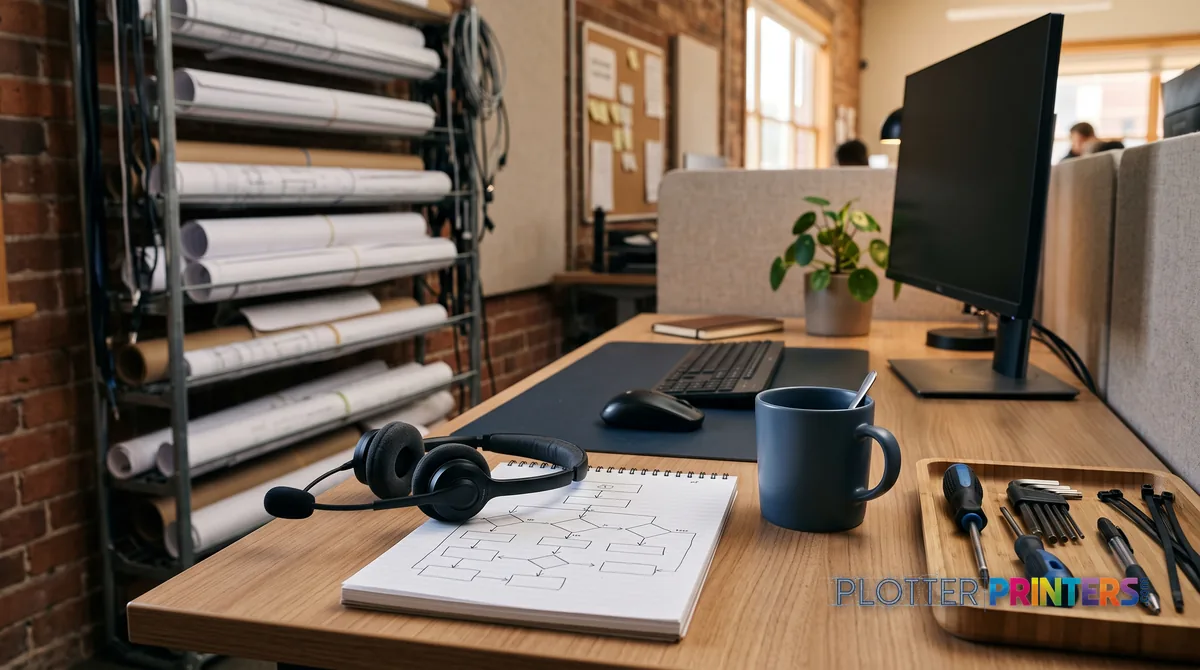
Phone first, trucks last
SHT 02 · PLOTTERPRINTERS ANALYST DESKMost wide-format problems present as hardware failures and turn out to be operator-side or consumable-side. Diagnosing that over the phone saves days, not minutes. Here are the four we see most often:
- Banding across the plot. Horizontal streaks or missing color usually mean a partially clogged nozzle, not a failed head. A print-head clean cycle — a menu command, not a repair — clears the vast majority. We walk you through it.
- Colors or line weights look wrong. The media profile does not match the paper on the roll. The machine is dosing ink for glossy when you loaded plain bond, or vice versa. Selecting the correct media type fixes the density instantly.
- Output clipped, scaled, or shifted. Nine times out of ten this is a driver page-size mismatch — the file expects ARCH E, the driver is set to A1, or the scaling is set to “fit” when it should be “actual size.” A driver-settings check ends it.
- Skewed prints or repeated jams. A roll loaded slightly askew tracks off-center and creases. Reloading it square against the spindle stops the jams and the wasted media.
None of these need a technician. All of them need someone who has seen the symptom a hundred times and knows which of the four it is. That is what the phone call buys you. When you call 980-536-0080 we ask what the output looks like, what media is loaded, and what the driver is set to — and we work down the list before anyone reaches for a screwdriver.
Warranty and care-pack coverage, matched to how hard you run the machine
Every machine we sell carries the manufacturer’s warranty. Beyond that, both HP and Epson publish extended care plans on a per-model basis — the exact options, terms, and coverage levels are listed on each product page, because they vary by machine and change over time. We do not print plan names or figures here for the same reason we do not quote fuel prices in a road atlas: they go stale and the product page carries the live truth.
What we do is help you match coverage to duty. A 24-inch class plotter in a small studio printing a permit set every week is a different risk profile than a 36-inch class workhorse or a PageWide/production machine turning out plan sets by the hundred. The heavier the duty and the tighter the deadline, the more an extended plan earns its keep — downtime on a production machine costs real project days.
Our advice is boring and it is correct: buy coverage for the workflow you actually have. If a printer failure would stall a bid deadline, insure against it. If the machine sits idle most weeks, the base warranty may be plenty. Call us and we will read the plan options against your volume before you commit.
The right ink and media is half the support you will ever need
SHT 04 · PLOTTERPRINTERS ANALYST DESKRoughly half the misery we field on the phone traces back to the wrong consumable — an ink family the machine was not built for, or a media stock that fights the profile. Third-party ink that saves a few dollars per cartridge can trigger the banding, head errors, and warranty headaches that eat the savings ten times over.
Our catalog knows every cartridge family and compatible media for the machines we sell, because we maintain the datasheet library that powers this site. Matching supplies to your exact model is not guesswork for us; it is a lookup. Tell us the machine and we tell you what it drinks and what it prints on.
The fastest route is the machine’s product page, which lists its matched supplies alongside the warranty options — or start a quote through our funnel and we will build the supply list for you. If you are unsure which model you own, call 980-536-0080 and we will identify it from the symptoms and the labels.
When it genuinely is hardware
SHT 05 · PLOTTERPRINTERS ANALYST DESKSometimes the clean cycle does not clear it, the media is right, the driver is right, and the machine still will not behave. That is the point where we stop troubleshooting and start coordinating. We are honest about what we are: an independent dealer, not a fleet of service vans. What we do is help you use the coverage you have — routing warranty claims through the correct HP or Epson channel, and pointing you at the right manufacturer service path for your model.
The harder question is usually not can it be fixed but should it be. An out-of-warranty head or belt failure on an aging machine can cost enough that a current model — faster, cheaper to run, still under warranty — makes more sense. We will run that math with you honestly; the upgrade-versus-repair page is where that conversation lives. And if you would rather know who picks up the phone before you dial, here is who we are.
Your questions, answered
SHT 06 · PLOTTERPRINTERS ANALYST DESKMy plots have horizontal streaks. Is the print head dead?
Almost certainly not. Banding — streaks or faded areas across the print — is usually a partially clogged nozzle, and a print-head clean cycle from the machine’s menu clears it in most cases. Run one or two cycles and print a nozzle-check pattern. If banding persists after that, call us and we will work through media, ink levels, and profile settings before treating it as a hardware fault.
Do you offer on-site plotter service?
We are an independent dealer, not a repair fleet, so we are honest about that boundary. What we do is start every problem on the phone at 980-536-0080, where most issues resolve, and coordinate the correct warranty or manufacturer service path when a fault is genuinely hardware. We also help you weigh repair against upgrade when a machine is aging out of economic sense.
Why does my print come out clipped or the wrong size?
This is almost always a driver page-size mismatch, not a printer fault. The file expects one sheet size (say ARCH E) and the driver is set to another, or scaling is set to “fit to page” when it should be “actual size.” Check the driver’s paper-size and scaling settings against the drawing’s intended size. Correct those two and the output usually comes out right.
Can I use third-party ink to save money?
You can, but it is the most common source of the problems we troubleshoot — banding, head errors, and warranty disputes that erase the savings. Both HP and Epson tune their machines for specific ink families. For AEC linework and archival prints, matched pigment ink pays for itself in reliability. Tell us your model and we will confirm exactly which cartridge family it takes.
Every machine keeps jamming. What am I doing wrong?
Check the roll first. A roll loaded even slightly askew tracks off-center, creases, and jams repeatedly. Reload it square against the spindle, seated firmly, with the media edge aligned to the guide. Also confirm you are using a media weight the machine supports. If squaring the roll and confirming the media does not stop the jams, call us and we will look at the feed path with you.
How do I know which warranty or care plan to buy?
Match coverage to duty, not to the brochure. A light-use desktop plotter may need only the base manufacturer warranty; a production machine on deadline-critical work justifies an extended plan because downtime costs project days. The exact plan options live on each product page since they vary by model. Call 980-536-0080 and we will read those options against your actual print volume.
My colors look dull or too heavy. What changed?
The media profile likely does not match the paper on the roll. If the machine thinks it is printing on glossy photo stock but you loaded plain bond, it doses ink incorrectly and the density looks off. Select the correct media type in the driver or front panel so the machine uses the matching profile. This one setting fixes most sudden color-quality complaints.
Is it worth repairing an older plotter or should I replace it?
It depends on the failure and the machine’s age. A minor consumable swap is worth doing; a major out-of-warranty component failure on an aging plotter often costs enough that a current model — faster, cheaper per print, and under warranty — makes better sense. We run that math honestly with you. Our upgrade-versus-repair page walks through the comparison for your situation.
Do you sell supplies for Canon plotters?
We cover Canon editorially in our rankings and comparisons, but we are a dealer for HP DesignJet and Epson SureColor, so we supply and support those two lines. If you run one of those brands, tell us the model and we will match ink and media from our catalog. If you own a Canon machine, we can still offer general guidance on the phone.
What information should I have ready when I call for support?
Three things speed the call: the machine model (check the front label or menu), what the problem output looks like, and what media is loaded. If it is a driver issue, the application and the paper-size setting help. With those in hand we can usually identify the fault while you are still at the machine. Call 980-536-0080.
The bottom line
SHT 07 · PLOTTERPRINTERS ANALYST DESK- Most plotter problems that look like hardware are media, ink, driver, or loading issues — and they resolve on the phone.
- A print-head clean cycle, a corrected media profile, a fixed page-size setting, or a squarely reloaded roll cover the majority of support calls.
- Every machine we sell carries manufacturer warranty; extended plans exist per model and are listed on each product page — match the plan to your duty cycle.
- Wrong ink or media causes roughly half the misery; our catalog knows the correct cartridge and media family for your exact machine.
- When it is genuinely hardware, we coordinate the warranty and manufacturer path and run honest repair-versus-upgrade math — no truck promises.
- Choose the phone before the portal, choose matched supplies before third-party, and choose repair only when the math beats replacement.
Machine acting up — or just want backup on tap?
Call 980-536-0080. Troubleshooting starts on the phone, and most problems die there.