
Home / Wide-Format Printers / Epson SureColor
Epson · Wide-Format Plotter
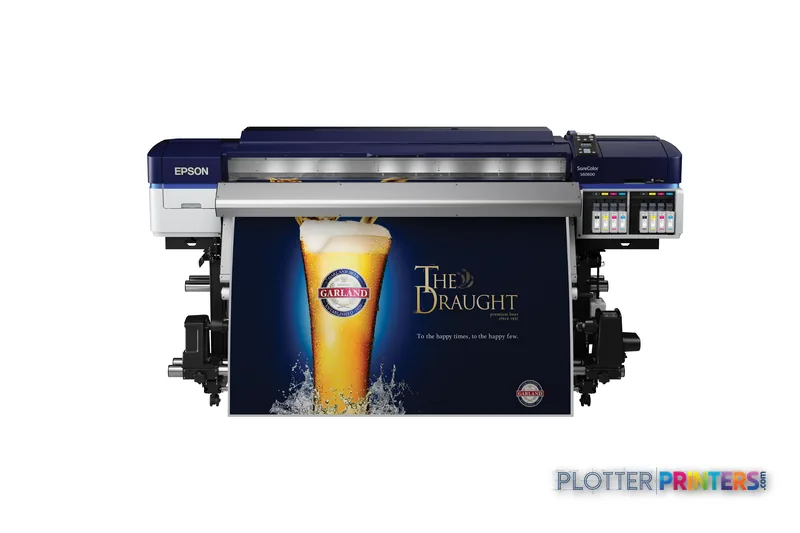
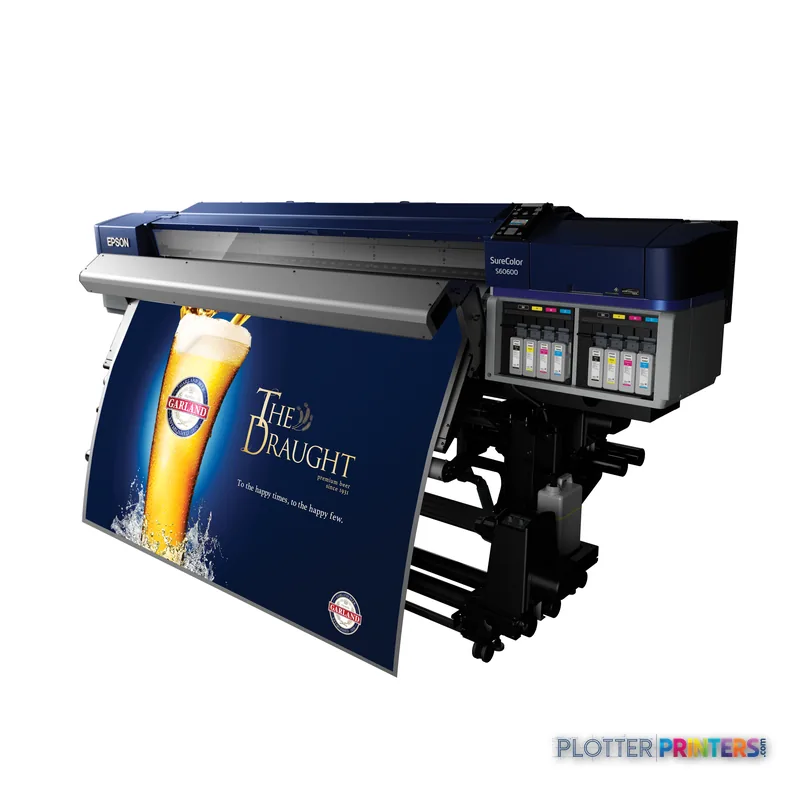
Epson SureColor SC-S60600
technical / CAD plotter
- ModelSC-S60600
- Score42/100
Authorized Epson dealerGenuine hardware & ink
Manufacturer warrantyExtension plans available
Free shippingContinental U.S.
Plotter specialistsAEC experts, not just sellers
Analyst take
- The SC-S60600 is a color roll-media inkjet printer, not a scan-copy multifunction system.
- Its 1440 x 1440 DPI maximum resolution and 4.2 pl ink drop make proofing detailed project files worthwhile before production.
- It supports media from 0.004 inches to 0.039 inches thick, which broadens the output conversation beyond ordinary paper.
Not sure if the SC-S60600 is right for you?
Compare key specs and an AI analyst read-out against similar models.
- Fine detail 1440 x 1440 DPI maximum resolution for crisp line work.
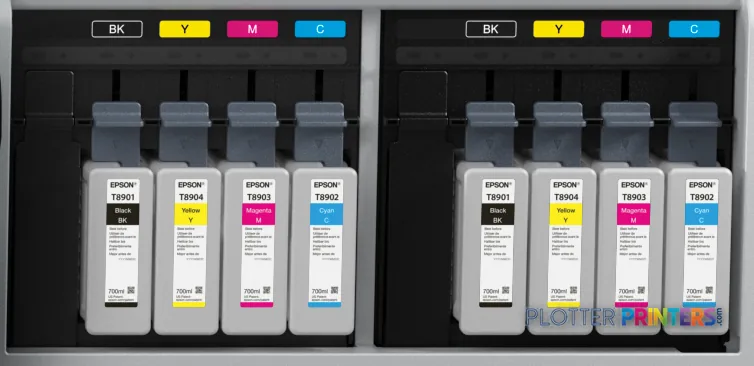
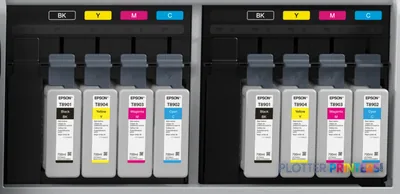
- Ink platform Black, Cyan, Yellow, Magenta.
- Connectivity Ethernet for shared team printing.
- Analyst score Scores 42/100 in our class-relative rating.
Overview
Built for the work
Epson SureColor SC-S60600, Inkjet, 1440 x 1440 DPI, ESC/P-R, Black, Cyan, Yellow, Magenta, 700 ml, 0.1 – 1 mm
Spec Analysis
overall
overall
Expert analysis
What you should know

Key takeaways
- The SC-S60600 is a color roll-media inkjet printer, not a scan-copy multifunction system.
- Its 1440 x 1440 DPI maximum resolution and 4.2 pl ink drop make proofing detailed project files worthwhile before production.
- It supports media from 0.004 inches to 0.039 inches thick, which broadens the output conversation beyond ordinary paper.
- Ethernet and USB are available, but Wi-Fi is not.
- The 641.5 lb device and 58.5 dB listed printing sound level call for a dedicated print-room location.
- No same-family step-up or step-down model appears in the available catalog comparison set.
Someone is waiting on color site exhibits, coordination sheets, or presentation graphics before the day gets away from them. The Epson SureColor SC-S60600 is a large inkjet printer for that kind of output: color work on roll media, with Ethernet or USB job delivery and a physical footprint that belongs in a planned print area, not beside somebody’s desk.
For AEC teams, the attraction is straightforward. It combines four-color printing, up to 1440 x 1440 DPI resolution, and support for media from 0.004″ to 0.039″ thick. That gives a print room room to handle more than ordinary paper workflows, while the 700 ml Epson UltraChrome GS3 ink supply reduces how often an operator is opening the cabinet during a busy run. Bottom line: it fits color-output work where media flexibility matters as much as the drawing itself.
1440 x 1440 DPIMaximum resolutionUseful context for fine color graphics and detailed output.
0.004"–0.039" (0.1 – 1 mm)Supported media thicknessConfirm each chosen media with the supplier before a deadline run.
700 mlInk cartridge volumeLarger cartridges can mean fewer consumable changes during sustained output.
745 WTypical power consumptionPlan electrical load and room conditions accordingly.
Where it earns its floor space
This machine is most credible for AEC groups producing color-heavy deliverables rather than relying on a scanner-based plan-room workflow. Think GIS maps, color-coded coordination drawings, wayfinding graphics, project displays, and presentation output where ordinary monochrome plan production is not the whole job.
The 4.2 pl ink drop and 720 nozzles for black plus 720 nozzles per color are relevant when small annotations and colored linework have to survive a close look. They are not a substitute for checking a real project PDF on the actual media. A drawing that looks tidy on screen can still reveal unpleasant surprises in a dense hatch pattern. Print the trouble sheet first. Save the drama for someone else’s deadline.
It accepts roll paper and has one Ethernet LAN connection with Gigabit Ethernet capability, plus one USB 2.0 Type-B port. That suits a fixed print-room workflow with managed network submission or a directly connected workstation.
Bottom line: this is for teams that need color output on roll media and can give the device a proper production workflow.
The limitations are part of the buying decision
The SC-S60600 is not a multifunction technical-document system. It has no scanning and no copying, so it will not replace a plan-room device used for walk-up redlines, legacy drawing capture, or copy-and-collate work. It also has no Wi-Fi. Network planning therefore means Ethernet, with IT deciding how that connection sits inside the firm’s security and access policies.
Its stated operating-system compatibility includes Windows XP, Windows Vista, Windows 7, and Mac OS 10.4+. That list should prompt an IT validation exercise before deployment in a modern environment. Confirm the intended driver path, workstation support, authentication approach, and file workflow before equipment arrives. The printer does use ESC/P-R as its page description language, but that alone does not answer every PDF workflow question.
At 641.5 lbs and 52.7 inches high, this is not a casual office addition. Printing sound pressure is listed at 58.5 dB. Put it where operators can work around it and where its output process will not turn a design studio into a small airport.
Bottom line: if scanning, copying, wireless access, or a quiet desk-side location is mandatory, this is the wrong tool.
How it compares in a short list
There is no in-family step-up or step-down model in the available catalog list, so a clean same-series comparison is not available here. That matters. Do not let a dealer turn a vague “next model up” conversation into a specification fog bank.
The listed cross-brand alternatives are 24-inch Canon models, including the Canon GP-200 24-in and Canon GP-2000 24-in. They are worth reviewing when a smaller-format device may better match the available space and the actual output mix. Their listed print technologies and resolutions differ, so compare the complete workflow rather than treating resolution as a verdict.
For a structured side-by-side discussion, use the SC-S60600 and Canon GP-200 24-in comparison. Also review the class ranking page and the explanation of how the ratings are built.
Bottom line: choose by the output your team produces at 4:45 p.m., not by whichever specification looks tallest on a spreadsheet.
Related tools and comparisons
The read
The Epson SureColor SC-S60600 makes sense for an AEC print room that needs color inkjet output on roll media, can work without scan-and-copy functions, and has an Ethernet-based workflow. Its 700 ml Epson UltraChrome GS3 ink cartridges, 1440 x 1440 DPI maximum resolution, and supported media-thickness range give it a clear role in color graphics and project-output work. The trade-off is operational: it needs space, wired connectivity, and a team that has separated printing from walk-up document reproduction. Ask for a live test using your densest PDF, your intended media, and the files that usually cause trouble. Bottom line: a capable color-output device, but not the all-purpose AEC plan-room machine.
Spec analysis
How the specs grade
Overall performance
within technical / CAD plotters
64% spec coverage
- This printer
Verified specifications
The specs that decide it
| Print technology | Inkjet |
|---|---|
| Maximum resolution | 1440 x 1440 DPI |
| Printing colors | Black, Cyan, Yellow, Magenta |
| Page description languages | ESC/P-R |
| Internal memory | 512 MB |
| Media thickness | 0.1 – 1 mm |
| Scanning | No |
| Wi-Fi | No |
| Ethernet | Yes |
| Sound level (printing) | 58.5 dB |
| Power consumption | 745 W |
Specifications
Full technical detail
Print technologyInkjet
Max resolution1440 x 1440 DPI
ColorColor
ConnectivityEthernet (Gigabit LAN), USB
Use caseGraphics / Production
Printing
| Color | Yes |
|---|---|
| Printing colors | Black, Cyan, Yellow, Magenta |
| Print technology | Inkjet |
| Maximum resolution | 1440 x 1440 DPI |
| Print head nozzles | 720 nozzles black,720 nozzles per colour |
| Page description languages | ESC/P-R |
| Print cartridge volume (metric) | 700 ml |
Performance
| Display | LCD |
|---|---|
| Color display | Yes |
| Product color | Black, Blue, Gray, White |
| Internal memory | 512 MB |
| Built-in display | Yes |
| Display diagonal | 2.72" |
| Country of origin | China |
| Sound power level (standby) | 7.9 dB |
| Sound pressure level (printing) | 58.5 dB |
Paper handling
| Roll paper | Yes |
|---|---|
| Media thickness | 0.1 – 1 mm |
Ports & interfaces
| Wi-Fi | No |
|---|---|
| USB port | Yes |
| Ethernet LAN | Yes |
| USB connector | USB Type-B |
| RJ-45 ports quantity | 1 |
| USB 2.0 ports quantity | 1 |
| Ethernet LAN data rates | 10,100,1000 Mbit/s |
| Ethernet interface type | Gigabit Ethernet |
Weight & dimensions
| Depth | 45.2" (1147 mm) |
|---|---|
| Width | 103.1" (2620 mm) |
| Height | 52.7" (1338 mm) |
| Weight | 641.5 lbs (291 kg) |
Power
| AC input voltage | 100-240 V |
|---|---|
| AC input frequency | 50 – 60 Hz |
| Power consumption (off) | 1.8 W |
| Power consumption (standby) | 13 W |
| Power consumption (typical) | 745 W |
| Power consumption (PowerSave) | 445 W |
Other features
| Ink drop | 4.2 pl |
|---|
Copying
| Copying | No |
|---|
Scanning
| Scanning | No |
|---|
Logistics data
| Quantity per pack | 1 pc(s) |
|---|
Packaging data
| Manual | Yes |
|---|---|
| Package depth | 125" (3175 mm) |
| Package width | 43.3" (1100 mm) |
| Package height | 72.8" (1850 mm) |
| Package weight | 1223.6 lbs (555 kg) |
| Drivers included | Yes |
| Quick start guide | Yes |
System requirements
| Compatible operating systems | Mac OS 10.4+, Windows 7, Windows 7, 64-Bit-Version, Windows Vista, Windows Vista, 64-Bit-Version, Windows XP, Windows XP, 64-Bit-Version |
|---|---|
| Mac operating systems supported | Yes |
| Windows operating systems supported | Yes |
Everything that fits the Epson SureColor SC-S60600
The full supplies hub lists every cartridge, printhead, roll and accessory verified against the manufacturer's own documentation for this machine.
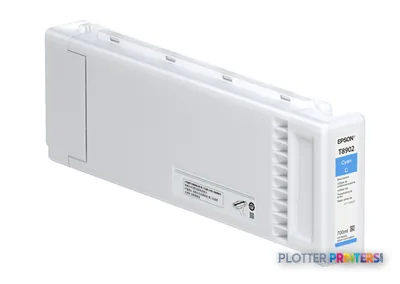
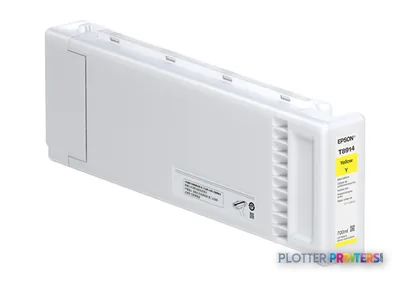
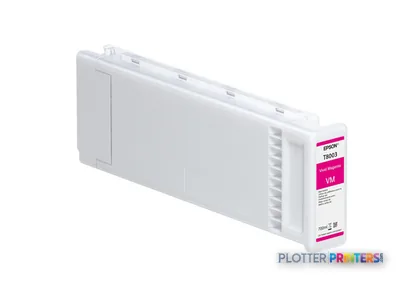
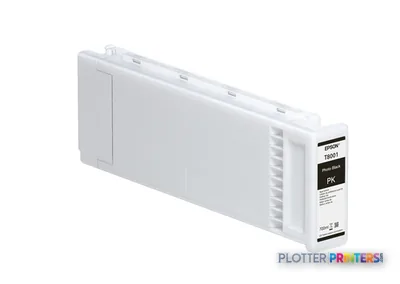
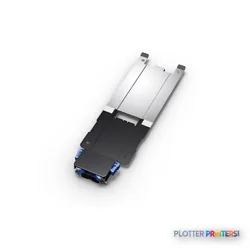
4 ink cartridges · 12 paper & media items · 1 accessory
Epson SureColor SC-S60600 ink and paper →Supplies
Compatible ink, printheads & media
Genuine consumables that fit the Epson SureColor SC-S60600 — only the cartridges, printheads and media compatible with this model.
Ink Cartridges 4
Paper & Media 12
 Representative image225gsm Solvent Satin PE PaperRepresentative image225gsm Gloss Solvent PE PaperRepresentative image10 Mil Solvent Blockout Display FilmRepresentative imageKODAK Premium Photo Paper, Satin / 10 Mil / Solvent (Pallet Only)Representative imageKODAK Premium Photo Paper, Satin / 10 Mil / SolventRepresentative imageKODAK Premium Photo Paper, Glossy / 10 Mil / SolventRepresentative imageMagic 9mil Universal Matte Coated PP Film (PPM7)Representative imageMagic 8mil Satin Wet-Strength Paper (POSTERMAX)Representative imageMagic 7.5mil Inside Mount Perforated Window Vinyl (NEWVUE)Representative imageMagic 7mil Gloss Photorealistic Paper (GFPHOTO)Representative imageMagic 15mil Poly-Cotton Satin Canvas (GFCVM)Representative imageMagic 6mil Outside Mount Perforated Window Vinyl (BROADVUE)
Accessories 1
Questions
Straight answers
Can the Epson SureColor SC-S60600 scan marked-up plans or copy drawings?
No. The supplied product data lists no scanning and no copying. Firms needing walk-up redline capture or copy workflows will need a separate device or process.
How can AEC users submit jobs to the SC-S60600?
It has one Gigabit Ethernet LAN connection and one USB 2.0 Type-B port. It does not have Wi-Fi, so a wired network or directly connected workflow is required.
What media can the SC-S60600 handle?
The stated media-thickness range is 0.004 inches to 0.039 inches, and the printer supports roll paper. Validate the exact media and application in a live test before committing to a project run.
Which ink does this printer use?
Compatible consumables include Epson UltraChrome GS3 ink. The stated cartridge volume is 700 ml.
Is it suitable for a normal office corner?
Probably not without planning. The printer is 103.1 inches wide, 45.2 inches deep, 52.7 inches high, and weighs 641.5 lbs; listed printing sound pressure is 58.5 dB.
What should IT verify before installation?
Confirm Ethernet access, driver workflow, and compatibility with current workstations. The supplied compatibility list includes Windows XP, Windows Vista, Windows 7, and Mac OS 10.4+, so modern-environment validation is sensible.
Resources
Brochures, datasheets & video
Documents
Video
Ready to put the Epson SureColor SC-S60600 to work?
Configuration, media and a quote tailored to your workflow — from AEC plotter specialists.