
Home / Wide-Format Printers / Epson SureColor
Epson · Wide-Format Plotter
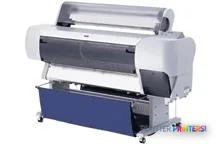
Epson Stylus Pro 10000CF
technical / CAD plotter
- Model10000CF
- Score50/100
Authorized Epson dealerGenuine hardware & ink
2-year warranty includedExtension plans available
Free shippingContinental U.S.
Plotter specialistsAEC experts, not just sellers
Analyst take
- The Epson Stylus Pro 10000CF supports color output and a maximum print size of A0 (33 x 47 in.).
- Its listed +/- 0.2% line accuracy is relevant to technical drawings where scale and measured detail matter.
- The listed normal-quality rate of 20 m2/h should be evaluated with actual project files and handling time.
Not sure if the 10000CF is right for you?
Compare key specs and an AI analyst read-out against similar models.
- Fine detail 1440 x 720 DPI maximum resolution for crisp line work.
- Productivity Rated at 17.
- Connectivity Ethernet for shared team printing.
- Analyst score Scores 50/100 in our class-relative rating.
Overview
Built for the work
Epson Stylus Pro 10000CF, 1440 x 720 DPI, 20 m2/h, 20000 sheets, A0 (841 x 1189 mm), USB Type-A, Japan
- 215 ft²/hRated speed
- 4Ink channels
- 1,440 dpiMax resolution
- 24 moIncluded warranty
Spec Analysis
overall
overall
Expert analysis
What you should know

Key takeaways
- The Epson Stylus Pro 10000CF supports color output and a maximum print size of A0 (33 x 47 in.).
- Its listed +/- 0.2% line accuracy is relevant to technical drawings where scale and measured detail matter.
- The listed normal-quality rate of 20 m2/h should be evaluated with actual project files and handling time.
- Its USB, Ethernet LAN and parallel connections suit mixed connectivity needs, but its listed operating-system support calls for an IT review.
- The 291 lb weight and 73.4 x 48.2 x 28 in. dimensions require a deliberate print-room location.
At 4:45 p.m., the person at the output tray does not care about a pretty spec sheet. They need a readable A0 coordination drawing, a color-marked civil plan, or a revised permit sheet before the courier cutoff. The Epson Stylus Pro 10000CF is a color wide-format printer for that kind of technical-document work, with support for cut sheets and a maximum print size of A0 (33 x 47 in.).
Its listed normal-quality speed is 20 m2/h. That figure needs context: it describes a rate, not the whole job. File processing, sheet handling, operator intervention and the last-minute “one more revision” still own the deadline. The machine’s value is in putting color and fine technical information on large sheets without turning the print room into a small excavation project.
A0 (33" x 47" (841 x 1189 mm))Maximum print sizeSuitable for large-format technical sheets within the stated maximum size.
+/- 0.2%Line accuracyA relevant specification when drawing scale and measured detail matter.
20 m2/hNormal-quality print speedUse the estimator below to put the rated speed into job context.
1440 x 720 DPIMaximum resolutionUseful context for linework, annotations and color-coded plan content.
Where it fits in an AEC workflow
This printer makes the most sense where color carries information. Think discipline overlays, utility markups, phasing plans, GIS output, coordination drawings and presentation sheets that must remain legible at A0. Color is not decoration in those jobs. It is often the difference between spotting a clash now and explaining it later.
The stated +/- 0.2% line accuracy matters for technical output, while the 1440 x 720 DPI maximum resolution gives the driver and application room to render fine annotations. It also offers USB, Ethernet LAN and a parallel port, which is useful context for offices supporting a mix of networked and older workstation connections. Its listed operating-system compatibility points squarely at an older computing environment, so IT should validate driver, network and security fit before putting it back into regular production.
Bottom line: This is for AEC teams that need large, color technical sheets—not a generic office printer wearing a larger hat.
Estimate rated print time for an upcoming set, then add the real-world allowance for file preparation, paper handling and the inevitable late revision.
One set: – · Weekly plotting time: –
Computed from the manufacturer's rated 215 ft²/h. Real-world mixed sets run slower — treat this as a best case for comparing machines, not a promise.
Capacity, space and the parts nobody gets excited about
The catalog lists a maximum input capacity of 20000 sheets. Treat that as a configuration limit, not a promise that every mixed set will run unattended. Mixed drawing sizes, manual handling and any paper change still decide whether the operator is free to do something useful or becomes part of the printer.
Plan for the physical machine as well. The stated dimensions are 73.4 x 48.2 x 28 in., and it weighs 291 lbs. This is not a device to tuck beside a project manager’s desk and hope for the best. Give it stable floor space, clear service access and an environment within its stated 10–35 °C operating range. Typical power consumption is listed as 131 W, and the unit carries ENERGY STAR certification.
Bottom line: Make room for the operator and the paper path, not just the cabinet.
How to compare it without fooling yourself
There is no in-family step-up or step-down model in the supplied catalog set, so a neat same-family ladder is not available here. For a cross-brand reference point, the Canon iPF830 44-in is listed as a current 44-in inkjet model with 2400 x 1200 DPI. The Canon GP-4000 44-in is also listed as a current 44-in model, with Bubblejet technology and 2400 x 1200 DPI.
Those comparisons are useful for width and stated resolution context, not as a verdict on throughput, service or output quality. Ask for an A0 PDF with your smallest notes, your color conventions and a real project file. Then compare the two machines side by side and check the class ranking as one input, not as a substitute for a live workflow test.
Bottom line: A comparison only counts if it includes the files that make your team late.
Useful next checks
The read
The Epson Stylus Pro 10000CF is a sensible fit for teams producing color A0 technical documents where line accuracy, cut-sheet support and wired connectivity matter. It may be less appropriate for firms expecting current operating-system support without validation, jobs beyond its stated A0 maximum, or a production workflow that cannot tolerate operator involvement. Check its condition, driver path, ink availability and local support before treating an installed machine as a dependable deadline tool. Bottom line: Buy the workflow, not the cabinet.
Spec analysis
How the specs grade
Overall performance
- This printer
Category leaders best technical / CAD plotters, by dimension
Verified specifications
The specs that decide it
| Maximum resolution | 1440 x 720 DPI |
|---|---|
| Print speed | 17manufacturer-verified |
| Maximum print size | A0 (841 x 1189 mm) |
| Ethernet | Wired Ethernet (10/100 Mbps)manufacturer-verified |
| Power consumption | 131 W |
manufacturer-verified = checked against the manufacturer’s official datasheet, not aggregator data. Everything else is standards-body / catalog data we consider reliable.
Specifications
Full technical detail
Max resolution1440 x 720 DPI
ConnectivityEthernet (Gigabit LAN), USB
Use casePhoto / Fine Art
Printing
| Color | Yes |
|---|---|
| Maximum resolution | 1440 x 720 DPI |
| Print head nozzles | 180/900 |
| Print speed (normal quality) | 20 m2/h |
Performance
| Country of origin | Japan |
|---|
Paper handling
| Cut sheets | Yes |
|---|---|
| Maximum print size | A0 (841 x 1189 mm) |
Ports & interfaces
| USB port | Yes |
|---|---|
| Ethernet LAN | Yes |
| USB connector | USB Type-A |
| RJ-45 ports quantity | 1 |
| USB 2.0 ports quantity | 1 |
| Parallel ports quantity | 1 |
Weight & dimensions
| Weight | 291 lbs (132 kg) |
|---|---|
| Dimensions (WxDxH) | 73.4 x 48.2 x 28" (1865 x 1225 x 710 mm) |
Power
| Power requirements | AC 120V, 50/60 Hz |
|---|---|
| Power consumption (typical) | 131 W |
Operational conditions
| Operating temperature (T-T) | 10 – 35 °C |
|---|---|
| Operating relative humidity (H-H) | 20 – 80% |
Other features
| Line accuracy | +/- 0.2% |
|---|---|
| Minimum system requirements | CPU: Pentium II 400MHz, 128 MB RAM, 500 MB HDD |
| Minimum system requirements for Macintosh | Macintosh 7.6.1 |
Logistics data
| Quantity per pack | 1 pc(s) |
|---|
Packaging data
| Package depth | 79.5" (2020 mm) |
|---|---|
| Package width | 29.5" (750 mm) |
| Package height | 49.2" (1250 mm) |
| Package weight | 408.3 lbs (185.2 kg) |
Sustainability
| Sustainability certificates | ENERGY STAR |
|---|
System requirements
| Compatible operating systems | Windows 95/98/Me/NT4.0/2000/MacOS 7.5.1 + |
|---|
Input & output capacity
| Maximum input capacity | 20000 sheets |
|---|
Everything that fits the Epson Stylus Pro 10000CF
The full supplies hub lists every cartridge, printhead, roll and accessory verified against the manufacturer's own documentation for this machine.
6 ink cartridges · 12 paper & media items
Epson Stylus Pro 10000CF ink and paper →Supplies
Compatible ink, printheads & media
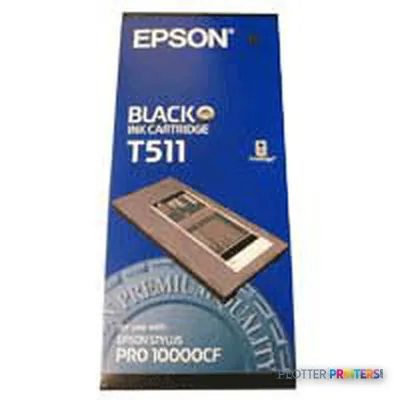
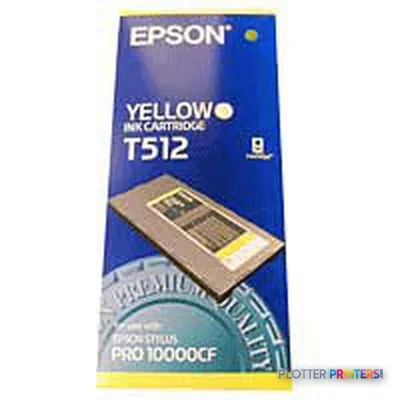
Genuine consumables that fit the Epson Stylus Pro 10000CF 44-in — only the cartridges, printheads and media compatible with this model.
Ink Cartridges 6
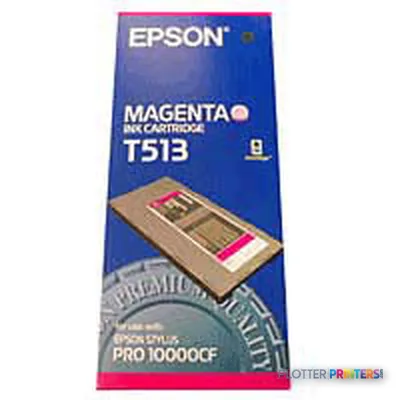
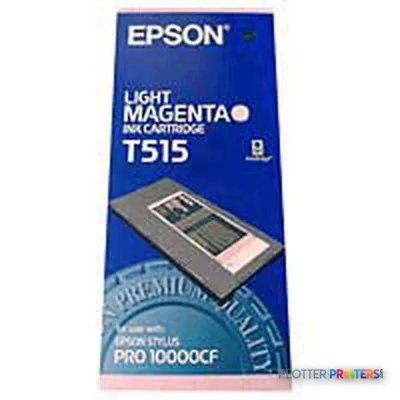
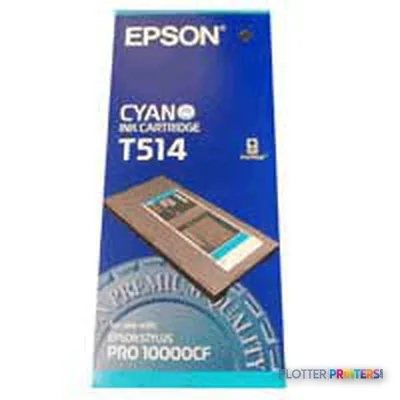
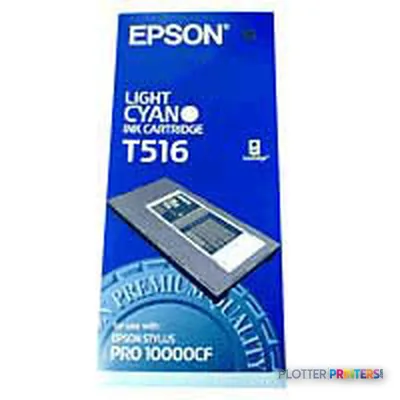
Paper & Media 12
 Representative image46LB Inkjet Coated Matte Paper (747)Representative image6.5mil Matte Coated Paper w/ PSA (746PSA)Representative image36LB Inkjet Coated Matte Paper (746)Representative image24LB Inkjet Coated Matte Paper (745)Representative image20LB High Brite Inkjet Bond Paper (740)Representative image20LB Inkjet Bond Paper (Tinted) (732)Representative image24LB Inkjet Bond Paper (731)Representative image20LB Inkjet Bond Paper (730)Representative image24LB Inkjet Coated Matte Paper Economy (714)Representative image20LB Engineering Vellum (471)Representative imageWSL 28LB Simple Inkjet Coated Matte Paper (C2S) (448)Representative imageWSL 24LB Simple Inkjet Coated Matte Paper (C2S) (446)
Questions
Straight answers
What AEC work genuinely fits the Epson Stylus Pro 10000CF?
It fits color A0 technical output such as coordination drawings, GIS maps, marked-up plans and presentation sheets. Its listed line accuracy and maximum resolution are relevant to fine linework and annotations.
Can it print full-size architectural and engineering sheets?
Its stated maximum print size is A0 (33 x 47 in.). Confirm that your required sheet sizes fall within that limit before planning a replacement or production role around it.
Is the listed 20 m2/h speed enough for a busy print room?
That is the listed normal-quality print speed. Productive output will also depend on file processing, sheet handling, job mix and operator intervention.
What should IT check before connecting this printer?
The unit has Ethernet LAN, USB and a parallel port. Its listed compatible operating systems include Windows 95/98/Me/NT4.0/2000 and MacOS 7.5.1+, so driver, network and security compatibility deserve validation.
What installation planning does it need?
Allow for stated dimensions of 73.4 x 48.2 x 28 in. and a weight of 291 lbs. The specified operating temperature range is 10–35 °C, with 20–80% operating relative humidity.
Ready to put the Epson Stylus Pro 10000CF to work?
Configuration, media and a quote tailored to your workflow — from AEC plotter specialists.