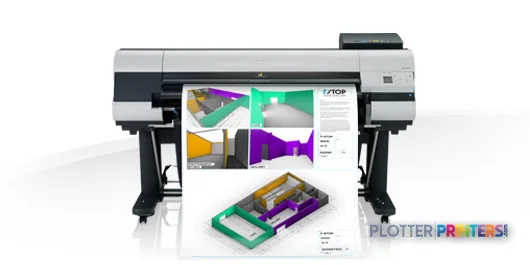
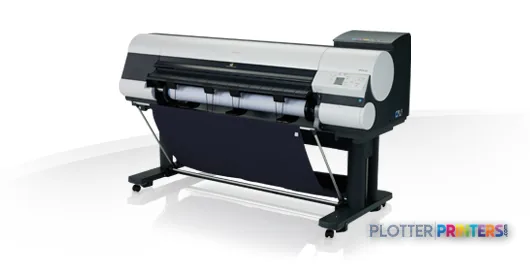
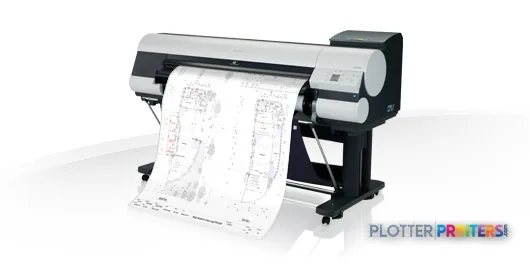
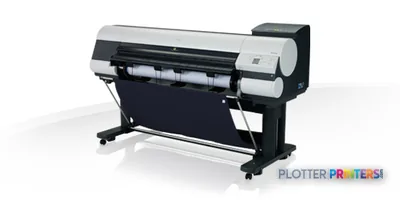
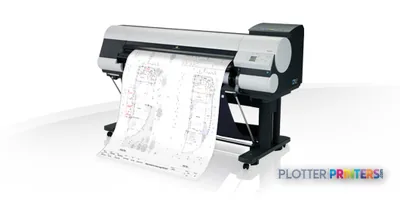
The iPF830 is a 44-inch color inkjet printer for AEC drawings, maps, coordination sheets, and presentation output up to A0.
It supports both roll paper and cut sheets up to 44 inches wide, which helps offices handle routine plan output and exceptions without changing platforms.
HP-GL/2, HP-RTL, GARO, Gigabit Ethernet, USB, internal storage, and substantial memory support established technical-document workflows.
The iPF830 is a 44-inch color inkjet printer for AEC drawings, maps, coordination sheets, and presentation output up to A0.
It supports both roll paper and cut sheets up to 44 inches wide, which helps offices handle routine plan output and exceptions without changing platforms.
HP-GL/2, HP-RTL, GARO, Gigabit Ethernet, USB, internal storage, and substantial memory support established technical-document workflows.
The rated best-quality speed of 121 sqf/h needs real-world allowance for file processing, media handling, roll changes, and operator pickup.
Choose the Canon iPF840 44-in when integrated scanning and copying matter more than print-only workflow simplicity.
The Canon iPF785 36-in may be the better fit when full-width 44-inch output is rarely required.
It is 4:45 p.m., the civil set changed again, and somebody needs a readable 30 x 42-inch plan before the meeting starts. The Canon iPF830 is a 44-inch color inkjet printer for that sort of AEC work: CAD sheets, engineering PDFs, color-marked coordination drawings, GIS maps, and presentation output up to A0.
Its job is straightforward. Feed rolls or cut sheets up to 44 inches wide, reproduce fine technical detail, and keep jobs moving over Gigabit Ethernet or USB. Canon lists HP-GL/2 and HP-RTL support alongside GARO, which matters when older CAD plotting habits have not yet been dragged fully into the PDF era. Bottom line: this is a technical-document printer, not a production line with a cape.
A0 (33" x 47" (841 x 1189 mm))Maximum print sizeLarge enough for common full-size plan sheets.
44" (1117.6 mm)Media widthSupports wide rolls and cut sheets.
2400 x 1200 DPIMaximum resolutionResolution is useful only if the source PDF and line settings are clean.
121 sqf/hPrint speed, best qualityA rated figure, not a promise that a mixed bid set will finish itself.
The Canon iPF830 is a 44-inch technical inkjet built around roll and cut-sheet output.
Where the iPF830 earns its floor space
The iPF830 fits offices that still print full-size drawings often enough that sending every revision outside becomes a deadline risk. Its five-color ink set includes black and matte black, plus cyan, magenta, and yellow. That combination is relevant to AEC work because drawings need crisp black linework on ordinary bond, while discipline colors, markup layers, utility maps, and phasing plans still need to separate clearly.
Canon specifies a minimum line width of 0.000787 inches. In practice, fine-line success still begins upstream: use a clean PDF, sensible line weights, and the correct media setting. A printer cannot rescue a drawing exported with hairlines so faint they look like drafting ghosts.
The 320 GB internal storage and 32768 MB of internal memory are useful when multiple people are sending large files. They do not replace job discipline. Somebody still needs to confirm the right revision is loaded before a dozen sheets leave the room.
Bottom line: the iPF830 makes sense where full-size technical output is a working tool, not an occasional ceremonial event.
Media, workflow, and the unglamorous details
The printer accepts roll paper and cut sheets up to 44 inches wide, with supported media thickness from 0.003 to 0.031 inches. Maximum roll length is 708.7 inches and maximum roll diameter is 5.91 inches. Those numbers matter at the end of a bid deadline because roll changes, media mismatches, and curled sheets are where theoretical speed goes to take a long lunch.
For networked AEC teams, Gigabit Ethernet is the practical connection. There is also one USB 2.0 port and a USB Type-A connector. The built-in LCD is there for local status and setup, while the HDD supports queued work. The iPF830 also carries ENERGY STAR certification.
Expect audible operation in an open office: Canon lists 52 dB sound pressure while printing. It is not a reason to reject the machine, but it is a reason not to park it beside the person trying to run a design review on speakerphone.
Bottom line: give it a proper print corner, a stable network path, and media procedures that people will actually follow.
Roll-fed technical printing is the iPF830’s natural habitat; cut-sheet support is available when a job calls for it.
How it sits in the Canon family
The iPF830 is the 44-inch choice when your work is mainly print output. If most drawings are 36 inches wide or smaller, the Canon iPF785 36-in deserves a look simply because it occupies a narrower format class. Buying 44-inch capacity for a shop that never uses it is one of those decisions that seems harmless until the room layout arrives.
If scanning and copying are part of the daily document-control routine, the Canon iPF840 44-in is the relevant in-family alternative because it is listed with scanner/MFP capability. If the requirement remains 44-inch inkjet output, compare the Canon iPF850 44-in alongside the iPF830 rather than assuming a nearby model number settles the question.
For supplies, verify the installed configuration and use compatible **Canon PFI-307** or **Canon PFI-707** ink families as applicable, plus the **Canon MC-10** maintenance cartridge. The PF-04 print head is specified for this model.
Bottom line: choose the iPF830 for printing; move to the iPF840 when scan/copy workflow is the actual bottleneck.
Before purchase, run real CAD and PDF files through the workflow—not a tidy one-sheet demo file.
The read
The Canon iPF830 is a credible fit for architecture, engineering, survey, and construction teams that need 44-inch color technical output from rolls or cut sheets and want HP-GL/2 or HP-RTL in the workflow. It is less appropriate when daily scanning and copying drive the workload, when nearly all output is 36 inches wide, or when unattended multi-roll production is the real requirement. Ask the dealer to print your densest plan set, a color coordination sheet, and a mixed-size PDF before signing anything. Bottom line: buy it for dependable full-size plotting, not for features the workflow does not use.
It suits color CAD plots, engineering PDFs, GIS maps, coordination drawings, and presentation output up to A0. Its 44-inch media width supports common full-size technical sheets.
Can the iPF830 print both rolls and individual sheets?
Yes. It supports roll paper and cut sheets, each up to 44 inches wide. Supported media thickness is 0.003 to 0.031 inches.
Does the iPF830 support older CAD plotting languages?
Yes. Its listed page description languages are GARO, HP-GL/2, and HP-RTL. That is useful where legacy plotting workflows remain in service.
Is the iPF830 a scanner and copier too?
The supplied data identifies it as a printer and does not list scanner/MFP capability. For an in-family model listed with scanner/MFP capability, consider the Canon iPF840 44-in.
What supplies should a buyer confirm before deployment?
Confirm the correct compatible ink family for the installed configuration: Canon PFI-307 or Canon PFI-707. The specified maintenance cartridge is Canon MC-10, and the specified print head is PF-04.
Will it be quiet enough for an open office?
Canon lists 52 dB sound pressure while printing and 35 dB sound power in standby. It can work in an office, but a dedicated print area is usually kinder to nearby staff.