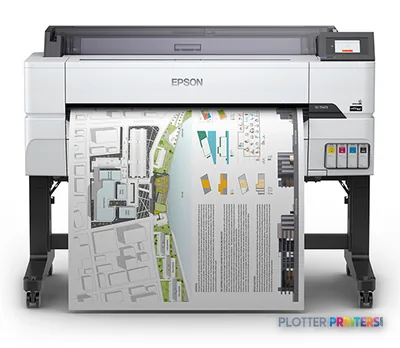
The SC-T5405 is a 36-inch color inkjet for CAD, PDF, GIS, and presentation-oriented AEC output.
Its roll-paper and cut-sheet support suit offices that alternate between drawing sets and occasional coated-media work.
Epson specifies 22 pph for A1 output at normal quality, but mixed sets require allowance for processing and media handling.
There is no scanning or copying, so redline capture and legacy-document workflows need a separate device or an M-series alternative.
Ethernet, Wi-Fi, USB, direct printing, HP-GL/2, and HP-RTL support make it practical for shared technical-print environments.
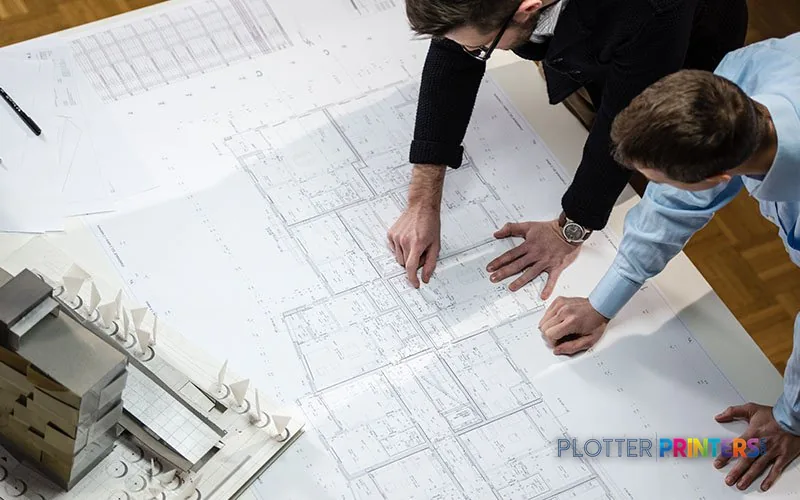
The person at this output tray is usually trying to get a checked drawing set, a color-marked coordination sheet, or a site plan into somebody’s hands before the afternoon meeting starts. The Epson SC-T5405 is a 36-inch color inkjet for that kind of office work: CAD drawings, PDF plan sheets, GIS maps, presentation graphics, and the occasional coated-media board that needs to look like someone cared.
It accepts roll paper and cut sheets, speaks HP-GL/2 and HP-RTL alongside ESC/P-R, and connects by Ethernet, Wi-Fi, USB, or direct printing. That makes it a sensible local plotter for an architecture studio, engineering team, or construction office that needs its own output without turning printing into a separate department.
36" (91.4 cm)Maximum roll widthCovers common D-size and 36-inch AEC output.
22 pphRated A1 speedSpecified at normal quality.
2400 x 1200 DPIMaximum resolutionUseful context for linework and color drawing output.
+/- 0.1Line accuracyRelevant when plot consistency matters.
A 36-inch floor-standing format intended for office-side technical printing, not a central reprographics production line.
Where the SC-T5405 earns its floor space
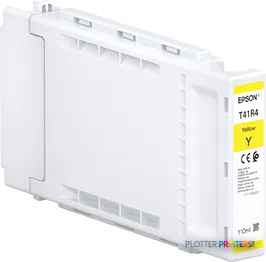
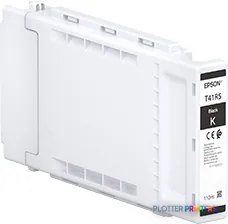
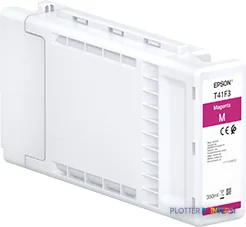
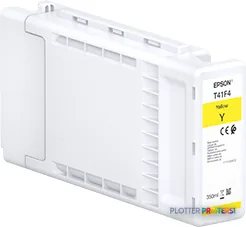
The SC-T5405 fits teams printing recurring D-size plan sheets, A1 drawing packages, engineering markups, and color-coded construction documents. Its four pigment inks—black, cyan, yellow, and magenta—make it a color device first, while the stated minimum line width of 0.000787 inches provides useful context for detailed CAD linework and small annotation text.
The practical benefit is flexibility. Bond, coated, matte, glossy, satin, photo, and roll media are listed as supported types. That lets a civil group run ordinary bond for review sets, then move to coated or presentation media for a client exhibit without bringing in a second printer. The 4.3-inch color touchscreen also keeps routine loading and status checks at the device rather than in a driver dialog nobody can find at 4:45 p.m.
Bottom line: This is a good fit when color technical output and occasional presentation work share the same 36-inch queue.
Estimate the rated print portion of a drawing run, then allow real deadline time for file processing, paper changes, trimming, and pickup.
One set: – · Weekly plotting time: –
Computed from the manufacturer's rated 148 ft²/h. Real-world mixed sets run slower — treat this as a best case for comparing machines, not a promise.
The throughput question deserves a straight answer
Epson specifies 22 A1 prints per hour at normal quality. That is useful for planning a modest stream of drawings, but it is not a promise that a mixed plan set will emerge at that pace. PDFs still need processing. Operators still change rolls. Cut sheets still need loading. And somebody still discovers the one sheet with the wrong revision after the job starts. Print rooms have not solved that one yet.
There are two input trays, plus roll and cut-sheet support, but this is not presented as a high-volume dual-roll production system. Firms with frequent media switching, long unattended runs, or a steady flow of issue sets should look at the wider, dual-roll Epson SureColor T5270DR 36-in or Epson T7770DR 44-in. Their advantage matters most when the printer cannot stop for an operator between jobs.
Bottom line: The SC-T5405 handles office plotting well; it is not the machine to assign a central reprographics queue and hope for quiet miracles.
How its throughput sits within the class, graded on the same basis as every machine we test. See the full class ranking →Roll and cut-sheet capability suits teams that alternate between everyday drawing output and occasional presentation media.
Workflow, security, and the family choice
For CAD and technical PDF environments, HP-GL/2 and HP-RTL support matter because those languages remain common in established plotting workflows. Gigabit Ethernet, Wi-Fi, USB Type-A and Type-B connections, Apple AirPrint, and direct printing provide several submission paths. On managed networks, the listed SSL/TLS, SNMP, and IPSec security algorithms give IT a starting point for device review rather than an excuse to leave a plotter on an isolated guest network.
The trade-off is the absence of scanning and copying. If field redlines, legacy drawings, or walk-up copy work are part of the daily routine, compare it with the Epson SC-T5400M 36-in or Epson SC-T5430M 36-in. If scanning is not required, the Epson SC-T5400 36-in is the closer in-family reference point. You can also compare the SC-T5405 with the SC-T5400M before deciding whether an integrated scanner earns its keep.
Bottom line: Buy this configuration for printing; buy an M model when scanning is a workflow requirement, not a nice-to-have.
The touchscreen and network connections support shared-office operation, but the operating workflow still needs clear paper and job ownership.
The read
The Epson SC-T5405 is for AEC teams that need dependable in-house 36-inch color plotting, not a substitute for a scan-and-copy MFP or a high-volume dual-roll production device. It is particularly well suited to small and mid-sized architecture, engineering, survey, and construction offices producing routine CAD and PDF output on bond, with enough color and media range for coordination drawings and presentation work. Its 29.5-inch depth and 54.5-inch width also make it more realistic for an office print area than a dedicated reprographics room. Before ordering, confirm the local service plan, test your actual PDF and HP-GL/2 files, and check who will load paper when the deadline lands. Bottom line: Choose it when a shared 36-inch color plotter is the job; step up when scanning, copy work, wider media, or sustained unattended production is the job.
Graded on a curve against the best published spec among the wide-format printers we track — 100 = the catalog’s gold standard for that metric (the finest droplet, the longest warranty, the fastest rated speed actually on the market). Every input is a manufacturer-published spec; rated speeds are shown as listed, not timed throughput. Ticks mark the class best. How we grade →
Category leaders best technical / CAD plotters, by dimension
It suits CAD drawings, PDF plan sheets, GIS maps, color-coded coordination drawings, and presentation graphics up to its listed 36-inch maximum roll width. It supports roll paper and cut sheets.
Can it print ordinary bond paper as well as presentation media?
Yes. Listed media types include bond, coated, glossy, matte, photo, roll, and satin paper. That supports everyday drawing output alongside occasional presentation work.
Does the SC-T5405 scan or copy drawings?
No. The supplied product data lists scanning and copying as unavailable. Consider the Epson SC-T5400M 36-in or Epson SC-T5430M 36-in when integrated scan-and-copy work is required.
Is it suitable for a busy central print room?
It may be less appropriate where long unattended runs, frequent roll changes, and constant issue-set production are routine. The Epson SureColor T5270DR 47-in and Epson T7770DR 44-in are in-family dual-roll alternatives for that type of work.
Will it work with established CAD plotting workflows?
It supports ESC/P-R, HP-GL/2, and HP-RTL page-description languages, along with Ethernet, Wi-Fi, USB, and direct printing. Test representative files and drivers in your own environment before deployment.