
Home / Wide-Format Printers / Canon imagePROGRAF
Canon · Wide-Format Plotter
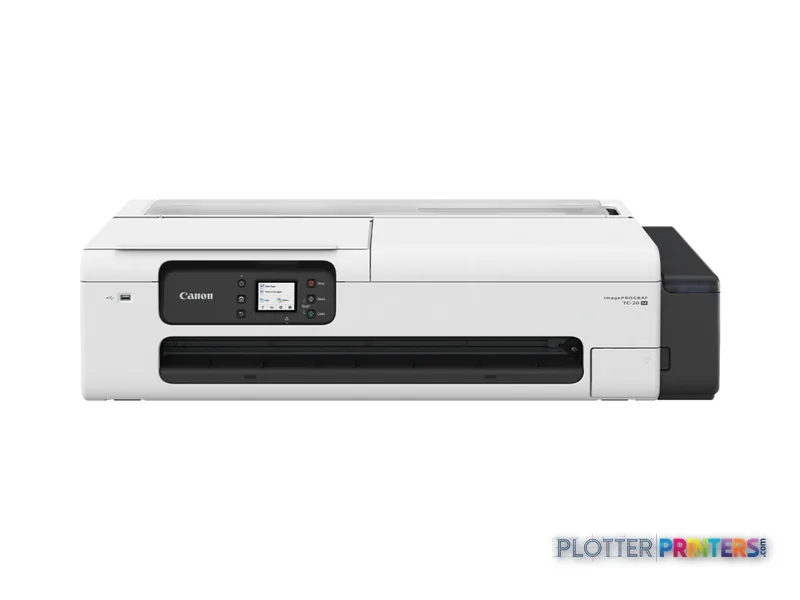
Canon imagePROGRAF TC-20M
24" wide-format MFPs
- ModelTC-20M
- Prints24" wide
Genuine OEM hardwareAuthorized U.S. distribution
Manufacturer warrantyExtension plans available
Free shippingContinental U.S.
Plotter specialistsAEC experts, not just sellers
Analyst take
- The Canon TC-20M combines color inkjet printing with CIS color scanning for local AEC document work.
- Its maximum print size is A1 (23" x 33" (594 x 841 mm)), which is the central fit constraint.
- PDF is a stated page-description language, so firms should test their own drawing sets before rollout.
Not sure if the TC-20M is right for you?
Compare key specs and an AI analyst read-out against similar models.
- Wide-format reach Prints up to 24" wide on rolls and sheets.
- Fine detail 2400 x 1200 DPI maximum resolution for crisp line work.
- Ink platform Black, Cyan, Magenta, Yellow.
- Scan & copy Integrated scanner for digitizing and sharing sets.
- Connectivity Ethernet for shared team printing.
- Verified specs 8 specs checked against the manufacturer datasheet.
Overview
Built for the work
Canon imagePROGRAF TC-20M, Inkjet, 2400 x 1200 DPI, JPEG, PDF, Black, Cyan, Magenta, Yellow, Color scanning, 1200 x 2400 DPI
Expert analysis
What you should know

Key takeaways
- The Canon TC-20M combines color inkjet printing with CIS color scanning for local AEC document work.
- Its maximum print size is A1 (23" x 33" (594 x 841 mm)), which is the central fit constraint.
- PDF is a stated page-description language, so firms should test their own drawing sets before rollout.
- USB, Ethernet LAN, Apple AirPrint, and Mopria Print Service provide several submission paths.
- Authentication, logging, and network-security capabilities are not defined in the supplied specifications and require seller confirmation.
The Canon TC-20M is a compact color inkjet multifunction for teams that still need paper drawings, but do not run a dedicated reprographics room. Think permit markups, field sketch revisions, color-coded coordination sheets, GIS extracts, and a scanned redline that needs to get back into a PDF workflow before lunch. Its built-in CIS color scanner matters here: the printer can handle both output and basic scan/copy work without adding another device to an already crowded project office.
Its practical boundary is format. The maximum print size is A1 (23" x 33"), making it a sensible fit where smaller plan sheets and documents dominate. It is less convincing where full-size drawing sets, sustained batch plotting, or broad-format scanning are routine. A plotter that saves thirty seconds a plot buys you nothing if the file spends four minutes finding it; this model belongs in a simple, local workflow with disciplined file submission.
A1 (23" x 33" (594 x 841 mm))Maximum print size
2400 x 1200 DPIMaximum print resolution
1200 x 2400 DPIMaximum scan resolution
72.8 lbs (33 kg)Machine weight
Where it fits in an AEC office
This is particularly well suited to a small architecture studio, a site office, a survey crew base, or an engineering department that needs occasional wide-format output close to the people reviewing drawings. It accepts cut sheets and roll media, with plain and coated paper listed among supported media types. The four-color ink set—black, cyan, magenta, and yellow—supports everyday linework and color communication drawings rather than positioning the device as a specialist presentation-print platform.
The 2400 x 1200 DPI maximum resolution gives the device the technical headroom expected for detailed documents, but resolution alone does not settle line quality in a live workflow. File construction, paper choice, driver settings, and the PDF itself still determine whether small annotation text and screening reproduce as intended. Test the firm’s typical civil plan, MEP coordination sheet, and redlined PDF—not a manufacturer demo file.
Scanning, submission, and the IT questions that should not be skipped
The TC-20M includes a touch-controlled LCD, color CIS scanning, direct printing, USB, Ethernet LAN, Apple AirPrint, and Mopria Print Service. Its stated page-description languages are JPEG and PDF, which makes PDF workflow validation especially important for AEC teams. Before deployment, run representative PDF sets through the intended submission path and confirm that line weights, fonts, page sizes, and orientation survive intact.
For IT, Ethernet connectivity is established, but the supplied specification does not define authentication, audit logging, encryption options, directory integration, or fleet-management features. Those are not footnotes in a contractor or public-sector environment. Ask the seller to document the available controls, update process, and network requirements before the machine reaches a project network. The scanner is free. The person standing at it is not.
Supplies and the step-up decision
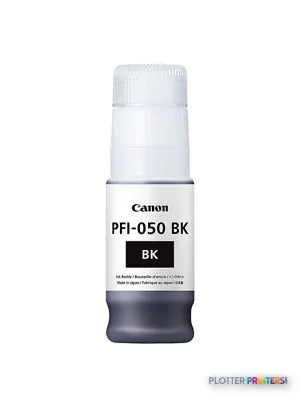
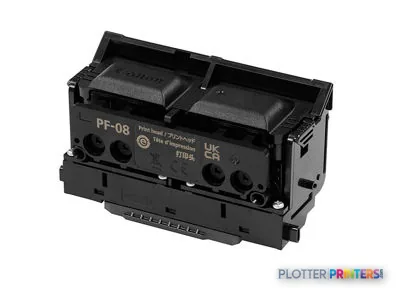
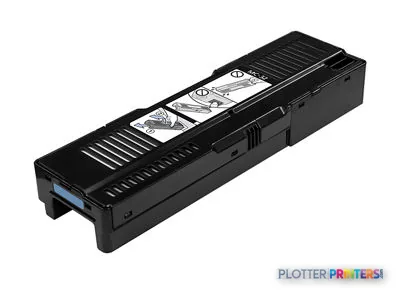
Compatible supplies include Canon PFI-050 inks, the Canon PF-08 printhead, and the Canon MC-32 maintenance cartridge. Confirm local availability and service arrangements alongside the device itself, particularly if the printer will support deadline-driven bid or construction-document work. Consumables are only one operating variable; operator intervention, roll changes, and reprints often consume more working time than expected. Money is minutes.
If your requirement regularly extends beyond A1 output, start with the Canon imagePROGRAF 700 36-in rather than trying to make a smaller-format device cover a larger-format document program. The comparison is principally one of format and workflow scope. The side-by-side comparison is useful for checking the catalog specifications that matter to your team.
Compare the workflow options
The read
Choose the Canon TC-20M if your AEC team needs compact color printing plus color scanning for A1-size documents, PDFs, and intermittent local output. Choose the Canon imagePROGRAF 700 36-in if wider drawings are a normal part of the workload. Buy the machine for the workflow you have, not the one the brochure imagines.
Verified specifications
The specs that decide it
| Maximum print size | A1 (594 x 841 mm) |
|---|---|
| Maximum resolution | 2,400 x 1,200 dpi |
| Print technology | Canon Pigment ink, 4 colors, integrated type |
| Maximum roll width | 24 in (610 mm)manufacturer-verified |
| Maximum roll diameter | 4.3 in (110 mm) |
| Maximum print length | 17 in (432 mm)manufacturer-verified |
| Scan technology / resolution | CIS, up to 1200 x 2400 dpi color |
| Connectivity | 10/100 Ethernet, Wi-Fi 802.11 b/g/n, Hi-Speed USBmanufacturer-verified |
| Weight / footprint | 72.8 lb (33 kg); 38.1 x 20.7 x 15.6 in (968 x 525 x 395 mm) |
| Power (typical) / noise | 28 W typical; 42.5 dB(A) printingmanufacturer-verified |
manufacturer-verified = checked against the manufacturer’s official datasheet, not aggregator data. Everything else is standards-body / catalog data we consider reliable.
Specifications
Full technical detail
Print technologyInkjet
Max resolution2400 x 1200 DPI
Max print width24"
ColorColor
ConnectivityEthernet (Gigabit LAN), USB
Use caseCAD / Technical
Printing
| Color | Yes |
|---|---|
| Printing colors | Black, Cyan, Magenta, Yellow |
| Print technology | Inkjet |
| Maximum resolution | 2400 x 1200 DPI |
| Page description languages | JPEG, PDF |
Performance
| Display | LCD |
|---|---|
| Control type | Touch |
| Product color | Black, White |
| Built-in display | Yes |
| Internal storage capacity | 1 GB |
Paper handling
| Cut sheets | Yes |
|---|---|
| Media thickness | 0.003"–0.011" (0.08 – 0.28 mm) |
| Maximum print size | A1 (23" x 33" (594 x 841 mm)) |
| Maximum roll diameter | 4.33" (11 cm) |
| Paper tray media types | Coated paper, Plain paper, Roll |
| Print margin cut-sheet | 8.3"–12" (210.82 – 304.8 mm) |
Ports & interfaces
| USB port | Yes |
|---|---|
| Ethernet LAN | Yes |
| Direct printing | Yes |
| Mobile printing technologies | Apple AirPrint, Mopria Print Service |
Weight & dimensions
| Depth | 21.5" (545 mm) |
|---|---|
| Width | 38.1" (968 mm) |
| Height | 15.6" (395 mm) |
| Weight | 72.8 lbs (33 kg) |
Power
| AC input voltage | 100 – 240 V |
|---|---|
| AC input frequency | 50 – 60 Hz |
| Power consumption (off) | 0.3 W |
| Power consumption (standby) | 1.9 W |
| Power consumption (typical) | 26 W |
Scanning
| Scanning | Color scanning |
|---|---|
| Scan technology | CIS |
| Maximum scan resolution | 1200 x 2400 DPI |
System requirements
| Windows operating systems supported | Windows 10, Windows 7, Windows 8.1 |
|---|
Supplies
Compatible ink, printheads & media
Genuine consumables that fit the Canon imagePROGRAF TC-20M large format printer Inkjet Colour 2400 x 1200 DPI A1 (594 x 841 mm) Ethernet LAN — only the cartridges, printheads and media compatible with this model.
Ink Cartridges 4
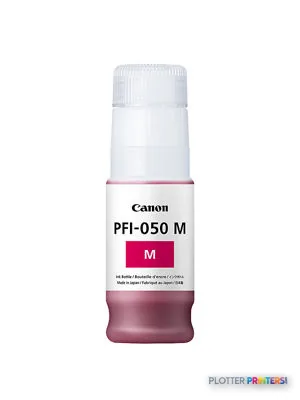
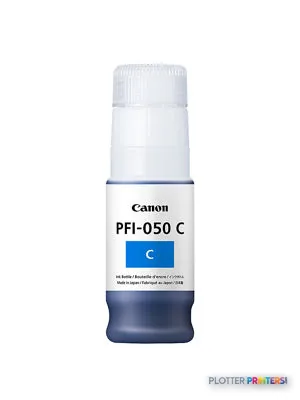
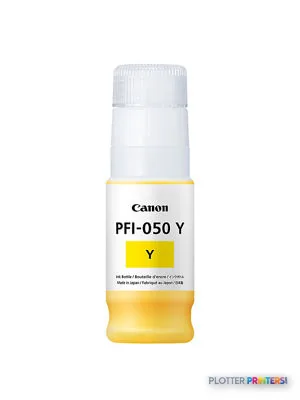
Printheads 1
Paper & Media 12
 Representative image11 Mil Water-Resistant Synthetic BannerRepresentative image8 Mil Satin Photo PaperRepresentative image8 Mil Gloss Photo PaperRepresentative image5 Mil Water-Resistant Self-Adh Vinyl (3" AC)Representative image6 Mil Water-Resistant Self-Adhesive PolypropyleneRepresentative imageHP Bright White Inkjet Paper, 4-packRepresentative imageMagic Firenze 170gsm Coated Matte Paper (Firenze170)Representative imageMagic 98gsm/26# Coated Matte Paper (DMPG98)Representative imageMagic 4mil Inkjet Clear Film w/ Side Stripe (DMCF4HPS)Representative image8mil Satin Microporous Photo Paper (791)Representative image8mil Gloss Microporous Photo Paper (790)Representative image6.5mil Matte Coated Paper w/ PSA (746PSA)
Questions
Straight answers
Is the Canon TC-20M suitable for full-size construction plan sets?
Its stated maximum print size is A1 (23″ x 33″ (594 x 841 mm)). It is better suited to teams whose required drawings fit that limit than to offices that routinely need wider sheets.
Can it scan marked-up drawings in color?
Yes. The TC-20M has color scanning using CIS technology, with a maximum scan resolution of 1200 x 2400 DPI.
What files can it print directly?
The stated page-description languages are JPEG and PDF, and direct printing is listed. Test representative AEC PDFs for fonts, line weights, scaling, and orientation before standardizing a workflow.
What media can it handle?
The listed paper-tray media types are coated paper, plain paper, and roll media. Supported media thickness is 0.003″–0.011″ (0.08 – 0.28 mm).
Which supplies should an AEC buyer plan around?
Compatible supplies listed for this model are Canon PFI-050 inks, the Canon PF-08 printhead, and the Canon MC-32 maintenance cartridge.
Ready to put the Canon imagePROGRAF TC-20M to work?
We’ll point you to the current equivalent and quote it for your workflow.