
Home / Wide-Format Printers / Canon imagePROGRAF
Canon · Wide-Format Plotter
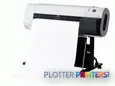
Canon imagePROGRAF 700
36" wide-format inkjet printer
- Model700
- Prints36" wide
Genuine OEM hardwareAuthorized U.S. distribution
Manufacturer warrantyExtension plans available
Free shippingContinental U.S.
Plotter specialistsAEC experts, not just sellers
Analyst take
- The Canon imagePROGRAF 700 prints in color on media from 8 to 36 inches wide.
- Its A0 maximum print size suits full-size technical documents and presentation work.
- Support for coated, glossy, photo and proofing papers broadens its role beyond ordinary plan output.
Not sure if the 700 is right for you?
Compare key specs and an AI analyst read-out against similar models.
Overview
Built for the work
Canon imagePROGRAF 700, A0 (841 x 1189 mm), 0.07-0.8 mm, A3-A0/ 10"-17", 203.2-917mm, USB Type-A, UL, CE mark, TUV, CB, Energy Star, Eco Mark, RoHS, WEEE
Expert analysis
What you should know

Key takeaways
- The Canon imagePROGRAF 700 prints in color on media from 8 to 36 inches wide.
- Its A0 maximum print size suits full-size technical documents and presentation work.
- Support for coated, glossy, photo and proofing papers broadens its role beyond ordinary plan output.
- The published operating-system list requires careful validation in a current AEC IT environment.
- Teams that scan and copy drawings should evaluate the Canon TZ-30000 36-in rather than assuming this printer covers that workflow.
Someone is standing at the plotter with a permit sheet due before 5 p.m. They need a clean A0 output, not a lecture on nozzle counts. The Canon imagePROGRAF 700 is a color wide-format printer for drawings, maps, presentation sheets and other technical documents up to 36 inches wide.
Its useful lane is straightforward: office-based AEC output where 36-inch media covers the work, color matters, and the job does not require an integrated scanner. It handles media from 8 to 36 inches wide and accepts material up to 0.031 inches thick. That leaves room for ordinary plan work as well as coated, glossy, photo and proofing papers when a client presentation cannot look like it came off the back of a truck.
8"–36" (203.2-917mm)Maximum media widthCovers common 36-inch technical-document output.
A0 (33" x 47" (841 x 1189 mm))Maximum print sizeSuitable for full-size drawing and presentation-sheet workflows.
0.003"–0.031" (0.07-0.8 mm)Media thicknessAllows a broader range than plain bond alone.
129.6 lbs (58.8 kg)WeightPlan the location before delivery day, not after it.
Where it earns its floor space
For architects, engineers, surveyors and construction teams, the practical attraction is width without an oversized machine. A 36-inch ceiling fits many plan, map and coordination-drawing workflows. Color output also has a clear purpose in AEC: utility overlays, phasing plans, markup layers, GIS mapping and discipline-color coordination are easier to read when the colors survive the trip from PDF to paper.
The media support matters most when one device has to cover more than plan sets. Coated paper, glossy paper, photo paper and proofing paper are supported, so the same printer can move from a civil exhibit to a design-review board without pretending every job belongs on bond. The trade-off is that this data does not establish finishing, stacking, roll switching, scanner capability, network authentication or job-accounting functions. Those are workflow questions worth answering before the purchase order starts its usual archaeological dig.
Bottom line: It fits a 36-inch color-output role; validate the surrounding workflow before treating it as a print-room system.
Media, service items and the questions that matter
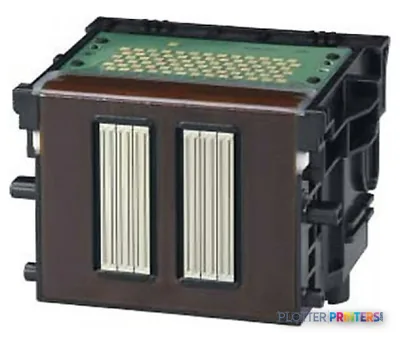
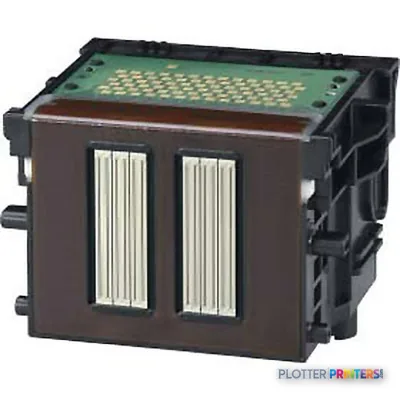
The listed consumables are Canon 0894B001, Canon 0897B001, Canon PFI-102BK ink cartridge Original Black, Canon PFI-102C ink cartridge Original Cyan, Canon PFI-102Y ink cartridge Original Yellow and the Canon PF-03 printhead. The Canon Roll Holder Set RH2-33 is the listed roll-holder accessory. Confirm that the dealer can support these exact items and has a sensible response plan for printhead and media-feed issues. A printer is only dependable until it needs something on a Thursday afternoon.
Connection is through one USB 2.0 port, with a USB Type-A connector specified. The stated compatible operating systems are Windows 95/98/Me/NT4.0/2000/XP and Mac OS 8.6/9/X. That is a major IT checkpoint for a modern AEC office. Do not assume current operating-system, network, cloud-submission, security or authentication support from this information alone. Ask for a live demonstration using your CAD PDFs and current workstations.
Bottom line: Consumables are identifiable, but current deployment compatibility needs proof, not optimism.
How it sits beside current 36-inch alternatives
The Canon imagePROGRAF 700 is most sensible where the requirement is printing rather than scanning and copying. If wide-format scan-and-copy work is part of daily redline, archive or as-built handling, the Canon TZ-30000 36-in is the more relevant family alternative because it is listed as a scanner/MFP. The Canon TZ-32000 36-in is another current 36-inch Canon option to evaluate when the wider family is under consideration.
For a like-width comparison outside Canon, review the Epson SC-T3700D 33-in or Epson SC-T5100 36-in against the workflow you actually run. Width alone does not settle the matter. Bring a line-heavy structural sheet, a dense MEP PDF, a color GIS file and the media you use every week. Then check handling, driver behavior and operator steps. That is less glamorous than a brochure. It is also how you avoid owning the wrong machine.
Bottom line: Compare the whole job path, especially scanning needs and modern IT requirements, not just the maximum width.
Space and power planning
The unit measures 59.3 x 29.6 x 43.2 inches and weighs 129.6 lbs. Leave room around it for loading media, retrieving output and service access. A plotter placed tight against a wall may fit the tape measure but still lose the argument on Monday morning.
Power requirements are AC 100-240V (50/60Hz), and typical power consumption is listed as 160 W. It also carries an ENERGY STAR sustainability certificate. Those facts help facilities planning, but they do not replace an assessment of the print area, ventilation expectations, cable routing and the office’s actual submission workflow.
Bottom line: The footprint is manageable only if the operator has room to work around it.
Compare the relevant paths
The read
The Canon imagePROGRAF 700 is a credible fit for AEC teams that need color technical output up to 36 inches and can operate within its documented media and connection limits. It is less appropriate where scanning, copying, current workstation support, secure network deployment or print-room automation is non-negotiable and unverified. Put your real files through it. The deadline will be less forgiving than the demo.
Verified specifications
The specs that decide it
| Maximum print size | A0 (841 x 1189 mm) |
|---|---|
| Media thickness | 0.07-0.8 mm |
| Power consumption | 160 W |
Specifications
Full technical detail
Max print width36"
ConnectivityUSB
Use caseCAD / Technical
Printing
| Color | Yes |
|---|---|
| Print head | 1 |
| Print head nozzles | 2560 p/c |
Performance
| Certification | UL, CE mark, TUV, CB, Energy Star, Eco Mark, RoHS, WEEE |
|---|
Paper handling
| Media thickness | 0.003"–0.031" (0.07-0.8 mm) |
|---|---|
| Maximum print size | A0 (33" x 47" (841 x 1189 mm)) |
| Maximum media width | 8"–36" (203.2-917mm) |
| Maximum roll length | A3-A0/ 10"-17" |
Ports & interfaces
| USB port | Yes |
|---|---|
| USB connector | USB Type-A |
| USB 2.0 ports quantity | 1 |
Weight & dimensions
| Weight | 129.6 lbs (58.8 kg) |
|---|---|
| Dimensions (WxDxH) | 59.3 x 29.6 x 43.2" (1507 x 752 x 1097 mm) |
Power
| Power requirements | AC 100-240V (50/60Hz) |
|---|---|
| Power consumption (typical) | 160 W |
Other features
| Photo paper | Yes |
|---|---|
| Coated paper | Yes |
| Glossy paper | Yes |
| Control panel | LED: 160 x 128, LED x 6 |
| Proofing paper | Yes |
Sustainability
| Sustainability certificates | ENERGY STAR |
|---|
System requirements
| Mac compatibility | Yes |
|---|---|
| Compatible operating systems | -Windows 95/98/Me/NT4.0/2000/XP -Mac OS 8.6/9/X |
Supplies
Compatible ink, printheads & media
Genuine consumables that fit the Canon imagePROGRAF 700 large format printer Colour A0 (841 x 1189 mm) — only the cartridges, printheads and media compatible with this model.
Ink Cartridges 3
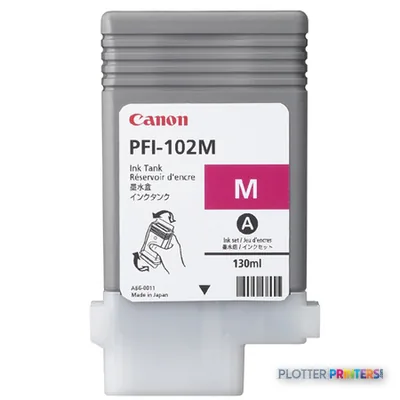
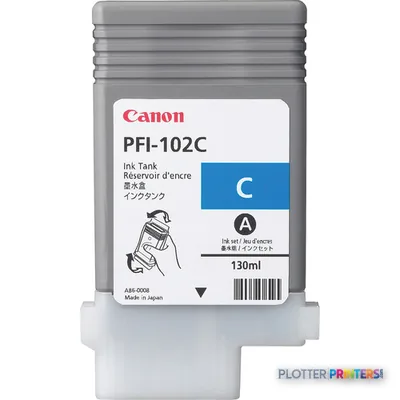
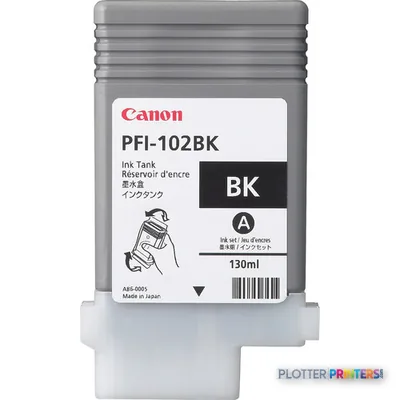
Paper & Media 12
 Representative image16 Mil WR Opaque Scrim Vinyl (3″ AC)Representative image15 Mil Water-Resistant Econo Scrim VinylRepresentative image11 Mil Water-Resistant Synthetic BannerRepresentative image180gsm Solvent Satin PE PaperRepresentative image230gsm Special Matte Photo PaperRepresentative image200gsm Special Matte Photo PaperRepresentative image350g Vivid Matte Poly/Cotton CanvasRepresentative image380g Premium Matte Poly/Cotton CanvasRepresentative image10 Mil Water-resistant Blockout Display FilmRepresentative image20LB Engineering Vellum (471)Representative imageWSL 28LB Simple Inkjet Coated Matte Paper (C2S) (448)Representative imageWSL 24LB Simple Inkjet Coated Matte Paper (C2S) (446)
Questions
Straight answers
What AEC work fits the Canon imagePROGRAF 700?
It fits color drawings, maps, coordination documents and presentation sheets where output up to 36 inches wide is sufficient. Its listed maximum print size is A0 (33″ x 47″ (841 x 1189 mm)).
Can it handle media other than plain technical bond?
Yes. The supplied data lists photo paper, coated paper, glossy paper and proofing paper, with supported media thickness from 0.003″–0.031″ (0.07-0.8 mm).
Does it scan and copy plans?
No scanner or MFP capability is listed for the Canon imagePROGRAF 700. If scanning and copying are required, the Canon TZ-30000 36-in is listed as a scanner/MFP and is the more relevant family comparison.
What connectivity and operating systems are documented?
The data lists one USB 2.0 port with a USB Type-A connector. Listed operating systems are Windows 95/98/Me/NT4.0/2000/XP and Mac OS 8.6/9/X, so modern deployment should be verified with the seller before purchase.
Which consumables should a buyer confirm are available?
Confirm support for Canon 0894B001, Canon 0897B001, Canon PFI-102BK ink cartridge Original Black, Canon PFI-102C ink cartridge Original Cyan, Canon PFI-102Y ink cartridge Original Yellow, the Canon PF-03 printhead and Canon Roll Holder Set RH2-33.
Ready to put the Canon imagePROGRAF 700 to work?
We’ll point you to the current equivalent and quote it for your workflow.