
Home / Wide-Format Printers / Epson SureColor
Epson · Wide-Format Plotter
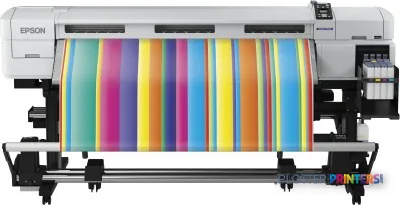
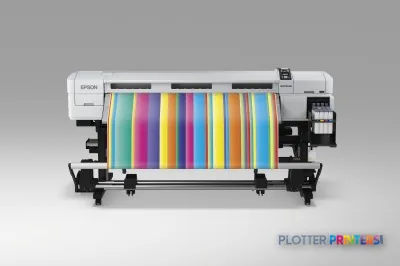
Epson SureColor SC-F7000
technical / CAD plotter
- ModelSC-F7000
- Score42/100
Authorized Epson dealerGenuine hardware & ink
Manufacturer warrantyExtendable to 5 years
Free shippingContinental U.S.
Plotter specialistsAEC experts, not just sellers
Analyst take
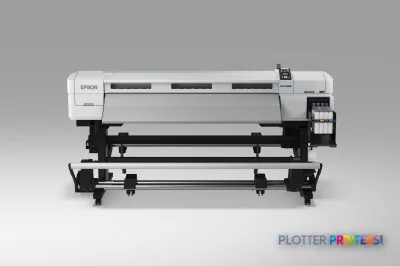
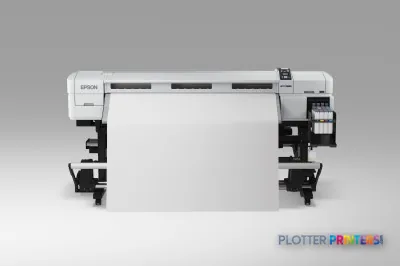
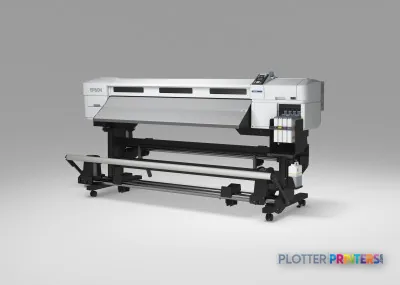
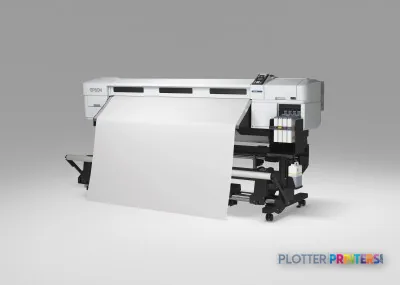
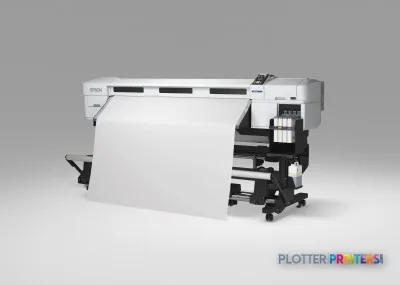
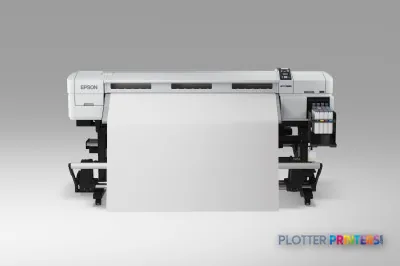
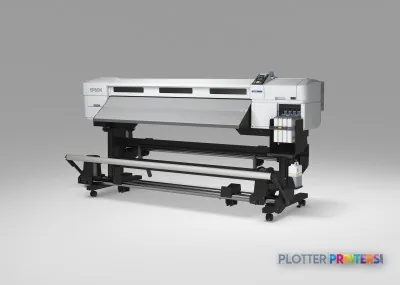
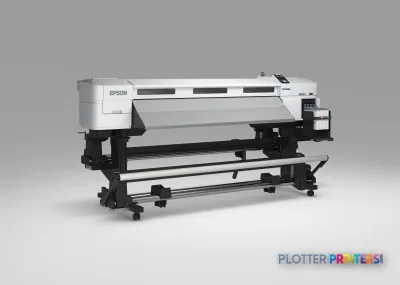
- The Epson SureColor SCF7000 is a four-color inkjet printer with a maximum print size of A0 (33" x 47").
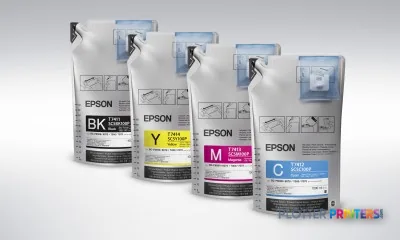
- Its supported Epson UltraChrome DS ink and Epson DS Transfer media indicate a transfer-oriented production workflow.
- There is no Wi-Fi, scanning, or copying capability, so it is not a walk-up multifunction document device.
Not sure if the SC-F7000 is right for you?
Compare key specs and an AI analyst read-out against similar models.
- Fine detail 720 x 1440 DPI maximum resolution for crisp line work.
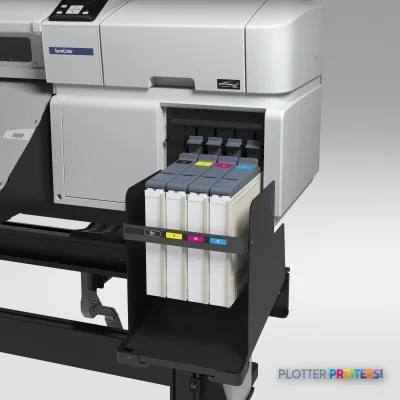
- Ink platform Black, Cyan, Yellow, Magenta.
- Connectivity Ethernet for shared team printing.
- Analyst score Scores 42/100 in our class-relative rating.
Overview
Built for the work
Epson SureColor SCF7000, Inkjet, 720 x 1440 DPI, ESC P, Black, Cyan, Yellow, Magenta, A0 (841 x 1189 mm), A0, A1, A2, A3, A3+
Spec Analysis
overall
overall
Where it performs best
Connections
67
Media Handling
66
Size / Fit
55
Class best is 63. How we grade →
Expert analysis
What you should know

Key takeaways
- The Epson SureColor SCF7000 is a four-color inkjet printer with a maximum print size of A0 (33" x 47").
- Its supported Epson UltraChrome DS ink and Epson DS Transfer media indicate a transfer-oriented production workflow.
- There is no Wi-Fi, scanning, or copying capability, so it is not a walk-up multifunction document device.
- Ethernet LAN and USB Type-A support wired production-room and local submission workflows.
- The 103.1-inch width and 496-pound weight require planned installation space.
- Compare it with the Epson SC-F7200 on media and workflow requirements, not just listed resolution.
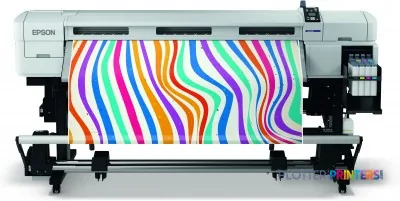
At 4:45 p.m., the question is not whether a printer has an LCD. It is whether it is the right machine for the job sitting in the queue. The Epson SureColor SCF7000 is a wide-format, four-color inkjet system that handles output up to A0 (33″ x 47″), with a maximum resolution of 720 x 1440 DPI.
For AEC teams, that description needs a warning label. Its resolved supplies include Epson UltraChrome DS ink and Epson DS Transfer media. That points buyers toward transfer-oriented production work, not automatically toward the everyday bond-paper plan sets, marked-up PDFs, scanning, and copying that define a busy construction-document room. It can be part of an AEC environment, but it needs a clearly defined job. Printers do not enjoy being volunteered for every crisis.
A0 (33" x 47" (841 x 1189 mm))Maximum print sizeUseful context for full-size drawing and graphic output requirements.
720 x 1440 DPIMaximum resolutionResolution is one part of output quality; file processing and media remain part of the result.
0.003"–0.039" (0.08 – 1 mm)Media thicknessConfirm the actual transfer media and finished-workflow requirements before ordering.
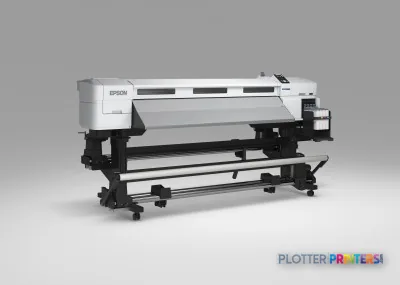
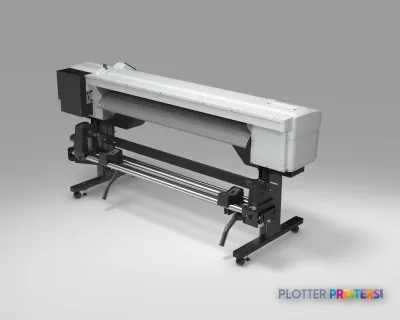
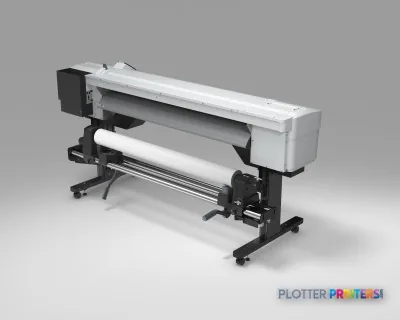
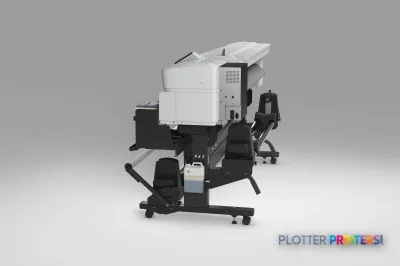
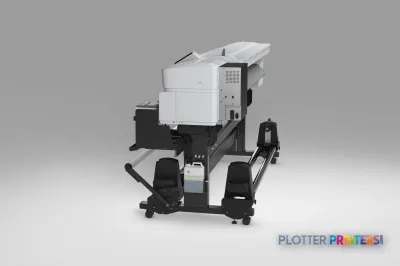
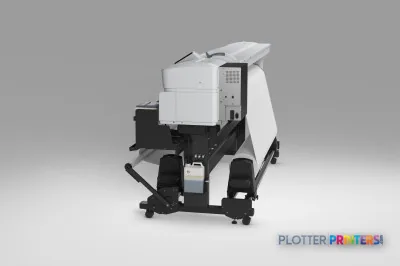
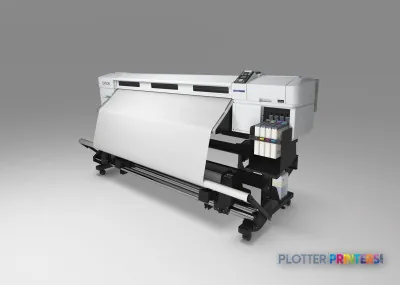
103.1" (2620 mm)Printer footprintThis is a substantial piece of equipment, not something to tuck beside a project manager's desk.
Where it fits in an AEC operation
This machine makes the most sense where an AEC organization also has a defined transfer-media production requirement. Think internal specialty graphics, project-related fabric or transfer applications, or a separate production area supporting work beyond standard construction documents. The supported Epson UltraChrome DS ink and Epson DS Transfer Multi-Purpose and Production media families are the practical clues here.
It has Ethernet LAN and a USB Type-A connection, plus an LCD display. That supports a wired production-room placement and local USB workflows. There is no Wi-Fi, scanning, or copying capability. If staff regularly walk up with a marked plan, scan it, revise it, and send the next sheet, this is not the all-in-one answer.
For the physical environment, allow room for the 36-inch depth, 51.6-inch height, and 496-pound weight. Its stated printing sound pressure level is 59 dB. That may be acceptable in a designated print area; it deserves thought before placing it in an open design studio where calls, coordination meetings, and concentration are already fighting for oxygen.
Bottom line: Treat the SCF7000 as a specialist production device, not a default replacement for a multifunction CAD plotter.
AEC document work: the trade-off is plain
The SCF7000 prints in Black, Cyan, Yellow, and Magenta. It supports A0, A1, A2, A3, and A3+ ISO sizes, and accepts media from 0.003 to 0.039 inches thick. Those are useful operating facts. They do not, on their own, prove that a machine is the right fit for fine-line CAD output, mixed-size bid sets, ordinary bond paper, or unattended plan production.
That distinction matters. A civil team printing color utility overlays has different needs from a facilities group producing transfer-based graphics. A general contractor that needs walk-up copying has different needs again. The SCF7000 has no copy or scan function, so a separate scanner and a disciplined file workflow are required for paper redlines and archive conversion.
Its ESC P page-description language and listed Windows support cover older Windows generations, from Windows XP through Windows 7 variants. IT should verify current workstation, driver, security, and print-management compatibility before deployment. Old driver assumptions are how a quiet Tuesday turns into an unnecessary Thursday evening.
Bottom line: The media and ink workflow should drive this decision before resolution or maximum sheet size does.
How to position it within the Epson catalog
Do not assume that a similar name means a similar job. The Epson SC-F7200 is the closest named comparison in this catalog for buyers looking at another Epson transfer-oriented option. The Epson SC-F6300 44-in has a wider stated format, while the Epson SC-F6200 is another 720 x 1440 DPI inkjet model. Compare the actual media, ink, workflow, and support requirements rather than shopping by a single specification.
For a team whose main work is permit sets, bid packages, field revisions, and scanned as-builts, the absence of scanning and copying is a major operational limitation. For a specialty production group with transfer media already in its workflow, the SCF7000 may be more relevant. Use the SCF7000 and SC-F7200 comparison to keep the decision grounded in the equipment rather than the badge on the front.
Bottom line: A wider format or a familiar family name does not replace a workflow match.
Related tools and comparisons
Epson SC-F7200Review the nearest named Epson comparison in the catalog.Epson SC-F6300 44-inConsider a wider Epson format option.Technical printer category rankingSee how this class is organized in our current evaluation.How we evaluate technical printersRead the criteria behind our workflow-focused assessments.
The read
The Epson SureColor SCF7000 is a four-color, A0-capable inkjet printer with Ethernet and USB connectivity, but no Wi-Fi, scanning, or copying. Its Epson UltraChrome DS ink and Epson DS Transfer media support make it a credible fit for defined transfer-oriented production inside an AEC organization. It is less appropriate as the single machine expected to print, copy, scan, and manage everyday construction-document traffic. Verify the media workflow, current IT compatibility, and local service plan before it becomes the printer everyone blames at 4:45 p.m.
Spec analysis
How the specs grade
Overall performance
- This printer
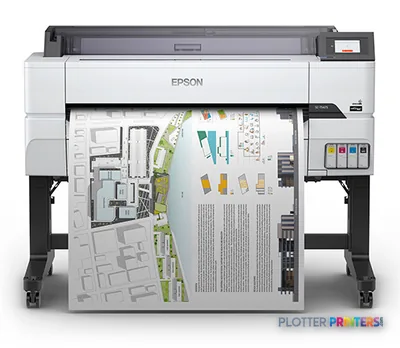
- Epson SureColor T5475
Category leaders best technical / CAD plotters, by dimension
Verified specifications
The specs that decide it
| Print technology | Inkjet |
|---|---|
| Maximum resolution | 720 x 1440 DPI |
| Printing colors | Black, Cyan, Yellow, Magenta |
| Page description languages | ESC P |
| Maximum print size | A0 (841 x 1189 mm) |
| Media thickness | 0.08 – 1 mm |
| Scanning | No |
| Wi-Fi | No |
| Ethernet | Yes |
| Sound level (printing) | 59 dB |
| Power consumption | 65 W |
Specifications
Full technical detail
Print technologyInkjet
Max resolution720 x 1440 DPI
ColorColor
ConnectivityEthernet (Gigabit LAN), USB
Use caseGraphics / Production
Printing
| Color | Yes |
|---|---|
| Printing colors | Black, Cyan, Yellow, Magenta |
| Print technology | Inkjet |
| Maximum resolution | 720 x 1440 DPI |
| Page description languages | ESC P |
Performance
| Display | LCD |
|---|---|
| Product color | Black, Gray |
| Built-in display | Yes |
| Country of origin | China |
| Sound pressure level (printing) | 59 dB |
Paper handling
| Media thickness | 0.08 – 1 mm |
|---|---|
| Roll top margin | 0.197" (5 mm) |
| Maximum print size | A0 (841 x 1189 mm) |
| ISO A-series sizes (A0…A9) | A0, A1, A2, A3, A3+ |
Ports & interfaces
| Wi-Fi | No |
|---|---|
| USB port | Yes |
| Ethernet LAN | Yes |
| USB connector | USB Type-A |
| RJ-45 ports quantity | 1 |
| USB 2.0 ports quantity | 1 |
Weight & dimensions
| Depth | 36" (915 mm) |
|---|---|
| Width | 103.1" (2620 mm) |
| Height | 51.6" (1311 mm) |
| Weight | 496 lbs (225 kg) |
Power
| Power consumption (off) | 0.5 W |
|---|---|
| Power consumption (standby) | 9 W |
| Power consumption (typical) | 65 W |
| Power consumption (PowerSave) | 20 W |
Copying
| Copying | No |
|---|
Scanning
| Scanning | No |
|---|
Logistics data
| Quantity per pack | 1 pc(s) |
|---|
Packaging data
| Manual | Yes |
|---|---|
| Package depth | 124.8" (3170 mm) |
| Package width | 43.3" (1100 mm) |
| Package height | 81.1" (2060 mm) |
| Package weight | 822.3 lbs (373 kg) |
| Drivers included | Yes |
| Quick start guide | Yes |
System requirements
| Windows operating systems supported | Windows 7, Windows 7 Enterprise, Windows 7 Enterprise x64, Windows 7 Home Basic, Windows 7 Home Basic x64, Windows 7 Home Premium, Windows 7 Home Premium x64, Windows 7 Professional, Windows 7 Professional x64, Windows 7 Starter, Windows 7 Starter x64, Windows 7 Ultimate, Windows 7 Ultimate x64, Windows 7 x64, Windows Vista, Windows Vista Business, Windows Vista Business x64, Windows Vista Enterprise, Windows Vista Enterprise x64, Windows Vista Home Basic, Windows Vista Home Basic x64, Windows Vista Home Premium, Windows Vista Home Premium x64, Windows Vista Ultimate, Windows Vista Ultimate x64, Windows Vista x64, Windows XP, Windows XP Home, Windows XP Home x64, Windows XP Professional, Windows XP Professional x64 |
|---|
Everything that fits the Epson SureColor SC-F7000
The full supplies hub lists every cartridge, printhead, roll and accessory verified against the manufacturer's own documentation for this machine.
8 ink cartridges · 2 accessories · 1 coverage plan
Epson SureColor SC-F7000 ink and paper →Supplies
Compatible ink, printheads & media
Genuine consumables that fit the Epson SureColor SC-F7000 — only the cartridges, printheads and media compatible with this model.
Ink Cartridges 8
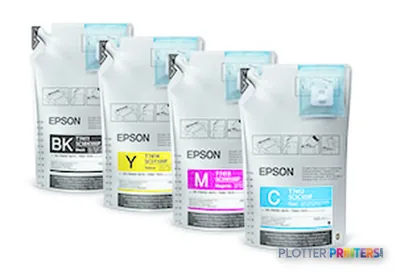 Epson Genuine Ink Supply System
 Epson Initial Ink Pack Set 1
 Epson Ink Supply System Cover 1
 Epson DS Transfer Multi-Purpose 111.8cm x 91.4m
 Epson DS Transfer Multi-Purpose II, 111.8cm x 91.4m
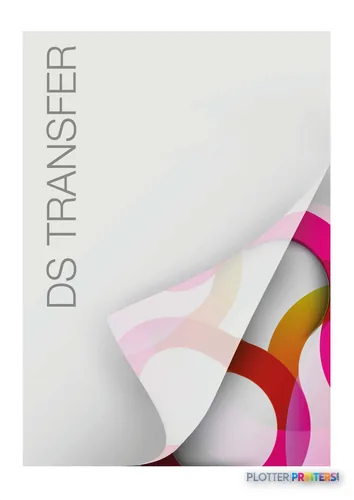 Epson DS Transfer Multi-Purpose II, 61cm x 91.4m
 Epson DS Transfer Production II, 111.8cm x 152m
 Epson DS Transfer Production II, 162cm x 175m
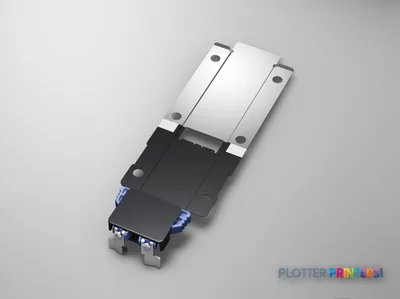
Coverage & Support Plans 1
Questions
Straight answers
Is the Epson SureColor SCF7000 a multifunction AEC plotter?
No. The product data lists no scanning and no copying. Teams that need walk-up copying, paper-redline scanning, or archive conversion need separate equipment and workflow steps.
What is the largest size it can print?
Its maximum print size is A0 (33″ x 47″ (841 x 1189 mm)). It also supports A0, A1, A2, A3, and A3+ ISO A-series sizes.
What consumables should buyers plan around?
The resolved consumables include Epson UltraChrome DS ink, Epson Waste ink bottle, Epson CP05OSWHCD01 printhead, and Epson DS Transfer media families. Confirm that those media fit the intended application before purchasing.
Can it connect to a network?
Yes. It has one RJ-45 Ethernet LAN port and one USB 2.0 port. Wi-Fi is not listed.
Will it fit in an office print corner?
Measure first. The printer is 103.1 inches wide, 36 inches deep, 51.6 inches high, and weighs 496 lbs; the listed printing sound pressure level is 59 dB.
Which Epson model should I compare with it first?
Start with the Epson SC-F7200 because it is the closest named in-family comparison in the supplied catalog. Also review the Epson SC-F6300 44-in if wider stated format is part of the requirement.
Ready to put the Epson SureColor SC-F7000 to work?
Configuration, media and a quote tailored to your workflow — from AEC plotter specialists.