
Home / Wide-Format Printers / Epson SureColor
Epson · Wide-Format Plotter
Epson SureColor SC-F7200
dye-sublimation printer
- ModelSC-F7200
- Score34/100
Authorized Epson dealerGenuine hardware & ink
Manufacturer warrantyExtension plans available
Free shippingContinental U.S.
Plotter specialistsAEC experts, not just sellers
Analyst take
- The Epson SC-F7200 is a CMYK dye-sublimation printer, so it belongs in a transfer-based graphics workflow rather than a routine bond-paper plan-set workflow.
- Its listed maximum print size is A0, with roll-paper support and media handling from 0.003 inches to 0.039 inches thick.
- The machine has no scanning, copying, or Wi-Fi capability, limiting its role as a replacement for a wide-format technical MFP.
Not sure if the SC-F7200 is right for you?
Compare key specs and an AI analyst read-out against similar models.
- Fine detail 720 x 1440 DPI maximum resolution for crisp line work.
- Ink platform Black, Cyan, Magenta, Yellow.
- Connectivity Ethernet for shared team printing.
- Analyst score Scores 34/100 in our class-relative rating.
Overview
Built for the work
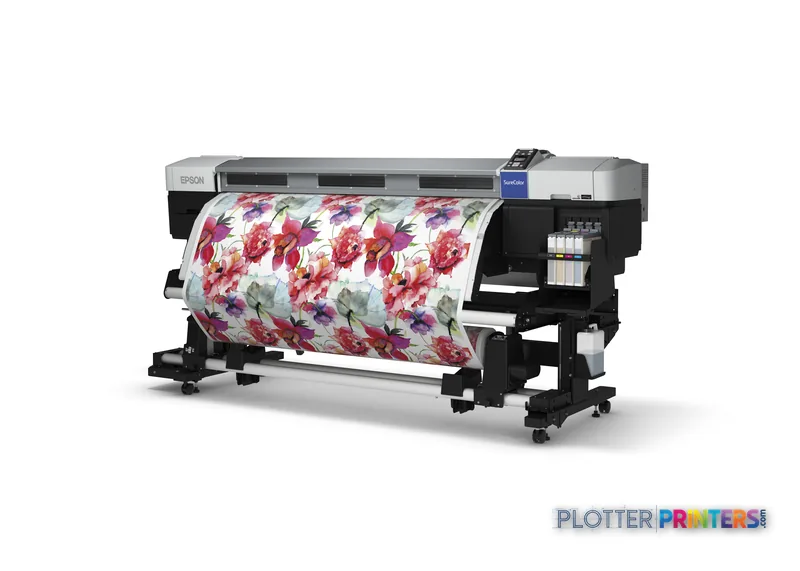
Epson SureColor SC-F7200 (hdK), Dye-sublimation, 720 x 1440 DPI, ESC P, Black, Cyan, Magenta, Yellow, PrecisionCore TFP, A0 (841 x 1189 mm)
Spec Analysis
overall
overall
Expert analysis
What you should know

Key takeaways
- The Epson SC-F7200 is a CMYK dye-sublimation printer, so it belongs in a transfer-based graphics workflow rather than a routine bond-paper plan-set workflow.
- Its listed maximum print size is A0, with roll-paper support and media handling from 0.003 inches to 0.039 inches thick.
- The machine has no scanning, copying, or Wi-Fi capability, limiting its role as a replacement for a wide-format technical MFP.
- Gigabit Ethernet and USB support controlled print-room deployment, but the listed Windows support should be validated against current workstations.
- The Epson SC-F6400 44-in and Epson SC-F6400H 44-in are relevant current family comparisons, though the available data does not prove a simple upgrade path.
The Epson SC-F7200 is not a conventional plan printer. It is a dye-sublimation system: a four-color CMYK device for transfer-based output, rather than the ordinary-bond CAD sets that still move through many architecture and construction offices. That distinction matters before anyone compares resolution figures. A 720 x 1440 DPI file can render a clean-looking graphic, but the real question is whether your workflow includes transfer media and the downstream process that dye-sublimation requires.
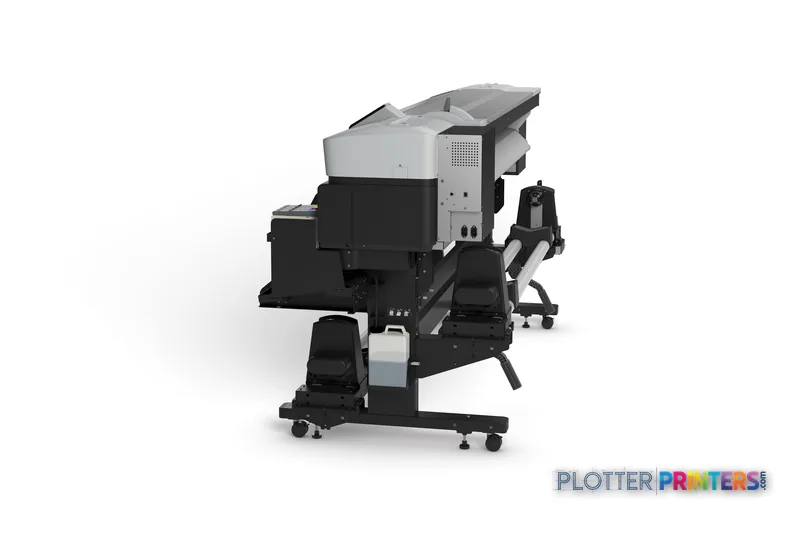
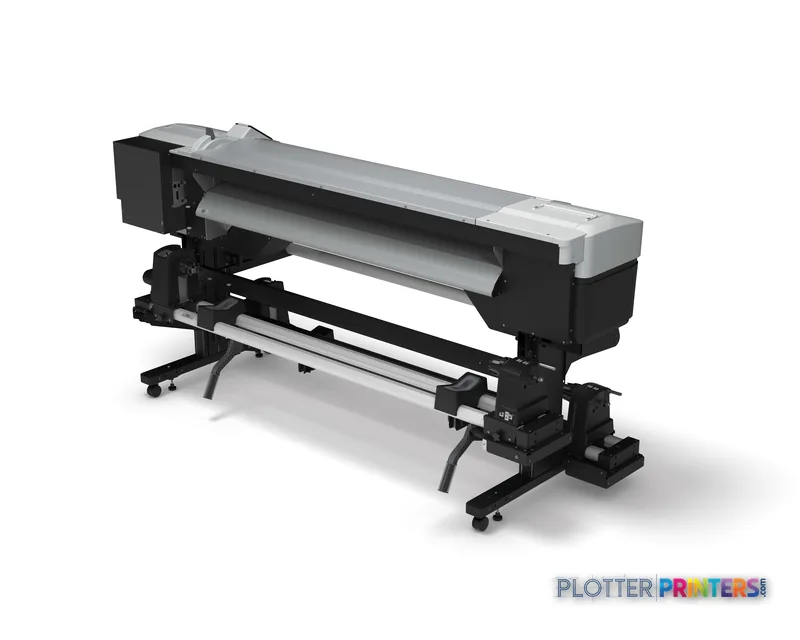
For AEC teams, this is most credible as a specialist graphics resource: project-display textiles, branded site materials, wayfinding elements, event graphics, or color-led presentation work that benefits from dye-sublimation output. It reaches a listed maximum print size of A0 and accepts roll media, while its substantial 103.1-inch-wide chassis and 593-pound weight make it a print-room installation rather than a desktop-office device.
Dye-sublimationPrint technology
A0 (33" x 47" (841 x 1189 mm))Maximum print size
720 x 1440 DPIMaximum resolution
0.003"–0.039" (0.08 – 1 mm)Media thickness
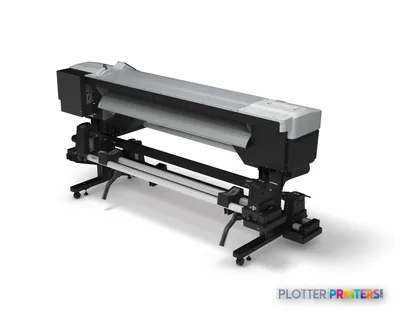
Where it fits in an AEC environment
This machine fits most naturally beside, not instead of, a technical-document fleet. A construction manager may use it for visually coherent project branding; an architecture studio may reserve it for exhibit-oriented graphics; a facilities or campus team may find a role for transfer-based signage applications. The available Epson UltraChrome DS inks and compatible DS Transfer media reinforce that specialist workflow.
It is less appropriate for daily permit sets, bid packages, markups, field revisions, and ordinary monochrome plan distribution. The catalog identifies no scanning or copying capability, so it cannot replace a wide-format MFP handling legacy drawing capture or walk-up copy work. There is also no Wi-Fi; submission is through Gigabit Ethernet or USB. That is manageable in a controlled print room, but it is not the same as convenient ad hoc plotting from a jobsite trailer.
For color work, be careful with generic percentage claims about gamut. No measured ICC-gamut data is available here, so there is no basis to promise how a specified corporate color, aerial image, or rendering will reproduce on a particular transfer substrate. Test the actual media and downstream transfer process before committing a client-facing standard.
Production and IT considerations
The PrecisionCore TFP printhead, roll-paper support, LCD display, and CMYK ink set provide the core production platform. Its listed media range extends from 0.003 inches to 0.039 inches, which should be checked against the transfer papers and specialty materials your team actually specifies. Consumables include the Epson Initial Ink Pack Set 3, Epson UltraChrome DS, and an Epson Waste ink bottle; the resolved catalog also lists several compatible Epson printhead assemblies.
Network integration is straightforward at the hardware level: one RJ-45 Gigabit Ethernet connection and one USB 2.0 port are listed. IT should nevertheless validate drivers, authentication expectations, queue management, and endpoint compatibility before deployment. The supplied operating-system list names Windows 7, Windows Vista, and Windows XP, rather than making a current-workstation compatibility claim. Its listed 59 dB printing sound level and 460 W typical power consumption also favor a dedicated production area over a quiet design bullpen.
How to position it within the family
The Epson SC-F6400 44-in is the clearer comparison for buyers who want another current Epson dye-sublimation format with a stated 44-inch width. The Epson SC-F6400H 44-in adds another current 44-inch family option. Neither should be treated as an automatic upgrade or downgrade without confirming media, workflow, service, and application requirements; the provided catalog data does not establish a like-for-like productivity hierarchy.
The Epson SC-F9300 shares the same listed 720 x 1440 DPI maximum resolution, but resolution alone says little about productive throughput, transfer workflow, or operational fit. Use the comparison tool to keep the discussion anchored in verified catalog fields rather than a spec-sheet assumption.
Related equipment to review
The read
The SC-F7200 is a focused choice for an AEC organization that genuinely needs dye-sublimation output and has a defined transfer-media process behind it. It can earn its floor space where presentation, signage, or branded-project graphics are recurring work—not occasional experiments. For plan sets, scan-copy workflows, or walk-up technical plotting, it is the wrong tool because those functions are simply not part of its listed capability. Treat it as a specialist production asset, verify the complete transfer workflow with your own files and media, and make local service support part of the decision.
Spec analysis
How the specs grade
Overall performance
within dye-sublimation printers
64% spec coverage
- This printer
Verified specifications
The specs that decide it
| Print technology | Dye-sublimation |
|---|---|
| Maximum resolution | 720 x 1440 DPI |
| Printing colors | Blackmanufacturer-verified |
| Page description languages | ESC P |
| Internal memory | 128 MB |
| Maximum print size | 8.5 × 11.7 inchesmanufacturer-verified |
| Media thickness | 0.08 – 1 mm |
| Scanning | No |
| Wi-Fi | No |
| Ethernet | Yes |
| Sound level (printing) | 59 dB |
| Power consumption | 460 W |
manufacturer-verified = checked against the manufacturer’s official datasheet, not aggregator data. Everything else is standards-body / catalog data we consider reliable.
Specifications
Full technical detail
Print technologyDye-sublimation
Max resolution720 x 1440 DPI
ColorColor
ConnectivityEthernet (Gigabit LAN), USB
Use caseGraphics / Production
Printing
| Color | Yes |
|---|---|
| Print head | PrecisionCore TFP |
| Printing colors | Black, Cyan, Magenta, Yellow |
| Print technology | Dye-sublimation |
| Maximum resolution | 720 x 1440 DPI |
| Page description languages | ESC P |
Performance
| Display | LCD |
|---|---|
| Product color | Black, White |
| Internal memory | 128 MB |
| Built-in display | Yes |
| Display diagonal | 0.78" |
| Country of origin | China |
| Maximum internal memory | 512 MB |
| Sound pressure level (printing) | 59 dB |
Paper handling
| Roll paper | Yes |
|---|---|
| Media thickness | 0.08 – 1 mm |
| Maximum print size | A0 (841 x 1189 mm) |
| ISO A-series sizes (A0…A9) | A0, A1, A2, A3, A3+, A4 |
Ports & interfaces
| Wi-Fi | No |
|---|---|
| USB port | Yes |
| Ethernet LAN | Yes |
| USB connector | USB Type-A |
| RJ-45 ports quantity | 1 |
| USB 2.0 ports quantity | 1 |
| Ethernet LAN data rates | 10,100,1000 Mbit/s |
| Ethernet interface type | Gigabit Ethernet |
Weight & dimensions
| Depth | 39.9" (1013 mm) |
|---|---|
| Width | 103.1" (2620 mm) |
| Height | 51.6" (1311 mm) |
| Weight | 593 lbs (269 kg) |
Power
| Power consumption (off) | 0.6 W |
|---|---|
| Power consumption (standby) | 30 W |
| Power consumption (typical) | 460 W |
Copying
| Copying | No |
|---|
Scanning
| Scanning | No |
|---|
Logistics data
| Quantity per pack | 1 pc(s) |
|---|
Packaging data
| Manual | Yes |
|---|---|
| Package depth | 125.2" (3180 mm) |
| Package width | 43.3" (1100 mm) |
| Package height | 65" (1650 mm) |
| Package weight | 943.6 lbs (428 kg) |
| Drivers included | Yes |
| Quick start guide | Yes |
| Cartridge(s) included | Yes |
System requirements
| Windows operating systems supported | Windows 7, Windows Vista, Windows XP |
|---|
Everything that fits the Epson SureColor SC-F7200
The full supplies hub lists every cartridge, printhead, roll and accessory verified against the manufacturer's own documentation for this machine.
4 ink cartridges · 1 accessory · 5 coverage plans
Epson SureColor SC-F7200 ink and paper →Supplies
Compatible ink, printheads & media
Genuine consumables that fit the Epson SureColor SC-F7200 (hdK) — only the cartridges, printheads and media compatible with this model.
Ink Cartridges 4
Accessories 1
Coverage & Support Plans 5
 Epson 1E years extension to CoverPlus Onsite service including Print Heads for SureColor SC-F7200
 Epson 1E years extension to CoverPlus Onsite service excluding Print Heads for SureColor SC-F7200
 Epson 5E years extension to CoverPlus Onsite service including Print Heads for SureColor SC-F7200
 Epson 4/5E years extension to CoverPlus Onsite service including Print Heads for SureColor SC-F7200
 Epson 4E years extension to CoverPlus Onsite service including Print Heads for SureColor SC-F7200
Questions
Straight answers
Can the Epson SC-F7200 replace our CAD plotter for construction drawings?
Not as a direct replacement based on the listed capabilities. It is a dye-sublimation device, has no scanning or copying function, and is better treated as a specialist transfer-graphics resource than a general technical-document MFP.
What AEC work is the SC-F7200 suited to?
It is most suitable where an AEC team has recurring transfer-based visual graphics work, such as branded project materials, display-oriented graphics, or signage-related applications. Validate the full downstream transfer process with the intended media before standardizing it.
What media and inks are listed for this printer?
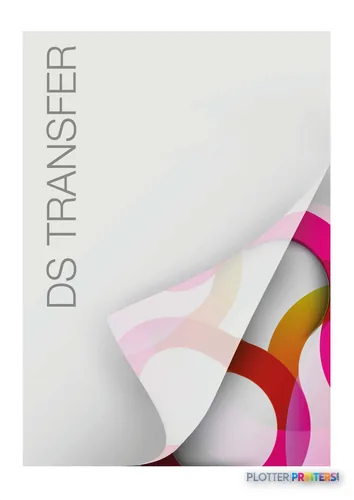
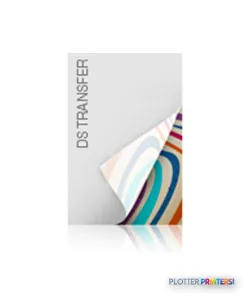
The catalog resolves Epson UltraChrome DS inks, Epson Initial Ink Pack Set 3, Epson Waste ink bottle, DS Transfer Multi-Purpose II media, and DS Transfer Production II media. Confirm the exact media choice against the intended transfer application.
Does it connect to the network and support wireless printing?
It has one Gigabit Ethernet RJ-45 port and one USB 2.0 port. Wi-Fi is not listed.
What should IT verify before installing it?
Confirm driver availability, queue behavior, user access controls, and compatibility with current endpoints. The listed supported Windows versions are Windows 7, Windows Vista, and Windows XP, so modern-environment support should be tested rather than assumed.
Resources
Brochures, datasheets & video
Documents
Video
Ready to put the Epson SureColor SC-F7200 to work?
Configuration, media and a quote tailored to your workflow — from AEC plotter specialists.