
Home / Wide-Format Printers / Epson SureColor
Epson · Wide-Format Plotter
Epson SureColor SC-F6200
technical / CAD plotter
- ModelSC-F6200
- Score35/100
Authorized Epson dealerGenuine hardware & ink
1-month warranty includedExtension plans available
Free shippingContinental U.S.
Plotter specialistsAEC experts, not just sellers
Analyst take
- The Epson SC-F6200 is a wired, roll-fed CMYK inkjet with a stated maximum print size of 44" x 66".
- It has Ethernet LAN and USB connectivity, but no Wi-Fi, scanning, copying, or built-in display.
- AEC teams should test actual PDFs with fine annotation, color callouts, and screened fills before deployment.
Not sure if the SC-F6200 is right for you?
Compare key specs and an AI analyst read-out against similar models.
- Fine detail 720 x 1440 DPI maximum resolution for crisp line work.
- Ink platform Black, Cyan, Magenta, Yellow.
- Connectivity Ethernet for shared team printing.
- Analyst score Scores 35/100 in our class-relative rating.
Overview
Built for the work
Epson SureColor SC-F6200 (nK), Inkjet, 720 x 1440 DPI, ESC P, Epson ESC/P2, Black, Cyan, Magenta, Yellow, PrecisionCore TFP, 1118 x 1676 mm
- 5Ink channels
- 1,440 dpiMax resolution
- 1 moIncluded warranty
Spec Analysis
overall
overall
Expert analysis
What you should know

Key takeaways
- The Epson SC-F6200 is a wired, roll-fed CMYK inkjet with a stated maximum print size of 44" x 66".
- It has Ethernet LAN and USB connectivity, but no Wi-Fi, scanning, copying, or built-in display.
- AEC teams should test actual PDFs with fine annotation, color callouts, and screened fills before deployment.
- The stated media-thickness range is 0.003"–0.02", so intended stocks should be checked before standardization.
- The Epson SC-F6300 44-in is the closest listed same-width family model for a direct review.
It is 4:45 p.m., a project team needs a full-width color output, and nobody wants to discover that the printer only handles the file after a scavenger hunt through drivers and adapters. The Epson SC-F6200 is a roll-fed, four-color inkjet for teams that need up to 44″ x 66″ output from a networked or USB-connected device.
For AEC, its case is straightforward: color-coded coordination sheets, GIS graphics, presentation output, and other wide-format work where a 44-inch format is enough. It has Ethernet LAN and a USB Type-A connection, but no Wi-Fi, scanner, copier, or built-in display. That makes it a print device, not a walk-up document-production hub. Bottom line: know who will send the file and who will handle the paper before it becomes Friday afternoon entertainment.
44" x 66"Maximum print sizeWide-format output for drawings and graphics within this size limit.
720 x 1440 DPIMaximum resolutionA stated resolution figure, not a guarantee of CAD line quality on every file and medium.
0.003"–0.02"Media thicknessConfirm intended media falls inside this stated range.
65 WTypical power consumptionUseful for facilities planning; it does not describe total operating cost.
Where it fits in an AEC environment
The SC-F6200 fits a team that has already separated printing from scanning and copying. A design studio can send color presentation material. A civil or survey group can produce wide GIS graphics. A construction office can keep a dedicated device for project visuals that do not need to be copied at the machine.
The practical limit is the workflow around it. There is one RJ-45 Ethernet LAN port, with 10 and 100 Mbit/s data rates, plus one USB 2.0 port. There is no Wi-Fi. IT should plan a wired location, driver deployment, and a clear owner for media loading and routine supplies. The printer supports ESC/P and Epson ESC/P2 page-description languages. Bottom line: this works best when printing is deliberate, not when every foreman expects a tablet-to-printer shortcut.
Output, media, and the jobs that need a second look
The PrecisionCore TFP printhead and CMYK ink set support color output, with a stated maximum resolution of 720 x 1440 DPI. For AEC users, the right test is not a pretty sample image. Send the actual PDF: fine grid lines, small annotation text, screened fills, dense color callouts, and the line weights your consultants use. That is where a deadline either stays calm or starts smoking.
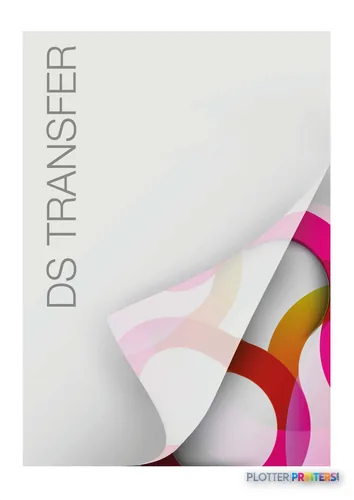
It accepts roll paper and supports media from 0.003″ to 0.02″ thick. Verify each intended stock before standardizing on it, particularly if the job includes specialty transfer media or heavier material. Listed supplies include Epson UltraChrome DS ink, an Epson Waste ink bottle, and Epson DS Transfer media families. Bottom line: test the real plan set and the real media, not a showroom file that has never met a markup cloud.
Family position and what it does not replace
The SC-F6200 is not a scanner, copier, or multifunction device. Firms that rely on walk-up copying of marked plans, archive scanning, or rapid revision distribution will need a separate process. Its 512 MB internal memory also makes it sensible to validate complex, graphics-heavy files in the intended submission path rather than assume every PDF behaves the same way.
Within the listed family, the Epson SC-F6300 44-in is the closest same-width model to review alongside it. The Epson SC-F6400 44-in is identified as a dye-sublimation model and should be evaluated on its own application requirements, not treated as an automatic AEC replacement. If wider output is the real requirement, compare the stated 44-inch maximum here with the Epson SC-F9400 64-in. Bottom line: choose by output width, media process, and document workflow—not by a higher model number.
Compare before you commit
The read
The Epson SC-F6200 suits an AEC team that needs wired, roll-fed CMYK wide-format output up to 44″ x 66″ and already has scanning, copying, and document intake handled elsewhere. Its lack of Wi-Fi, copying, scanning, and a built-in display is not a flaw if the device lives in a managed print area; it is a poor fit if the goal is an all-in-one plan-room station. Confirm media compatibility, run your own difficult PDFs, and compare it directly with the Epson SC-F6300 44-in before calling the decision done. Bottom line: a focused printer is useful only when the surrounding workflow is equally focused.
Spec analysis
How the specs grade
Overall performance
within technical / CAD plotters
72% spec coverage
- This printer
Verified specifications
The specs that decide it
| Print technology | Inkjet |
|---|---|
| Maximum resolution | 720 x 1440 DPI |
| Printing colors | Black, Cyan, Magenta, Yellow, Photo Blackmanufacturer-verified |
| Page description languages | ESC P, Epson ESC/P2 |
| Internal memory | 512 MB |
| Maximum print size | 1118 x 1676 mm |
| Media thickness | 0.08 – 0.5 mm |
| Scanning | No |
| Wi-Fi | No |
| Ethernet | Yes |
| Sound level (printing) | 55.1 dB |
| Power consumption | 65 W |
manufacturer-verified = checked against the manufacturer’s official datasheet, not aggregator data. Everything else is standards-body / catalog data we consider reliable.
Specifications
Full technical detail
Print technologyInkjet
Max resolution720 x 1440 DPI
ColorColor
ConnectivityEthernet (Gigabit LAN), USB
Use caseGraphics / Production
Printing
| Color | Yes |
|---|---|
| Print head | PrecisionCore TFP |
| Printing colors | Black, Cyan, Magenta, Yellow |
| Print technology | Inkjet |
| Maximum resolution | 720 x 1440 DPI |
| Page description languages | ESC P, Epson ESC/P2 |
Performance
| Product color | Black, White |
|---|---|
| Internal memory | 512 MB |
| Built-in display | No |
| Country of origin | China |
| Maximum internal memory | 128 MB |
| Sound pressure level (printing) | 55.1 dB |
Paper handling
| Roll paper | Yes |
|---|---|
| Media thickness | 0.08 – 0.5 mm |
| Maximum print size | 1118 x 1676 mm |
Ports & interfaces
| Wi-Fi | No |
|---|---|
| USB port | Yes |
| Ethernet LAN | Yes |
| USB connector | USB Type-A |
| RJ-45 ports quantity | 1 |
| USB 2.0 ports quantity | 1 |
| Ethernet LAN data rates | 10,100 Mbit/s |
Weight & dimensions
| Depth | 44.4" (1128 mm) |
|---|---|
| Width | 63.3" (1608 mm) |
| Height | 36.1" (917 mm) |
| Weight | 187.4 lbs (85 kg) |
Power
| Power consumption (off) | 0.4 W |
|---|---|
| Power consumption (standby) | 3 W |
| Power consumption (typical) | 65 W |
| Power consumption (PowerSave) | 20 W |
Copying
| Copying | No |
|---|
Scanning
| Scanning | No |
|---|
Logistics data
| Quantity per pack | 1 pc(s) |
|---|
Packaging data
| Manual | Yes |
|---|---|
| Package depth | 78" (1980 mm) |
| Package width | 32.3" (820 mm) |
| Package height | 41.3" (1050 mm) |
| Package weight | 352.7 lbs (160 kg) |
| Drivers included | Yes |
| Quick start guide | Yes |
| Cartridge(s) included | Yes |
System requirements
| Mac operating systems supported | Mac OS X 10.10 Yosemite, Mac OS X 10.11 El Capitan, Mac OS X 10.12 Sierra, Mac OS X 10.13 High Sierra, Mac OS X 10.4 Tiger, Mac OS X 10.5 Leopard, Mac OS X 10.6 Snow Leopard, Mac OS X 10.7 Lion, Mac OS X 10.8 Mountain Lion, Mac OS X 10.9 Mavericks |
|---|---|
| Windows operating systems supported | Windows 10, Windows 10 Education, Windows 10 Education x64, Windows 10 Enterprise, Windows 10 Enterprise x64, Windows 10 Home, Windows 10 Home x64, Windows 10 IOT Core, Windows 10 Pro, Windows 10 Pro x64, Windows 7, Windows 7 Enterprise, Windows 7 Enterprise x64, Windows 7 Home Basic, Windows 7 Home Basic x64, Windows 7 Home Premium, Windows 7 Home Premium x64, Windows 7 Professional, Windows 7 Professional x64, Windows 7 Starter, Windows 7 Starter x64, Windows 7 Ultimate, Windows 7 Ultimate x64, Windows 7 x64, Windows Vista, Windows Vista Business, Windows Vista Business x64, Windows Vista Enterprise, Windows Vista Enterprise x64, Windows Vista Home Basic, Windows Vista Home Basic x64, Windows Vista Home Premium, Windows Vista Home Premium x64, Windows Vista Ultimate, Windows Vista Ultimate x64, Windows Vista x64, Windows XP, Windows XP Home, Windows XP Home x64, Windows XP Professional, Windows XP Professional x64 |
Everything that fits the Epson SureColor SC-F6200
The full supplies hub lists every cartridge, printhead, roll and accessory verified against the manufacturer's own documentation for this machine.
4 ink cartridges · 3 accessories · 5 coverage plans
Epson SureColor SC-F6200 ink and paper →Supplies
Compatible ink, printheads & media
Genuine consumables that fit the Epson SureColor SC-F6200 (nK) — only the cartridges, printheads and media compatible with this model.
Ink Cartridges 4


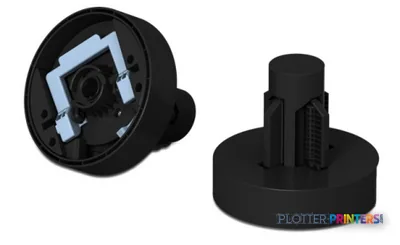
Accessories 3

Coverage & Support Plans 5
 Epson 1E years extension to CoverPlus Onsite service including Print Heads for SureColor SC-F6200
 Epson 1E years extension to CoverPlus Onsite service excluding Print Heads for SureColor SC-F6200
 Epson 4E years extension to CoverPlus Onsite service including Print Heads for SureColor SC-F6200
 Epson 4/5E years extension to CoverPlus Onsite service including Print Heads for SureColor SC-F6200
 Epson 5E years extension to CoverPlus Onsite service including Print Heads for SureColor SC-F6200
Questions
Straight answers
Can the Epson SC-F6200 scan or copy marked-up plans?
No. The supplied product data lists no scanning and no copying capability. AEC teams needing walk-up plan copying or archive scanning need a separate device or workflow.
How does the SC-F6200 connect to an office network?
It has one RJ-45 Ethernet LAN port with stated 10 and 100 Mbit/s data rates, plus one USB 2.0 port. Wi-Fi is not listed.
What is the largest output size listed for this printer?
The stated maximum print size is 44″ x 66″. It also supports roll paper.
What should an AEC team test before putting this printer into service?
Test the actual PDFs and media used in production, especially fine lines, small annotation text, screened fills, color-coded coordination material, and wide-format graphics. Confirm that planned media is within the stated 0.003″–0.02″ thickness range.
Which supplies are listed for the SC-F6200?
Listed consumables include Epson UltraChrome DS ink and an Epson Waste ink bottle. Listed related media includes Epson DS Transfer media families.
Resources
Brochures, datasheets & video
Documents
Video
Ready to put the Epson SureColor SC-F6200 to work?
Configuration, media and a quote tailored to your workflow — from AEC plotter specialists.