
Home / Wide-Format Printers / Epson SureColor
Epson · Wide-Format Plotter
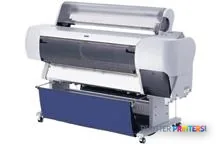
Epson Stylus Pro 10000
technical / CAD plotter
- Model10000
Authorized Epson dealerGenuine hardware & ink
1-year warranty includedExtension plans available
Free shippingContinental U.S.
Plotter specialistsAEC experts, not just sellers
Analyst take
- The Epson Stylus Pro 10000 supports color output up to A0, or 33 x 47 inches.
- Its documented maximum resolution is 1440 x 720 DPI.
- The published normal-quality print speed is 20 m2/h, which requires real-file testing for deadline planning.
Not sure if the 10000 is right for you?
Compare key specs and an AI analyst read-out against similar models.
- Fine detail 1440 x 720 DPI maximum resolution for crisp line work.
- Productivity Rated at 10.0 / 19.0 ISO ppm (plus additional modes).
- Ink platform DURABrite Ultra pigment ink (4 colors: C, M, Y, K).
- Connectivity Ethernet for shared team printing.
- Verified specs 6 specs checked against the manufacturer datasheet.
Overview
Built for the work
Epson Stylus Pro 10000, 1440 x 720 DPI, 20 m2/h, A0 (841 x 1189 mm), Fast Ethernet, USB Type-A, 128 MB
- 215 ft²/hRated speed
- 4Ink channels
- 1,440 dpiMax resolution
- 12 moIncluded warranty
Expert analysis
What you should know

Key takeaways
- The Epson Stylus Pro 10000 supports color output up to A0, or 33 x 47 inches.
- Its documented maximum resolution is 1440 x 720 DPI.
- The published normal-quality print speed is 20 m2/h, which requires real-file testing for deadline planning.
- USB, Fast Ethernet, and parallel connectivity are documented, but the listed operating systems should be checked against the intended environment.
- There is no listed in-family step-up or step-down model in the supplied catalog.
- The printer’s 73.1 x 48.2 x 28-inch dimensions make print-room planning a real part of the decision.
It is 4:45 p.m., the permit set changed again, and somebody needs an A0 sheet at the tray before the courier leaves. The Epson Stylus Pro 10000 is a color wide-format printer built for that physical drawing size, with a maximum A0 output of 33 x 47 inches. It suits teams producing large color drawings, presentation material, maps, and coordination sheets from a local print room.
The catch is not subtle. This is a large machine at 73.1 x 48.2 x 28 inches, and its documented operating-system list belongs to an earlier generation of Windows and Mac environments. That does not make it useless. It does mean IT should test the actual submission path before the deadline, not after it. Bottom line: treat the workflow as seriously as the printer.
A0 (33" x 47" (841 x 1189 mm))Maximum print sizeSuitable for full-size drawing output.
1440 x 720 DPIMaximum resolutionRelevant when fine CAD detail and annotated color sheets are in the mix.
20 m2/hNormal-quality print speedA rated figure, not a promise for every file, paper type, or queued job.
73.1 x 48.2 x 28" (1856 x 1225 x 710 mm)FootprintPlan the print-room floor space before delivery day.
Where it fits in an AEC print room
The Stylus Pro 10000 makes sense where A0 color output is still a working document, not an occasional exception. Think civil markups with utility colors, GIS mapping, architectural presentation sheets, and construction coordination drawings that need more than black linework. Its 1440 x 720 DPI maximum resolution gives a documented ceiling for detailed output, but a real CAD test file remains the sensible proof point for tiny text, screened fills, and dense hatch patterns.
Connection options include USB, Fast Ethernet through one RJ-45 port, and a parallel port. That range can help in an established environment, especially when a printer is attached to a known workstation or local network. The documented compatible systems are Windows 95, 98, Me, NT4.0, and 2000, plus MacOS 7.5.1 and later. Confirm driver behavior, PDF submission, authentication requirements, and security policy with your actual network team. A printer can be perfectly willing while the modern network politely refuses to speak to it.
Bottom line: this is most credible in a controlled, tested legacy workflow with a continuing need for large color sheets.
Estimate rated print time for a planned area of output, then allow operational time for file preparation, loading, collection, and any reprints.
One set: – · Weekly plotting time: –
Computed from the manufacturer's rated 215 ft²/h. Real-world mixed sets run slower — treat this as a best case for comparing machines, not a promise.
Capacity is not the same as a smooth deadline
The printer has 128 MB of internal memory and a built-in Intel Pentium II/PowerPC G4 processor running at 400 MHz. Those are documented platform details, not a modern workflow certification. Complex PDFs, raster-heavy BIM exports, and multi-sheet sets deserve a trial with the files your team actually issues. First-sheet timing and sustained throughput are not stated in the available data.
Its rated normal-quality speed is 20 m2/h. That figure helps compare planned output area, but it does not tell you how long an A0 sheet will take, how quickly a dense PDF processes, or what happens when the operator changes media. For a small studio, that uncertainty may be manageable. For a central reprographics room feeding several deadline-driven project teams, it is the part to test first.
There is no listed in-family step-up or step-down model in this catalog. If you are comparing alternatives, the Canon GP-4000 44-in and Canon GP-4600S 44-in are listed cross-brand options with a wider 44-inch format. Compare the actual requirements side by side in the comparison tool. Bottom line: do not buy a throughput assumption dressed up as a specification.
Questions to settle before it becomes the office printer
Start with the files. Print a dense monochrome plan, a color-coded coordination sheet, a GIS map, and the largest PDF your project team sends without warning. Then repeat the test through the intended Ethernet or USB path. Check whether the documented operating-system support aligns with the workstation that will drive the device.
Next, measure the room. The published dimensions describe the machine itself, not the space needed to load material, retrieve output, or service it. Ask who owns media loading, routine intervention, and fault response when the person who knows the printer is on site. Those answers determine whether the machine supports the print room or becomes its most experienced employee.
For a broader placement against comparable devices, review the wide-format class ranking. Bottom line: test the workflow, the files, and the people—not just the printer.
Compare before committing
The read
The Epson Stylus Pro 10000 is a practical fit when your team needs A0 color output and can support a known, tested environment around it. It is less appropriate where current operating-system integration, unattended set production, or predictable high-volume deadline output is the main requirement. The machine’s published speed and resolution are useful starting points. Your own files, network, operators, and 4:45 p.m. failure mode should make the final call. Bottom line: it can earn its floor space, but only after the workflow proves it belongs there.
Spec analysis
How the specs grade
Overall performance
—Not enough data for an overall score
Individual dimensions are shown where the specs support them.
- This printer
Category leaders best technical / CAD plotters, by dimension
Verified specifications
The specs that decide it
| Maximum print size | A0 (841 x 1189 mm) |
|---|---|
| Maximum resolution | 1440 x 720 DPI |
| Print speed (normal quality) | 20 m2/h |
| Print speed | 10.0 / 19.0 ISO ppm (plus additional modes)manufacturer-verified |
| Ink platform | DURABrite Ultra pigment ink (4 colors: C, M, Y, K)manufacturer-verified |
| Droplet size | 2.8 plmanufacturer-verified |
| Print head nozzles | 180 / 900 |
| Page description language | Epson ESC/P-R (no PostScript)manufacturer-verified |
| Ethernet LAN | 10/100 Mbps |
| Print permanence | Up to 118 yearsmanufacturer-verified |
manufacturer-verified = checked against the manufacturer’s official datasheet, not aggregator data. Everything else is standards-body / catalog data we consider reliable.
Specifications
Full technical detail
Max resolution1440 x 720 DPI
ConnectivityEthernet (Gigabit LAN), USB
Use casePhoto / Fine Art
Printing
| Color | Yes |
|---|---|
| Maximum resolution | 1440 x 720 DPI |
| Print head nozzles | 180 / 900 |
| Print speed (normal quality) | 20 m2/h |
Performance
| Internal memory | 128 MB |
|---|---|
| Country of origin | Japan |
| Built-in processor | Intel Pentium II/PowerPC G4 |
| Processor frequency | 400 MHz |
Paper handling
| Maximum print size | A0 (841 x 1189 mm) |
|---|
Ports & interfaces
| USB port | Yes |
|---|---|
| Ethernet LAN | Yes |
| USB connector | USB Type-A |
| RJ-45 ports quantity | 1 |
| USB 2.0 ports quantity | 1 |
| Ethernet interface type | Fast Ethernet |
| Parallel ports quantity | 1 |
Weight & dimensions
| Dimensions (WxDxH) | 73.1 x 48.2 x 28" (1856 x 1225 x 710 mm) |
|---|
Logistics data
| Quantity per pack | 1 pc(s) |
|---|
Packaging data
| Package depth | 79.5" (2020 mm) |
|---|---|
| Package width | 29.5" (750 mm) |
| Package height | 49.2" (1250 mm) |
| Package weight | 291 lbs (132 kg) |
System requirements
| Mac compatibility | Yes |
|---|---|
| Compatible operating systems | Windows 95/98/Me/NT4.0/2000/MacOS 7.5.1 + |
Everything that fits the Epson Stylus Pro 10000
The full supplies hub lists every cartridge, printhead, roll and accessory verified against the manufacturer's own documentation for this machine.
6 ink cartridges · 20 paper & media items · 3 accessories
Epson Stylus Pro 10000 ink and paper →Supplies
Compatible ink, printheads & media
Genuine consumables that fit the Epson Stylus Pro 10000 44-in — only the cartridges, printheads and media compatible with this model.
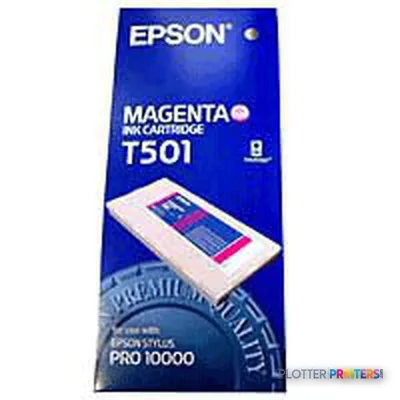
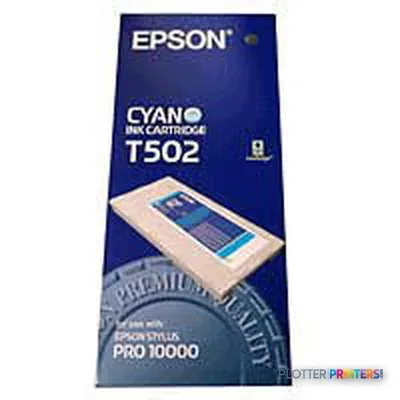
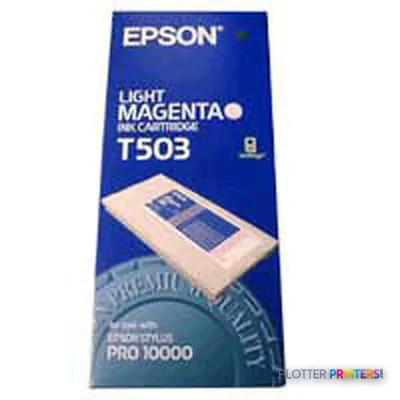
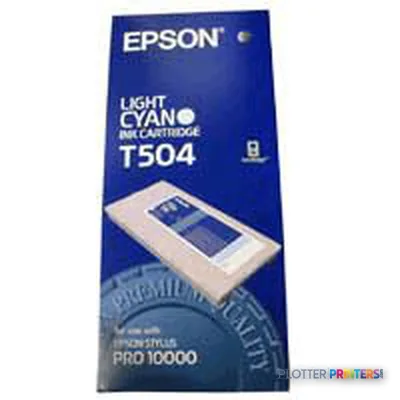
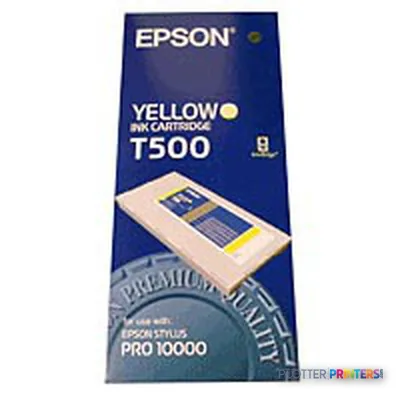
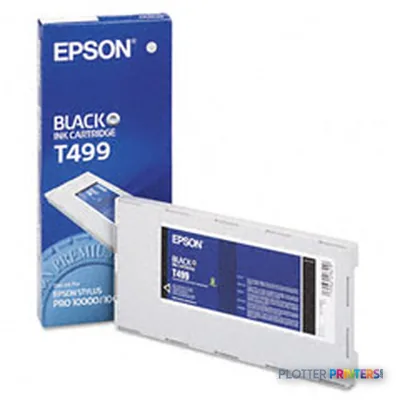
Ink Cartridges 6
Paper & Media 20
 Representative imageHP 20-lb Bond with ColorPRO Technology, 44 Roll TubRepresentative imageHP 20-lb Bond with ColorPRO TechnologyRepresentative imageMagic 98gsm/26# Coated Matte Paper (DMPG98)Representative image20LB Inkjet Vellum (772)Representative image18LB Inkjet Bond Paper (Translucent) (750)Representative image24LB Inkjet Coated Matte Paper (745)Representative image20LB High Brite Inkjet Bond Paper (740)Representative image20LB Inkjet Bond Paper (Tinted) (732)Representative image20LB Inkjet Bond Paper (730)Representative image24LB Inkjet Coated Matte Paper Economy (714)Representative image20LB Engineering Vellum (471)Representative imageWSL 24LB Simple Inkjet Coated Matte Paper (C2S) (446)
 Epson Glossy Photo Paper 36" x 20.7m
 Epson Singleweight Matte Paper Roll, 36" x 40 m, 120g/m²
 Epson Ultra Premium Presentation Paper Matte – A3 – 11.7" x 16.5"
 Epson Ultra Premium Presentation Paper Matte – 8.5" x 11"
 Epson Ultra Premium Presentation Paper Matte – 13" x 19"
 Epson Semigloss Paper Heavyweight – A1 – 24" x 82' large format media 25 m
 Epson Semigloss Paper Heavyweight – 44" x 82' large format media 25 m
 Epson Semigloss Paper Heavyweight A0 – 36" x 82' large format media 25 m
Questions
Straight answers
What is the largest sheet the Epson Stylus Pro 10000 can print?
Its documented maximum print size is A0, stated as 33 x 47 inches (841 x 1189 mm). That covers full-size large-format drawing output.
Is this printer suitable for color AEC drawings?
Yes. It is a color printer with a documented maximum resolution of 1440 x 720 DPI. Test dense CAD files, small annotations, and color fills with your own workflow before relying on it for issued sets.
How fast is it?
The stated normal-quality print speed is 20 m2/h. That is an area-based rated figure; available data does not state first-page-out time or timing for a specific A0 drawing.
Can it connect to a network?
Yes. The documented interfaces include Fast Ethernet with one RJ-45 port, USB 2.0 with one USB Type-A connector, and one parallel port.
What operating systems are documented as compatible?
The listed systems are Windows 95, Windows 98, Windows Me, Windows NT4.0, Windows 2000, and MacOS 7.5.1 and later. Confirm the intended driver and submission workflow with your current IT environment.
Is there a direct in-family upgrade path listed here?
No in-family step-up or step-down model is listed in the supplied catalog. The Canon GP-4000 44-in and Canon GP-4600S 44-in are listed cross-brand 44-inch alternatives for comparison.
Ready to put the Epson Stylus Pro 10000 to work?
Configuration, media and a quote tailored to your workflow — from AEC plotter specialists.