Expert analysis
What you should know
Key takeaways
- The Canon TZ-30000 MFP Z36 combines 36-inch color inkjet printing with color scanning for shared AEC document workflows.
- Its 36" (91.4 cm) maximum scan width supports large-format plan scanning and copying within an A0-oriented environment.
- HP-GL/2, HP-RTL, and PDF 1.7 support make it relevant where CAD-derived files and issued PDFs coexist.
- The 2400 x 1200 DPI maximum resolution should be evaluated with actual project line weights, PDFs, and paper rather than specification-sheet assumptions.
- Its size, weight, and printing noise make siting and operator flow part of the purchase decision, not an afterthought.
In an AEC office, the hard part is rarely making a 36-inch sheet. It is getting a permit revision, marked-up field plan, or color coordination drawing from a PDF or scan to a legible, correctly sized output without turning one person into the department’s permanent print concierge.
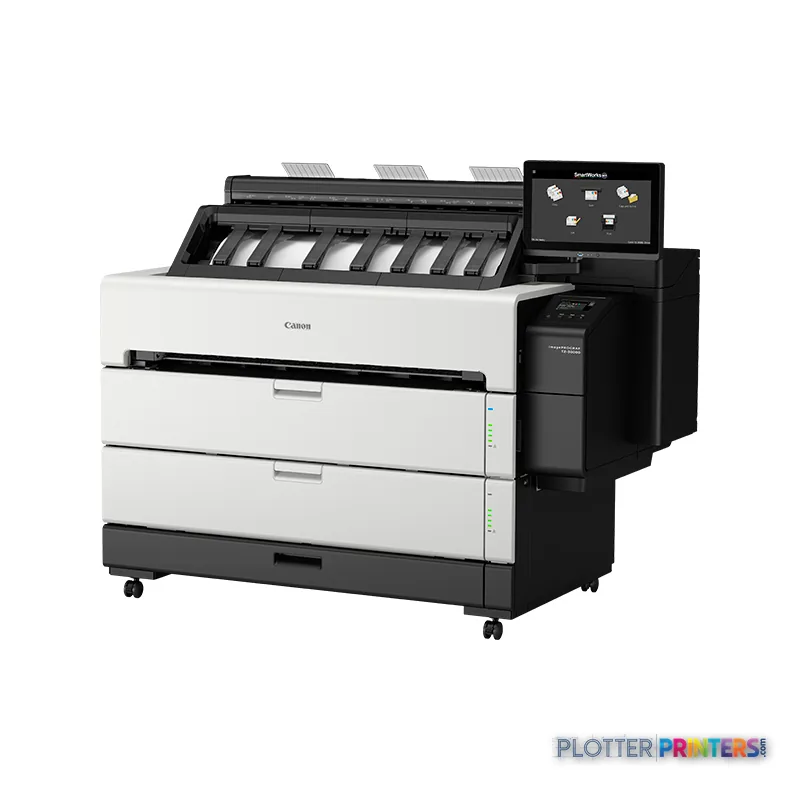
The Canon TZ-30000 MFP Z36 combines 36-inch inkjet printing with color scanning in one floor-standing device. It is aimed at teams that need to print and copy A0 drawings, scan marked plans, and keep common CAD/PDF file types moving through a shared print-room workflow. The machine supports HP-GL/2, HP-RTL, and PDF 1.7, which matters in environments where drawing files arrive from more than one authoring system.
36.1" (91.7 cm)Maximum roll width
36" (91.4 cm)Maximum scan width
2400 x 1200 DPIMaximum resolution
500 GBInternal storage capacity
Where it fits in an AEC workflow
This is a sensible fit for architecture studios, engineering departments, survey teams, and construction offices that need both output and walk-up scan/copy capability. The 36-inch scan width covers the common large-format plan sizes used for A0 work, while the 1200 x 1200 DPI optical scanning specification gives the scanner a credible role for redlines, archive capture, and copying drawings that still arrive on paper.
- Color-coded MEP coordination plans and civil exhibits benefit from four-color output.
- HP-GL/2 and HP-RTL support is relevant for established CAD plotting workflows.
- PDF 1.7 support suits teams issuing drawing sets from PDF-based review processes.
- Plain and coated paper support covers ordinary plan output and presentation-oriented documents.
Media support spans 0.003″–0.031″ (0.07 – 0.8 mm), with a maximum roll length of 708.7″ (18 m). That is useful flexibility, but it is not a substitute for checking the actual bond, coated stock, and roll configuration your teams use every day. Buy the machine for the workflow you have, not the one the brochure imagines.
Output quality, handling, and the operator’s side of the equation
The 2400 x 1200 DPI maximum resolution and four printing colors—Black, Cyan, Magenta, and Yellow—make this machine relevant for fine drawing lines, small annotations, and color layers on ordinary project documentation. Resolution alone does not guarantee readable output: PDF construction, driver settings, paper choice, and line-weight discipline still decide whether a half-size note survives the trip to paper.
At 60.9″ wide, 50.9″ deep, 46.8″ high, and 456.4 lbs, this is a print-room or shared-work-area machine rather than a casual desktop plotter. Its 52 dB sound pressure level while printing also deserves a place in the siting discussion. The scanner is free. The person standing at it is not. Put it where scanning, collection, and replenishment do not create a traffic knot around the project team.
For supplies, specify Canon PFI-340 or Canon PFI-740 inks as appropriate for the installed configuration, plus the Canon PF-06 printhead. Confirm replenishment terms, service response, and operator-replaceable procedures locally; those details often determine whether an MFP remains useful on deadline day.
Family position and IT considerations
Within the listed Canon range, the Canon TZ-30000 36-in is the print-only alternative for organizations that do not need integrated scanning. The Canon TZ-32000 36-in is the step-up comparison to examine when the wider family decision is under review. The Canon imagePROGRAF 700 36-in is another 36-inch in-family option worth placing on the same requirements sheet. Use the comparison tool to keep the decision tied to documented features rather than model-number folklore.
For IT, the relevant basics are present: Wi-Fi, USB, and Gigabit-capable Ethernet LAN with 10,100,1000 Mbit/s data rates. A 500 GB internal storage capacity may be useful in a shared environment, but IT should still validate network placement, access controls, driver deployment, retained-job handling, and support ownership before installation. A plotter that saves thirty seconds a plot buys you nothing if the file spends four minutes finding it.
Compare the surrounding options
The read
Choose the Canon TZ-30000 MFP Z36 if your 36-inch AEC workflow genuinely needs color plan output plus color scanning and copying in one shared device, with HP-GL/2, HP-RTL, and PDF 1.7 in the file mix. Choose the Canon TZ-30000 36-in if scanning belongs elsewhere in the workflow; evaluate the Canon TZ-32000 36-in when the step-up family comparison is justified by your actual production pattern. For every option, make the dealer demonstrate your own PDFs, line weights, paper, scan destinations, and network process before the machine earns a place in the print room.