
Home / Wide-Format Printers / Canon imagePROGRAF
Canon · Wide-Format Plotter
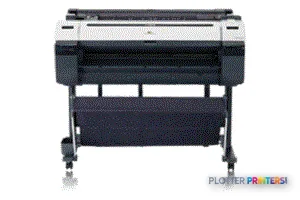
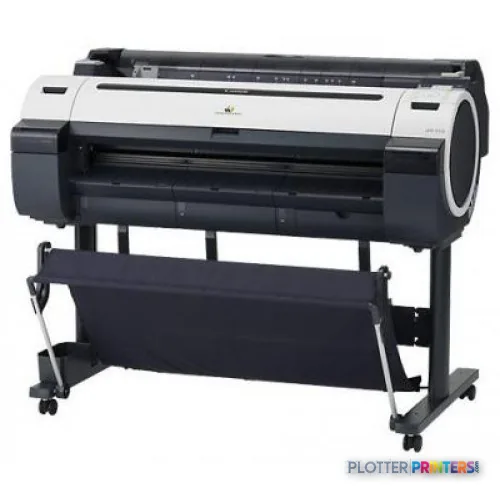
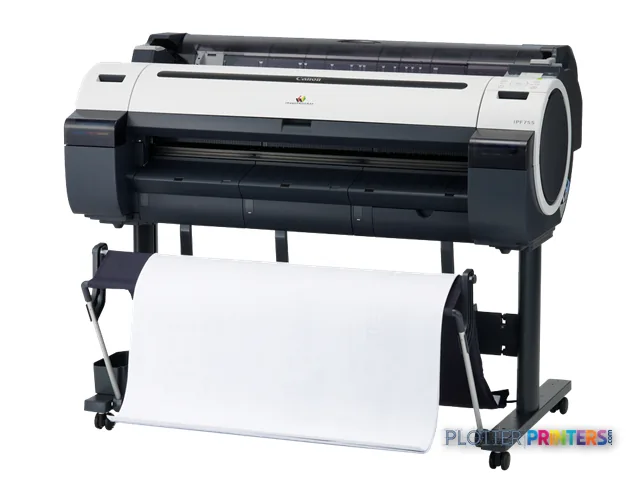
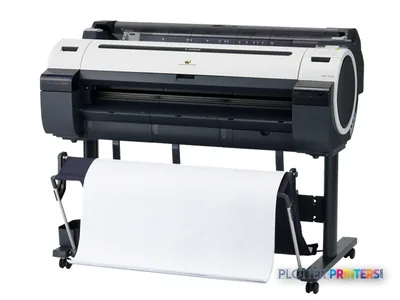
Canon imagePROGRAF iPF755
36" technical / CAD plotter
- ModeliPF755
- Prints36" wide
- Score52/100
Genuine OEM hardwareAuthorized U.S. distribution
Manufacturer warrantyExtension plans available
Free shippingContinental U.S.
Plotter specialistsAEC experts, not just sellers
Analyst take
- The Canon IPF755 is a 36-inch inkjet printer for AEC drawings, maps, color-marked PDFs, and presentation output.
- It supports roll media and cut sheets, including common architectural sizes through 36 x 48.
- HP-GL/2, HP-RTL, GARO, Ethernet LAN, and USB support established technical-document workflows.
Not sure if the iPF755 is right for you?
Compare key specs and an AI analyst read-out against similar models.
- Wide-format reach Prints up to 36" wide on rolls and sheets.
- Fine detail 2400 x 1200 DPI maximum resolution for crisp line work.
- Ink platform Black, Cyan, Magenta, Matte black, Yellow.
- Connectivity Ethernet for shared team printing.
- Analyst score Scores 52/100 in our class-relative rating.
Overview
Built for the work
Canon imagePROGRAF IPF755, Inkjet, 2400 x 1200 DPI, GARO, HP-GL/2, HP-RTL, Black, Cyan, Magenta, Matte black, Yellow, PF-04, A0 (841 x 1189 mm)
- 36″Max print width
- 5Ink channels
- 2,400 dpiMax resolution
Spec Analysis
overall
overall
Where it performs best
Size / Fit
88
Print Quality
65
Media Handling
58
Class best is 63. How we grade →
Expert analysis
What you should know

Key takeaways
- The Canon IPF755 is a 36-inch inkjet printer for AEC drawings, maps, color-marked PDFs, and presentation output.
- It supports roll media and cut sheets, including common architectural sizes through 36 x 48.
- HP-GL/2, HP-RTL, GARO, Ethernet LAN, and USB support established technical-document workflows.
- The five listed printing colors include black and matte black, useful for linework and mixed graphic documents.
- It does not provide touchscreen operation or integrated scanner/MFP capability in the supplied specifications.
It is 4:45 p.m., the civil set needs a fresh 24 x 36 sheet, and nobody wants to turn a simple plot into a small event. The Canon IPF755 is a 36-inch inkjet printer for that familiar AEC job: CAD plans, PDF sets, color-marked coordination drawings, maps, and presentation output up to A0.
It supports rolls and cut sheets, speaks HP-GL/2 and HP-RTL alongside Canon GARO, and connects through Fast Ethernet or USB. That makes it a sensible fit where a workstation or print-room queue still feeds a steady diet of technical documents. Its five-color ink set includes black and matte black, which matters when linework and filled graphics share the same sheet. Bottom line: this is a technical plotter built around 36-inch AEC output, not a scan-copy-production center.
36" (91.4 cm)Maximum roll widthCovers common 24 x 36 and 36 x 48 architectural output.
2400 x 1200 DPIMaximum resolutionResolution is only part of readable drawing output; file processing and media choice still count.
0.003"–0.031" (0.07 – 0.8 mm)Media thicknessSupports ordinary technical papers as well as selected heavier media.
51.3" (1304 mm)Printer footprintAllow room around the unit for loading rolls and collecting long plots.
Where it earns its floor space
The IPF755 fits an architecture, engineering, surveying, or contractor office that needs its own plotted drawings without handing every sheet to a central print room. It accepts roll media from 10 to 36 inches wide and supports familiar architectural sizes including 18 x 24, 24 x 36, 30 x 42, and 36 x 48. That is the practical range for permit sets, field issue sheets, site plans, utility markups, and color-coded coordination PDFs.
For day-to-day submission, HP-GL/2 and HP-RTL support is useful in established CAD environments, while Ethernet LAN gives a workgroup a shared destination. The built-in LCD is there for local status checks, but this is not a touchscreen-led walk-up device. Operators should expect a conventional technical-printer workflow: load the right media, send the job, collect the output, and keep an eye on the queue when a deadline gets noisy.
Bottom line: it makes sense when the core need is reliable 36-inch plotting from standard AEC file workflows.
Media, ink, and the details that affect Monday morning
The machine handles roll paper and cut sheets, plus plain, matte, glossy, semi-glossy, photo, banner, proofing, and roll-up film media types. That range helps a team move from ordinary bond plan sets to a presentation sheet without changing devices. It also offers borderless output on A0 and A1 media sizes.
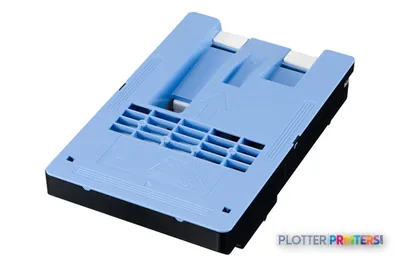
Its listed consumables are Canon 0894B001, Canon 0897B001, Canon PFI-102BK ink cartridge Original Black, Canon PFI-102C ink cartridge Original Cyan, and Canon PFI-102Y ink cartridge Original Yellow. Service planning should also account for the Canon PF-04 printhead and Canon MC-10 maintenance component. On an older technical printer, having the right consumables and a support plan matters more than a cheerful status light. Those lights have never fixed a deadline.
Bottom line: check media habits, consumable availability, and who owns routine printer care before putting this unit back into regular service.
What to compare before choosing it
If your requirement is simply 36-inch plotting, compare the IPF755 with the Canon iPF750 36-in and Canon iPF760 36-in. Both are catalog-listed 36-inch Canon alternatives, so the useful discussion is not brand loyalty; it is the actual mix of files, media, support, and operator involvement in your office.
Need scan-copy capability at the device? The Canon iPF770 36-in is listed as a scanner/MFP, which is a materially different workflow proposition for marked-up sheets and legacy drawing capture. Need a smaller-width option for work that rarely reaches 36 inches? The Canon iPF6300 33-in is the listed 33-inch in-family alternative. For a cross-brand 36-inch comparison, use the IPF755 and Epson SC-T5100 comparison.
Do not select the IPF755 for a team that needs integrated scanning, expects touch-driven walk-up operation, or routinely requires output wider than 36 inches. Bottom line: buy around the bottleneck—plotting, scanning, width, or operator time—not the badge on the front.
Useful comparisons
Canon iPF750 36-inAnother catalog-listed 36-inch Canon option for technical printing.Canon iPF770 36-inA listed scanner/MFP alternative for scan-copy workflows.Canon iPF6300 33-inA listed narrower in-family option.Technical printer class rankingReview how this machine is positioned within its class.
The read
The Canon IPF755 remains easy to place in an AEC workflow: it is for 36-inch technical plotting, shared over Ethernet or used directly by USB, with roll and cut-sheet flexibility. It is less convincing where scanning, copying, wider output, or a modern walk-up interface drives the requirement. For an office evaluating an existing unit, verify its condition, consumable path, network fit, and local support before making it the last stop for a permit-set deadline. Bottom line: a good fit for straightforward AEC plotting when its limitations match the job rather than surprise the operator.
Spec analysis
How the specs grade
Overall performance
- This printer
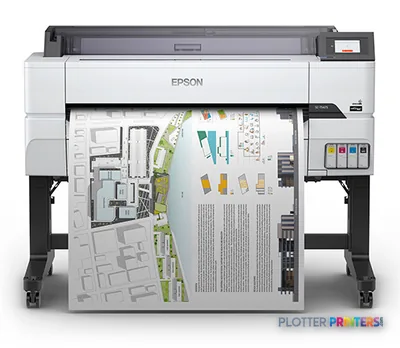
- Epson SureColor T5475
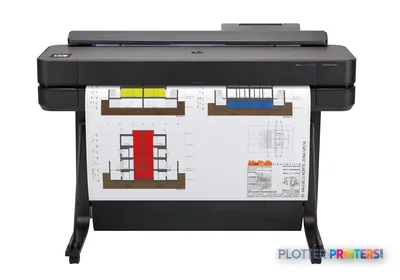
Category leaders best technical / CAD plotters, by dimension
Verified specifications
The specs that decide it
| Maximum print width | 36 in |
|---|---|
| Print technology | Inkjet |
| Maximum resolution | 2400 x 1200 DPI |
| Printing colors | Black, Cyan, Magenta, Matte black, Yellow |
| Page description languages | GARO, HP-GL/2, HP-RTL |
| Internal memory | 256 MB |
| Maximum print size | A0 (841 x 1189 mm) |
| Media thickness | 0.07 – 0.8 mm |
| Maximum roll diameter | 5.91" (15 cm) |
| Ethernet | Yes |
| Sound level (printing) | 50 dB |
| Power consumption | 140 W |
Specifications
Full technical detail
Print technologyInkjet
Max resolution2400 x 1200 DPI
Max print width36"
ColorColor
ConnectivityEthernet (Gigabit LAN), USB
Use caseCAD / Technical
Printing
| Color | Yes |
|---|---|
| Print head | PF-04 |
| Printing colors | Black, Cyan, Magenta, Matte black, Yellow |
| Print technology | Inkjet |
| Maximum resolution | 2400 x 1200 DPI |
| Page description languages | GARO, HP-GL/2, HP-RTL |
Performance
| Display | LCD |
|---|---|
| Product color | Black, White |
| Internal memory | 256 MB |
| Built-in display | Yes |
| Sound power level (standby) | 35 dB |
| Sound pressure level (printing) | 50 dB |
Paper handling
| Cut sheets | Yes |
|---|---|
| Roll paper | Yes |
| Media thickness | 0.07 – 0.8 mm |
| ANSI paper sizes | 8.5 x 11, 8.5 x 14, 11 x 17, 13 x 19, 17 x 22, 22 x 34, 28 x 40, 34 x 44 |
| Maximum print size | A0 (841 x 1189 mm) |
| Maximum roll width | 36" (91.4 cm) |
| Architectural sizes | 9 x 12, 12 x 18, 18 x 24, 24 x 36, 26 x 38, 27 x 39, 30 x 42, 36 x 48 |
| Maximum roll length | 708.7" (18 m) |
| Media width (rolls) | 254 – 914 mm |
| Maximum roll diameter | 5.91" (15 cm) |
| Roll widths supported | 254 – 914.4 |
| Paper tray media types | Banner, Glossy paper, Matte paper, Photo paper, Plain paper, Semi-glossy paper |
| Print margin cut-sheet | 1600 mm |
| ISO A-series sizes (A0…A9) | A0, A1, A2, A3 |
| ISO B-series sizes (B0…B9) | B1, B2, B4 |
| ISO C-series sizes (C0…C9) | C0, C1, C2, C3, C4 |
| JIS B-series sizes (B0…B9) | B0, B1, B2, B3, B4 |
| Photo paper sizes (imperial) | 10×12,10×15,12×16,14×17,18×22,20×24 |
| Borderless printing media sizes | A0, A1 |
Ports & interfaces
| USB port | Yes |
|---|---|
| Ethernet LAN | Yes |
| USB connector | USB Type-A |
| RJ-45 ports quantity | 1 |
| USB 2.0 ports quantity | 1 |
| Ethernet LAN data rates | 10Base-T, 100base-TX |
| Ethernet interface type | Fast Ethernet |
| Supported network protocols | IPX/SPX, SNMP, HTTP, TCP/IP, AppleTalk |
Weight & dimensions
| Depth | 34.3" (870 mm) |
|---|---|
| Width | 51.3" (1304 mm) |
| Height | 41.8" (1062 mm) |
| Weight | 139.1 lbs (63.1 kg) |
Power
| Power consumption (off) | 1 W |
|---|---|
| Power consumption (standby) | 5 W |
| Power consumption (typical) | 140 W |
Operational conditions
| Storage temperature (T-T) | 15 – 30 °C |
|---|---|
| Operating relative humidity (H-H) | 10 – 80% |
Other features
| Touchscreen | No |
|---|---|
| Opaque paper | Yes |
| Roll-up film | Yes |
| Proofing paper | Yes |
| High resolution paper | Yes |
| Compliance industry standards | IEEE 802.3, 802.3u, 802.3ab |
| On Screen Display (OSD) languages | Simplified Chinese, English, Spanish, Italian |
Packaging data
| Drivers included | Yes |
|---|
Sustainability
| Sustainability certificates | ENERGY STAR |
|---|
Supplies
Compatible ink, printheads & media
Genuine consumables that fit the Canon imagePROGRAF IPF755 large format printer Inkjet Colour 2400 x 1200 DPI A0 (841 x 1189 mm) Ethernet LAN — only the cartridges, printheads and media compatible with this model.
Ink Cartridges 4
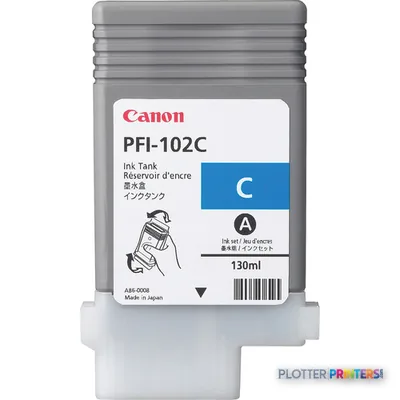
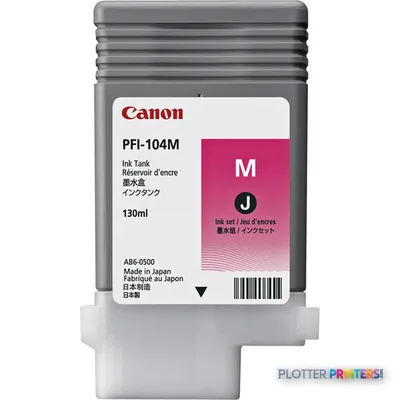
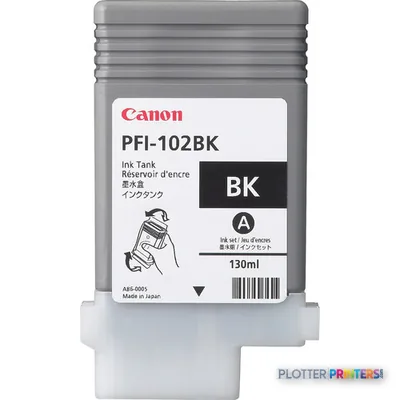
Paper & Media 12
 Representative image16 Mil WR Opaque Scrim Vinyl (3″ AC)Representative image15 Mil Water-Resistant Econo Scrim VinylRepresentative image11 Mil Water-Resistant Synthetic BannerRepresentative image180gsm Solvent Satin PE PaperRepresentative image230gsm Special Matte Photo PaperRepresentative image200gsm Special Matte Photo PaperRepresentative image350g Vivid Matte Poly/Cotton CanvasRepresentative image380g Premium Matte Poly/Cotton CanvasRepresentative image10 Mil Water-resistant Blockout Display FilmRepresentative image8mil Poster Paper Satin (514)Representative image20LB Engineering Vellum (471)Representative imageWSL 28LB Simple Inkjet Coated Matte Paper (C2S) (448)
Questions
Straight answers
Can the Canon IPF755 print 24 x 36 and 36 x 48 plans?
Yes. Both 24 x 36 and 36 x 48 are listed among its supported architectural sizes, and its maximum roll width is 36 inches.
Can several AEC users share the IPF755?
Yes. It has one RJ-45 Ethernet connection with 10Base-T and 100base-TX support, plus USB 2.0 connectivity.
Will it work with traditional CAD plotting files?
The listed page description languages are GARO, HP-GL/2, and HP-RTL. That is relevant to established CAD and technical-print workflows.
Does the IPF755 scan marked-up drawings or make copies?
No scanning or copying capability is listed in the supplied specifications. If that is central to the workflow, the Canon iPF770 36-in is listed as a scanner/MFP alternative.
Which maintenance items should an owner confirm before relying on this printer?
Confirm access to the Canon PF-04 printhead and Canon MC-10 maintenance component, as well as the listed Canon ink cartridges. Consumable support and local service arrangements can determine whether an existing printer remains practical.
Ready to put the Canon imagePROGRAF iPF755 to work?
We’ll point you to the current equivalent and quote it for your workflow.