
Home / Wide-Format Printers / Epson SureColor
Epson · Wide-Format Plotter
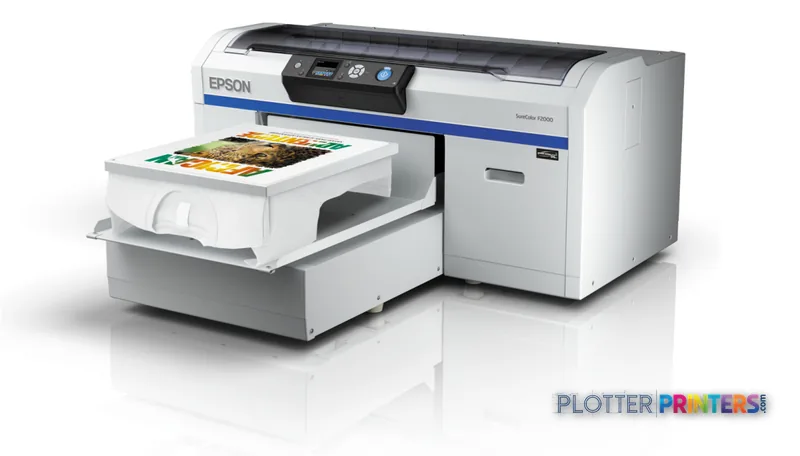
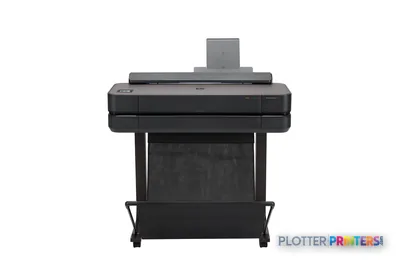
Epson SureColor SC-F2000
technical / CAD plotter
- ModelSC-F2000
Authorized Epson dealerGenuine hardware & ink
Manufacturer warrantyExtension plans available
Free shippingContinental U.S.
Plotter specialistsAEC experts, not just sellers
Analyst take
- The Epson SC-F2000 is limited to a maximum print size of 16" x 20" (406 x 508 mm), which rules out full-size plan output.
- Its listed ink colors include white, making it a specialty color-output option rather than a conventional CAD plotter.
- The printer has no scanning or copying capability, so it cannot replace a technical multifunction workflow.
Not sure if the SC-F2000 is right for you?
Compare key specs and an AI analyst read-out against similar models.
- Fine detail 1440 x 1440 DPI maximum resolution for crisp line work.
- Ink platform Black, Cyan, Magenta, White, Yellow.
- Connectivity Wi-Fi + Ethernet for shared team printing.
- Verified specs 4 specs checked against the manufacturer datasheet.
Overview
Built for the work
Epson SureColor SC-F2000 (4C), Inkjet, 1440 x 1440 DPI, Black, Cyan, Magenta, White, Yellow, TFP, 406 x 508 mm, 25 mm
Expert analysis
What you should know

Key takeaways
- The Epson SC-F2000 is limited to a maximum print size of 16" x 20" (406 x 508 mm), which rules out full-size plan output.
- Its listed ink colors include white, making it a specialty color-output option rather than a conventional CAD plotter.
- The printer has no scanning or copying capability, so it cannot replace a technical multifunction workflow.
- Wi-Fi, USB Type-A, and Fast Ethernet provide connection options, but the listed operating-system support should be validated in a current IT environment.
- Epson UltraChrome DG inks and the Epson Waste ink bottle should be included in the operating plan from day one.
At 4:45 p.m., nobody in an AEC office needs a machine pretending to be a plan printer when the job is actually small-format specialty color output. The Epson SC-F2000 is a color inkjet device with a maximum print size of 16" x 20". That puts it outside the normal lane for full-size drawing sets, but potentially inside a controlled in-house workflow for small graphics where black, cyan, magenta, yellow, and white are required.
The catalog lists the SC-F2000 as current. Its 1440 x 1440 DPI maximum resolution and TFP print head point toward detail-oriented output, while its one input tray and compact output format set a clear operational boundary. This is not the machine to park beside the bid-room plotters and hope for miracles. It is a specialist.
16" x 20" (406 x 508 mm)Maximum print sizeLimits output to small-format work rather than full-size construction documents.
1440 x 1440 DPIMaximum resolutionRelevant where fine graphic detail matters on supported output.
0.98" (25 mm)Maximum media thicknessMedia handling deserves a test with the actual material and workflow.
52 WTypical power consumptionA modest stated operating draw for a device of this footprint.
Where it fits in an AEC operation
The practical fit is narrow, but real. A design studio, contractor, or facilities team may need small-format color pieces that do not belong on the ordinary plan-print queue. Think project identifiers, internal visual materials, event or field-team items, and other controlled graphics where white is part of the required ink set. The SC-F2000 provides black, cyan, magenta, yellow, and white printing colors, plus an LCD display for local status checking.
Network placement is straightforward on paper: Wi-Fi, USB Type-A, and one Fast Ethernet RJ-45 connection are listed. That gives print-room staff and IT more than one connection path to assess. The trade-off is that the published operating-system support list is limited to older Windows and Mac OS X releases. Validate the driver path, workstation image, and security policy before it becomes a production dependency. A deadline is a poor time to discover that the only working driver lives on somebody’s retired laptop.
Bottom line: The SC-F2000 fits a specialty small-format color role, not the everyday CAD output queue.
The boundary is the important specification
The 16" x 20" maximum print size is the decision-maker. It excludes 24-inch, 36-inch, and other full-size plan workflows before speed, resolution, or network features even enter the conversation. It also has no copying or scanning function. Firms replacing an aging multifunction technical printer should not treat this as a substitute for walk-up markups, legacy drawing capture, or plan copying.
Its stated dimensions are 47.5" wide, 62.8" deep, and 19.3" high, with a weight of 176.4 lbs. Measure the intended location, access route, and work area around the device. The machine may fit through the door and still leave the operator nowhere sensible to stage materials. That is how otherwise decent installs become furniture with a power cord.
Consumable planning should include Epson UltraChrome DG inks and the Epson Waste ink bottle. Keep the maintenance process visible to the person who owns the output schedule rather than burying it in an IT ticket queue.
Bottom line: If your work begins with full-size PDFs, roll media, scanning, or copying, this is the wrong tool.
How it sits within the listed Epson family
The nearest listed alternatives should be treated as separate evaluations, not automatic upgrades or downgrades. The Epson F2270 is listed at 1200 x 1200 DPI, while the Epson F1070 is listed at 2400 x 1200 DPI. Resolution alone does not establish which machine suits an AEC workflow; output size, material requirements, supported software, and operator process still decide the matter.
For teams that simply need a larger conventional technical-printing workflow, neither a small-format comparison nor a resolution comparison answers the core question. Start with required sheet size, whether scanning and copying are necessary, and who will run the equipment at deadline. Then use the SC-F2000 and Epson F1070 comparison as a catalog starting point, rather than assuming a family label means the machines do the same job.
Bottom line: Choose the SC-F2000 for its defined small-format role, not because it happens to carry a SureColor badge.
Related equipment research
The read
The Epson SC-F2000 is a current, small-format color inkjet specialist with white ink among its listed printing colors, a 16" x 20" maximum print size, and network connectivity options. It can make sense where an AEC organization has a defined specialty-output need and a tested workstation path. It is not a plotter, copier, scanner, or substitute for a full-size plan-production system. Buy it for the specific job it can do. Do not ask it to rescue the bid room.
Spec analysis
How the specs grade
Overall performance
—Not enough data for an overall score
Individual dimensions are shown where the specs support them.
- This printer
- Epson SureColor T3475
Category leaders best technical / CAD plotters, by dimension
Verified specifications
The specs that decide it
| Print technology | Inkjet |
|---|---|
| Maximum resolution | 1440 × 720manufacturer-verified |
| Printing colors | Cyan, Magenta, Yellow, Blackmanufacturer-verified |
| Internal memory | 512manufacturer-verified |
| Maximum print size | 406 x 508 mm |
| Media thickness | 25 mm |
| Scanning | No |
| Wi-Fi | Yes |
| Ethernet | Yes |
| Sound level (printing) | 41 dB |
| Power consumption | 52manufacturer-verified |
manufacturer-verified = checked against the manufacturer’s official datasheet, not aggregator data. Everything else is standards-body / catalog data we consider reliable.
Specifications
Full technical detail
Print technologyInkjet
Max resolution1440 x 1440 DPI
ColorColor
ConnectivityEthernet (Gigabit LAN), USB, Wi-Fi
Use caseGraphics / Production
Printing
| Color | Yes |
|---|---|
| Print head | TFP |
| Printing colors | Black, Cyan, Magenta, White, Yellow |
| Print technology | Inkjet |
| Maximum resolution | 1440 x 1440 DPI |
Performance
| Display | LCD |
|---|---|
| Product color | Black, Gray |
| Internal memory | 512 MB |
| Built-in display | Yes |
| Country of origin | China |
| Sound pressure level (printing) | 41 dB |
Paper handling
| Media thickness | 25 mm |
|---|---|
| Maximum print size | 406 x 508 mm |
Ports & interfaces
| Wi-Fi | Yes |
|---|---|
| USB port | Yes |
| Ethernet LAN | Yes |
| USB connector | USB Type-A |
| RJ-45 ports quantity | 1 |
| USB 2.0 ports quantity | 1 |
| Ethernet LAN data rates | 10,100 Mbit/s |
| Ethernet interface type | Fast Ethernet |
Weight & dimensions
| Depth | 62.8" (1595 mm) |
|---|---|
| Width | 47.5" (1207 mm) |
| Height | 19.3" (490 mm) |
| Weight | 176.4 lbs (80 kg) |
Power
| Power supply | 52 W |
|---|---|
| Power consumption (off) | 0.5 W |
| Power consumption (standby) | 10 W |
| Power consumption (typical) | 52 W |
Other features
| Noise level (ready) | 5.7 dB |
|---|---|
| Number of power supply units | 1 |
Copying
| Copying | No |
|---|
Scanning
| Scanning | No |
|---|
Logistics data
| Quantity per pack | 1 pc(s) |
|---|
Packaging data
| Manual | Yes |
|---|---|
| Package depth | 62.8" (1595 mm) |
| Package width | 47.5" (1207 mm) |
| Package height | 33.1" (840 mm) |
| Package weight | 317.5 lbs (144 kg) |
| Drivers included | Yes |
| Quick start guide | Yes |
| Cartridge(s) included | Yes |
System requirements
| Mac operating systems supported | Mac OS X 10.10 Yosemite, Mac OS X 10.11 El Capitan, Mac OS X 10.12 Sierra, Mac OS X 10.13 High Sierra, Mac OS X 10.14 Mojave, Mac OS X 10.5 Leopard, Mac OS X 10.6 Snow Leopard, Mac OS X 10.7 Lion, Mac OS X 10.8 Mountain Lion, Mac OS X 10.9 Mavericks |
|---|---|
| Windows operating systems supported | Windows 7, Windows 7 x64, Windows 8, Windows 8 x64, Windows Vista, Windows Vista x64, Windows XP |
Input & output capacity
| Total number of input trays | 1 |
|---|
Everything that fits the Epson SureColor SC-F2000
The full supplies hub lists every cartridge, printhead, roll and accessory verified against the manufacturer's own documentation for this machine.
9 ink cartridges · 12 accessories
Epson SureColor SC-F2000 ink and paper →Supplies
Compatible ink, printheads & media
Genuine consumables that fit the Epson SureColor SC-F2000 (4C) — only the cartridges, printheads and media compatible with this model.
Ink Cartridges 9
 Epson UltraChrome DG Black T725100 (600ml)
 Epson UltraChrome DG Cyan T725200 (600ml)
 Epson UltraChrome DG Magenta T725300 (600ml)
 Epson UltraChrome DG Yellow T725400 (600ml)
 Epson UltraChrome DG White T725A00 (600ml)
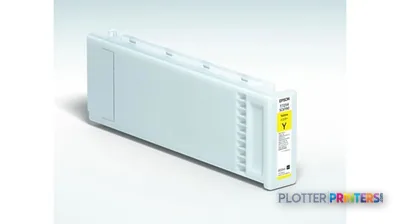 Epson UltraChrome DG Yellow T72540N (600ml)
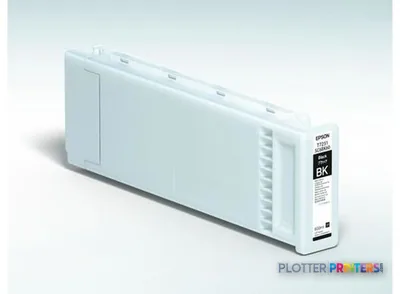 Epson UltraChrome DG Magenta T72530N (600ml)
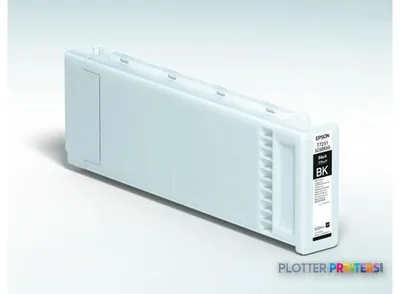 Epson UltraChrome DG Black T72510N (600ml)
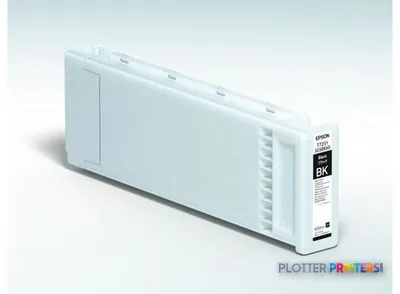 Epson UltraChrome DG Cyan T72520N (600ml)
Accessories 12
 Epson Waste ink bottle
 Epson SureColor SC-F2000 Large Platen
 Epson SureColor SC-F2000 Medium Platen
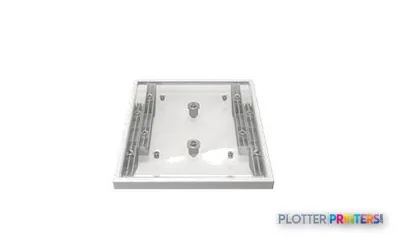 Epson SureColor SC-F2000 Small Platen
 Epson SureColor SC-F2000 Pre-treatment roller set
 Epson SureColor SC-F2000 Replacement rollers for pre-treatment (3 pieces)
 Epson SureColor SC-F2000 Hard Roller
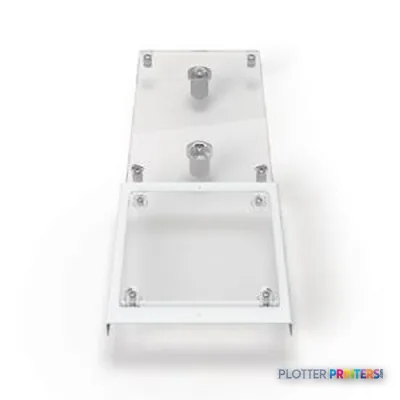 Epson SureColor SC-F2000 Sleeve Platen
 Epson Pre-Treatment Liquid (20l)
 Epson SureColor SC-F2000 Extra Small Platen
 Epson SureColor SC-F2000 Medium Grooved Platen
 Epson Pre-treatment Liquid
Questions
Straight answers
Can the Epson SC-F2000 print architectural or engineering plan sets?
Not full-size sets. Its maximum print size is 16″ x 20″ (406 x 508 mm), so it is not suited to 24-inch, 36-inch, or other wide technical drawings.
Does the SC-F2000 scan or copy marked-up drawings?
No. The product data lists no scanning and no copying capability.
What connectivity does the SC-F2000 provide?
It lists Wi-Fi, USB Type-A, and one Fast Ethernet RJ-45 port. Ethernet data rates are listed as 10 and 100 Mbit/s.
What ink colors are listed for this printer?
The listed printing colors are black, cyan, magenta, white, and yellow. Epson UltraChrome DG is a compatible ink family.
What should IT validate before deployment?
Confirm the driver and submission workflow on the actual workstations. The listed Windows and Mac operating systems are older releases, so current-environment compatibility should be tested before rollout.
Ready to put the Epson SureColor SC-F2000 to work?
Configuration, media and a quote tailored to your workflow — from AEC plotter specialists.