
Home / Wide-Format Printers / Epson SureColor
Epson · Wide-Format Plotter
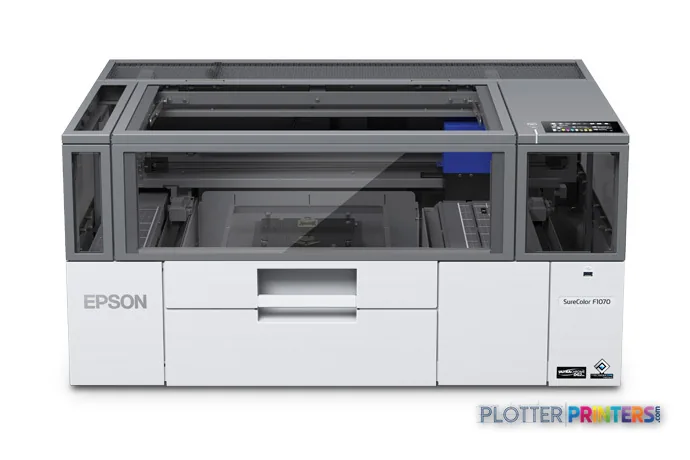
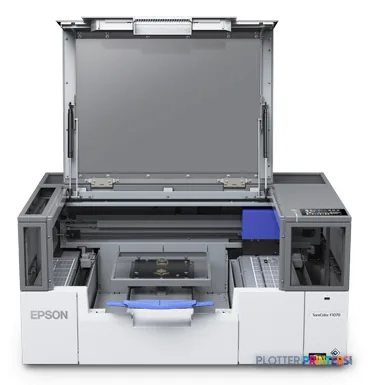
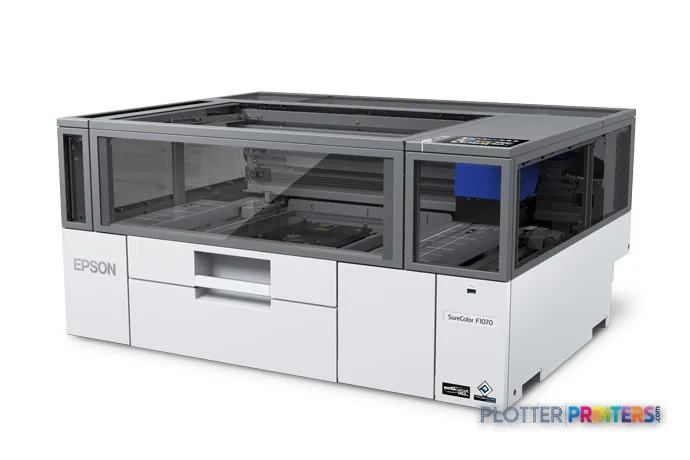
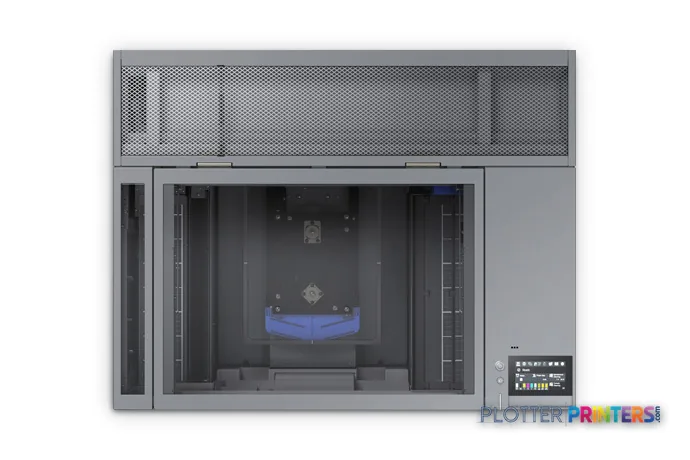
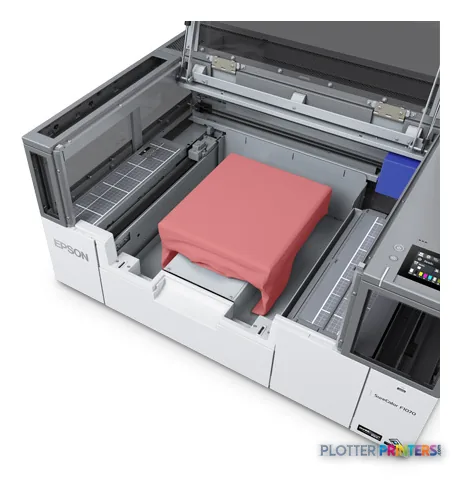
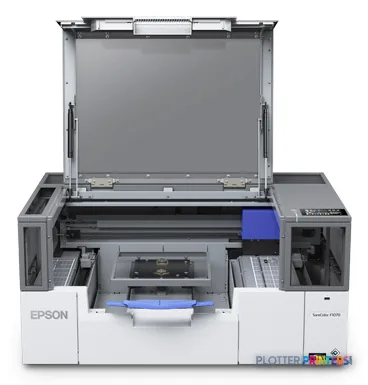
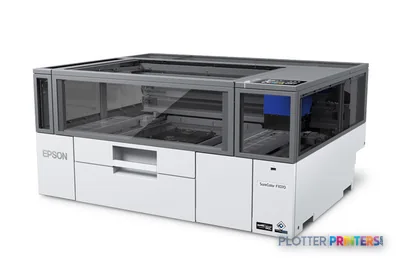
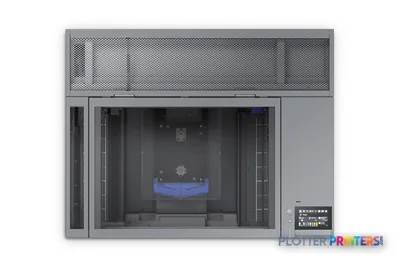
Epson SureColor F1070 DTG
wide-format printer
- ModelF1070 DTG
Authorized Epson dealerGenuine hardware & ink
Manufacturer warrantyExtendable to 2 years
Free shippingContinental U.S.
Plotter specialistsAEC experts, not just sellers
Analyst take
- The Epson F1070 is a specialized DTG inkjet device, not a substitute for a plan printer or multifunction scanner.
- Its listed Cyan, Yellow, Magenta, and White printing colors suit garment-oriented visual work rather than document-production assumptions.
- No scanning or copying is listed, so redline capture and archive workflows need another device.
Not sure if the F1070 DTG is right for you?
Compare key specs and an AI analyst read-out against similar models.
- Fine detail 2400 x 1200 DPI maximum resolution for crisp line work.
- Ink platform Cyan, Yellow, Magenta, White.
- Connectivity Wi-Fi + Ethernet for shared team printing.
- Verified specs 10 specs checked against the manufacturer datasheet.
Overview
Built for the work
Epson SureColor F1070 DTG, Inkjet, 2400 x 1200 DPI, Cyan, Yellow, Magenta, White, 10,100,1000 Mbit/s, White, 34 dB
Expert analysis
What you should know
Key takeaways
- The Epson F1070 is a specialized DTG inkjet device, not a substitute for a plan printer or multifunction scanner.
- Its listed Cyan, Yellow, Magenta, and White printing colors suit garment-oriented visual work rather than document-production assumptions.
- No scanning or copying is listed, so redline capture and archive workflows need another device.
- Ethernet LAN, Wi-Fi, Wi-Fi Direct, and USB provide several connection methods, each requiring an ownership policy.
- The Epson F501 24-in and Epson F571 are relevant catalog alternatives, but the supplied data does not establish a simple step-up or step-down relationship.
The Epson F1070 belongs in the AEC conversation when the output is part of the jobsite identity rather than the drawing set: project-team apparel, event garments, trade-show pieces, or internally produced visual identifiers. It is an inkjet DTG device with Cyan, Yellow, Magenta, and White printing colors—not a plan printer, scanner, or copier. That distinction saves a great deal of time in procurement meetings.
For an architecture, engineering, or construction group, the useful question is not whether it can join the network. It can. The question is whether garment output removes an outside-production handoff often enough to justify another specialized workflow. A plotter that saves thirty seconds a plot buys you nothing if the file spends four minutes finding it; the same principle applies here.
2400 x 1200 DPIMaximum resolution
35.4" (899 mm)Footprint width
152.1 lbs (69 kg)Unit weight
40 WTypical power consumption
Where it genuinely fits in an AEC operation
The F1070 is most credible in firms that already create recurring branded apparel or project-specific garments and can assign a clear owner to the process. Think construction-management teams preparing site events, a large multidisciplinary practice supporting recruiting and studio identity, or an internal communications group producing small, time-sensitive garment runs.
- Project-team garments where White ink is relevant to the intended artwork.
- Internal events, recruiting, recognition, and construction-site branding.
- Facilities with Ethernet LAN, Wi-Fi, Wi-Fi Direct, or USB submission needs.
- Shared office environments where its 34 dB printing sound pressure level matters.
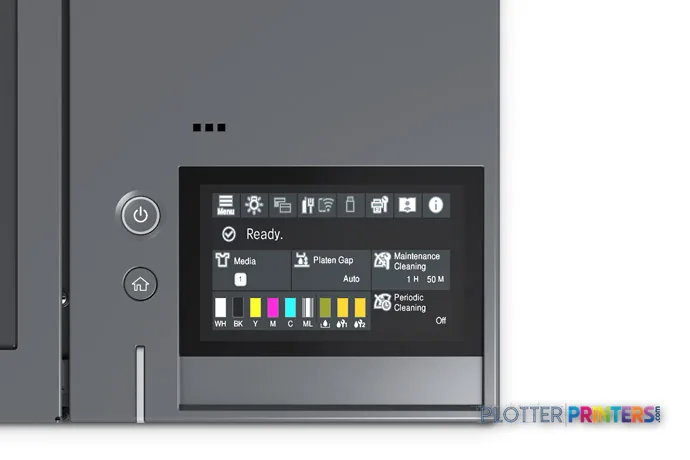
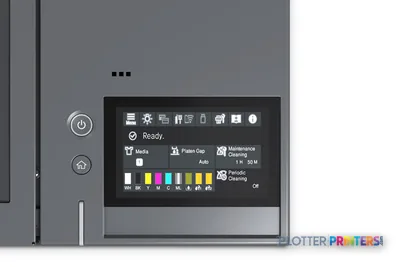
The machine supports Windows and Mac operating systems and has a built-in display. Gigabit-capable Ethernet LAN is listed alongside Wi-Fi and Wi-Fi Direct, which gives IT several deployment options rather than forcing a desk-side USB arrangement.
What it does not replace
The F1070 has no scanning and no copying capability. It should therefore not be specified as a replacement for a wide-format multifunction device used for marked-up permit sheets, legacy drawing capture, as-builts, or scan-to-PDF workflows. Nor does the provided specification establish a roll-fed drawing workflow, mixed-size plan handling, or output collation.
For conventional wide-format graphics evaluation, Epson F501 24-in is separately listed as a 24-inch inkjet model. For a dye-sublimation alternative, review the Epson F571. The catalog information supplied here does not support calling either a universal step-up or step-down: they address different device specifications and should be evaluated against the actual substrate and finishing workflow. Compare the F1070 and F501 24-in before assuming that “Epson” means interchangeable production roles.
Consumables, support, and IT ownership
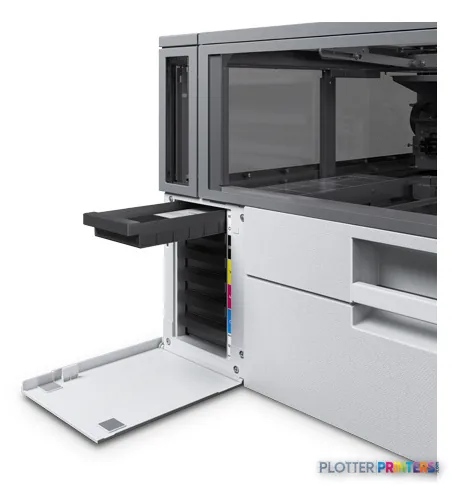
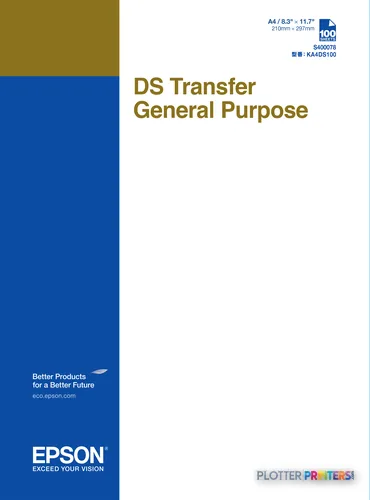
The resolved supplies include Epson DS Transfer General Purpose A4 sheets and Epson Dye Sublimation Black T49N100 (140mL), Epson Dye Sublimation Cyan T49N200 (140mL), Epson Dye Sublimation Magenta T49N300 (140mL), and Epson Dye Sublimation Yellow T49N400 (140mL). Included cartridges are listed, and two warranty options are identified as epson PSF1070SE1 and epson PSF1070SE2.
IT should decide who owns driver deployment, wireless policy, access to artwork files, and job approval before installation. Ethernet LAN supports 10,100,1000 Mbit/s data rates, while Wi-Fi Direct can be useful for controlled local use but deserves the same policy review as any other direct-connect path. The scanner is free. The person standing at it is not; similarly, an unmanaged specialty printer creates a quiet queue of support work.
Related evaluation paths
The read
Choose the Epson F1070 if your AEC organization has a repeatable need for in-house garment output, an owner for artwork and consumables, and no expectation that it will process plans or scans. Choose a conventional wide-format device instead if the operational problem is plan sets, CAD PDFs, markups, maps, or document capture. Buy the machine for the workflow you have, not the one the brochure imagines.
Spec analysis
How the specs grade
Overall performance
—Not enough data for an overall score
Individual dimensions are shown where the specs support them.
- This printer
Verified specifications
The specs that decide it
| Print technology | Inkjet (direct-to-garment, UltraChrome DG2 Ink)manufacturer-verified |
|---|---|
| Maximum resolution | 2400 x 1200 dpi |
| Nozzle configuration | 400 nozzles x 6 channelsmanufacturer-verified |
| Ink channels | 5-color; Cyan, Yellow, Magenta, White |
| Ink cartridge capacity | 250 mLmanufacturer-verified |
| Connectivity | 10/100/1000Base-T Ethernet, USB 3.0, Wi-Fi (802.11 b/g/n/a/ac) + Wi-Fi Direct |
| Dimensions (W x D x H) | 35 in x 28 in x 17 in |
| Weight | 152 lb |
| Sound pressure (printing) | 34 dBA |
| Power consumption (typical) | Approx. 40 W |
manufacturer-verified = checked against the manufacturer’s official datasheet, not aggregator data. Everything else is standards-body / catalog data we consider reliable.
Specifications
Full technical detail
Print technologyInkjet
Max resolution2400 x 1200 DPI
ColorColor
ConnectivityEthernet (Gigabit LAN), USB, Wi-Fi
Use caseGraphics / Production
Printing
| Color | Yes |
|---|---|
| Printing colors | Cyan, Yellow, Magenta, White |
| Print technology | Inkjet |
| Maximum resolution | 2400 x 1200 DPI |
| Number of print cartridges | 5 |
Performance
| Certification | UL, FCC, CSA, CE, ICES |
|---|---|
| Product color | White |
| Built-in display | Yes |
| Country of origin | Philippines |
| Sound pressure level (printing) | 34 dB |
Ports & interfaces
| Wi-Fi | Yes |
|---|---|
| USB port | Yes |
| Ethernet LAN | Yes |
| Wi-Fi Direct | Yes |
| Ethernet LAN data rates | 10,100,1000 Mbit/s |
Technical details
| Compliance certificates | CE, Federal Communications Commission (FCC), ICES |
|---|
Weight & dimensions
| Depth | 27.5" (699 mm) |
|---|---|
| Width | 35.4" (899 mm) |
| Height | 16.8" (426 mm) |
| Weight | 152.1 lbs (69 kg) |
Power
| AC input voltage | 100 – 240 V |
|---|---|
| AC input frequency | 50 – 60 Hz |
| Power consumption (off) | 0.2 W |
| Power consumption (sleep) | 6 W |
| Power consumption (standby) | 20 W |
| Power consumption (typical) | 40 W |
Operational conditions
| Operating relative humidity (H-H) | 20 – 80% |
|---|
Other features
| Ink drop | 3.8 |
|---|
Copying
| Copying | No |
|---|
Scanning
| Scanning | No |
|---|
Logistics data
| Quantity per pack | 1 pc(s) |
|---|---|
| Pallet weight (UK) | 0 oz (0 g) |
| Quantity per pallet (UK) | 28 pc(s) |
Packaging data
| Cartridge(s) included | Yes |
|---|
System requirements
| Mac operating systems supported | Yes |
|---|---|
| Windows operating systems supported | Yes |
Supplies
Compatible ink, printheads & media
Genuine consumables that fit the Epson SureColor SC-F100 — only the cartridges, printheads and media compatible with this model.
Ink Cartridges 1
Coverage & Support Plans 1

Questions
Straight answers
Can the Epson F1070 replace our wide-format plan printer?
No. The supplied information identifies it as a DTG inkjet device and does not establish roll-fed plan printing, mixed-size set production, or collation capability.
Can it scan marked-up drawings or make copies?
No. Scanning and copying are both listed as unavailable.
How can the F1070 connect to our network?
It supports Ethernet LAN, Wi-Fi, Wi-Fi Direct, and USB. Ethernet LAN data rates are listed at 10,100,1000 Mbit/s.
What operating systems are supported?
Windows and Mac operating systems are listed as supported.
Which consumables are identified for this model?
The resolved consumables include Epson DS Transfer General Purpose A4 sheets and the Epson Dye Sublimation Black T49N100 (140mL), Cyan T49N200 (140mL), Magenta T49N300 (140mL), and Yellow T49N400 (140mL) supplies.
Is the Epson F571 a direct replacement for the F1070?
Not on the information provided. The Epson F571 is listed as a dye-sublimation model, while the F1070 is identified as DTG; assess the intended substrate and finishing process before treating either as an alternative.
Ready to put the Epson SureColor F1070 DTG to work?
Configuration, media and a quote tailored to your workflow — from AEC plotter specialists.