
Home / Wide-Format Printers / Epson SureColor
Epson · Wide-Format Plotter
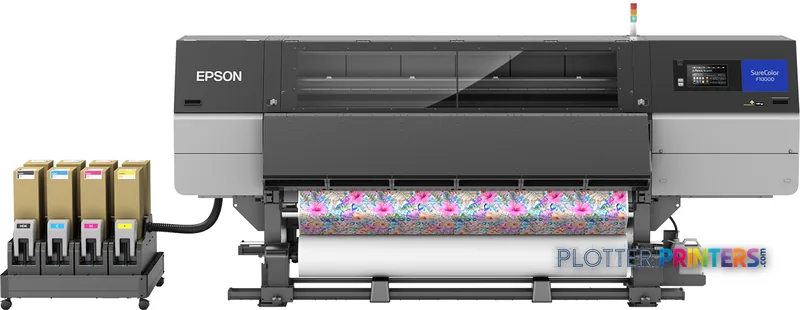
Epson SureColor SC-F10000
technical / CAD plotter
- ModelSC-F10000
- Score41/100
Authorized Epson dealerGenuine hardware & ink
Manufacturer warrantyExtendable to 5 years
Free shippingContinental U.S.
Plotter specialistsAEC experts, not just sellers
Analyst take
- The SC-F10000 is a four-color roll-media inkjet, not a scanner, copier, or cut-sheet printer.
- Its 181.4" (4607 mm) width and 1622.6 lbs (736 kg) weight make site planning part of the purchase decision.
- Wired Ethernet and USB support a controlled print-room workflow; Wi-Fi is not available.
Not sure if the SC-F10000 is right for you?
Compare key specs and an AI analyst read-out against similar models.
- Fine detail 1200 x 1200 DPI maximum resolution for crisp line work.
- Ink platform Black, Cyan, Magenta, Yellow.
- Connectivity Ethernet for shared team printing.
- Verified specs 3 specs checked against the manufacturer datasheet.
- Analyst score Scores 41/100 in our class-relative rating.
Overview
Built for the work
Epson SureColor SC-F10000, Inkjet, 1200 x 1200 DPI, Black, Cyan, Magenta, Yellow, 10000 ml, PrecisionCore TFP, Roll
Spec Analysis
overall
overall
Expert analysis
What you should know

Key takeaways
- The SC-F10000 is a four-color roll-media inkjet, not a scanner, copier, or cut-sheet printer.
- Its 181.4" (4607 mm) width and 1622.6 lbs (736 kg) weight make site planning part of the purchase decision.
- Wired Ethernet and USB support a controlled print-room workflow; Wi-Fi is not available.
- The printer supports Windows 7, Windows 8, Windows 8.1, and Windows 10, so newer endpoint environments need validation.
- The listed Epson family does not provide a clearly established like-for-like step-up or step-down from the supplied catalog facts.
Someone in the print room needs a long, color roll job out before the coordination meeting, not a heroic speech about resolution. The Epson SC-F10000 is a large-format, four-color inkjet built around roll media, Ethernet, USB, and a touch display. It is a serious piece of floor equipment: 181.4″ wide, 74.3″ high, 51.3″ deep, and 1622.6 lbs. Measure the route from dock to print room before anyone starts talking about installation.
For AEC teams, its fit is specialized. It can support color visual output where roll-fed production is the requirement, but it is not a multifunction plan-room device. There is no scanner, copier, cut-sheet input, or Wi-Fi. That matters at 4:45 p.m., when a marked-up sheet arrives and there is no walk-up scan path to save the day.
1200 x 1200 DPIMaximum resolutionFor detailed color and line output where file preparation and media choice are doing their share of the work.
181.4" (4607 mm)Installed widthThis is a room-planning issue, not a minor line item.
Black, Cyan, Magenta, YellowInk configurationFour printing colors for color roll output.
200 – 240 VAC input requirementConfirm electrical provision before the machine arrives.
Where it fits in an AEC environment
The SC-F10000 makes the most sense where the job is color output from prepared digital files and the work is already organized around roll media. Think presentation graphics, color-coded coordination material, GIS-style map output, or other large visual documents that do not need to be scanned, copied, or fed as individual sheets. Its PrecisionCore TFP printhead uses 3.8 pl ink drops and lists 1600 nozzles for black plus 1600 nozzles per color. Those are useful hardware facts, but they do not replace a real sample from the PDFs, CAD exports, and paper stocks your team uses.
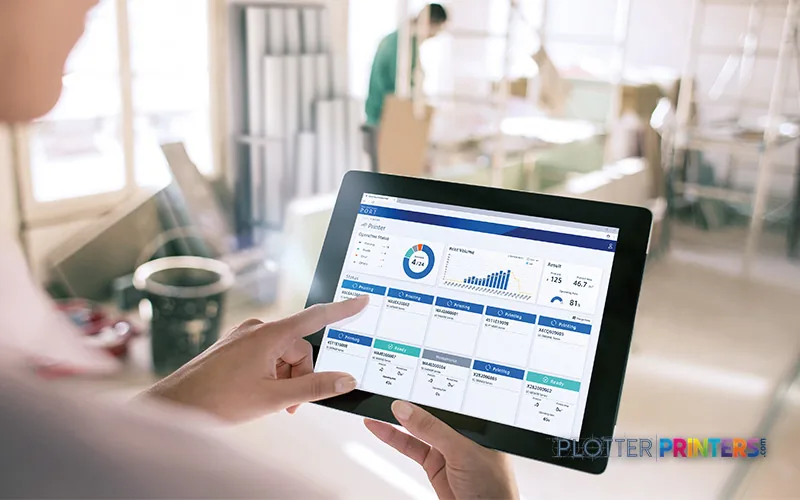
Networked placement is straightforward in principle: the printer has Gigabit-capable Ethernet LAN and one USB 3.2 Gen 1 port. It supports Windows 7, Windows 8, Windows 8.1, and Windows 10. Firms with newer endpoint standards should validate driver deployment and job submission in their own environment rather than assuming an older workstation image will carry the day.
Bottom line: This is for a managed roll-output station, not a walk-up AEC MFP.
The trade-offs that matter before a deadline
The failure mode is not subtle. A project manager needs a scan, a copy, or a quick sheet from a cut stack, and this machine cannot provide it. The SC-F10000 has roll media as its paper-tray media type; it has no scanning, copying, or cut-sheet capability. Its roll print margin is 0.197″ (5 mm), and listed media thickness reaches 0.039″ (1 mm). Confirm the media and finishing workflow against your actual deliverables.
There is also no Wi-Fi. That is not automatically a drawback in a controlled print room, where wired Ethernet is often preferred. It is a limitation if the intended use is an ad hoc site-office printer with staff expecting direct wireless access. The built-in touch display helps at the device, but it does not change the operational model.
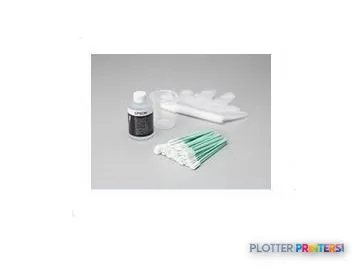
For maintenance planning, the compatible catalog includes the Epson Waste Ink Bottle 4L, Epson C13S210103, and several listed Epson printhead assemblies. Keep the service process clear: who watches supplies, who approves maintenance, and what happens when the machine is unavailable. Printers have an impressive instinct for needing attention during bid day.
Bottom line: The SC-F10000 rewards a defined production workflow and punishes improvised walk-up use.
How it sits within the listed Epson family
The available catalog does not establish a clean, like-for-like step-up or step-down for the SC-F10000. Do not treat a model number as a workflow map. The Epson F9470 64-in and Epson SC-F6300 44-in are useful family comparison points because their listed widths are explicit, but their published catalog details differ and should be assessed job by job. The Epson SC-F500 is another Epson option to review where a different physical scale may better fit the room and application.
For an AEC buyer, the first question is not which machine has the tidier specification table. It is whether the job requires roll-only color output, wired operation, and a dedicated production location—or whether it requires scanning, copying, sheet handling, and walk-up convenience. Use the SC-F10000 and F9470 comparison to keep the discussion grounded in the catalog rather than family-name guesswork.
Bottom line: Compare workflows first; the closest-looking Epson model may still solve a different problem.
Related equipment to review
The read
The Epson SC-F10000 suits an AEC operation that needs dedicated, wired, roll-fed color output and has the room, power, and process discipline for a machine of this size. It is less appropriate for a studio or field office that needs scanning, copying, cut sheets, or wireless walk-up printing. Ask for output samples from your own PDFs, confirm the 200 – 240 V installation requirement, and make service ownership explicit before it becomes a Friday-afternoon problem.
Spec analysis
How the specs grade
Overall performance
within technical / CAD plotters
52% spec coverage
- This printer
Verified specifications
The specs that decide it
| Print technology | Inkjet |
|---|---|
| Maximum resolution | 1200 x 1200 DPI |
| Printing colors | High Density Black, Cyan, Magenta, Yellowmanufacturer-verified |
| Number of print cartridges | 4manufacturer-verified |
| Media thickness | 1 mm |
| Scanning | No |
| Wi-Fi | No |
| Ethernet | 1000Base-Tmanufacturer-verified |
manufacturer-verified = checked against the manufacturer’s official datasheet, not aggregator data. Everything else is standards-body / catalog data we consider reliable.
Specifications
Full technical detail
Print technologyInkjet
Max resolution1200 x 1200 DPI
ColorColor
ConnectivityEthernet (Gigabit LAN), USB
Use caseGraphics / Production
Printing
| Color | Yes |
|---|---|
| Print head | PrecisionCore TFP |
| Printing colors | Black, Cyan, Magenta, Yellow |
| Print technology | Inkjet |
| Maximum resolution | 1200 x 1200 DPI |
| Print head nozzles | 1600 Nozzles Black, 1600 Nozzles per Color |
| Number of print cartridges | 4 |
| Print cartridge volume (metric) | 10000 ml |
Performance
| Control type | Touch |
|---|---|
| Product color | Black, Gray |
| Built-in display | Yes |
| Country of origin | China |
Paper handling
| Cut sheets | No |
|---|---|
| Media thickness | 1 mm |
| Print margin roll | 0.197" (5 mm) |
| Paper tray media types | Roll |
Ports & interfaces
| Wi-Fi | No |
|---|---|
| USB port | Yes |
| Ethernet LAN | Yes |
| Ethernet LAN data rates | 10,100,1000 Mbit/s |
| USB 3.2 Gen 1 (3.1 Gen 1) ports quantity | 1 |
Technical details
| Box contents | Power cable, Warranty Documents |
|---|
Weight & dimensions
| Depth | 51.3" (1303 mm) |
|---|---|
| Width | 181.4" (4607 mm) |
| Height | 74.3" (1886 mm) |
| Weight | 1622.6 lbs (736 kg) |
Power
| AC input voltage | 200 – 240 V |
|---|
Other features
| Ink drop | 3.8 pl |
|---|
Copying
| Copying | No |
|---|
Scanning
| Scanning | No |
|---|
Logistics data
| Quantity per pack | 1 pc(s) |
|---|
Packaging data
| Manual | Yes |
|---|---|
| Package depth | 151.6" (3850 mm) |
| Package width | 44.7" (1135 mm) |
| Package height | 73.6" (1870 mm) |
| Package weight | 1666.7 lbs (756 kg) |
| Cartridge(s) included | Yes |
System requirements
| Windows operating systems supported | Windows 10, Windows 7, Windows 8, Windows 8.1 |
|---|
Supplies
Compatible ink, printheads & media
Genuine consumables that fit the Epson SureColor SC-F10000 — only the cartridges, printheads and media compatible with this model.

Coverage & Support Plans 4
 Epson SC-F10000 01 year CoverPlus Onsite Self repair service – includes 1 Printhead kit
 Epson 01 year CoverPlus Onsite service Excluding Print Heads for SureColor SC–F10000 – Print-heads are available on a chargeable basis please contact your Local help-desk
 Epson SC-F10000 03 year CoverPlus Onsite Self repair service – includes 1 Printhead kit
 Epson SC-F10000 05 year CoverPlus Onsite Self repair service – includes 1 Printhead kit
Questions
Straight answers
Can the Epson SC-F10000 scan or copy marked-up drawings?
No. The supplied product data lists no scanning and no copying, so it cannot replace a wide-format MFP workflow for redlines or archival capture.
Does it accept cut sheets for occasional plan output?
No. The product data lists roll media and states that cut sheets are not supported.
Is the SC-F10000 suitable for wireless printing in a site office?
No. Wi-Fi is not listed; the available connections are Ethernet LAN and one USB 3.2 Gen 1 port. It is better aligned with a wired, managed location.
What electrical planning does this printer require?
The listed AC input voltage is 200 – 240 V. Confirm the circuit, physical access route, and placement space before delivery because the unit is 181.4″ (4607 mm) wide and weighs 1622.6 lbs (736 kg).
What maintenance items should an owner identify in advance?
The compatible catalog includes the Epson Waste Ink Bottle 4L and Epson C13S210103 maintenance item, along with listed Epson printhead assemblies. Establish who monitors and replaces approved consumables before production demand peaks.
Ready to put the Epson SureColor SC-F10000 to work?
Configuration, media and a quote tailored to your workflow — from AEC plotter specialists.