
Home / Wide-Format Printers / Epson SureColor
Epson · Wide-Format Plotter
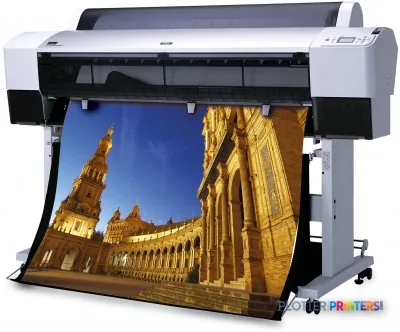
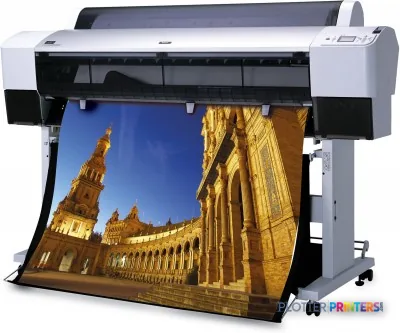
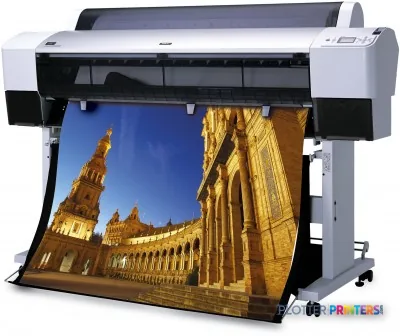
Epson Stylus Pro 9450
technical / CAD plotter
- Model9450
- Score49/100
Authorized Epson dealerGenuine hardware & ink
1-year warranty includedExtension plans available
Free shippingContinental U.S.
Plotter specialistsAEC experts, not just sellers
Analyst take
- The Epson Stylus Pro 9450 series prints color output up to A0 (33" x 47" (841 x 1189 mm)).
- Roll-paper and cut-sheet support suit a mix of recurring plans and one-off technical or presentation sheets.
- The listed best-quality speed of 34.3 m²/Hr needs real-world allowance for PDFs, media handling and revisions.
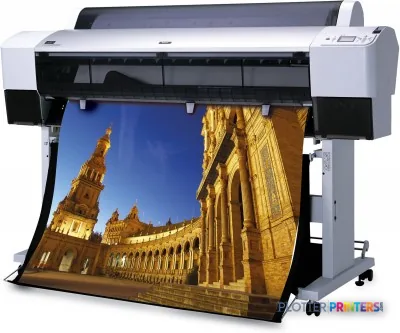
Not sure if the 9450 is right for you?
Compare key specs and an AI analyst read-out against similar models.
- Fine detail 2880 x 1440 DPI maximum resolution for crisp line work.
- Connectivity Ethernet for shared team printing.
- Verified specs 6 specs checked against the manufacturer datasheet.
- Analyst score Scores 49/100 in our class-relative rating.
Overview
Built for the work
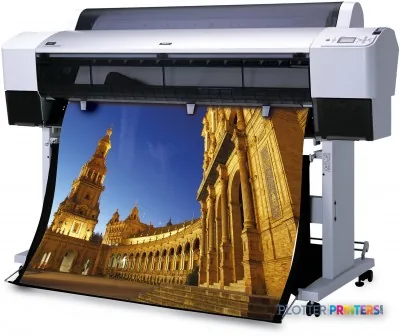
Epson Stylus Pro 9450 series, 2880 x 1440 DPI, 34.3 m²/Hr, 180 x 8, A0 (841 x 1189 mm), 0.08 – 1.50 mm, USB Type-A
- 369 ft²/hRated speed
- 4Ink channels
- 2,880 dpiMax resolution
- 12 moIncluded warranty
Spec Analysis
overall
overall
Expert analysis
What you should know

Key takeaways
- The Epson Stylus Pro 9450 series prints color output up to A0 (33" x 47" (841 x 1189 mm)).
- Roll-paper and cut-sheet support suit a mix of recurring plans and one-off technical or presentation sheets.
- The listed best-quality speed of 34.3 m²/Hr needs real-world allowance for PDFs, media handling and revisions.
- Its published Windows and Mac compatibility list requires validation in a current managed IT environment.
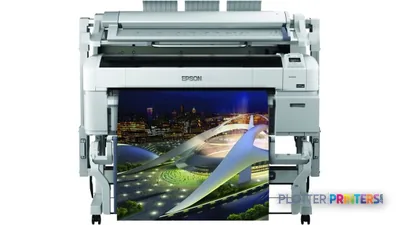
- A 60-inch model such as the Canon PRO-6100 60-in is a different fit when wider output is the requirement.
It is 4:45 p.m., the civil team needs an A0 utility plan, and somebody has remembered that the revised PDF includes color markups. The Epson Stylus Pro 9450 series is built for that physical job: wide-format color output up to A0, from roll paper or cut sheets, with Ethernet LAN and USB 2.0 available for connection.
Its listed best-quality speed is 34.3 m²/Hr. Useful, certainly, but a plotter does not live in a lab. PDF processing, media loading, trimming, file mistakes and the usual last-minute “just one more revision” all take their turn at the clock. This is a practical AEC output device when the work is individual drawings, presentation sheets, maps and color-coordinated plans—not an unattended plan-set factory.
A0 (33" x 47" (841 x 1189 mm))Maximum print sizeSupports full-size architectural and engineering sheets.
2880 x 1440 DPIMaximum resolutionResolution is a capability figure; file quality and driver setup still govern the result.
34.3 m²/HrListed best-quality speedTreat it as a best-quality rating, not a promise for a mixed deadline queue.
0.003"–0.059" (0.08 – 1.50 mm)Media thicknessAllows a broader media range than ordinary bond alone.
Where it earns its floor space
The 9450 series makes sense for teams that need color in their technical output. Architects can use it for design-review sheets and presentation work. Engineers and surveyors can use it for GIS maps, utility overlays and plans where color carries meaning. Contractors can keep color logistics plans and coordination drawings in-house when the drawing size reaches A0.
Roll-paper and cut-sheet support matters here. A roll suits repeat plan output; cut sheets give the operator a route for one-off boards or specialty media without pretending every file belongs on the same stock. The listed four-cartridge configuration is straightforward, although consumable availability should be confirmed before a firm commits to keeping an older-format workflow alive. Paper has a habit of becoming important five minutes after the stores room is locked.
Bottom line: This is a color wide-format printer for varied AEC sheets, not a dedicated production line for large collated sets.
The limits are mostly workflow limits
The machine’s maximum output is A0 at 33″ x 47″. That fits common full-size drawing work, but it is not the answer for teams that regularly need 60-inch output. For that job, a 60-inch device such as the Canon PRO-6100 60-in changes the available sheet width. The trade-off is that wider equipment solves a different production requirement; it does not automatically solve file-preparation or operator-queue problems.
Network connection is available through one RJ-45 port, alongside USB 2.0 via a USB Type-A connector. The published operating-system list includes Microsoft Windows 2000, Windows XP, Windows Vista and Mac OS X 10.x.x. That is the point where IT needs to slow down. Confirm driver behavior, network policy, authentication requirements and the actual workstation mix before putting this printer on a managed AEC network. Do not discover a driver issue during a permit submission. That is an expensive way to learn restraint.
There is no listed in-family step-up or step-down model in this catalog. For a broader comparison, use the side-by-side comparison with the Canon PRO-6100 60-in.
Bottom line: The 9450 series fits an A0-centered workflow; firms needing wider output or modern IT validation should test those requirements first.
What to verify before it becomes the deadline printer
Ask for a live test using real CAD-exported PDFs, not a decorative sample file. Include fine text, screened fills, color-coded layers and the heaviest media the team expects to run. Check whether the 128 MB maximum internal memory changes behavior with complex files, and have operators load both roll paper and cut sheets during the demonstration.
Also confirm the service route. The printer weighs 198.4 lbs and measures 67 x 26.7 x 47.1″, so relocation and access are not casual errands. Printing sound pressure is listed at 50 dB, which may be acceptable in a print room but still deserves a placement decision in a quiet design studio. Review the wide-format class ranking for context, then weigh the local support arrangement as heavily as the hardware.
Bottom line: Test the files, media and support response that will matter on deadline day—not just the printer’s cleanest demonstration page.
Estimate output time from the listed best-quality speed, then allow real working time for file processing, loading and operator handling.
One set: – · Weekly plotting time: –
Computed from the manufacturer's rated 369 ft²/h. Real-world mixed sets run slower — treat this as a best case for comparing machines, not a promise.
Related machines
The read
The Epson Stylus Pro 9450 series is a sensible fit where A0 color drawings, maps and presentation sheets are part of regular AEC work and operators can manage a mixed roll-and-cut-sheet workflow. Its published connectivity and legacy operating-system list make pre-deployment IT testing essential. It is less appropriate when the priority is 60-inch output, high-volume unattended set production or a network environment that cannot accommodate the available driver path. Bottom line: Buy into the workflow it supports, not the resolution number printed on the brochure.
Spec analysis
How the specs grade
Overall performance
- This printer
Category leaders best technical / CAD plotters, by dimension
Verified specifications
The specs that decide it
| Maximum print size | A0 (841 x 1189 mm) |
|---|---|
| Maximum resolution | 720 dpi |
| Print speed (best quality) | 34.3 m²/Hr |
| Ink colors / cartridges | Cyan, Magenta, Yellow and Black — 4 cartridgesmanufacturer-verified |
| Ink cartridge capacity | 110 mlmanufacturer-verified |
| Printhead | Permanent printhead designed to last the life of the printermanufacturer-verified |
| Media handling | Roll paper and cut sheets; thickness 0.08–1.50 mm |
| Connectivity | 10BaseT/100BaseTX Ethernet; Hi-Speed USB (Series B) |
| Maximum internal memory | 128 MB |
| Warranty | 1-year limited warranty in the U.S. and Canadamanufacturer-verified |
manufacturer-verified = checked against the manufacturer’s official datasheet, not aggregator data. Everything else is standards-body / catalog data we consider reliable.
Specifications
Full technical detail
Max resolution2880 x 1440 DPI
ConnectivityEthernet (Gigabit LAN), USB
Use casePhoto / Fine Art
Printing
| Color | Yes |
|---|---|
| Print head | 180 x 8 |
| Maximum resolution | 2880 x 1440 DPI |
| Number of print cartridges | 4 |
| Print speed (best quality) | 34.3 m²/Hr |
Performance
| Country of origin | Japan |
|---|---|
| Maximum internal memory | 128 MB |
| Sound pressure level (printing) | 50 dB |
Paper handling
| Cut sheets | Yes |
|---|---|
| Roll paper | Yes |
| Media thickness | 0.08 – 1.50 mm |
| Maximum print size | A0 (841 x 1189 mm) |
Ports & interfaces
| USB port | Yes |
|---|---|
| Ethernet LAN | Yes |
| USB connector | USB Type-A |
| RJ-45 ports quantity | 1 |
| USB 2.0 ports quantity | 1 |
Weight & dimensions
| Weight | 198.4 lbs (90 kg) |
|---|---|
| Dimensions (WxDxH) | 67 x 26.7 x 47.1" (1702 x 678 x 1196 mm) |
Power
| Power consumption (active) | 50 W |
|---|---|
| Power consumption (standby) | 6 W |
Logistics data
| Pallet width | 47.2" (120 cm) |
|---|---|
| Pallet height | 39.4" (100 cm) |
| Quantity per pack | 1 pc(s) |
| Pallet length (UK) | 48.8" (124 cm) |
| Quantity per pallet | 1 pc(s) |
| Quantity per pallet (UK) | 1 pc(s) |
| Quantity per pallet layer | 1 pc(s) |
| Quantity per pallet layer (UK) | 1 pc(s) |
Packaging data
| Package depth | 74.8" (1900 mm) |
|---|---|
| Package width | 31.5" (800 mm) |
| Package height | 34.4" (875 mm) |
| Package weight | 302 lbs (137 kg) |
System requirements
| Mac compatibility | Yes |
|---|---|
| Compatible operating systems | Microsoft Windows 2000 / XP, Windows Vista, Mac OS X 10.x.x |
Everything that fits the Epson Stylus Pro 9450
The full supplies hub lists every cartridge, printhead, roll and accessory verified against the manufacturer's own documentation for this machine.
10 ink cartridges · 51 paper & media items · 3 accessories
Epson Stylus Pro 9450 ink and paper →Supplies
Compatible ink, printheads & media
Genuine consumables that fit the Epson Stylus Pro 9450 — only the cartridges, printheads and media compatible with this model.
Ink Cartridges 10
 Epson Premium Ink Jet Plain Paper, DIN A4, 80g/m², 250 Sheets
 Epson Singlepack Magenta T611300
 Epson Singlepack Yellow T611400
 Epson Singlepack Yellow T612400 220 ml
 Epson Singlepack Cyan T611200
 Epson Singlepack Matte Black T611800
 Epson Singlepack Cyan T612200 220 ml
 Epson Singlepack Magenta T612300 220 ml
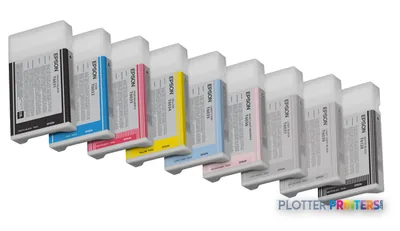 Epson Singlepack Matte Black T612800 220 ml
 Epson Singlepack Photo Black T612100 220 ml
Paper & Media 51
 Representative imageHP 20-lb Bond with ColorPRO TechnologyRepresentative imageMagic 6mil Matte Coated Vinyl w/ Permanent Adhesive (DMVLA5)Representative imageMagic 98gsm/26# Coated Matte Paper (DMPG98)Representative image20LB Inkjet Vellum (772)Representative image18LB Inkjet Bond Paper (Translucent) (750)Representative image6.5mil Matte Coated Paper w/ PSA (746PSA)Representative image20LB High Brite Inkjet Bond Paper (740)Representative image24LB Inkjet Bond Paper (731)Representative image20LB Inkjet Bond Paper (730)Representative image24LB Inkjet Coated Matte Paper Economy (714)Representative image20LB Engineering Vellum (471)Representative imageWSL 28LB Simple Inkjet Coated Matte Paper (C2S) (448)
 Epson Semigloss Photo Paper Roll, 36" x 25 m, 180g/m²
 Epson Glossy Photo Paper, 44" x 20,7 m, 190g/m²
 Epson Glossy Photo Paper Roll, 36" x 20,7 m, 190g/m²
 Epson Presentation Matte Paper Roll, 36" x 25 m, 172g/m²
 Epson Semigloss Photo Paper Roll, 44" x 25 m, 180g/m²
 Epson Textured Fine Art Paper, 36" x 40 m, 425g/m²
 Epson Glossy Photo Paper Roll, 24" x 20,7 m, 190g/m²
 Epson Semigloss Photo Paper Roll, 24" x 25 m, 180g/m²
 Epson Doubleweight Matte Paper Roll, 36" x 25 m, 180g/m²
 Epson Water Color Paper – Radiant White Roll, 36" x 18 m, 190g/m²
 Epson Smooth Fine Art Paper Roll, 44" x 15,2 m, 255g/m²
 Epson Smooth Fine Art Paper, 24" x 30", 425g/m²
 Epson Smooth Fine Art Paper, 36" x 44", 425g/m²
 Epson Textured Fine Art Paper Roll, 24" x 15,2 m, 255g/m²
 Epson Textured Fine Art Paper Roll, 36" x 15,2 m, 255g/m²
 Epson Smooth Fine Art Paper Roll, 24" x 15,2 m, 255g/m²
 Epson Smooth Fine Art Paper Roll, 36" x 15,2 m, 255g/m²
 Epson Photo Grade Glossy Paper Roll, 24" x 30,5 m, 160g/m²
 Epson Photo Grade Glossy Paper Roll, 36" x 30,5 m, 160g/m²
 Epson Photo Grade Glossy Paper Roll, 44" x 30,5 m, 160g/m²
 Epson Photo Grade Semiglossy Paper Roll, 24" x 30,5 m, 172g/m²
 Epson Photo Grade Semiglossy Paper Roll, 36" x 30,5 m, 172g/m²
 Epson Somerset Velvet Fine Art Paper, 36" x 44", 505g/m²
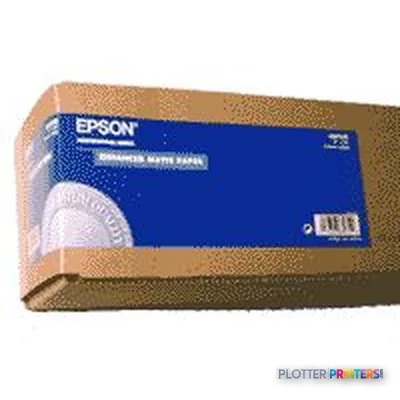 Epson Enhanced Matte Paper Roll, 36" x 30,5 m, 194g/m²
 Epson Smooth Fine Art Paper Roll, 17" x 15,2 m, 255g/m²
 Epson Textured Fine Art Paper Roll, 17" x 15,2 m, 255g/m²
 Epson Photo Grade Glossy Paper Roll
 Epson Enhanced Matte Paper, 17" x 22", 189g/m², 50 Sheets
 Epson Singleweight Matte Paper, 17" x 22", 120g/m², 100 Sheets
 Epson Ultrasmooth Fine Art Paper, 17" x 22", 325g/m², 25 Sheets
 Epson Glossy Photo Paper, DIN A4, 225g/m², 20 Sheets
 Epson Photo Grade Semiglossy Paper Roll
 Epson Glossy Photo Paper BOGOF, DIN A4, 225g/m², 40 Sheets
 Epson Glossy Photo Paper, DIN A4, 225g/m², 100 Sheets
 Epson Glossy Photo Paper, DIN A4, 225g/m², 50 Sheets
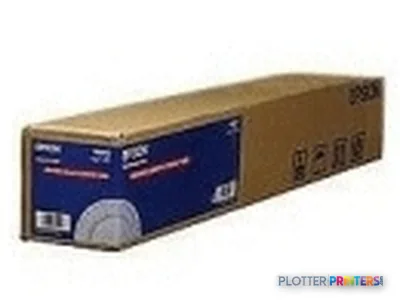 Epson Singleweight Matte Paper Roll, 36" x 40 m, 120g/m²
 Epson Standard Proofing Paper, DIN A3+, 205g/m², 100 Sheets
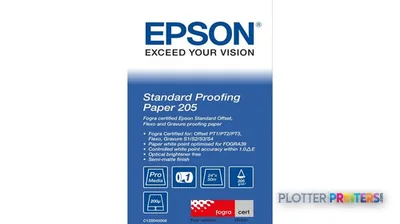 Epson Standard Proofing Paper, 24" x 50m, 205g/m²
 Epson Standard Proofing Paper, 44" x 50m, 205g/m²
Questions
Straight answers
Can the Epson Stylus Pro 9450 series print full-size AEC drawings?
Yes. Its maximum print size is listed as A0 (33″ x 47″ (841 x 1189 mm)), which covers full-size architectural and engineering sheets within that format.
Does it support both rolls and cut sheets?
Yes. The product data lists support for roll paper and cut sheets, useful when a team alternates between plan output and one-off specialty media.
Is it suitable for color CAD and GIS output?
It is a color printer with a listed maximum resolution of 2880 x 1440 DPI. A firm should still test its own CAD-exported PDFs, color layers and linework before standardizing a workflow.
What connectivity does it provide?
It has Ethernet LAN through one RJ-45 port and USB 2.0 through a USB Type-A connector. IT should validate the intended connection method and driver workflow.
Will it work with current workstations?
The published compatible operating systems are Microsoft Windows 2000 / XP, Windows Vista and Mac OS X 10.x.x. Confirm support and behavior with the actual operating systems in use before deployment.
When should we consider a wider alternative?
Consider a 60-inch machine when work routinely exceeds the 9450 series A0 maximum size. The Canon PRO-6100 60-in is a catalog-listed 60-inch comparison option.
Ready to put the Epson Stylus Pro 9450 to work?
Configuration, media and a quote tailored to your workflow — from AEC plotter specialists.