
Home / Wide-Format Printers / Canon imagePROGRAF
Canon · Wide-Format Plotter
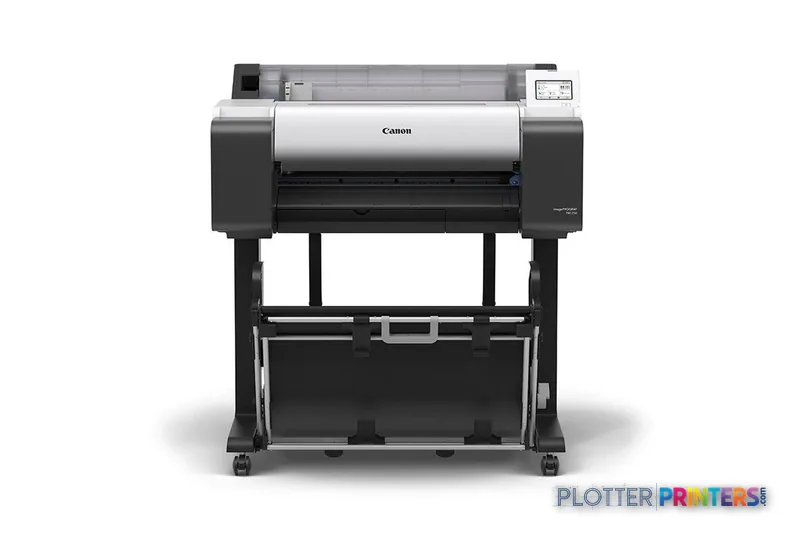
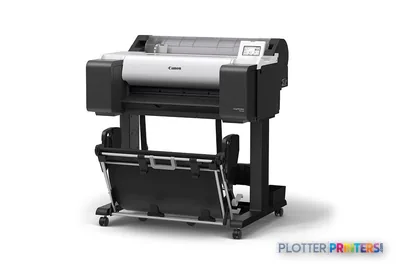
Canon imagePROGRAF TM-250
24" technical / CAD plotter
- ModelTM-250
- Prints24" wide
Genuine OEM hardwareAuthorized U.S. distribution
Manufacturer warrantyExtension plans available
Free shippingContinental U.S.
Plotter specialistsAEC experts, not just sellers
Analyst take
- The Canon TM-250 is a 24-inch A1 inkjet printer for office-side AEC drawing output.
- It supports roll and cut-sheet media plus Ethernet, Wi-Fi, and USB Type-B connectivity.
- Its five printing colors include both Black and Matte black for technical and color-coded documents.
Not sure if the TM-250 is right for you?
Compare key specs and an AI analyst read-out against similar models.
- Wide-format reach Prints up to 24" wide on rolls and sheets.
- Fine detail 2400 x 1200 DPI maximum resolution for crisp line work.
- Ink platform Black, Cyan, Magenta, Matte black, Yellow.
- Connectivity Wi-Fi + Ethernet for shared team printing.
- Verified specs 9 specs checked against the manufacturer datasheet.
Overview
Built for the work
Canon imagePROGRAF TM-250, Inkjet, 2400 x 1200 DPI, CALS G4, HP-GL/2, HP-RTL, JPEG, Black, Cyan, Magenta, Matte black, Yellow, A1 (594 x 841 mm), Cut sheet, Roll
Expert analysis
What you should know

Key takeaways
- The Canon TM-250 is a 24-inch A1 inkjet printer for office-side AEC drawing output.
- It supports roll and cut-sheet media plus Ethernet, Wi-Fi, and USB Type-B connectivity.
- Its five printing colors include both Black and Matte black for technical and color-coded documents.
- It does not scan or copy, so paper redlines and legacy plans need a separate capture workflow.
- Teams producing wider construction, civil, or GIS sheets should assess a 36-inch Canon TM model instead.
- Confirm driver deployment, supply handling, and local support before treating it as shared infrastructure.
At 4:45 p.m., somebody needs a clean A1 plan, a marked-up coordination sheet, or a color-coded site exhibit before the courier cutoff. The Canon TM-250 is a compact 24-inch inkjet printer for that kind of office-side technical output: roll or cut-sheet media, color when the drawing needs it, and the familiar HP-GL/2, HP-RTL, JPEG, and CALS G4 languages found around CAD and document-control workflows.
It is built around an A1 maximum print size rather than wide production plotting. That makes it a sensible fit for architecture studios, engineering teams, survey offices, and field-support rooms that need dependable drawings without dedicating much floor space to the printer. At 38.5 inches wide and 120.2 pounds, it is not invisible, but it is manageable in a real office. See how it ranks within its class.
A1 (23" x 33" (594 x 841 mm))Maximum print sizeSized for common technical drawing output.
2400 x 1200 DPIMaximum resolutionUseful headroom for fine CAD lines and annotation.
5Ink systemPrinting colors include Black, Cyan, Magenta, Matte black, and Yellow.
38.5" (978 mm)FootprintPrinter width for space planning.
Where the TM-250 earns its desk space
The practical strength here is flexibility, not production-room theatrics. It accepts cut sheets and rolls, supports a maximum roll diameter of 5.91 inches, and can connect through Ethernet, Wi-Fi, or USB Type-B. That suits a small workgroup where an architect may print a review sheet from a desktop while a project coordinator sends a formal PDF set across the network.
The five-color configuration includes both black and matte black. For AEC work, that matters when ordinary bond paper has to carry fine linework, dimensions, revision clouds, and color discipline overlays without turning the page into a muddy weather map. The 4.3-inch LCD gives the operator a local point of reference when paper, ink, or a job needs attention. Nobody wants to troubleshoot a plotter from a chair three rooms away.
Windows 7, Windows 8.1, Windows 10, Windows 11, macOS Big Sur, Monterey, and Ventura are listed as supported operating systems. That is useful for mixed design offices, but IT should still validate drivers, authentication policy, and PDF workflow before rollout. Read how we assess technical printers.
Bottom line: The TM-250 fits departmental technical output where A1 is enough and the operator is nearby.
What it will not replace
This is not a scanner or copier. If your daily routine starts with marked-up paper plans, legacy drawings, or field sheets that must be scanned and reissued, plan for a separate capture device or assess an MFP-oriented workflow. It also has one roll path in the supplied facts, so teams constantly switching between bond sizes or media types should walk through that routine with the dealer before signing anything.
It is also a 24-inch A1 machine. Firms issuing larger civil sheets, full-width construction documents, or broad GIS maps should look at a 36-inch option such as the Canon TM-340 36-in, Canon TM-350 36-in, or Canon TM-355 36-in. The failure mode is simple: trimming, tiling, or outsourcing a drawing when the deadline is already rude.
Within the 24-inch Canon range, compare the Canon TM-240 24-in and Canon TM-255 24-in against the exact workflow requirements and supplied configuration. Model names alone do not tell you who will be standing at the output tray.
Bottom line: Buy this format for A1 output, not with hopes that it will become a scan-and-copy department.
Ownership questions worth asking before the install date
Confirm media loading, supported driver deployment, and who handles first-line support when a PDF does not behave. The printer supports Gigabit Ethernet alongside Wi-Fi, but network capability is not the same thing as a finished IT deployment. Ask how the team will manage access, job submission, and accountability in the environment you actually run.
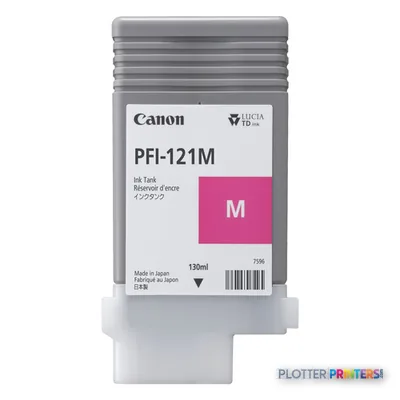
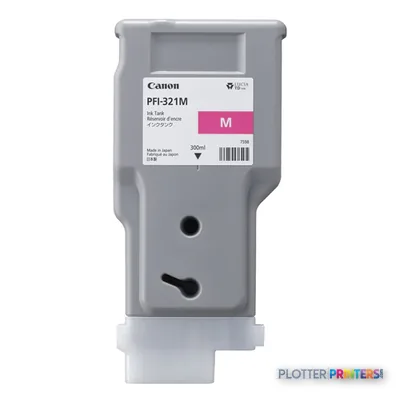
Also confirm supply handling. Listed consumables include Canon PFI-321 inks, the Canon PF-06 printhead, and the Canon MC-31 maintenance item. Those are normal operating considerations for an inkjet technical printer, not footnotes to discover during a permit deadline. Keep the correct media and supplies on hand, then the machine has a fair chance of doing its job.
Bottom line: Service response and a sensible supply plan will matter more than a tidy brochure comparison.
Compare the nearby choices
Canon TM-240 24-inAnother 24-inch Canon TM option to review for a similar-format requirement.Canon TM-255 24-inCompare the 24-inch Canon TM configuration against your workflow needs.Canon TM-340 36-inA wider Canon TM option for drawings that exceed the A1-oriented format.Technical printer class rankingReview the class context before selecting a machine around one headline specification.
The read
The Canon TM-250 is a focused A1 technical printer for offices that need color CAD, PDF, HP-GL/2, HP-RTL, JPEG, or CALS G4 output from roll and cut-sheet media. Its compact format, network options, and five-color ink system make sense for a nearby workgroup issuing drawings and coordination material. The trade-off is equally clear: no scanning, no copying, and no reason to pretend a 24-inch printer is a substitute for a 36-inch document workflow. For A1 plan output with occasional color-heavy technical sheets, it is a practical fit. For larger sheets, constant media switching, or scan-led reprographics, move up the workflow before the deadline does it for you.
Where it sits in the field: see the head-to-head against the Canon TM-250 24-in or the full class leaderboard.
Verified specifications
The specs that decide it
| Maximum print size | A1 (594 x 841 mm) |
|---|---|
| Maximum roll width | 24 in (610 mm)manufacturer-verified |
| Maximum resolution | 2,400 x 1,200 dpi |
| Print technology | Canon Bubblejet on Demand, 5 inks (BK, C, M, Y, MBK) |
| Ink cartridge sizes | 300 / 130 mlmanufacturer-verified |
| Media thickness | 0.07 – 0.8 mm |
| Maximum print length | 59.1 ft (18 m)manufacturer-verified |
| Page description languages | HP-GL/2, HP RTL, JPEG, CALS G4 |
| Connectivity | Gigabit Ethernet, Hi-Speed USB, Wi-Fi (802.11n/g/b) |
| Footprint / weight | 38.5 in W x 29.8 in D x 41.7 in H; 121.3 lb (55 kg) |
manufacturer-verified = checked against the manufacturer’s official datasheet, not aggregator data. Everything else is standards-body / catalog data we consider reliable.
Specifications
Full technical detail
Print technologyInkjet
Max resolution2400 x 1200 DPI
Max print width24"
ColorColor
ConnectivityEthernet (Gigabit LAN), USB, Wi-Fi
Use caseCAD / Technical
Printing
| Color | Yes |
|---|---|
| Printing colors | Black, Cyan, Magenta, Matte black, Yellow |
| Print technology | Inkjet |
| Maximum resolution | 2400 x 1200 DPI |
| Number of print cartridges | 5 |
| Page description languages | CALS G4, HP-GL/2, HP-RTL, JPEG |
Performance
| Display | LCD |
|---|---|
| Product color | Black, Gray |
| Built-in display | Yes |
| Display diagonal | 4.3" |
Paper handling
| Cut sheets | Yes |
|---|---|
| Media thickness | 0.07 – 0.8 |
| Maximum print size | A1 (23" x 33" (594 x 841 mm)) |
| Maximum roll diameter | 5.91" (15 cm) |
| Paper tray media types | Cut sheet, Roll |
| ISO A-series sizes (A0…A9) | A1, A2, A3, A3+ |
Ports & interfaces
| Wi-Fi | Yes |
|---|---|
| USB port | Yes |
| Ethernet LAN | Yes |
| USB connector | USB Type-B |
| Ethernet LAN data rates | 10,100,1000 Mbit/s |
Weight & dimensions
| Depth | 34.8" (885 mm) |
|---|---|
| Width | 38.5" (978 mm) |
| Height | 41.7" (1060 mm) |
| Weight | 120.2 lbs (54.5 kg) |
Power
| AC input voltage | 100 – 240 V |
|---|---|
| AC input frequency | 50/60 Hz |
| Power consumption (off) | 0.1 W |
| Power consumption (typical) | 62 W |
Operational conditions
| Operating temperature (T-T) | 15 – 30 °C |
|---|---|
| Operating relative humidity (H-H) | 10 – 80% |
Copying
| Copying | No |
|---|
Scanning
| Scanning | No |
|---|
System requirements
| Mac operating systems supported | Mac OS X 11.0 Big Sur, Mac OS X 12.0 Monterey, Mac OS X 13.0 Ventura |
|---|---|
| Windows operating systems supported | Windows 10, Windows 11, Windows 7, Windows 8.1 |
Supplies
Compatible ink, printheads & media
Genuine consumables that fit the Canon imagePROGRAF TM-250 large format printer Wi-Fi Inkjet Colour 2400 x 1200 DPI A1 (594 x 841 mm) Ethernet LAN — only the cartridges, printheads and media compatible with this model.
Ink Cartridges 2
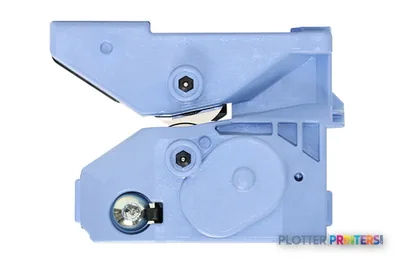
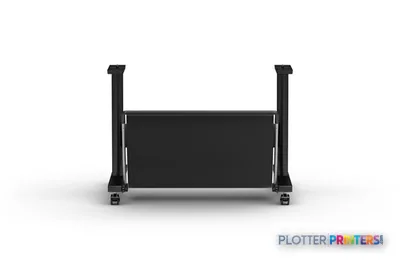
Paper & Media 12
 Representative imageMagic 98gsm/26# Coated Matte Paper (DMPG98)Representative image20LB Inkjet Vellum (772)Representative image18LB Inkjet Bond Paper (Translucent) (750)Representative image28LB Inkjet Coated Matte Paper (748)Representative image46LB Inkjet Coated Matte Paper (747)Representative image6.5mil Matte Coated Paper w/ PSA (746PSA)Representative image20LB High Brite Inkjet Bond Paper (740)Representative image24LB Inkjet Bond Paper (731)Representative image20LB Inkjet Bond Paper (730)Representative image24LB Inkjet Coated Matte Paper Economy (714)Representative image20LB Engineering Vellum (471)Representative imageWSL 28LB Simple Inkjet Coated Matte Paper (C2S) (448)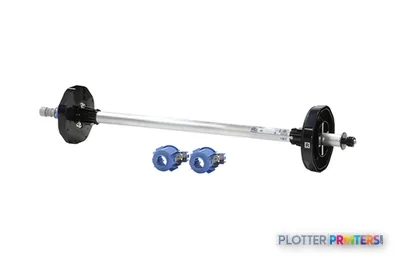
Questions
Straight answers
What AEC output is the Canon TM-250 suited to?
It is suited to A1 technical output such as CAD drawings, PDF plan sheets, color-coded coordination documents, and similar office-side work. It supports CALS G4, HP-GL/2, HP-RTL, and JPEG page-description languages.
Can the Canon TM-250 scan and copy plans?
No. The supplied product data lists scanning and copying as unavailable, so scan-and-copy workflows require separate equipment.
What media can it accept?
It accepts cut sheets and rolls. The listed maximum roll diameter is 5.91 inches, and listed media thickness is 0.07–0.8.
How can users connect to the printer?
It supports Ethernet LAN, Wi-Fi, and USB Type-B. Ethernet LAN data rates are listed as 10, 100, and 1000 Mbit/s.
What supplies should a buyer plan to stock?
Listed consumables include Canon PFI-321 inks, the Canon PF-06 printhead, and the Canon MC-31 maintenance item. Confirm the supply and service arrangement for the actual installation.
When should a buyer consider a wider Canon TM printer?
Consider a 36-inch model when drawings regularly exceed the TM-250’s A1 maximum print size. The Canon TM-340 36-in, Canon TM-350 36-in, and Canon TM-355 36-in are listed wider in-family options.
Ready to put the Canon imagePROGRAF TM-250 to work?
We’ll point you to the current equivalent and quote it for your workflow.