
Home / Wide-Format Printers / Canon imagePROGRAF
Canon · Wide-Format Plotter
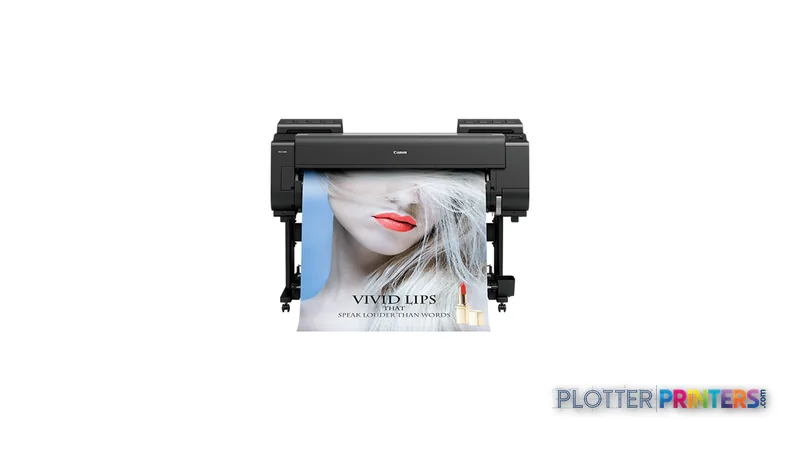
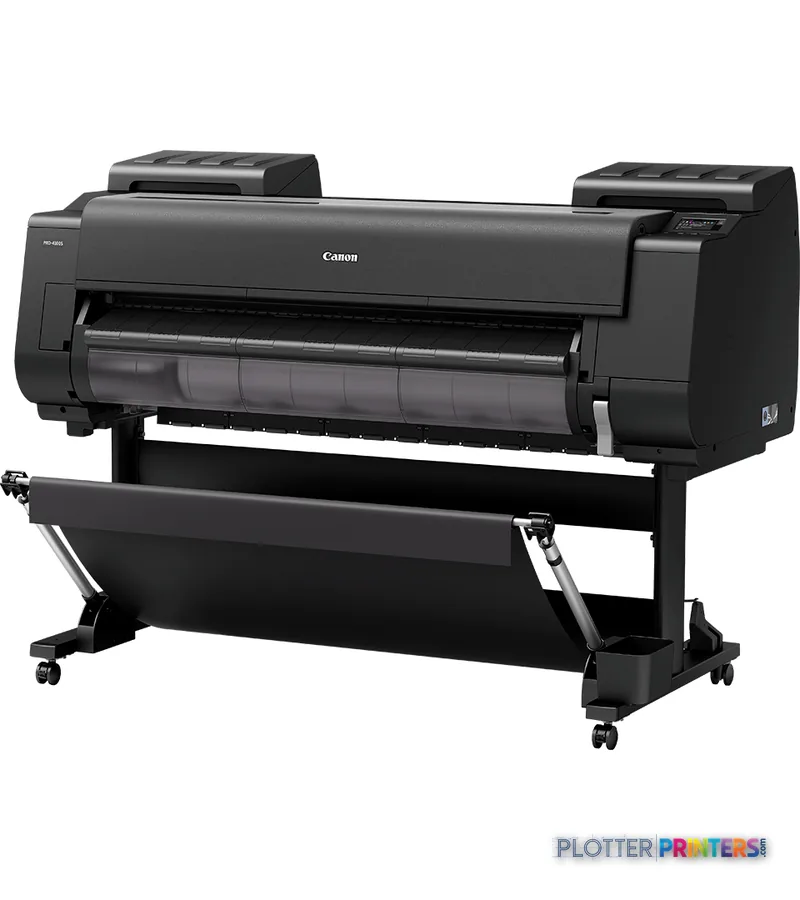
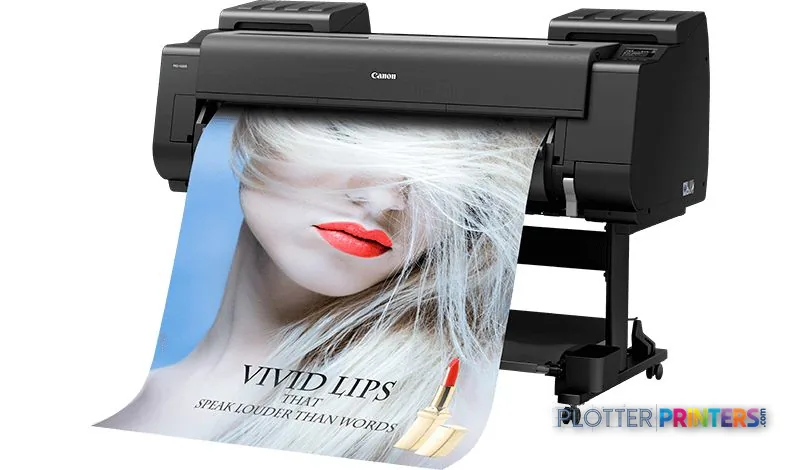
Canon imagePROGRAF PRO-4100S
60" color graphics & photo printer
- ModelPRO-4100S
- Prints60" wide
Genuine OEM hardwareAuthorized U.S. distribution
Manufacturer warrantyExtension plans available
Free shippingContinental U.S.
Plotter specialistsAEC experts, not just sellers
Analyst take
- The Canon PRO-4100S is a color inkjet wide-format printer with no scanning or copying capability.
- It supports roll media from 8" to 60" and also accepts cut sheets.
- Its 2400 x 1200 DPI maximum resolution supports detailed document graphics, but a proof on the intended media remains essential.
Not sure if the PRO-4100S is right for you?
Compare key specs and an AI analyst read-out against similar models.
- Wide-format reach Prints up to 60" wide on rolls and sheets.
- Fine detail 2400 x 1200 DPI maximum resolution for crisp line work.
- Connectivity Wi-Fi + Ethernet for shared team printing.
- Verified specs 9 specs checked against the manufacturer datasheet.
Overview
Built for the work
Canon imagePROGRAF PRO-4100S, Inkjet, 2400 x 1200 DPI, Raster_P, PF-10, A0 (841 x 1189 mm), A0, A1, A2, A3, A3+
Expert analysis
What you should know

Key takeaways
- The Canon PRO-4100S is a color inkjet wide-format printer with no scanning or copying capability.
- It supports roll media from 8" to 60" and also accepts cut sheets.
- Its 2400 x 1200 DPI maximum resolution supports detailed document graphics, but a proof on the intended media remains essential.
- Gigabit Ethernet, Wi-Fi, direct printing, USB Type-A, 3 GB RAM, and a 500 GB HDD support shared-office job submission.
- Its 62.7" by 38.7" footprint and 315.3 lb weight require deliberate placement and service clearance.
- AEC teams needing routine paper-plan capture should treat it as part of a broader scanning workflow, not an all-in-one replacement.
A coordination drawing is not a photograph, yet its color still has to behave: a red revision cloud must separate cleanly from a dense structural grid, and a shaded phasing plan cannot turn into visual mud. The Canon PRO-4100S is a color inkjet wide-format printer for AEC teams that need presentation-oriented drawings, maps, boards, and direct digital output alongside ordinary plan work.
Its 2400 x 1200 DPI maximum resolution and support for roll media from 8″ to 60″ give it useful latitude for project graphics. It accepts cut sheets as well as rolls, supports borderless output, and includes a 500 GB HDD for stored jobs. This is a print-only device: it has no scanning or copying function, a distinction that matters when paper redlines and legacy plans remain part of the daily workflow.
2400 x 1200 DPIMaximum resolution
8"–60" (203.2 – 1524 mm)Roll-media width
500 GBInternal storage
49 dBPrinting sound pressure level
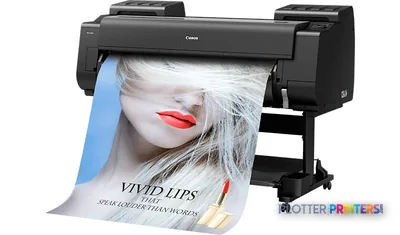
Where it fits in an AEC print room
The PRO-4100S is most credible where color carries information rather than decoration: GIS mapping, site logistics plans, design-review boards, color-coded MEP coordination sheets, and client-facing renderings. Direct printing, Gigabit Ethernet, Wi-Fi, and a USB Type-A port provide several submission paths for offices working from PDF-based project sets. The 3 GB RAM and internal hard drive are also relevant when multiple users are feeding the queue.
The media specification deserves practical context. Roll support is valuable for repeatable drawing formats, while cut-sheet capability suits occasional boards or specialty stock. The stated media-thickness range is 0.003″–0.031″ (0.07 – 0.8 mm). Verify the actual paper, coating, and file workflow with the dealer before committing a presentation standard; resolution alone does not establish how a particular PDF or CAD export will render.
The operational trade-offs
This machine is not a replacement for a wide-format MFP. Teams that scan marked-up bid sets, copy field sketches, or archive legacy drawings will need a separate scanning process. Nor is a printer with no built-in display necessarily ideal for every walk-up environment; establish how operators will release, monitor, and recover jobs in the actual office.
It is also a substantial office device at 62.7″ wide, 38.7″ deep, 46″ high, and 315.3 lbs. Its listed printing sound pressure level is 49 dB, falling to 35 dB in quiet mode. That makes site selection more than a facilities detail: leave room for roll loading, output handling, service access, and the quiet concentration expected around a design studio.
How to position it within the family
For teams whose work is genuinely confined to smaller formats, the Canon PRO-2600 24-in is the more compact family alternative to assess. At the other end, the Canon PRO-6000S 60-in is the catalogued 60-inch option for buyers comparing larger-format family platforms. The Canon PRO-4100 44-in is the closest named sibling to put beside this model when evaluating workflow and output needs.
Do not infer a complete performance hierarchy from model naming alone. The provided specifications establish common 2400 x 1200 DPI resolution for the PRO-4100S and the Canon PRO-4100 44-in, but they do not establish comparative throughput, ink behavior, automation, or color gamut. For color-critical presentation work, use controlled files and your own media in a demonstration; the difference often appears at the cyan edge of a detailed map, where fine lines meet a filled area.
Compare and evaluate
The read
The Canon PRO-4100S suits an AEC office that needs a dedicated color wide-format output device, values roll and cut-sheet flexibility, and can keep scanning and copying elsewhere. It becomes less appropriate for a document-control room built around paper intake, field redlines, and walk-up copying. Before purchase, test the actual PDF and CAD files that matter to your teams, confirm network administration expectations, and compare the PRO-4100S with the Canon PRO-4100 44-in in the workflow rather than on resolution alone.
Verified specifications
The specs that decide it
| Print technology | Canon Bubblejet on Demand, 12 colours integrated |
|---|---|
| Maximum resolution | 2,400 x 1,200 dpi |
| Ink set | 12 pigment inks incl. Matte Black, Gray, Photo Gray, Red, Blue, Chroma Optimisermanufacturer-verified |
| Ink cartridge capacity | 160 ml / 330 ml / 700 mlmanufacturer-verified |
| Max print length (roll) | 59.1 ft (18 m)manufacturer-verified |
| Media types | Plain paper, CAD tracing paper, coated paper, CAD translucent matte filmmanufacturer-verified |
| Internal memory / storage | 3 GB RAM + 500 GB internal storage |
| Networking | 10/100/1000 base-T Ethernet, Wi-Fi 802.11b/g/n, USB 2.0 |
| Page description languages | SG Raster, PDF 1.7, JPEG (JFIF 1.02) |
| Scanning / Copying | No |
manufacturer-verified = checked against the manufacturer’s official datasheet, not aggregator data. Everything else is standards-body / catalog data we consider reliable.
Specifications
Full technical detail
Print technologyInkjet
Max resolution2400 x 1200 DPI
Max print width60"
ConnectivityEthernet (Gigabit LAN), USB, Wi-Fi
Use casePhoto / Fine Art
Printing
| Color | Yes |
|---|---|
| Print head | PF-10 |
| Print technology | Inkjet |
| Maximum resolution | 2400 x 1200 DPI |
| Borderless printing | Yes |
| Number of print cartridges | 1 |
| Page description languages | Raster_P |
Performance
| RAM capacity | 3 GB |
|---|---|
| Product color | Black |
| Storage media | HDD |
| Built-in display | No |
| Internal storage capacity | 500 GB |
| Sound power level (standby) | 6.6 dB |
| Sound pressure level (printing) | 49 dB |
| Sound pressure level (quiet mode) | 35 dB |
Paper handling
| Cut sheets | Yes |
|---|---|
| Roll paper | Yes |
| Media thickness | 0.003"–0.031" (0.07 – 0.8 mm) |
| Maximum print size | A0 (33" x 47" (841 x 1189 mm)) |
| Media width (rolls) | 8"–60" (203.2 – 1524 mm) |
| ISO A-series sizes (A0…A9) | A0, A1, A2, A3, A3+ |
| ISO B-series sizes (B0…B9) | B0, B1, B2, B4 |
Ports & interfaces
| Wi-Fi | Yes |
|---|---|
| USB port | Yes |
| Ethernet LAN | Yes |
| USB connector | USB Type-A |
| Direct printing | Yes |
| RJ-45 ports quantity | 1 |
| USB 2.0 ports quantity | 1 |
| Ethernet LAN data rates | 10,100,1000 Mbit/s |
| Ethernet interface type | Gigabit Ethernet |
Weight & dimensions
| Depth | 38.7" (984 mm) |
|---|---|
| Width | 62.7" (1593 mm) |
| Height | 46" (1168 mm) |
| Weight | 315.3 lbs (143 kg) |
Power
| Power consumption (off) | 0.3 W |
|---|---|
| Power consumption (standby) | 2 W |
| Power consumption (typical) | 116 W |
Operational conditions
| Operating temperature (T-T) | 15 – 30 °C |
|---|---|
| Operating relative humidity (H-H) | 10 – 80% |
Other features
| Compliance industry standards | CE, EAC, TUV, CB |
|---|
Copying
| Copying | No |
|---|
Scanning
| Scanning | No |
|---|
Logistics data
| Harmonized System (HS) code | 84433210 |
|---|
Packaging data
| Package depth | 36" (915 mm) |
|---|---|
| Package width | 71.7" (1820 mm) |
| Package height | 41" (1042 mm) |
| Package weight | 388 lbs (176 kg) |
| Drivers included | Yes |
| Cartridge(s) included | Yes |
Supplies
Compatible ink, printheads & media
Genuine consumables that fit the Canon imagePROGRAF PRO-4100S large format printer Wi-Fi Inkjet Colour 2400 x 1200 DPI A0 (841 x 1189 mm) Ethernet LAN — only the cartridges, printheads and media compatible with this model.
Paper & Media 12
 Representative image18LB Inkjet Bond Paper (Translucent) (750)Representative image28LB Inkjet Coated Matte Paper (748)Representative image46LB Inkjet Coated Matte Paper (747)Representative image6.5mil Matte Coated Paper w/ PSA (746PSA)Representative image24LB Inkjet Coated Matte Paper (745)Representative image20LB High Brite Inkjet Bond Paper (740)Representative image24LB Inkjet Bond Paper (731)Representative image20LB Inkjet Bond Paper (730)Representative image24LB Inkjet Coated Matte Paper Economy (714)Representative image20LB Engineering Vellum (471)Representative imageWSL 28LB Simple Inkjet Coated Matte Paper (C2S) (448)Representative imageWSL 24LB Simple Inkjet Coated Matte Paper (C2S) (446)
Questions
Straight answers
Can the Canon PRO-4100S scan or copy construction drawings?
No. The supplied product data lists both scanning and copying as unavailable, so scanned redlines and copied plans require a separate device or service.
What media formats can the PRO-4100S handle?
It accepts roll paper and cut sheets. Supported roll widths are 8″–60″ (203.2 – 1524 mm), and the stated media-thickness range is 0.003″–0.031″ (0.07 – 0.8 mm).
Is it suitable for shared network use?
It has Gigabit Ethernet, Wi-Fi, a USB Type-A connector, direct printing, 3 GB RAM, and a 500 GB internal HDD. IT should still validate driver deployment, authentication requirements, and job-release procedures in its own network.
Does the printer support borderless presentation output?
Yes. Borderless printing is listed, which can be useful for presentation graphics and boards where a white edge is not wanted.
How quiet is it for an office environment?
The listed printing sound pressure level is 49 dB, with 35 dB in quiet mode. Placement should also account for roll loading, output handling, and the machine’s physical footprint.
Ready to put the Canon imagePROGRAF PRO-4100S to work?
We’ll point you to the current equivalent and quote it for your workflow.