
Home / Wide-Format Printers / Canon imagePROGRAF
Canon · Wide-Format Plotter
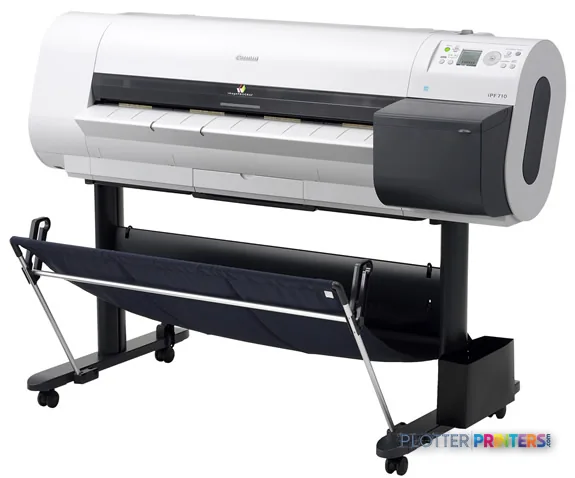
Canon imagePROGRAF iPF710
36" wide-format inkjet printer
- ModeliPF710
- Prints36" wide
Genuine OEM hardwareAuthorized U.S. distribution
Manufacturer warrantyExtension plans available
Free shippingContinental U.S.
Plotter specialistsAEC experts, not just sellers
Analyst take
- The Canon iPF710 supports roll paper and cut sheets up to a 36-inch maximum roll width.
- Its maximum print size is A0 (33" x 47" (841 x 1189 mm)), which suits larger technical sheets.
- The listed 2400 x 1200 DPI resolution supports detailed plans and color-coded document output.
Not sure if the iPF710 is right for you?
Compare key specs and an AI analyst read-out against similar models.
- Wide-format reach Prints up to 36" wide on rolls and sheets.
- Fine detail 2400 x 1200 DPI maximum resolution for crisp line work.
- Connectivity Ethernet for shared team printing.
Overview
Built for the work
Canon imagePROGRAF iPF710, 2400 x 1200 DPI, PF-03, A0 (841 x 1189 mm), A0, A1, A2, A3, A4, B1, B2, B3, B4, 36" (91.4 cm)
Expert analysis
What you should know

Key takeaways
- The Canon iPF710 supports roll paper and cut sheets up to a 36-inch maximum roll width.
- Its maximum print size is A0 (33" x 47" (841 x 1189 mm)), which suits larger technical sheets.
- The listed 2400 x 1200 DPI resolution supports detailed plans and color-coded document output.
- The iPF710 requires a planned location because it measures 59.3 x 34.3 x 43.1 inches and weighs 141.1 lbs.
- Its listed Windows and Macintosh operating-system compatibility should be checked against the office’s current print workflow.
At 4:45 p.m., the question is not whether a plotter can make a drawing. It is whether the permit sheet, coordination plan, or marked-up civil set is coming out at the size the team needs before somebody heads to the site. The Canon iPF710 is a 36-inch color wide-format printer for that practical AEC job: producing roll-fed drawings and larger sheets up to A0.
It accepts roll paper and cut sheets, supports coated, photo, and glossy media, and reaches 2400 x 1200 DPI. That gives an architecture, engineering, survey, or construction office latitude for everyday plans as well as color-coded PDFs and presentation-oriented output. It is not a tiny desktop device, though. Allow room for a 59.3 x 34.3 x 43.1-inch footprint and a 141.1 lb machine.
36"Maximum roll widthSuitable for common full-size AEC plan output.
A0 (33" x 47" (841 x 1189 mm))Maximum print sizeUseful when a project calls for larger plotted sheets.
2400 x 1200 DPIMaximum resolutionResolution is available for detailed drawing and color-document work.
141.1 lbs (64 kg)WeightPlan placement and installation accordingly.
Where the iPF710 earns its floor space
The iPF710 makes most sense for teams that need 36-inch output without stepping into a larger production footprint. A civil engineer printing grading plans, an MEP team reviewing color coordination drawings, or a GC issuing a fresh site set can use roll media for standard plotting and cut sheets when the job changes shape. The built-in LCD gives the operator a local control point. That matters when the person loading paper is also trying to get to a meeting.
Ethernet LAN and USB 2.0 provide basic connection options. The listed operating-system support includes Windows 2000, XP, Server 2003, and Vista, plus Macintosh OS 9 and OS X. That is worth checking early with IT. A current workstation, print server, driver path, and PDF workflow should be validated before this becomes the office deadline machine.
Bottom line: The iPF710 fits a 36-inch AEC plotting role where roll and cut-sheet flexibility matter, provided the network environment is compatible.
Family position and practical trade-offs
Within the listed Canon range, the Canon iPF685 24-in is the smaller-format alternative for offices whose work rarely exceeds 24 inches wide. The trade-off is simple: a 24-inch machine cannot take the iPF710’s 36-inch roll width. For teams that need a similar 36-inch format but want to review another family option, compare the Canon iPF750 36-in alongside it. If wide-format scanning and copying are central to the job, the Canon iPF770 36-in is the relevant listed scanner/MFP alternative.
The iPF710’s listed 52 dB sound pressure level while printing also deserves a real office conversation. Put it near a print-room wall or work area with some separation, not beside the person running a coordination call. Its specified operating range is 15 – 30 °C and 10 – 80% relative humidity, so a temporary trailer or poorly conditioned back room may not be its happiest address.
Bottom line: Choose the smaller model only if 24-inch work is genuinely enough; choose the scanner/MFP path only when scan-and-copy work is part of the daily queue.
Supplies, setup, and the questions that prevent regret
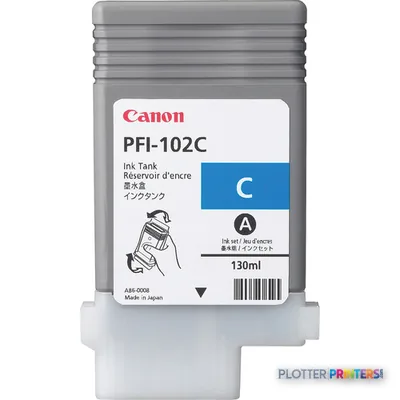
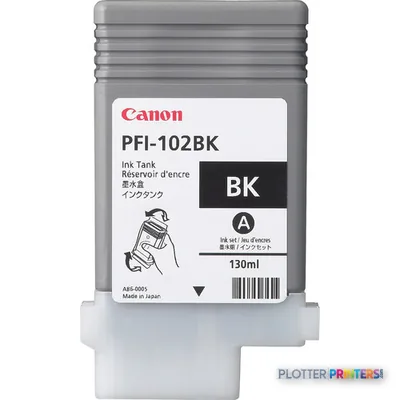
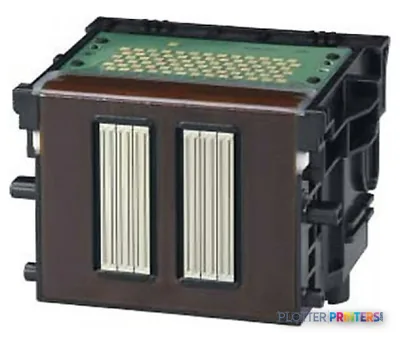
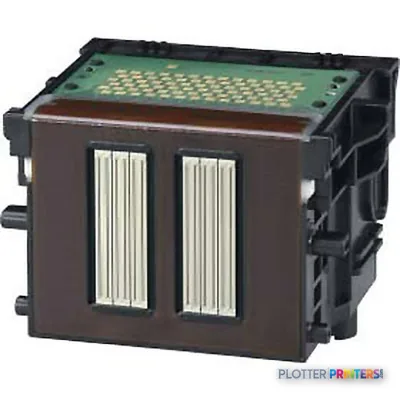
The specified printhead is the Canon PF-03. Confirm that supply support, paper handling, and local technical service fit the way your office actually works. The iPF710 supports Canon 0894B001, Canon 0897B001, Canon PFI-102BK ink cartridge Original Black, Canon PFI-102C ink cartridge Original Cyan, and Canon PFI-102Y ink cartridge Original Yellow. Those details are dull right up until a plan issue lands on Friday afternoon. Then they become thrilling in the worst possible way.
For a cross-brand 36-inch comparison, use the iPF710 and Epson SC-T5100 comparison. Also review the class ranking page as a starting point, not as a substitute for testing your own PDF files and paper.
Bottom line: Validate the driver path, media routine, supplies, and service response before treating any wide-format printer as unattended infrastructure.
Related comparisons
The read
The Canon iPF710 is a sensible fit for AEC teams that need 36-inch roll-fed color output, occasional cut sheets, and A0 capability in a defined print area. It becomes less suitable when the office needs 24-inch-only output, daily scan-and-copy work, or an IT environment that cannot support its listed operating systems without a tested print path. Start with the drawings your team prints under pressure. The machine should fit that queue, not the other way around.
Verified specifications
The specs that decide it
| Maximum print width | 36 in |
|---|---|
| Maximum resolution | 2400 x 1200 DPI |
| Maximum print size | A0 (841 x 1189 mm) |
| Ethernet | Yes |
| Sound level (printing) | 52 dB |
| Power consumption | 140 W |
Specifications
Full technical detail
Max resolution2400 x 1200 DPI
Max print width36"
ConnectivityEthernet (Gigabit LAN), USB
Use caseCAD / Technical
Printing
| Color | Yes |
|---|---|
| Print head | PF-03 |
| Maximum resolution | 2400 x 1200 DPI |
| Print head nozzles | MBK: 5120 |
Performance
| Display | LCD |
|---|---|
| Built-in display | Yes |
| Sound power level (standby) | 35 dB |
| Sound pressure level (printing) | 52 dB |
Paper handling
| Cut sheets | Yes |
|---|---|
| Roll paper | Yes |
| Maximum print size | A0 (33" x 47" (841 x 1189 mm)) |
| Maximum roll width | 36" (91.4 cm) |
| Maximum media width | 254 – 914.4 |
| ISO A-series sizes (A0…A9) | A0, A1, A2, A3, A4 |
| ISO B-series sizes (B0…B9) | B1, B2, B3, B4 |
| ISO C-series sizes (C0…C9) | C0, C1, C2, C3, C4 |
Ports & interfaces
| USB port | Yes |
|---|---|
| Ethernet LAN | Yes |
| USB connector | USB Type-A |
| USB 2.0 ports quantity | 1 |
| Ethernet interface type | Fast Ethernet |
Weight & dimensions
| Weight | 141.1 lbs (64 kg) |
|---|---|
| Dimensions (WxDxH) | 59.3 x 34.3 x 43.1" (1507 x 871 x 1094 mm) |
Power
| Power consumption (standby) | 1 W |
|---|---|
| Power consumption (typical) | 140 W |
Operational conditions
| Operating temperature (T-T) | 15 – 30 °C |
|---|---|
| Operating relative humidity (H-H) | 10 – 80% |
Other features
| Photo paper | Yes |
|---|---|
| Coated paper | Yes |
| Glossy paper | Yes |
| Compliance industry standards | IEEE 802.3, IEEE 802.3u |
System requirements
| Mac compatibility | Yes |
|---|---|
| Compatible operating systems | Windows 2000/XP/Server 2003/Vista Macintosh OS 9, OS X |
Supplies
Compatible ink, printheads & media
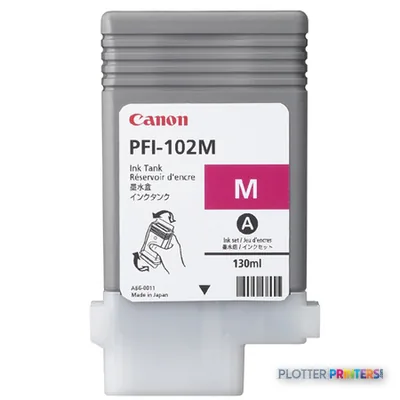
Genuine consumables that fit the Canon imagePROGRAF iPF710 large format printer Colour 2400 x 1200 DPI A0 (841 x 1189 mm) Ethernet LAN — only the cartridges, printheads and media compatible with this model.
Ink Cartridges 3
Paper & Media 12
 Representative image16 Mil WR Opaque Scrim Vinyl (3″ AC)Representative image15 Mil Water-Resistant Econo Scrim VinylRepresentative image11 Mil Water-Resistant Synthetic BannerRepresentative image180gsm Solvent Satin PE PaperRepresentative image230gsm Special Matte Photo PaperRepresentative image200gsm Special Matte Photo PaperRepresentative image350g Vivid Matte Poly/Cotton CanvasRepresentative image380g Premium Matte Poly/Cotton CanvasRepresentative image10 Mil Water-resistant Blockout Display FilmRepresentative image20LB Engineering Vellum (471)Representative imageWSL 28LB Simple Inkjet Coated Matte Paper (C2S) (448)Representative imageWSL 24LB Simple Inkjet Coated Matte Paper (C2S) (446)
Questions
Straight answers
What AEC work fits the Canon iPF710?
It fits offices producing roll-fed technical drawings, larger A0 sheets, color-coded PDFs, and cut-sheet output. Its 36-inch maximum roll width is the key fit point for full-size plan work.
Can the iPF710 print both roll media and sheets?
Yes. The provided specifications list support for roll paper and cut sheets, along with coated, photo, and glossy paper.
What is the practical difference between the iPF710 and Canon iPF685 24-in?
The Canon iPF685 24-in is a narrower 24-inch model. The iPF710 accepts rolls up to 36 inches wide, so it is the more appropriate choice where wider plan output is required.
Is the Canon iPF710 the right choice if we scan marked-up drawings?
The provided iPF710 data describes printing functions but does not list a scanner. The Canon iPF770 36-in is the listed family alternative identified as a scanner/MFP.
What should IT verify before installation?
Verify the driver and print-submission path against the listed supported operating systems, Ethernet LAN or USB 2.0 connection method, and the office’s PDF and CAD workflow. Test real project files before relying on it for a deadline issue.
Ready to put the Canon imagePROGRAF iPF710 to work?
We’ll point you to the current equivalent and quote it for your workflow.