
Home / Wide-Format Printers / HP Latex
HP · Wide-Format Plotter
HP Latex 820
latex signage printer
- ModelLatex 820
Authorized HP dealerGenuine hardware & ink
1-year warranty includedExtension plans available
Free shippingContinental U.S.
Plotter specialistsAEC experts, not just sellers
Analyst take
- The 3.2 m roll-to-roll format supports large AEC graphics as well as paper-based output.
- One maximum input roll makes batching by media type important.
- Supported media includes banners, self-adhesives, films, fabric, paper, and specialty materials.
Not sure if the Latex 820 is right for you?
Compare key specs and an AI analyst read-out against similar models.
Overview
Built for the work
HP Latex 820 Printer ( Scitex LX820 Industrial Printer), 3 litre, 3 (cyan/black, magenta/yellow, light cyan/light magenta), Banners, self-adhesives, films, fabric, paper, specialty, 3.2 m, RoHS, WEEE; REACH, Three phase (line-to-line voltage): 200 to 220 VAC (+/- 10%), 50 A max; 380 to 415 VAC (-10% +6%),…
Expert analysis
What you should know

Key takeaways
- The 3.2 m roll-to-roll format supports large AEC graphics as well as paper-based output.
- One maximum input roll makes batching by media type important.
- Supported media includes banners, self-adhesives, films, fabric, paper, and specialty materials.
- Automatic colour calibration provides a built-in control point for repeat color work.
- Electrical preparation, operator access, and local service planning should be resolved before installation.
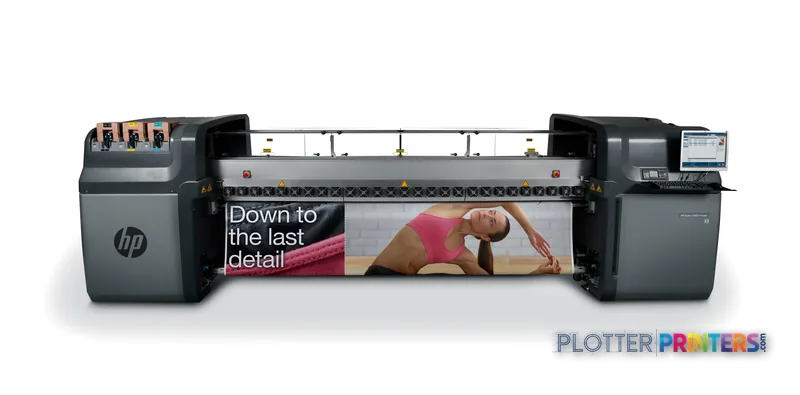
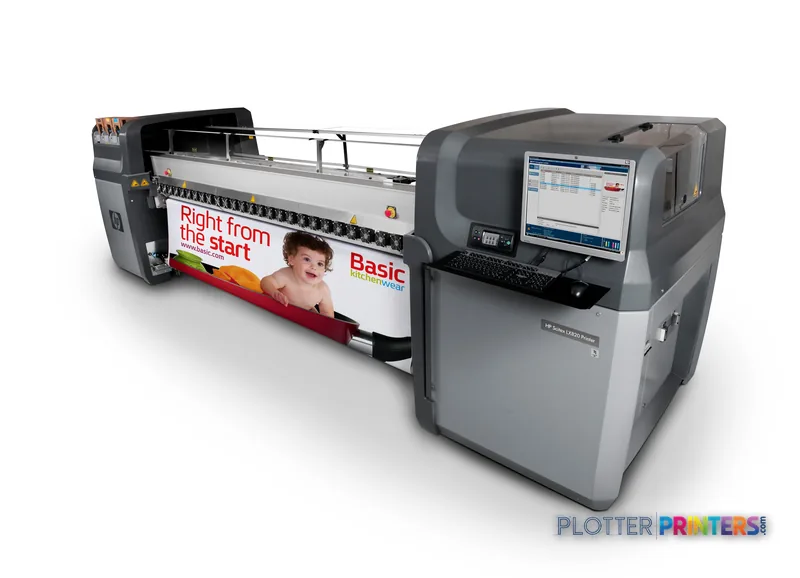
The HP Scitex LX820 Industrial Printer is a 3.2 m roll-to-roll Latex platform for AEC teams that need wide, color-capable output on more than ordinary bond. Think construction-site graphics, color-coded coordination sheets, GIS maps, adhesive wayfinding, fabric displays, presentation panels, and protective-film applications. It supports banners, self-adhesives, films, fabric, paper, and specialty media.
Its real planning constraint is media flow. There is one maximum input roll, so this is not a machine to treat as a hands-off dual-roll plan-set engine. Rated speed gets you a print; loading, alignment, take-up, inspection, and roll changes determine whether the print room clears the day’s queue. For AEC teams, that makes job grouping and media discipline part of the production plan.
3.2 mMaximum media widthRoll-to-roll media handling
12 plInk dropThree print heads
3 litreInk cartridge volumeHP Latex Inks
Up to 31.5 milMedia thicknessBy paper path
Where it fits in an AEC print room
This printer is most compelling when a firm’s AEC output extends beyond black-and-white drawing sets. A contractor can keep site-signage and adhesive graphics in-house. A civil or survey group can produce large GIS maps and color-marked exhibits. An architecture studio can move from drawing issue to presentation graphics without changing platforms. The built-in automatic colour calibration is useful where repeated color work needs a controlled starting point.
It is also a practical fit for work that needs a broad media menu. Paper is only one lane here. Films, self-adhesives, banners, fabric, and specialty materials let a production team support project communication as well as drawing output. That flexibility matters when a project team asks for a revised site board, safety graphic, or color coordination display on short notice.
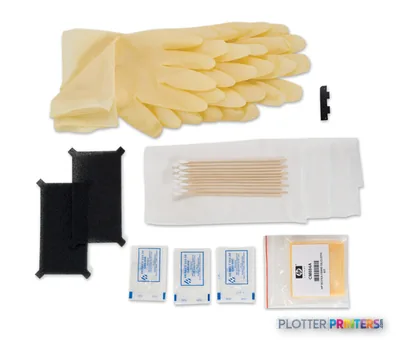
Do not assume that a broad-media printer automatically proves every drawing workflow. For fine CAD linework, small annotation, dimensional consistency, and a specific media, run the actual PDF files and issue standards before committing. Ask three things: what feeds it, what dries it, who fixes it. The first answer includes roll loading and edge tracking; the second includes the full finishing path; the third includes local service capability and the cleaning routine using the HP Scitex LX Printer Cleaning Kit.
Workflow, color, and infrastructure checks
HP Internal Print Server Software is bundled. Teams needing RIP-based production control can assess HP Large Format Onyx Thrive RIP Software, HP Scitex Caldera RIP Software Printing, or HP Scitex Onyx RIP Software Printing against their PDF, CAD, job-accounting, and network requirements. The important test is not whether a job opens. It is whether mixed project files process predictably, retain intended line weights, and can be traced to a project or department.
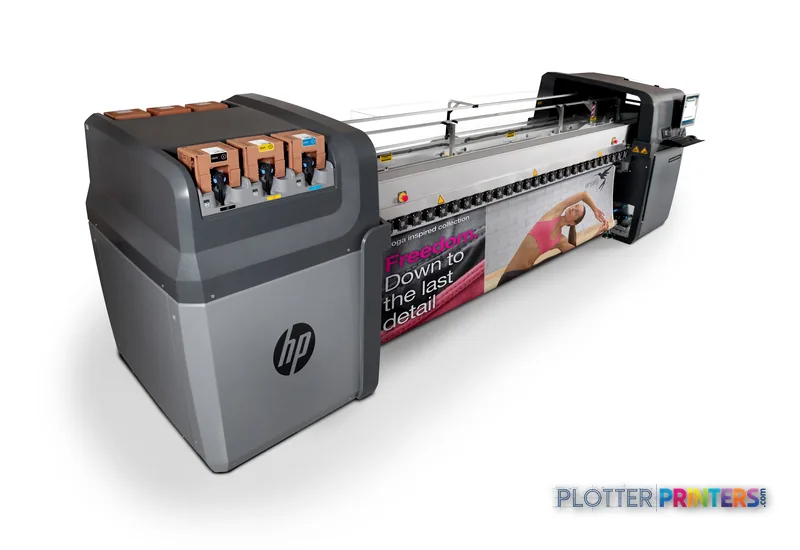
The machine uses HP Latex Inks in 3 litre cartridges and three print heads: cyan/black, magenta/yellow, and light cyan/light magenta. It has 10560 print-head nozzles and a 12 pl ink drop. Those are useful configuration facts, not a substitute for a proof on the bond, film, or adhesive material your team actually uses.
Facility planning needs attention. The listed electrical requirements include three-phase and single-phase configurations, so have facilities and the installer confirm the available service before delivery. Acoustic power emissions are listed at 8.5 B(A), while standby acoustic pressure emissions are 44 dB(A). Put it where roll loading, output handling, and operator access will not disrupt the drawing-production area. See the wide-format class ranking and how we assess print equipment for context on the evaluation approach.
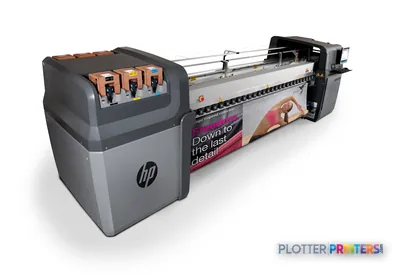
The trade-off: versatile media, one input roll
The single maximum input roll is the decision point. This platform can suit a focused graphics queue or a print room that batches work by substrate. It may be less suitable for teams that constantly alternate between common plan media and specialty stocks, or that need unattended switching between rolls. In those environments, a wider dual-roll alternative may be operationally stronger even if its print engine is not the deciding factor.
Small shops should not dismiss the LX820 simply because it is an industrial-format device. It can make sense when outsourced specialty graphics are causing schedule friction. But the workload must be regular enough to justify the floor space, electrical preparation, operator attention, and service planning. An hour of downtime is an operator standing still and a project deadline moving closer.
Useful evaluation tools
The read
The HP Scitex LX820 Industrial Printer fits AEC organizations that need 3.2 m roll-to-roll output across paper, films, self-adhesives, banners, fabric, and specialty media—not just plan printing. Its strengths are media breadth, built-in automatic colour calibration, and an industrial production format. The trade-off is a one-roll input arrangement that puts more pressure on batching and operator planning. Treat it as a graphics-capable AEC production platform, then prove it with your own CAD PDFs, maps, adhesive materials, and finishing sequence before making it the center of a deadline-driven workflow.
Spec analysis
How the specs grade
Overall performance
—Not enough data for an overall score
Individual dimensions are shown where the specs support them.
- This printer
- HP Latex 800 W
Category leaders best latex signage printers, by dimension
Specifications
Full technical detail
Use caseGraphics / Production
Printing
| Print head | 3 (cyan/black, magenta/yellow, light cyan/light magenta) |
|---|---|
| Colour management | Automatic colour calibration (built-in) |
| Print head nozzles | 10560 |
| Print cartridge volume (metric) | 3 litre |
Performance
| Certification | RoHS, WEEE; REACH |
|---|
Paper handling
| Media handling | Roll-to-roll; guided double-sided process |
|---|---|
| Maximum media width | 3.2 m |
| Media types supported | Banners, self-adhesives, films, fabric, paper, specialty |
| Media thickness (by paper path) | Up to 31.5 mil |
Power
| Power requirements | Three phase (line-to-line voltage): 200 to 220 VAC (+/- 10%), 50 A max; 380 to 415 VAC (-10% +6%), 30 A max; 50/60 Hz; single phase: 115 to 127 VAC (+/- 10%); 200 to 240 VAC (-10% +6%); 50/60 Hz, 10 A max |
|---|
Other features
| Safety | EU (LVD and MD compliant, EN 60950-1, 12100-1 and 60204-1); Russia (GOST) |
|---|---|
| Ink drop | 12 pl |
| Roll maximum input | 1 |
| Acoustic power emissions | 8.5 B(A) |
| Electromagnetic compatibility | Compliant with Class A requirements, including: EU (EMC Directive) |
| Compatible ink types, supplies | HP Latex Inks |
| Acoustic pressure emissions (standby) | 44 dB(A) |
Packaging data
| Bundled software | HP Internal Print Server Software |
|---|
Everything that fits the HP Latex 820
The full supplies hub lists every cartridge, printhead, roll and accessory verified against the manufacturer's own documentation for this machine.
23 paper & media items · 2 accessories
HP Latex 820 ink and paper →Supplies
Compatible ink, printheads & media
Genuine consumables that fit the HP Latex 820 Printer ( Scitex LX820 Industrial Printer) — only the cartridges, printheads and media compatible with this model.
Paper & Media 23
 Representative image16 mil Water-Resistant Opaque Scrim VinylRepresentative image16 Mil WR Opaque Scrim Vinyl (3″ AC)Representative image15 Mil Water-Resistant Econo Scrim VinylRepresentative image11 Mil Water-Resistant Synthetic BannerRepresentative image10 Mil Solvent Printable PolycarbonateRepresentative image180gsm Solvent Satin PE PaperRepresentative image15 Mil Polycarbonate LaminateRepresentative image15 Mil Textured Co-polymer LaminateRepresentative image200gsm Special Matte Photo PaperRepresentative image10 Mil Water-resistant Blockout Display FilmRepresentative image10 Mil Solvent Blockout Display FilmRepresentative image10 Mil White Opaque Backer
 HP PVC-free Wall Paper 1372 mm x 30.5 m (54 in x 100 ft) large format media
 HP PVC-free Wall Paper 1067 mm x 30.5 m (42 in x 100 ft) large format media
 HP CR687A large format media
 HP CR688A large format media
 HP CR689A large format media
 HP CR690A large format media
 HP CH103A large format media
 HP CR691A large format media 45 m
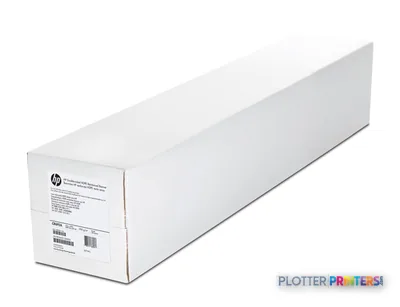 HP CR692A large format media 45 m
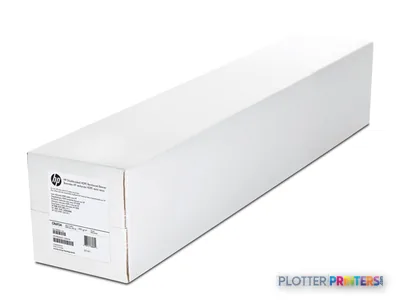 HP CR693A large format media 45 m
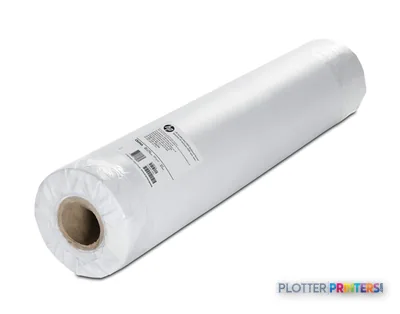 HP CR694A large format media 100 m
Accessories 2
Questions
Straight answers
What AEC work is the HP Scitex LX820 Industrial Printer suited to?
It supports paper, banners, self-adhesives, films, fabric, and specialty media. That makes it relevant for color-coded maps, presentation graphics, project signage, adhesive graphics, and other wide-format project communication work.
Can it handle ordinary paper as well as specialty media?
Yes. Paper is among the supported media types, alongside banners, self-adhesives, films, fabric, and specialty materials.
Does it automatically switch between multiple loaded rolls?
The supplied specification lists a maximum input of one roll. Plan work in media batches and confirm the full loading and output routine during a demonstration.
What software options should IT and print-room staff review?
HP Internal Print Server Software is bundled. Available RIP options include HP Large Format Onyx Thrive RIP Software, HP Scitex Caldera RIP Software Printing, and HP Scitex Onyx RIP Software Printing.
What should buyers test with their own files?
Test actual CAD PDFs, maps, annotation-heavy drawings, and representative media. Check line readability, color handling, media tracking, output inspection, and the time required for loading and finishing.
What facility requirements need checking?
Confirm the required electrical configuration with facilities and the installer. The listed requirements include three-phase and single-phase options, and the machine needs practical space for roll handling, output handling, and maintenance.
Ready to put the HP Latex 820 to work?
Configuration, media and a quote tailored to your workflow — from AEC plotter specialists.