
Home / Wide-Format Printers / HP DesignJet
HP · Wide-Format Plotter
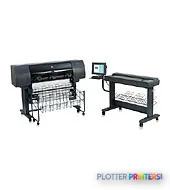
HP DesignJet 4500MFP
42" wide-format MFPs
- Model4500MFP
- Prints42" wide
- Score56/100
Authorized HP dealerGenuine hardware & ink
Manufacturer warrantyExtension plans available
Free shippingContinental U.S.
Plotter specialistsAEC experts, not just sellers
Analyst take
- Two automatic rolls and automatic roll switching suit recurring mixed-width plan output.
- The sheet-fed color scanner supports copy, batch scanning, and TIFF-based scan-to-file workflows.
- The stated 25 sec/page A1 draft figure is a maximum printer-speed measure, not complete set throughput.
Not sure if the 4500MFP is right for you?
Compare key specs and an AI analyst read-out against similar models.
- Wide-format reach Prints up to 42" wide on rolls and sheets.
- Scan & copy Integrated scanner for digitizing and sharing sets.
- Connectivity Ethernet for shared team printing.
- Analyst score Scores 56/100 in our class-relative rating.
Overview
Built for the work
HP DesignJet4500mfp EN Box1+Box2+Box3, HP-GL/2, HP-RTL, 24 bit, 8 (2 each black, cyan, magenta, yellow), 99 copies, Color scanning, Sheet-fed scanner
Spec Analysis
overall
overall
Expert analysis
What you should know

Key takeaways
- Two automatic rolls and automatic roll switching suit recurring mixed-width plan output.
- The sheet-fed color scanner supports copy, batch scanning, and TIFF-based scan-to-file workflows.
- The stated 25 sec/page A1 draft figure is a maximum printer-speed measure, not complete set throughput.
- Listed operating-system support is from an earlier Windows and Mac generation, making IT review essential.
- HP 90 inks and printheads are the named compatible consumable family.
- This is more credible as an established print-room node than as a modern cloud-document hub.
The HP DesignJet4500mfp EN Box1+Box2+Box3 is a 42-inch AEC multifunction system built around a practical print-room problem: producing plan sets while also copying and digitizing the marked-up originals that keep projects moving. Its two automatic rolls, automatic roll switching, cutter, and sheet-fed color scanner make sense for teams handling recurring A1, A0, 24-, 36-, and 42-inch drawing output rather than occasional presentation prints.
For an installed-base machine, the appeal is workflow breadth. It prints and copies in color or black and white, scans to TIFF, supports batch scanning and copying, and can print from a scanner job list. The trade-off is that its host-system compatibility belongs to an earlier Windows and Mac era, so IT validation is not optional. A plotter that saves thirty seconds a plot buys you nothing if the file spends four minutes finding a usable driver.
42"Maximum print widthSupports rolls up to 42" (1067 mm) wide.
2Roll capacityTwo automatic rolls with automatic roll-switching.
+/- 0.1%Line accuracyRelevant to CAD linework and dimensioned drawing output.
25 sec/pageA1 draft line drawingManufacturer-rated maximum speed, printed in Fast mode on HP Bright White Inkjet Paper (bond).
Where it fits in an AEC workflow
This machine is particularly well suited to a departmental print room, contractor field office, or engineering group that still works from paper redlines and needs one station for output, copy, and archive-oriented scanning. The straight-through scan path accepts non-abrasive paper, vellum, Mylar, sepia, blueprints, plastic, film, plastic laminate, foam board, and cardboard within its stated handling limits. That is useful when an as-built exists only as a marked paper set, not as a clean PDF.
The scanner provides preview, crop and alignment, enlarge/reduce, nesting, tiling, paneling, and image controls. Scan-to-file is TIFF only, while scan-to-email is not available. That makes it a reasonable conversion and copy station, but not a modern document-routing hub. The scanner is free. The person standing at it is not.
Print production: the useful parts and the limits
For CAD plans, the combination of a stated minimum line width of 0.00295 in and line accuracy of +/- 0.1% is the relevant foundation. The printer uses HP-GL/2 and HP-RTL, supports Ethernet networking, and includes HP Embedded Web Server management. Two rolls can reduce interruptions when a team alternates between 24-inch check plots and 36- or 42-inch issue sheets; an optional stacker and optional inline folding device address downstream handling.
Its rated 25 sec/page A1 draft line-drawing figure deserves context: it is a maximum printer speed under specified Fast-mode conditions, not a promise of complete set throughput. File processing, roll changes, collation, scanner operation, and operator handling still govern the time from “print” to a usable bid set. Use the comparison tool against the Canon GP-4000 44-in when width and current workflow expectations are under review.
Estimate printer running time for repeated line drawings, then add the handling time your actual set workflow requires.
One set: – · Weekly plotting time: –
Computed from the manufacturer's rated 969 ft²/h (a per-page burst rating). Real-world mixed sets run slower — treat this as a best case for comparing machines, not a promise.
IT, network, and support reality
Ethernet LAN and the Embedded Web Server give this unit a place on a managed network, but the listed supported operating systems are Windows NT through Windows XP and Server 2003, plus older Mac OS versions. Scanner access is listed through Windows domains or FTP service, with Mac and UNIX/Linux access through FTP. In a current U.S. AEC environment, that points to a deliberate isolation, print-server, driver, and security review rather than direct deployment on a modern endpoint fleet.
There is no USB port and no send-to-email function. The system has a mini keyboard and touchscreen-controlled scanner workflow, but neither substitutes for current identity, audit, and cloud-routing requirements. Confirm whether your print server can reliably preserve HP-GL/2/HP-RTL output, how TIFF scans will be named and retained, and who owns driver troubleshooting. Money is minutes.
Supplies and practical ownership
The printer uses four cartridges and eight printheads, with pigmented black and dye-based cyan, magenta, and yellow inks. Compatible supplies include the HP 90 ink and printhead family. Before placing an older multifunction system into a deadline-critical role, verify actual availability of its specific supplies, maintenance items, scanner support, and qualified local service. A technically capable machine without a recoverable service path is simply a very large scheduling risk.
There is no in-family step-up or step-down model listed in this catalog for a direct family comparison. For a broader 44-inch alternative, review the Canon GP-4600S 44-in, or use the wide-format class ranking to frame the replacement discussion around workflow rather than nostalgia.
Related tools and comparisons
The read
Choose the HP DesignJet4500mfp EN Box1+Box2+Box3 if your established AEC workflow still depends on dual-roll plan output, paper-set copying, and TIFF capture of legacy originals—and your IT team can support its older platform requirements. Choose a newer 44-inch alternative if current endpoint compatibility, modern scan distribution, and a simpler long-term support posture matter more than preserving this machine’s familiar copy-and-scan workflow.
Where it sits in the field: see the head-to-head against the Canon GP-4000 44-in or the full class leaderboard.
Spec analysis
How the specs grade
Overall performance
- This printer
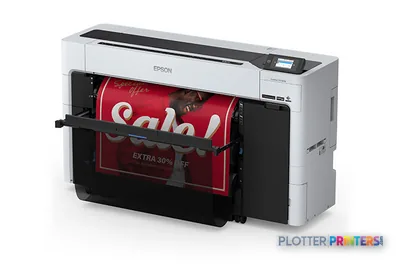
- Epson SureColor T5770DM
Verified specifications
The specs that decide it
| Number of print cartridges | 4 |
|---|---|
| Page description languages | HP-GL/2, HP-RTL |
| Media thickness | Printer: all paper paths: > 0.4; Scanner > 15 |
| Maximum roll diameter | 7.09" (18 cm) |
| Scanning | Color scanning |
| Ethernet | Yes |
Specifications
Full technical detail
Max print width42"
ConnectivityEthernet (Gigabit LAN)
Printing
| Color | Yes |
|---|---|
| Print head | 8 (2 each black, cyan, magenta, yellow) |
| Color depth | 24 bit |
| Print head nozzles | 524 (per printhead), 1048 (per colour in Double Swath configured) |
| Print speed footnote | Printed in Fast mode on HP Bright White Inkjet Paper (bond). Speed indicated is maximum printer speed. |
| Color printing technology | HP Color Layering technology, HP PhotoREt III |
| Number of print cartridges | 4 |
| Page description languages | HP-GL/2, HP-RTL |
| Print time color line drawing (draft, A1) | 25 sec/page |
Performance
| Memory slots | 2x DIMM |
|---|---|
| Memory upgrade | 0.512 GB |
| Memory technology | Printer: Dual data rate DRAM technology (DDR) to maximize memory speed |
| Built-in processor | Scanner: Intel Pentium 4 |
| Drive device, buffer size | 20000 MB |
Paper handling
| Media handling | Printer: Two automatic rolls, automatic roll-switching, automatic cutter, optional stacker, optional automatic inline folding device; Scanner: straight-through scan paper path for sheet and cardboard originals, output basket |
|---|---|
| Paper handling | Printer: Two automatic rolls, automatic roll-switching, automatic cutter, optional stacker, optional automatic inline folding device; Scanner: straight-through scan paper path for sheet and cardboard originals, output basket |
| Media thickness | Printer: all paper paths: > 0.4; Scanner > 15 |
| Roll top margin | 0.197" (5 mm) |
| Maximum media width | 1067 mm |
| Maximum paper trays | 2 |
| Maximum roll length | 6889.8" (175 m) |
| Duplex print options | None |
| Maximum print length | 6889.8" (175 m) |
| Standard media sizes | Printer: A3, A2, A1, A0 (rolls up to 1067 mm wide); Scanner: up to 1118 mm wide media |
| Maximum roll diameter | 7.09" (18 cm) |
| Media types supported | Printer: Paper (plain, inkjet, coated, heavyweight coated, super heavyweight coated, semi-gloss, glossy, natural tracing, photo), film; Scanner: Non-abrasive paper, vellum, Mylar, sepia, blueprints, plastic, film, plastic laminate, foam board, cardboard (no plywood, stone plates, metal plates or abrasive dirty, rough, sharp edged, metal clamped, burned surfaces) |
| Recommended media weight | Printer: 50 – 328; Scanner: at least 0.08 mm thick |
| Media thickness (imperial) | 0.59" |
| Paper handling standard/output | Optional stacker |
Ports & interfaces
| USB port | No |
|---|---|
| Ethernet LAN | Yes |
| RJ-45 ports quantity | 1 |
| Firewire (IEEE 1394) ports | 1 |
Weight & dimensions
| Weight | 407.9 lbs (185 kg) |
|---|---|
| Size (imperial) | 76" |
| Weight (imperial) | For printer (204 lb for scanner) 408 lb |
| Dimensions (WxDxH) | 36.6 x 31.5 x 53.1" (930 x 800 x 1350 mm) |
| Dimension note (metric) | For printer (1800 x 850 x 1380 mm for scanner) |
| Dimension note (imperial) | For printer (70.8 x 33.4 x 54.3 inches for scanner) |
| Maximum dimensions (W x D x H) | 76 x 31.5 x 53.1" (1930 x 800 x 1350 mm) |
Power
| Power requirements | Printer: Input voltage 100 to 127 VAC (+/- 10%), 6 amp; 220 to 240 VAC (+/- 10%), 3 amp; 50/60 Hz (+/- 3 Hz), auto range; scanner: 100 to 240 VAC (+/- 10%), auto range, 50/60 Hz, 5 amp maximum |
|---|
Operational conditions
| Storage temperature (T-T) | -20 – 55 °C |
|---|---|
| Operating temperature (T-T) | 41 – 104 °F |
| Storage relative humidity (H-H) | 0 – 95% |
| Operating relative humidity (H-H) | 20 – 80% |
| Recommended operating temperature range (T-T) | 15 – 30 °C |
Other features
| Safety | Compliant with IEC 60950, including EU LVD and EN60950, CSA-certified for US and Canada, Mexico NYCE, Argentina IRAM, Singapore PSB, Russia VNIIS, NEMKO, China CCC, Taiwan BSMI |
|---|---|
| Ink drop | 5 pl (colour), 15 pl (black) |
| Functions | Color copying, color scanning, color printing, black-and-white copying, black-and-white scanning, black-and-white printing |
| Typefaces | None |
| UNSPSC-code | 43212107 |
| Control panel | Printer: illuminated, graphical LCD display area; 8 front-panel buttons (Back, Cancel, Down arrow, Form Feed and Cut, Power, Reset, Select, Up arrow); 2 LEDs (Power, Status); On/Off buzzer; Scanner: Copy/scan/print operation controlled through an easy-to-use LCD color touch-screen and intuitive software |
| Keyboard type | Mini keyboard |
| Line accuracy | +/- 0.1% |
| Driver updates | Latest driver upgrade information available on http://www.designjet.hp.com |
| Printer features | Printer: color printing, black-and-white printing; scanner: color printing, black-and-white scanning |
| Scan input modes | On the touchscreen: scan preview, scan to file, scan to DVD/CD, scan to print, collate copy, copy, batch scanning, batch copying, print from list |
| Line width minimum | 0.003 in |
| Minimum line width | 0.00295" (0.0750 mm) |
| Printer management | HP Embedded Web Server |
| Roll maximum input | 2 |
| Technical features | Outstanding printing performance Large input and output capacity Accurate lines and consistently high image quality |
| Embedded web server | Yes |
| Color space standard | sRGB |
| Downloadable software | Scanner: WinXPe |
| Media thickness (min) | 0.00315" (0.0800 mm) |
| All-In-One-multitasking | Yes |
| Acoustic power emissions | 6.3 B(A) |
| Send to email capability | No |
| Acoustic pressure emissions | 46 dB |
| Minimum system requirements | Windows NT 4.0: Pentium II 300 MHz, 64 MB RAM, 400 MB available hard disk space; Windows 98 SE, Me: Pentium 133 MHz, 48 MB RAM, 300 MB available hard disk space; Windows 2000, 2003 Server: Pentium II 300 MHz, 128 MB RAM, 400 MB available hard disk space; Windows XP: Pentium III 733 MHz, 128 MB RAM, 400 MB available hard disk space |
| Electromagnetic compatibility | Compliant with Class A requirements, including EU (EMC Directive), US (FCC rules), Canada (DoC), Australia (ACA), New Zealand (MoC), Japan (VCCI), Korea (MIC), Taiwan (BSMI) |
| Compatible ink types, supplies | Black: pigmented, CMY: dye based |
| Maximum print length (imperial) | 575 ft |
| Print quality (black, best quality) | 2400 x 1200 DPI |
| Print quality (color, best quality) | 2400 DPI |
| Print quality (black, draft quality) | 1200 DPI |
| Media sizes standard (imperial rolls) | 24, 36, 42-in rolls |
| Print quality (black, normal quality) | 1200 DPI |
| Minimum system requirements for Macintosh | G3, G4, G5; 128 MB RAM; 256 MB available hard disk space; Mac OS X v 10.2.8, 10.3, 10.4 |
Copying
| Copier settings | Type of original image crop and align preview, best/normal/fast copy quality, enlarge/reduce, lightness, mirror copy, nesting, paneling, saturation and RGB controls, sharpen/blur, tiling |
|---|---|
| Color copy capability | Yes |
| Maximum number of copies | 99 copies |
| Copy resolution (black graphics) | Up to 9600 dpi |
| Copy resolution (color text and graphics) | 300 DPI |
Scanning
| Scanning | Color scanning |
|---|---|
| Scanner type | Sheet-fed scanner |
| Scan technology | Dual 2D-adaptive enhancement, dual 2D-adaptive gray, ADL+error diffusion halftoning, 2D-sharpening, 2D-softening and 2D-blur filter, 2D-adaptive thresholding |
| Minimum scan area | 6 x 4.5" |
| Minimum scan size | 152 x 114 mm |
| Scan file formats | TIFF |
| Hardware scan resolution | 508 x 508 DPI |
| Linear scan speed (metric) | Color (200 dpi): 76 mm (3") per second; Black-and-white (200 dpi): 254 mm (10") per second |
| Scan quality (black, best) | 300 DPI |
| Scan quality (color, best) | 300 DPI |
| Scan quality (black, draft) | 150 DPI |
| Scan quality (color, draft) | 150 DPI |
| Linear scan speed (imperial) | Up to 3 in/sec (color, 200 dpi/400 dpi Turbo); up to 10 in/sec (black-and-white, 200 dpi/400 dpi Turbo) |
| Scan quality (black, normal) | 200 DPI |
| Scan quality (color, normal) | 200 DPI |
Logistics data
| Pallet weight | 729.7 lbs (331 kg) |
|---|---|
| Quantity per pallet | 48 pc(s) |
Packaging data
| Bundled software | Printer: HP Designjet software for Windows and Macintosh; Scanner: system recovery software for the scanning system, including HP Macroinstaller with Windows drivers for HP Designjet 500, 800, 1000, 4000, 4500, 5000 and 5500 series printers |
|---|---|
| Package weight (imperial) | Printer: 501.1 (EMEA), 600.3 (NA, AP); scanner: 316 |
| Package dimensions (WxDxH) | 83.9 x 30.5 x 52" (2130 x 775 x 1320 mm) |
| Package dimensions (W x D x H) | 83.9 x 30.5 x 52" |
System requirements
| Compatible operating systems | Printer: Windows NT 4.0 Workstation, NT 4.0 Server, 98 SE, 2000, Me, XP Home, XP Professional, Server 2003; Mac OS X v 10.2.8, 10.3, 10.4; Scanner: Windows 95, NT 4.0, 98, 2000, Me, XP through Windows domain or FTP service, Mac OS 9.X and Mac OS X through FTP service, UNIX/Linux through FTP service |
|---|---|
| Recommended system requirements | Windows NT 4.0: Pentium III 733 MHz, 128 MB RAM, 2 GB available hard disk space; Windows 98 SE, Me: Pentium 133 MHz, 64 MB RAM, 320 MB available hard disk space; Windows 2000, 2003 Server: Pentium III 733 MHz, 256 MB RAM, 2 GB available hard disk space; Windows XP: Pentium IV 1 GHz, 256 MB RAM, 2 GB available hard disk space |
Input & output capacity
| Total number of input trays | 2 |
|---|
Everything that fits the HP DesignJet 4500MFP
The full supplies hub lists every cartridge, printhead, roll and accessory verified against the manufacturer's own documentation for this machine.
12 ink cartridges · 6 printheads · 44 paper & media items · 2 accessories
HP DesignJet 4500MFP ink and paper →Supplies
Compatible ink, printheads & media
Genuine consumables that fit the HP DesignJet 4500MFP 42-in — only the cartridges, printheads and media compatible with this model.
Ink Cartridges 12
 HP RC Matte White
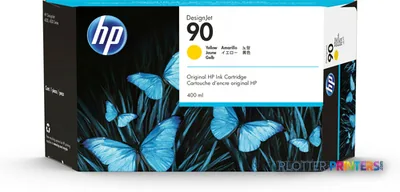 HP 90 3-pack 400-ml Yellow Ink Cartridges print head Thermal inkjet
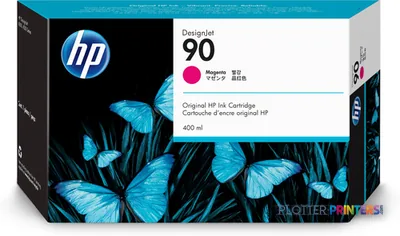 HP 90 3-pack 400-ml Magenta Ink Cartridges print head Thermal inkjet
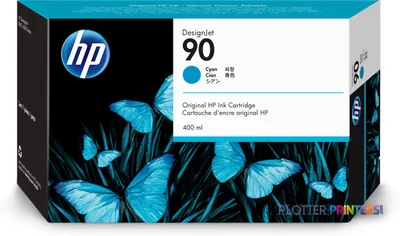 HP 90 3-pack 400-ml Cyan Ink Cartridges print head Thermal inkjet
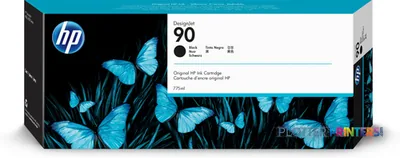 HP 90 3-pack 775-ml Black Ink Cartridges print head Thermal inkjet
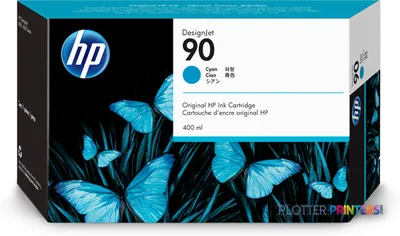 HP 90 400-ml Cyan Ink Cartridge
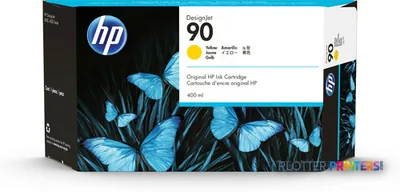 HP 90 400-ml Yellow Ink Cartridge
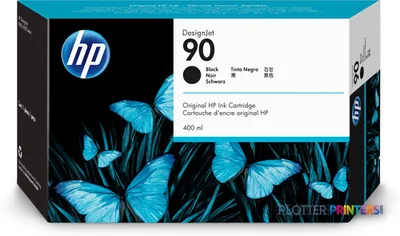 HP 90 400-ml Black Ink Cartridge
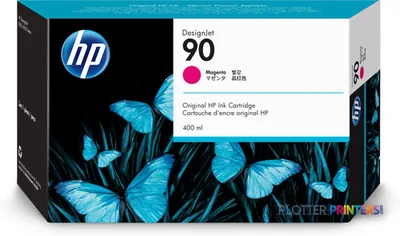 HP 90 400-ml Magenta Ink Cartridge
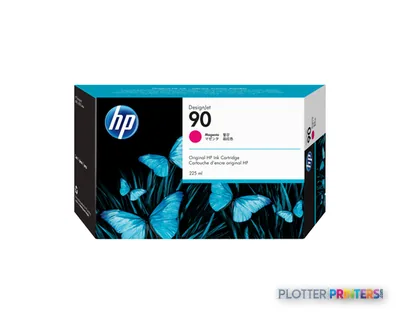 HP 90 225-ml Magenta Ink Cartridge print head Thermal inkjet
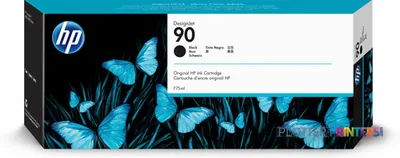 HP 90 775-ml Black Ink Cartridge
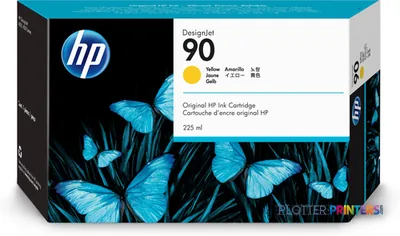 HP 90 225-ml Yellow Ink Cartridge print head Thermal inkjet
Printheads 6
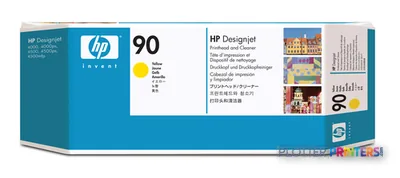
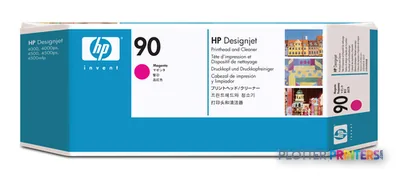
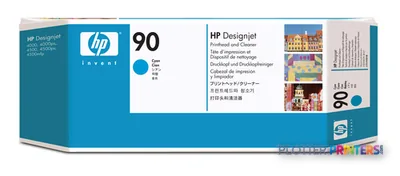
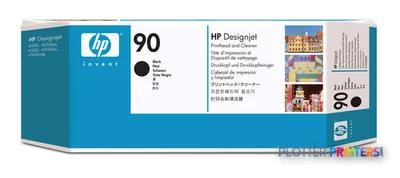
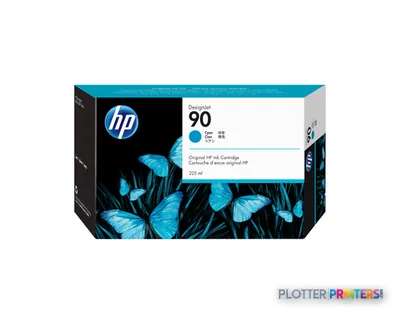
Paper & Media 44
 HP Q1733A printing paper Matte 1 sheets White
 HP C3868A plotter paper 45.7 m 91.4 cm
 HP C3869A plotter paper
 HP RC Satin Proofing Paper-914 mm x 22.9 m (36 in x 75 ft)
 HP Q1420A photo paper Brown, White
 HP Matte Film 610 mm x 38.1 m (24 in x 125 ft)
 Representative imageHP Bright White Inkjet Paper, 36 in x 300 ft (C6810A)
 HP Reverse Print Matte Backlit Film
 HP C6035A large format media 45.7 m
 HP C6036A printing paper Matte White
 HP C6567B plotter paper
 HP White Glossy Opaque Polyester Film-1067 mm x 15.2 m (42 in x 50 ft)
 HP Universal Semi-gloss Photo Paper
 HP Clear Film 174 gsm-610 mm x 22.9 m (24 in x 75 ft)
 HP Q1421A photo paper Brown, WhiteRepresentative imageHP Heavyweight Coated Paper, 42 in x 100 ft (C6569C)
 HP Q1730A large format media 30.5 m
 HP Q1956A large format media 67.5 m
 HP Q1961A large format media
 HP Q1962A large format media
 HP C7949A large format media 30.5 m Matte
 HP Q6579A photo paper Brown, White
 HP Q6580A photo paper Matte
 HP Q6581A photo paper
 HP Q1441A large format media 45.7 m
 HP Q1442A large format media 45.7 m
 HP Q1444A printing paper Matte
 HP Q1445A printing paper Matte
 HP Q7897A large format media 45.7 m
 HP Universal Bond Paper 841 mm x 91.4 m large format media 3598.4" (91.4 m)
 HP Q8004A large format media 91.4 m
 HP Universal Bond Paper-914 mm x 152.4 m (36 in x 500 ft)
 HP Q8677A printing film
 HP Universal Adhesive Vinyl 914 mm x 20 m (36 in x 66 ft)
 HP Q7991A photo paper
 HP Q8751A large format media 175 m
 HP Q8834A printing film
 HP Q8835A printing film
 HP CG459A photo paper Matte
 HP Premium Matte Photo Paper-914 mm x 30.5 m (36 in x 100 ft) large format media
 HP Durable Banner w/ DuPont Tyvek 914 mm x 22.9 m (36 in x 75 ft) large format media Matte
 HP CG889A large format media 45.7 m
 HP CG890A plotter paper
 HP CG891A large format media 45 m
Questions
Straight answers
Can this machine print and scan AEC drawings in color?
Yes. It supports color and black-and-white printing, copying, and scanning. The scanner supports color scanning and scan-to-file in TIFF format.
What roll widths can it handle?
The printer supports 24-, 36-, and 42-inch rolls, with a maximum media width of 42 inches. It has two automatic roll inputs and automatic roll switching.
Is it suitable for copying marked-up plans and older originals?
It can be useful for this purpose because the straight-through scanner accepts specified non-abrasive papers, vellum, Mylar, blueprints, film, plastic laminate, foam board, and cardboard. Originals must remain within the stated scanner handling limits and should not be dirty, rough, sharp-edged, or abrasive.
Can users scan directly to email?
No. Send-to-email capability is not listed. Available touchscreen modes include scan to file, scan to DVD/CD, scan to print, batch scanning, and batch copying.
Will it work directly with a current workstation environment?
The listed compatible operating systems are older Windows, Mac, FTP, and domain-based environments. Validate print-server design, drivers, network controls, and scan-file handling before relying on it in a current managed environment.
Which ink family does it use?
Compatible consumables include the HP 90 ink and printhead family. Confirm the exact supplies and maintenance items required for the installed configuration before committing it to critical production.
Ready to put the HP DesignJet 4500MFP to work?
Configuration, media and a quote tailored to your workflow — from AEC plotter specialists.