
Home / Wide-Format Printers / HP DesignJet
HP · Wide-Format Plotter
HP DesignJet T2600PS MFP
36" wide-format MFPs
- ModelT2600PS MFP
- Prints36" wide
- Score65/100
Authorized HP dealerGenuine hardware & ink
1-year warranty includedExtendable to 5 years
Free shippingContinental U.S.
Plotter specialistsAEC experts, not just sellers
Analyst take
- The integrated scanner makes this model relevant for print, copy, redline capture and legacy-document workflows.
- Its 36-inch format and 36" x 48" maximum custom media size suit common AEC drawing and sheet-production work.
- PostScript 3, PDF 1.7, HP-GL/2, HP-RTL and CALS G4 support mixed technical-document environments.
Not sure if the T2600PS MFP is right for you?
Compare key specs and an AI analyst read-out against similar models.
- Wide-format reach Prints up to 36" wide on rolls and sheets.
- Fine detail 2400 x 1200 DPI maximum resolution for crisp line work.
- Ink platform Cyan, Photo black, Matte black, Magenta, Yellow, Gray.
- Verified specs 8 specs checked against the manufacturer datasheet.
- Analyst score Scores 65/100 in our class-relative rating.
Overview
The 36-inch scan-print-copy hub for a mid-volume CAD workgroup

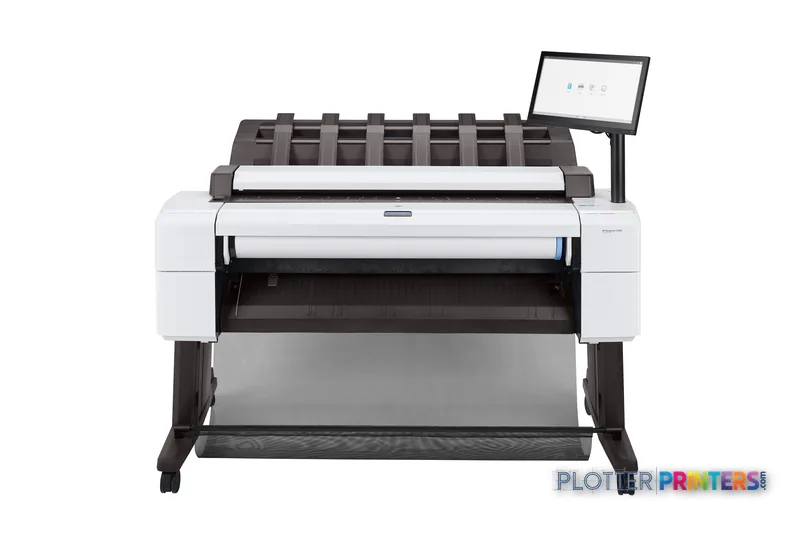
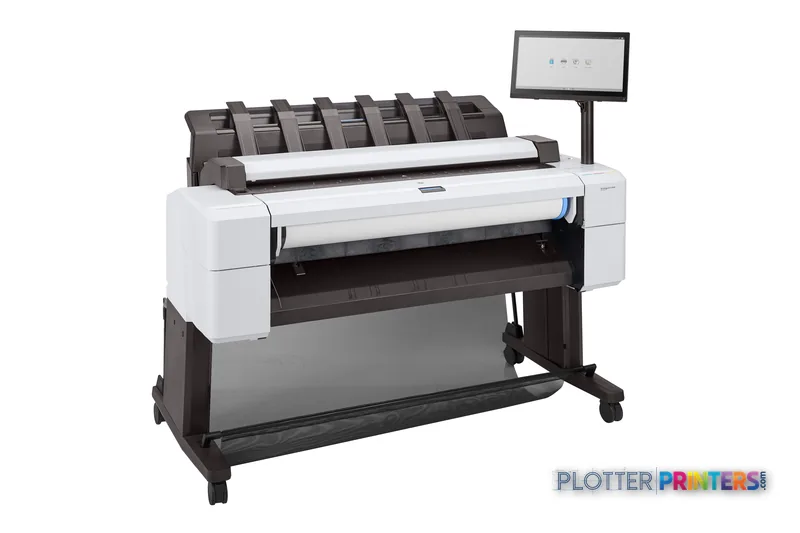
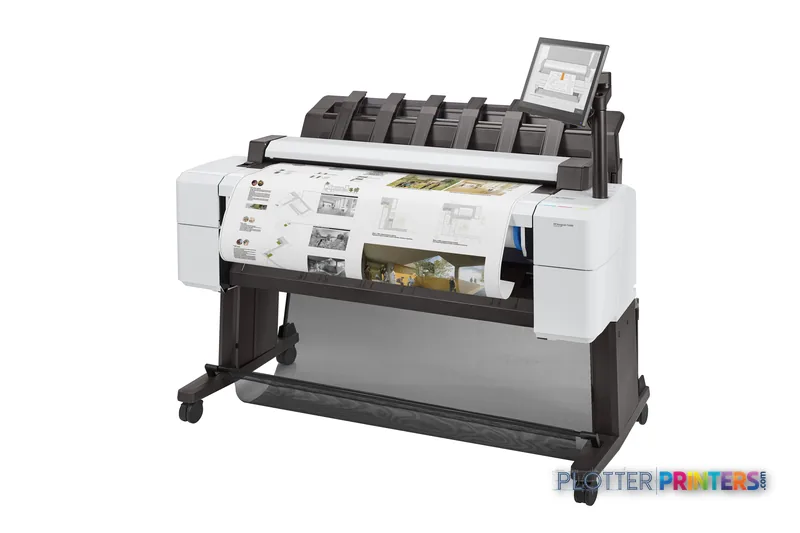
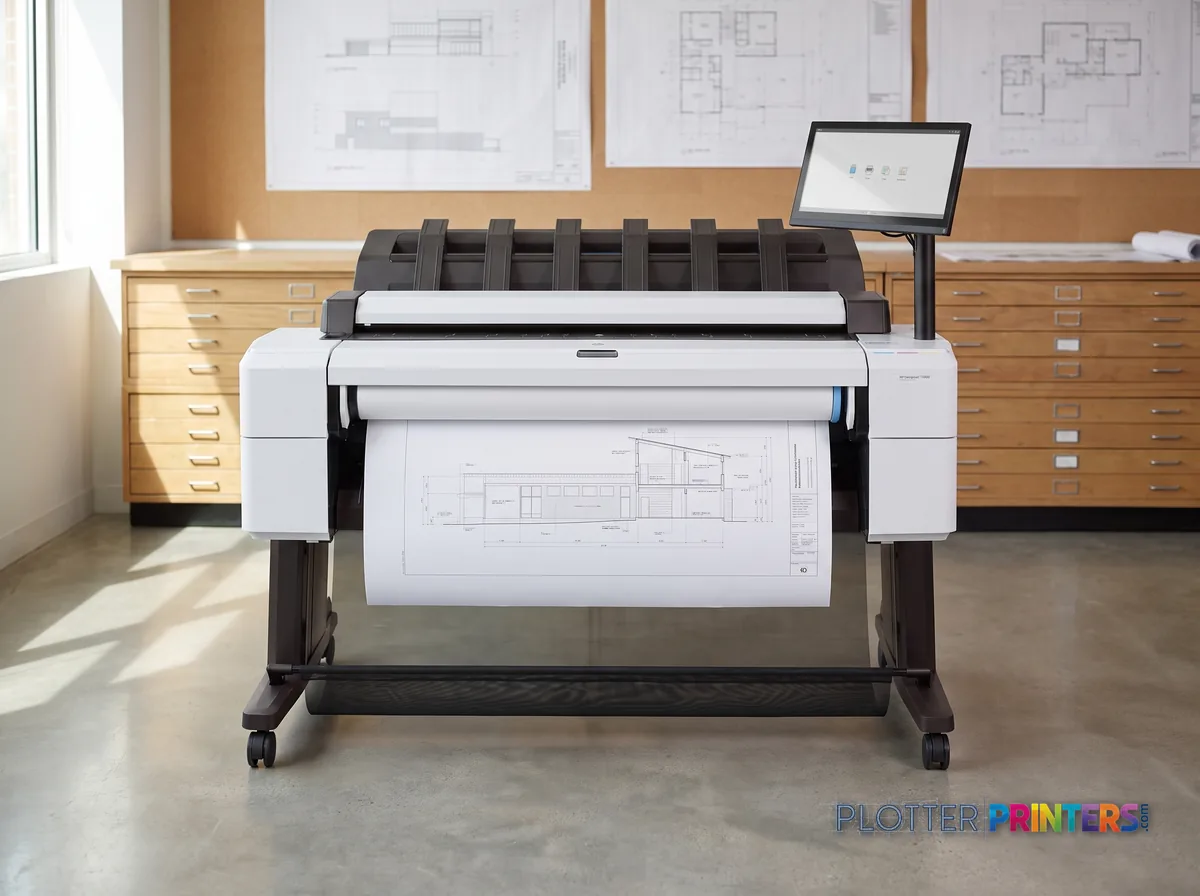
The HP DesignJet T2600PS MFP is a 36-inch color inkjet multifunction system built for the firm that stopped walking drawings to a separate scanner. It prints, copies and scans in one footprint, driving a 15.6-inch touchscreen, a six-ink set (including both matte and photo black plus gray) at up to 2400 x 1200 DPI, and an integrated 600 x 600 DPI scanner. The PostScript/PDF interpreter is the point of the “PS” badge: it rasterizes PDF 1.7, HP-GL/2 and TIFF natively, which matters when your permit sets arrive as PDFs and someone else’s driver isn’t in the loop.
- Multidiscipline studios that scan redlines and reprint marked-up sheets daily.
- MEP and structural teams printing color-coded coordination sets on bond.
- Offices standardizing on HP Click, Web Jetadmin and Security Manager for fleet control.
- Firms needing PostScript-accurate PDF output without a separate RIP.
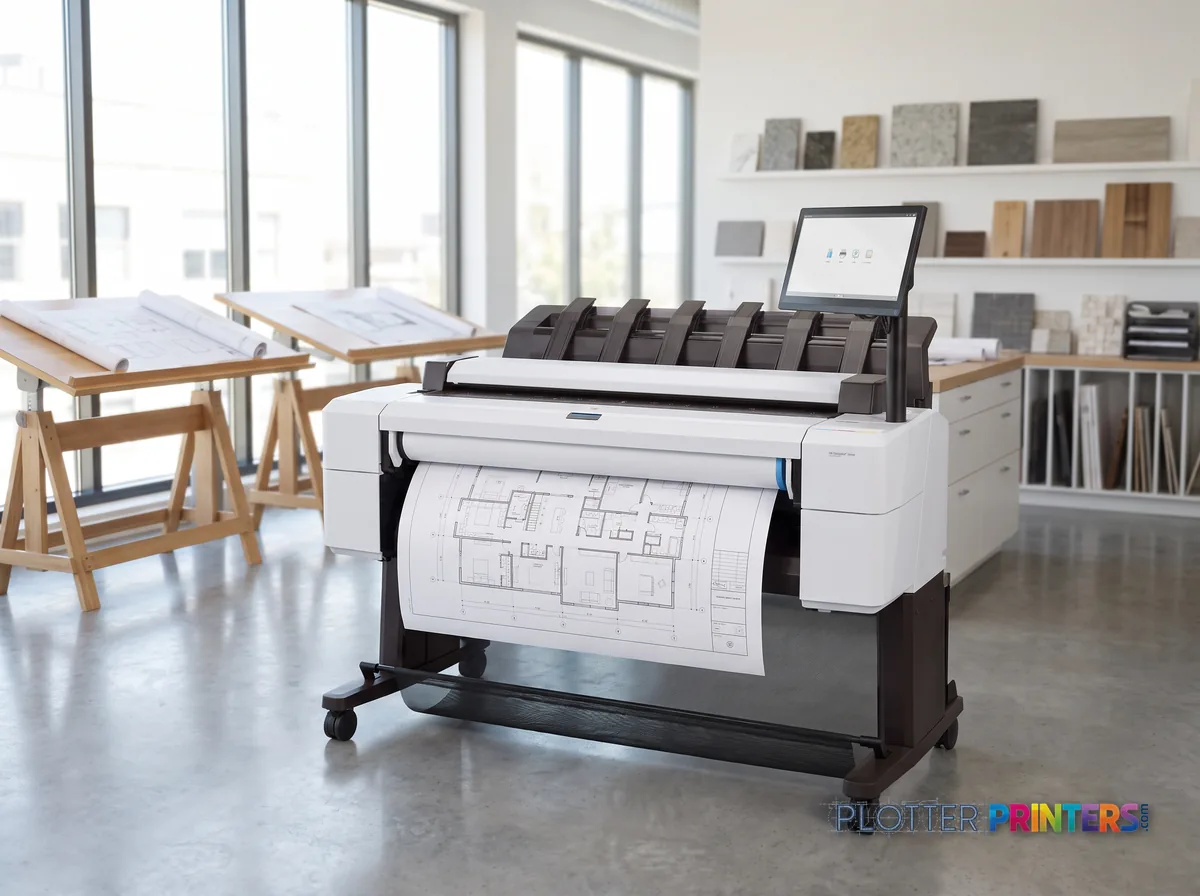
Where it isn’t the right tool: single-roll operation means a media swap every time A0 gives way to a bond run. High-volume shops that live on unattended roll-switching should look at the dual-roll HP DesignJet T2600dr 36-in; teams that never scan can drop to the printer-only HP DesignJet T1600 36-in.
- 36″Max print width
- 6Ink channels
- 2,400 dpiMax resolution
- 12 moIncluded warranty
Spec Analysis
overall
overall
At a glance
- Print width
- 36 in (up to 36" x 48" custom media)
- Configuration
- Color inkjet MFP — print, scan, copy
- Max resolution
- 2400 x 1200 DPI
- Ink set
- 6 inks: Cyan, Magenta, Yellow, Gray, Photo Black, Matte Black
- Scanner
- Integrated, 600 x 600 DPI optical
- Languages
- PostScript 3, PDF 1.7, HP-GL/2, TIFF, JPEG, HP-RTL, CALS G4
- Interface
- 15.6" touchscreen; Wi-Fi Direct; HP ePrint
- Footprint
- 54.7" W x 29.9" D x 48.8" H; 233.7 lbs
Ideal for: mid-volume AEC workgroups that scan, copy and print PostScript-accurate sheets from one 36-inch station. Not the tool for: high-throughput shops that need automatic dual-roll switching, or teams that never scan and only need a plotter.
Expert analysis
What you should know
Key takeaways
- The integrated scanner makes this model relevant for print, copy, redline capture and legacy-document workflows.
- Its 36-inch format and 36" x 48" maximum custom media size suit common AEC drawing and sheet-production work.
- PostScript 3, PDF 1.7, HP-GL/2, HP-RTL and CALS G4 support mixed technical-document environments.
- HP Web Jetadmin and HP Security Manager make IT administration part of the buying decision, not an afterthought.
- The HP DesignJet T2600dr 36-in is the family alternative when dual-roll operation is the key operational requirement.
A permit revision lands at 4:40, the superintendent needs a marked-up sheet at 5:00, and somebody also wants a color coordination plan scanned back into the project folder. That is the environment for the HP DesignJet T2600PS MFP 36-in: a color wide-format multifunction device built around printing, copying and scanning rather than treating the scanner as an afterthought.
For AEC teams working from PDF, CAD and mixed document sources, its practical appeal is breadth of file support: PostScript 3, PDF 1.7, HP-GL/2, HP-RTL, TIFF, JPEG and CALS G4 are all supported. The 36-inch format handles common plan work, while the six-color ink system gives drawings, GIS maps, presentation sheets and color-coded coordination documents more useful visual separation than monochrome output.
2400 x 1200 DPIMaximum print resolution
600 x 600 DPIOptical scan resolution
36" x 48" (914 x 1219 mm)Maximum custom media size
233.7 lbs (106 kg)Machine weight
Where it fits in an AEC workflow
This machine is particularly well suited to architecture, engineering, surveying and construction offices that need to produce and capture documents in the same location. Its copier resize range of 25 – 400% is useful when converting field markups, older plans or partial drawing areas into a working copy. The integrated 600 x 600 DPI optical scanner supports scan-and-send workflows for redlines, record documents and legacy drawings that need to return to a digital project file.
The media support is broad enough for ordinary bond plans as well as coated, matte, glossy, satin, photo and heavier papers. That gives a team one device for everyday construction documents and occasional client-facing boards. The trade-off is operational: specialty output still depends on the right media being loaded and the right file settings being chosen. A plotter that saves thirty seconds a plot buys you nothing if the file spends four minutes finding it.
HP Click App, HP Click Driver for Windows 11, HP App and direct printing provide several submission paths. In practice, standardizing one or two of them matters more than offering every possible route; it reduces driver support, accidental media mismatches and the familiar mystery of who printed a full-color plan set at the wrong scale.
Print, copy and file-handling considerations
The six printing colors are cyan, photo black, matte black, magenta, yellow and gray. That combination is relevant where line hierarchy, grayscale fills and color overlays need to remain distinct on ordinary office workflows. HP 730 and HP 766 inks are the compatible ink families listed for this model.
For document intake, supported page-description languages matter. Native handling of PDF 1.7, HP-GL/2, HP-RTL and CALS G4 is useful in organizations still receiving a mixture of modern PDFs, CAD-derived files and older technical-document formats. It does not eliminate the need to test the actual files your consultants issue; transparency effects, embedded fonts and oversized raster content can still shift processing time.
The physical footprint also deserves a site check: the unit is 54.7 inches wide, 29.9 inches deep and 48.8 inches high. It is an office-oriented multifunction device, but it still needs a sensible receiving area for wide sheets, room for an operator to load media, and a path for scanned originals. The scanner is free. The person standing at it is not.
IT, security and fleet fit
For IT teams, the useful conversation is not merely whether the printer connects; it is who can submit, track and administer work. The supplied software list includes HP Web Jetadmin and HP Security Manager, alongside HP SmartTracker as an optional tool. Wi-Fi Direct and HP ePrint add submission flexibility, while HP dynamic security is listed for the device. Those capabilities should be reviewed against the firm’s authentication, network-segmentation and approved-consumables policies before deployment.
Within this family, the HP DesignJet T2600dr 36-in is the logical step-up when dual-roll capability is the deciding workflow requirement. That advantage matters most where teams repeatedly switch between common plan media or need more unattended readiness. The HP DesignJet T1600 36-in is a relevant alternative for teams whose priority is 36-inch printing and whose scan-copy workflow is handled elsewhere. Compare the T2600PS MFP and T2600dr against the actual mix of print, scan and media-change events—not just their headline specifications.
Related evaluation tools
HP DesignJet T2600dr 36-inCompare the dual-roll scanner/MFP variant for busier mixed-media workflows.HP DesignJet T1600 36-inConsider a related 36-inch option where integrated scanning is not central.Wide-format AEC class rankingReview this model in the context of its class.How we evaluate wide-format equipmentSee the operational criteria behind our comparisons.
The read
The HP DesignJet T2600PS MFP 36-in makes the strongest case for an AEC office that regularly prints plans and also needs to copy or scan working documents without sending staff to a separate device. Its value is in consolidating those tasks around a 36-inch color workflow, supported by common technical file formats and fleet-management software. Choose the T2600PS MFP if scan-copy work is part of the daily document path; choose the HP DesignJet T2600dr 36-in if dual-roll readiness is the more persistent bottleneck; choose the HP DesignJet T1600 36-in if printing is the job and scanning lives somewhere else. Buy the machine for the workflow you have, not the one the brochure imagines.
Spec analysis
How the specs grade
Overall performance
- This printer
- HP DesignJet T2600dr MFP
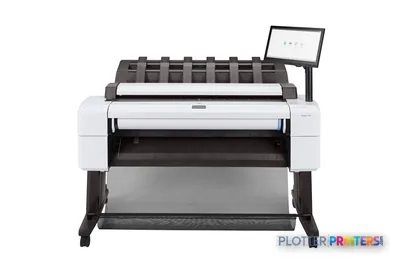
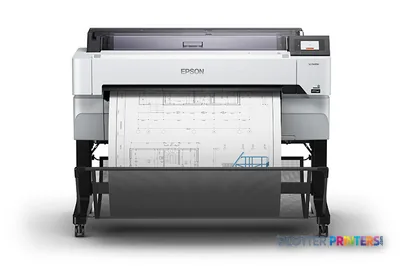
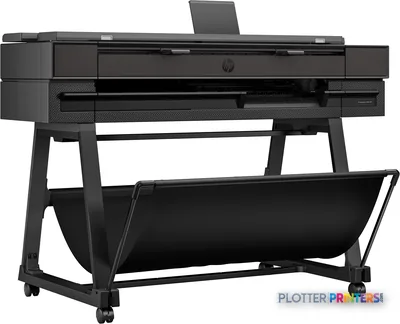
Verified specifications
The specs that decide it
| Print width | 36 in (914 mm) max roll widthmanufacturer-verified |
|---|---|
| Rated speed | 180 A1/hr, 19.3 sec/A1manufacturer-verified |
| Maximum resolution | Up to 2400 x 1200 optimized dpi |
| Ink set | 6 cartridges: Cyan, Photo black, Matte black, Magenta, Yellow, Gray |
| Printhead | 1 universal printheadmanufacturer-verified |
| Memory / storage | 128 GB memory, 500 GB internal storagemanufacturer-verified |
| Page description languages | Adobe PostScript 3, Adobe PDF 1.7, HP-GL/2, HP-RTL, TIFF, JPEG, CALS G4 |
| Connectivity | Gigabit Ethernet (1000Base-T), Wi-Fi, Wi-Fi Directmanufacturer-verified |
| Scanner resolution | 600 x 600 DPI optical |
| Weight / warranty | 240.3 lb (109 kg); two-year limited hardware warrantymanufacturer-verified |
manufacturer-verified = checked against the manufacturer’s official datasheet, not aggregator data. Everything else is standards-body / catalog data we consider reliable.
Specifications
Full technical detail
Max resolution2400 x 1200 DPI
ColorColor
Use caseCAD / Technical
Printing
| Color | Yes |
|---|---|
| Printing colors | Cyan, Photo black, Matte black, Magenta, Yellow, Gray |
| Resolution color | 2400 x 1200 DPI |
| Maximum resolution | 2400 x 1200 DPI |
| Number of print cartridges | 6 |
| Page description languages | PostScript 3, PDF 1.7, HP-GL/2, TIFF, JPEG, HP-RTL, CALS G4 |
Performance
| HP segment | Business |
|---|---|
| Certification | Compliant with Class A requirements, including: USA (FCC rules), Canada (ICES), EU (EMC Directive), Australia (ACMA), New Zealand (RSM), China (CCC), Japan (VCCI), Korea (KCC) |
Paper handling
| Custom media sizes | 210 x 279 to 914 x 1219 mm |
|---|---|
| Paper tray media types | Coated paper, Semi-glossy paper, Glossy paper, Bond paper, Photo paper, Matte paper, Heavy paper, Satin paper |
| ISO A-series sizes (A0…A9) | A0, A1, A2, A3, A4 |
Ports & interfaces
| Wi-Fi Direct | Yes |
|---|---|
| Direct printing | Yes |
| Mobile printing technologies | HP ePrint |
Technical details
| Box contents | HP DesignJet T2600 Multifuntion Printer, printer stand and media bin, 15.6" touchscreen, spindle(s)[8], printheads, introductory ink cartridges, user guide, power cords |
|---|
Weight & dimensions
| Depth | 29.9" (760 mm) |
|---|---|
| Width | 54.7" (1390 mm) |
| Height | 48.8" (1240 mm) |
| Weight | 233.7 lbs (106 kg) |
Power
| AC input frequency | 50/60 Hz |
|---|---|
| Power consumption (off) | 0.3 W |
| Power consumption (sleep) | 10 W |
Operational conditions
| Storage temperature (T-T) | -25 – 55 °C |
|---|---|
| Operating temperature (T-T) | 5 – 35 °C |
| Operating relative humidity (H-H) | 20 – 80% |
Other features
| UNSPSC-code | 43212104 |
|---|---|
| Electromagnetic compatibility | Compliant with Class A requirements, including: USA (FCC rules), Canada (ICES), EU (EMC Directive), Australia (ACMA), New Zealand (RSM), China (CCC), Japan (VCCI), Korea (KCC) |
Copying
| Copier resize | 25 – 400% |
|---|
Scanning
| Optical scanning resolution | 600 x 600 DPI |
|---|
Packaging data
| Package depth | 30.2" (767 mm) |
|---|---|
| Package width | 58.1" (1477 mm) |
| Package height | 31.5" (800 mm) |
| Package weight | 302 lbs (137 kg) |
| Bundled software | HP Click App, HP App, HP Web Jetadmin, HP Security Manager, HP SmartTracker (optional), HP Click Driver for Windows 11, HP Build Workspace, HP SmartStream (optional) |
Sustainability
| Sustainability certificates | ENERGY STAR |
|---|
Brand-specific features
| HP dynamic security | Yes |
|---|
Everything that fits the HP DesignJet T2600PS MFP
The full supplies hub lists every cartridge, printhead, roll and accessory verified against the manufacturer's own documentation for this machine.
1 printhead · 12 paper & media items · 1 coverage plan
HP DesignJet T2600PS MFP ink and paper →Supplies
Compatible ink, printheads & media
Genuine consumables that fit the HP DesignJet T2600PS MFP 36-in — only the cartridges, printheads and media compatible with this model.
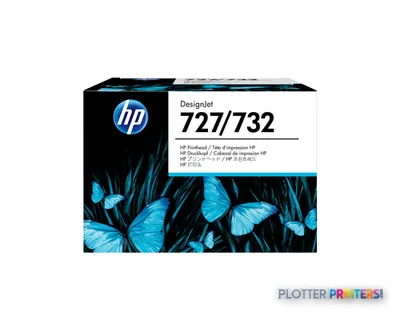
Printheads 1
Paper & Media 12
 Representative image11 Mil Water-Resistant Synthetic BannerRepresentative image15 Mil Water-Resistant Econo Scrim VinylRepresentative image16 Mil WR Opaque Scrim Vinyl (3″ AC)Representative image200gsm Special Matte Photo PaperRepresentative image230gsm Special Matte Photo PaperRepresentative imageWSL 28LB Simple Inkjet Coated Matte Paper (C2S) (448)Representative image5 Mil Water-Resistant Self-Adh Vinyl (3" AC)Representative image6 Mil Water-Resistant Self-Adhesive PolypropyleneRepresentative image24LB Inkjet Coated Matte Paper Economy (714)Representative image20LB Inkjet Bond Paper (730)Representative image24LB Inkjet Bond Paper (731)Representative image20LB High Brite Inkjet Bond Paper (740)
Coverage & Support Plans 1
Questions
Straight answers
Is the HP DesignJet T2600PS MFP suitable for CAD and PDF plan files?
It supports PostScript 3, PDF 1.7, HP-GL/2, HP-RTL, TIFF, JPEG and CALS G4. Firms should still test representative consultant files, especially complex PDFs with embedded fonts or large raster content.
Can it scan and copy wide-format drawings?
Yes. It is a multifunction device with 600 x 600 DPI optical scanning and copier resizing from 25 – 400%.
What types of AEC output can it handle?
The listed media types include bond, coated, matte, glossy, semi-glossy, satin, photo and heavy paper. This supports routine plans as well as color coordination documents and presentation-oriented sheets.
Which inks are compatible with this machine?
The compatible consumable families listed are HP 730 and HP 766 inks. The printer uses six printing colors: cyan, photo black, matte black, magenta, yellow and gray.
What should IT review before deployment?
Review the use of Wi-Fi Direct, HP ePrint, HP dynamic security, HP Web Jetadmin and HP Security Manager against network, authentication and consumables policies. Also decide which approved submission path staff should use.
When should a buyer consider the HP DesignJet T2600dr 36-in instead?
Consider it when dual-roll capability is important to the workflow. That is most relevant when media switching or keeping more than one roll ready becomes a recurring source of operator delay.
Ready to put the HP DesignJet T2600PS MFP to work?
Configuration, media and a quote tailored to your workflow — from AEC plotter specialists.