
Home / Wide-Format Printers / Epson SureColor
Epson · Wide-Format Plotter
Epson SureColor SC-F6400
44" dye-sublimation printer
- ModelSC-F6400
- Prints44" wide
- Score40/100
Authorized Epson dealerGenuine hardware & ink
1-year warranty includedExtension plans available
Free shippingContinental U.S.
Plotter specialistsAEC experts, not just sellers
Analyst take
- The Epson SC-F6400 is a dye-sublimation, roll-media device rather than a conventional AEC CAD plotter.
- It is most relevant for specialty visual-communications work that genuinely uses a transfer-media workflow.
- The machine has Ethernet LAN and USB connectivity, but Wi-Fi is not listed.
Not sure if the SC-F6400 is right for you?
Compare key specs and an AI analyst read-out against similar models.
- Wide-format reach Prints up to 44" wide on rolls and sheets.
- Fine detail 600 x 1200 DPI maximum resolution for crisp line work.
- Productivity Rated at Up to 820.
- Ink platform Black, Cyan, Magenta, Yellow.
- Connectivity Ethernet for shared team printing.
- Verified specs 5 specs checked against the manufacturer datasheet.
Overview
Built for the work
Epson SureColor SC-F6400, Dye-sublimation, 600 x 1200 DPI, Black, Cyan, Magenta, Yellow, Roll, 0.08 – 0.5 mm, 10,100 Mbit/s
- 44″Max print width
- 4Ink channels
- 1,200 dpiMax resolution
- 12 moIncluded warranty
Spec Analysis
overall
overall
Expert analysis
What you should know

Key takeaways
- The Epson SC-F6400 is a dye-sublimation, roll-media device rather than a conventional AEC CAD plotter.
- It is most relevant for specialty visual-communications work that genuinely uses a transfer-media workflow.
- The machine has Ethernet LAN and USB connectivity, but Wi-Fi is not listed.
- Scanning and copying are not available, so it cannot consolidate plan-copy or archive workflows.
- Compare the SC-F6400 with the Epson SC-F6400H 44-in for a close dye-sublimation alternative and with the Epson SC-F6300 44-in when inkjet output is the real requirement.
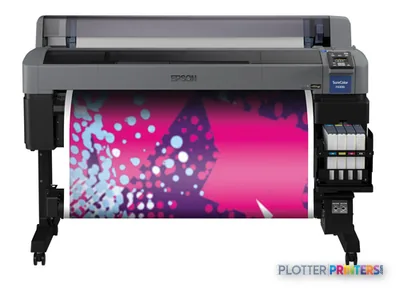
On a busy construction floor, the work that catches the eye is often not the permit set but the branded fabric display, event graphic, or project-environment installation around it. The Epson SC-F6400 is a 44-inch-class dye-sublimation machine for that more specialized output—not a conventional CAD plan printer. It renders color with four inks and accepts roll media, making it relevant when an AEC team’s visual-communications work includes dye-sublimation transfer workflows.
That distinction matters. A civil team issuing marked-up bond plans, or a contractor needing quick scan-copy distribution, should evaluate a dedicated technical-document device instead. The SC-F6400 has neither scanning nor copying, and its supplied data does not establish ordinary bond-paper plan production as its purpose. Think of it as a focused color-output tool alongside the document-production fleet, rather than its replacement.
600 x 1200 DPIMaximum resolutionSpecified maximum resolution.
0.003"–0.02" (0.08 – 0.5 mm)Media thicknessSpecified supported media-thickness range.
63.3" (1608 mm)Machine footprintOverall width.
Dye-sublimationPrint technologyA different process from a conventional technical inkjet plotter.
Where it belongs in an AEC operation
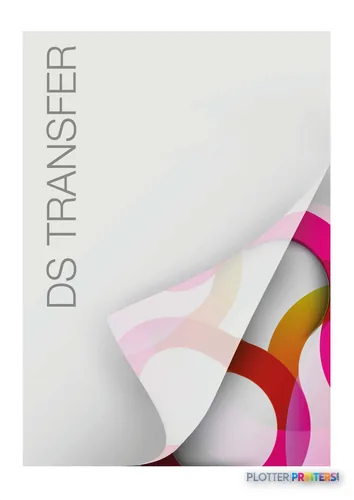
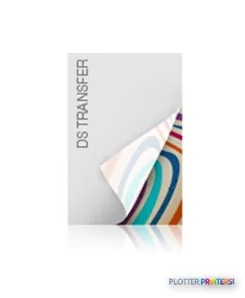
The most credible fit is an in-house visual-communications workflow that already has a reason to use dye-sublimation transfer media: project branding, display graphics, event materials, or specialty color applications managed near the design or marketing group. The four-color configuration—Black, Cyan, Magenta, and Yellow—keeps the setup direct. Epson UltraChrome DS inks and Epson DS Transfer media are the named consumable families to confirm with the intended workflow.
For ordinary drawing sets, ask a more basic question first: does the job need transfer output, or does it need fast, repeatable technical documents on the media your team already stocks? The specification does not answer that operational question for you. It is particularly important where tiny dimensions, revision clouds, and small annotations must remain dependable across routine bond-paper issue sets.
Connectivity and daily handling
The SC-F6400 provides Ethernet LAN at 10,100 Mbit/s and a USB port, with a built-in touch display. Wi-Fi is not listed. That will suit a managed wired location, but IT should confirm driver deployment and the supported Windows environment before purchase; the supplied compatibility list includes Windows 7, Windows 8, Windows 8.1, and Windows 10.
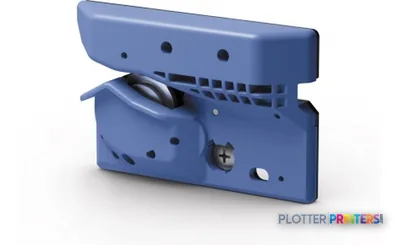
Its 63.3-inch width, 44.4-inch depth, 36.1-inch height, and 264.6 lbs weight deserve a real site check. Roll-only media handling can be entirely appropriate for a dedicated transfer workflow, yet it does not provide the paper-source flexibility some print rooms expect. Plan for the Epson Waste ink bottle and the listed Epson C13S400145 printhead as part of the operating-support conversation.
The adjacent choices to examine
The Epson SC-F6400H 44-in is the closest named in-family comparison and shares the listed 44-inch format, dye-sublimation technology, and 600 x 1200 DPI resolution. Review the configuration details that matter to your intended application rather than assuming that a letter suffix alone solves a workflow gap.
If the real need is an inkjet-based alternative, the Epson SC-F6300 44-in is cataloged as Inkjet and at 720 x 1440 DPI. That is a meaningful technology difference, not a minor specification change. The older Epson SC-F7200 is also cataloged as dye-sublimation, while the SC-F6400 and SC-F6300 comparison is a sensible place to frame the transfer-versus-inkjet decision. Do not let maximum resolution alone decide it; media, finishing path, file types, service support, and the actual output required carry more weight.
Compare the workflow, not just the hardware
The read
The Epson SC-F6400 fits an AEC organization when dye-sublimation transfer output is a defined, recurring need and the machine can sit within a wired, roll-fed production workflow. It may be less appropriate for architects, engineers, surveyors, and contractors seeking one device for plan printing, scanning, copying, and mixed day-to-day document work. Treat it as a specialist color station: capable within its process, but not a substitute for the technical-document equipment that keeps a live project moving.
Spec analysis
How the specs grade
Overall performance
within dye-sublimation printers
60% spec coverage
- This printer
Verified specifications
The specs that decide it
| Maximum print width | 44 in |
|---|---|
| Print technology | Dye-sublimation |
| Maximum resolution | 1,200 x 600manufacturer-verified |
| Print speed | Up to 820manufacturer-verified |
| Printing colors | Black, Cyan, Magenta, Yellow |
| Number of print cartridges | 4manufacturer-verified |
| Media thickness | 0.5manufacturer-verified |
| Scanning | No |
| Wi-Fi | No |
| Ethernet | 1000Base-T Ethernet (1 port)manufacturer-verified |
manufacturer-verified = checked against the manufacturer’s official datasheet, not aggregator data. Everything else is standards-body / catalog data we consider reliable.
Specifications
Full technical detail
Print technologyDye-sublimation
Max resolution600 x 1200 DPI
ColorColor
ConnectivityEthernet (Gigabit LAN), USB
Use caseGraphics / Production
Printing
| Color | Yes |
|---|---|
| Printing colors | Black, Cyan, Magenta, Yellow |
| Print technology | Dye-sublimation |
| Maximum resolution | 600 x 1200 DPI |
| Number of print cartridges | 4 |
Performance
| Control type | Touch |
|---|---|
| Product color | Black |
| Built-in display | Yes |
Paper handling
| Media thickness | 0.08 – 0.5 mm |
|---|---|
| Paper tray media types | Roll |
Ports & interfaces
| Wi-Fi | No |
|---|---|
| USB port | Yes |
| Ethernet LAN | Yes |
| Ethernet LAN data rates | 10,100 Mbit/s |
Weight & dimensions
| Depth | 44.4" (1128 mm) |
|---|---|
| Width | 63.3" (1608 mm) |
| Height | 36.1" (917 mm) |
| Weight | 264.6 lbs (120 kg) |
Copying
| Copying | No |
|---|
Scanning
| Scanning | No |
|---|
System requirements
| Windows operating systems supported | Windows 10, Windows 7, Windows 8, Windows 8.1 |
|---|
Everything that fits the Epson SureColor SC-F6400
The full supplies hub lists every cartridge, printhead, roll and accessory verified against the manufacturer's own documentation for this machine.
4 ink cartridges · 4 accessories
Epson SureColor SC-F6400 ink and paper →Supplies
Compatible ink, printheads & media
Genuine consumables that fit the Epson SureColor SC-F6400 44-in — only the cartridges, printheads and media compatible with this model.
Ink Cartridges 4
Questions
Straight answers
Can the Epson SC-F6400 replace our plan printer?
Not on the supplied specifications alone. It is a dye-sublimation machine with roll media handling, no scanning, and no copying; those facts point to a specialist output role rather than a general technical-document hub.
What media and inks should buyers plan around?
The resolved consumables include Epson UltraChrome DS inks and Epson DS Transfer media families, including Multi-Purpose and Production transfer options. Confirm the complete transfer and finishing workflow with the supplier before standardizing on it.
Does it support network deployment?
Yes. Ethernet LAN is listed at 10,100 Mbit/s, and a USB port is also listed. Wi-Fi is not listed, so a wired network location should be part of the installation plan.
Which Windows systems are listed as supported?
Windows 7, Windows 8, Windows 8.1, and Windows 10 are listed. IT should still validate the intended driver and job-submission workflow in its own managed environment.
What is the closest in-family machine to compare?
The Epson SC-F6400H 44-in is the closest listed comparison, sharing the stated 44-inch format, dye-sublimation technology, and 600 x 1200 DPI resolution. Review the specific configuration and application requirements before choosing between them.
Ready to put the Epson SureColor SC-F6400 to work?
Configuration, media and a quote tailored to your workflow — from AEC plotter specialists.