
Home / Wide-Format Printers / Epson SureColor
Epson · Wide-Format Plotter
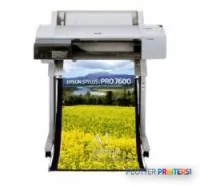
Epson Stylus Pro 7600
24" technical / CAD plotter
- Model7600
- Prints24" wide
Authorized Epson dealerGenuine hardware & ink
Manufacturer warrantyExtension plans available
Free shippingContinental U.S.
Plotter specialistsAEC experts, not just sellers
Analyst take
- The Epson Stylus Pro 7600 prints color output up to 24 inches wide and up to 24 x 42 inches.
- Roll and cut-sheet support suit small technical jobs, but the single input tray limits media-switching convenience.
- Epson’s 55-minute A1 best-quality figure applies to a specific photo-print setting and should not be used to forecast drawing-set turnaround.
Not sure if the 7600 is right for you?
Compare key specs and an AI analyst read-out against similar models.
Overview
Built for the work
Epson Stylus Pro 7600, 2880 x 1440 DPI, A1 size: About 55 minutes (2880x1440dpi, Advanced Photo 2880, Premium Glossy Photo Paper), Up to 17.8m2/hr (Plain paper, economy mode, double-matte black ink configuration), Colour and monochrome heads, 672 nozzles (96 nozzles x 7), 610 x 1067 mm, Roll or Cut Sheet
- 192 ft²/hRated speed
- 4Ink channels
- 2,880 dpiMax resolution
Expert analysis
What you should know

Key takeaways
- The Epson Stylus Pro 7600 prints color output up to 24 inches wide and up to 24 x 42 inches.
- Roll and cut-sheet support suit small technical jobs, but the single input tray limits media-switching convenience.
- Epson’s 55-minute A1 best-quality figure applies to a specific photo-print setting and should not be used to forecast drawing-set turnaround.
- The rated economy-mode plain-paper speed needs allowance for PDF processing, media handling, and sorting.
- USB 2.0 and parallel connectivity require an IT check before deployment in a shared office workflow.
- No in-family step-up or step-down model is present in the supplied catalog set.
At 4:45 p.m., the person at the output tray does not care about a printer’s brochure language. They need a legible 24-inch sheet, a clean PDF plot, or a color coordination drawing that can be marked up before the meeting starts. The Epson Stylus Pro 7600 is a 24-inch color inkjet for that desk-side technical-print role: proofs, smaller plan sheets, maps, exhibits, and occasional presentation output.
It accepts roll or cut-sheet media and prints up to 24 x 42 inches. That makes it a practical fit where ANSI D output matters, but it is not a substitute for a wider production plotter when full-size 36-inch construction documents are the daily diet. Paper has a way of exposing optimistic purchasing decisions.
24" (610mm)Maximum media widthLimits output to 24-inch-wide work.
24" x 42" (610 x 1067 mm)Maximum print sizeSuitable for ANSI D-size sheets.
2880 x 1440 DPIMaximum resolutionUseful when fine color graphics and detail need attention.
Up to 17.8m2/hr (Plain paper, economy mode, double-matte black ink configuration)Normal-quality rated speedA manufacturer-rated economy-mode figure, not a bid-set throughput promise.
Where it earns its desk space
The 7600 makes the most sense for teams that need color without needing a full production department. Architects can use it for smaller drawing packages and presentation sheets. Civil and survey teams can use it for color-coded maps and markups. Contractors can keep logistics plans, phasing drawings, and coordination sheets close to the project team instead of sending every job out.
The 2880 x 1440 DPI maximum resolution gives the machine enough headroom for detailed graphics. Its drop-on-demand piezoelectric inkjet technology and 672-nozzle color and monochrome head arrangement are relevant because small labels, linework, and shaded overlays all live on the same sheet in AEC work. The result still depends on the source PDF, driver settings, media, and the person who exported the file five minutes before deadline.
There is one input tray, with support for roll or cut sheet. That is straightforward for a single active media type. It is less convenient when plain bond, specialty media, and multiple sheet sizes must be ready without operator intervention.
Bottom line: This is a sensible 24-inch color printer for intermittent technical output, not an unattended plan-set engine.
Use the plot-time estimator to frame a typical job, then allow extra time for file processing, media changes, and collecting a finished set.
One set: – · Weekly plotting time: –
Computed from the manufacturer's rated 192 ft²/h. Real-world mixed sets run slower — treat this as a best case for comparing machines, not a promise.
Speed needs context, especially near deadline
Epson states an A1 print at best quality takes about 55 minutes when using 2880x1440dpi, Advanced Photo 2880, and Premium Glossy Photo Paper. That is a photo-quality scenario, not the setting most AEC teams use for ordinary bond drawings. Epson also states normal-quality output can reach up to 17.8m2/hr on plain paper in economy mode with a double-matte black ink configuration.
Neither figure tells you how quickly a real project package lands in the tray. PDF complexity, raster-heavy BIM exports, page-size changes, roll loading, and the need to sort sheets all take their turn. For a few sheets, that may be perfectly acceptable. For repeated issue sets, it becomes the workday’s little trapdoor.
Connectivity reflects an older office environment: one USB 2.0 port and one parallel port are specified. Bundled utility software includes maintenance, diagnostics, error correction, and user-installable firmware upgrades. IT should confirm the intended workstation, driver, and network path before treating this as a shared modern print-room device.
Bottom line: Judge this machine by the time from PDF submission to usable drawing, not by its most favorable rated mode.
Media, consumables, and the comparison buyers should make
The Epson Stylus Pro 7600 supports rolls up to 7952.8 inches in length and cut sheets, with a maximum width of 24 inches. Its 43.3 x 23.8 x 22.1-inch body and 95.9-pound weight make placement easier than a larger plotter, though it still needs sensible clearance for loading media and retrieving output.
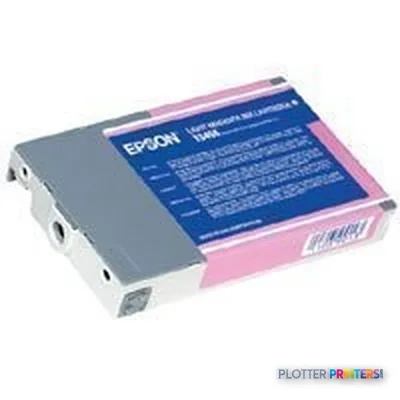
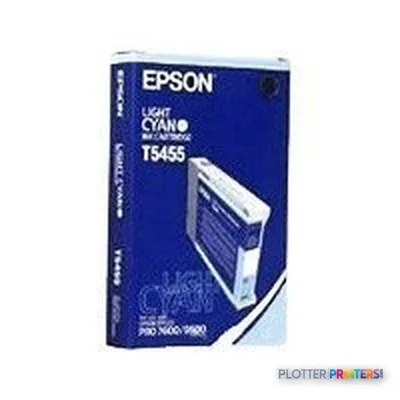
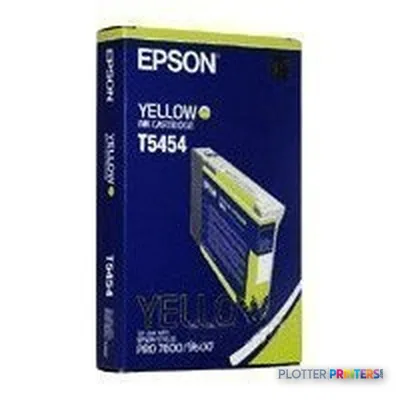
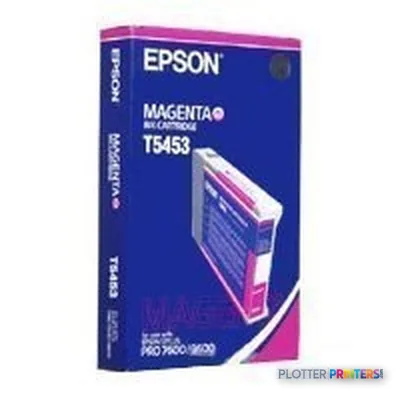
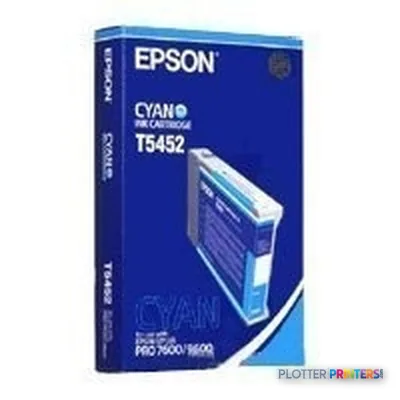
Resolved consumables include Epson Singlepack Black, Epson Singlepack Colour, Epson Singlepack Cyan, Epson Singlepack Light Cyan, and Epson Singlepack Light Magenta. Confirm availability and support arrangements before committing this machine to a deadline-critical role.
There is no in-family step-up or step-down model in this catalog set. Buyers wanting a current catalog alternative can review the Canon GP-200 24-in or Canon GP-2600S 24-in. A direct comparison with the Canon GP-200 24-in is a useful way to check the practical differences that matter to your files and media.
Bottom line: The 7600 fits 24-inch color work well when the team can live with a single active media path and older-style connectivity.
Compare related 24-inch options
Canon GP-200 24-inA catalog-listed 24-inch alternative for buyers reviewing comparable format options.Canon GP-2000 24-inAnother catalog-listed 24-inch color printer to consider beside the 7600.Canon GP-2600S 24-inA 24-inch catalog alternative for teams comparing output requirements.24-inch printer class rankingReview the broader class before choosing around one specification.
The read
The Epson Stylus Pro 7600 is for an AEC office that needs capable 24-inch color output for drawings, maps, review sheets, and presentation work, without pretending every job is a production run. It is less appropriate for teams issuing frequent full-size 36-inch sets, switching media constantly, or relying on modern shared-network workflows. Confirm your actual sheet sizes, file path, consumable availability, and support plan first. Bottom line: Buy it for contained 24-inch technical work, not for a print-room workload that has already outgrown it.
Spec analysis
How the specs grade
Overall performance
—Not enough data for an overall score
Individual dimensions are shown where the specs support them.
- This printer
- Epson SureColor T3475
Category leaders best technical / CAD plotters, by dimension
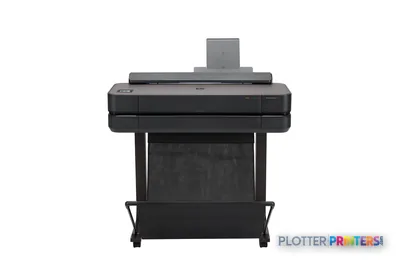
Verified specifications
The specs that decide it
| Maximum resolution | 2880 x 1440 DPI |
|---|---|
| Internal memory | 32 MB |
| Maximum print size | 610 x 1067 mm |
| Power consumption | 50 W |
Specifications
Full technical detail
Max resolution2880 x 1440 DPI
Max print width24"
ConnectivityUSB
Use casePhoto / Fine Art
Printing
| Color | Yes |
|---|---|
| Print head | Colour and monochrome heads, 672 nozzles (96 nozzles x 7) |
| Maximum resolution | 2880 x 1440 DPI |
| Color printing technology | Drop on demand piezoelectric inkjet technology |
| Print speed (best quality) | A1 size: About 55 minutes (2880x1440dpi, Advanced Photo 2880, Premium Glossy Photo Paper) |
| Print speed (normal quality) | Up to 17.8m2/hr (Plain paper, economy mode, double-matte black ink configuration) |
Performance
| Internal memory | 32 MB |
|---|
Paper handling
| Maximum print size | 610 x 1067 mm |
|---|---|
| Maximum media width | 610mm |
| Maximum roll length | 7952.8" (202 m) |
| Media types supported | Roll or Cut Sheet |
Ports & interfaces
| USB port | Yes |
|---|---|
| USB connector | USB Type-A |
| USB 2.0 ports quantity | 1 |
| Parallel ports quantity | 1 |
Weight & dimensions
| Weight | 95.9 lbs (43.5 kg) |
|---|---|
| Dimensions (WxDxH) | 43.3 x 23.8 x 22.1" (1100 x 605 x 561 mm) |
Power
| Power requirements | AC 100V – 240V |
|---|---|
| Power consumption (typical) | 50 W |
Operational conditions
| Operating temperature (T-T) | 20 – 80 °C |
|---|---|
| Maximum operating temperature range (T-T) | 10 – 35 °C |
Other features
| Minimum system requirements | Windows 95/98/Me/NT4.0/2000/XP: 1GHz Pentium III or faster processor, 256MB or more RAM, 8GB or more free hard disk space. Macintosh PowerPC G4 733MHz or faster, System 9.x or later, 130MB available RAM, 8GB or more free hard disk space |
|---|
Packaging data
| Bundled software | Comprehensive utility software featuring executable maintenance, diagnostic tools, error-correction and user installable firmware upgrades |
|---|
System requirements
| Mac compatibility | Yes |
|---|
Input & output capacity
| Total number of input trays | 1 |
|---|
Everything that fits the Epson Stylus Pro 7600
The full supplies hub lists every cartridge, printhead, roll and accessory verified against the manufacturer's own documentation for this machine.
6 ink cartridges
Epson Stylus Pro 7600 ink and paper →Supplies
Compatible ink, printheads & media
Genuine consumables that fit the Epson Stylus Pro 7600 24-in — only the cartridges, printheads and media compatible with this model.
Questions
Straight answers
What AEC output fits the Epson Stylus Pro 7600?
It fits 24-inch-wide color output such as ANSI D sheets, maps, marked-up drawings, coordination graphics, and presentation work. Its maximum print size is 24 x 42 inches.
Can it print full-size 36-inch construction plans?
No. The specified maximum media width is 24 inches, so it is not the right machine for 36-inch-wide plan production.
How fast is the Epson Stylus Pro 7600?
Epson states up to 17.8m2/hr on plain paper in economy mode with a double-matte black ink configuration. Epson also states an A1 print at its specified best-quality photo setting takes about 55 minutes; real PDF-set turnaround will vary.
What media can it handle?
It supports roll or cut-sheet media. The maximum roll length is specified as 7952.8 inches, and the maximum media width is 24 inches.
What connections does it have?
The supplied specifications list one USB 2.0 port and one parallel port. Confirm workstation and network workflow compatibility before installation.
Which consumables are listed for this printer?
The resolved consumables are Epson Singlepack Black, Epson Singlepack Colour, Epson Singlepack Cyan, Epson Singlepack Light Cyan, and Epson Singlepack Light Magenta.
Ready to put the Epson Stylus Pro 7600 to work?
Configuration, media and a quote tailored to your workflow — from AEC plotter specialists.