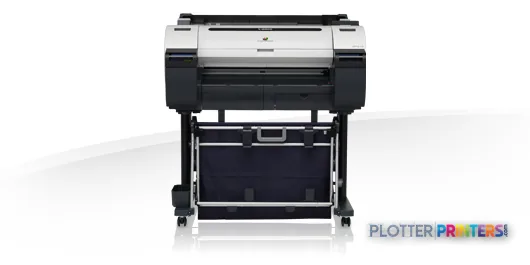
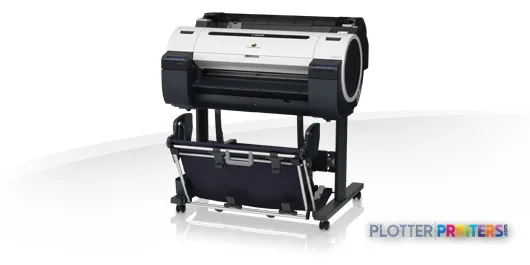
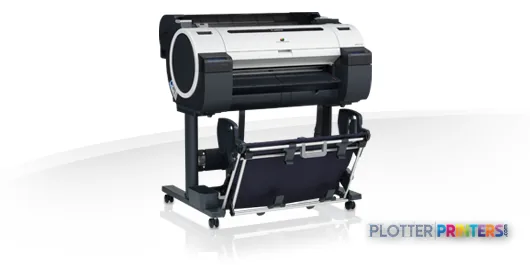
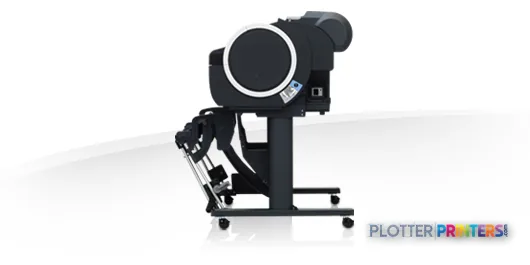
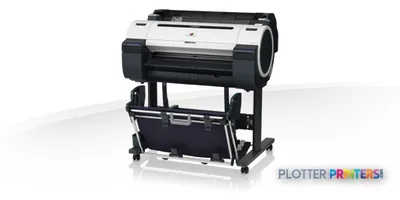
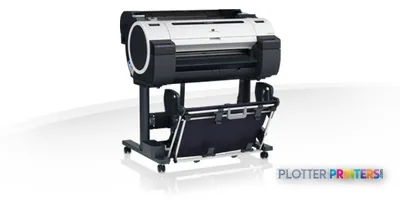
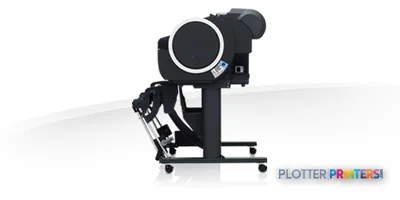
The 24-inch media width and A1 maximum size make this a focused technical-print device rather than a universal plan-room printer.
The L24 CIS scanner supports copy and capture work, with listed black scanning faster than color scanning.
HP-GL/2 and HP-RTL support matter for technical drawing workflows, but the real driver path should be tested before rollout.
The listed 0.2% accuracy specification is useful context, but scale-sensitive work still needs a printed verification check.
Teams that routinely need 36-inch output should evaluate the Canon iPF710 36-in instead of forcing larger sheets through a 24-inch workflow.
Someone in the project room needs a marked-up plan copied before the superintendent calls again. The Canon iPF670 with L24 scanner is built for that sort of compact technical-print job: scan, copy, or print color and monochrome drawings up to A1 size from roll paper or cut sheets.
It is a 24-inch inkjet MFP with CIS scanning, Gigabit Ethernet, USB, and HP-GL/2 and HP-RTL support alongside Canon’s GARO language. That makes it a sensible fit for CAD and PDF drawing workflows where the printer has to live near the people issuing sheets, not in a separate reprographics department.
A1 (23" x 33" (594 x 841 mm))Maximum print sizeConfirm sheet standards before making it the office plan-set device.
141 pphListed A1 normal-quality speedUseful context, but mixed files, scanning, roll changes, and pickup time still shape the deadline.
0.2%Specified accuracyA meaningful figure for technical output, provided media and file setup are controlled.
2400 x 1200 DPIMaximum resolutionResolution supports detail; it does not replace checking a live CAD test file.
A compact 24-inch technical-print footprint for project teams that need local output and scanning.
Where it earns its floor space
The iPF670 is most at home in a small architecture studio, survey office, field engineering room, or contractor’s project office. Its 24-inch roll capacity suits A1, A2, and A3 work, while cut-sheet support helps when a one-off sheet lands five minutes before a meeting. The listed media-thickness range of 0.003 to 0.059 inches gives it room for ordinary technical media and selected heavier stock.
Five inks—black, cyan, magenta, matte black, and yellow—make color-coded coordination drawings, GIS maps, and redline copies practical without turning every sheet into a presentation-print exercise. The 0.2% accuracy specification is relevant for drawings, but no one should confuse a specification with a scale check. Print a real border and verify it. We have all learned that lesson after the deadline, which is not the preferred training schedule.
Bottom line: This is a local technical-output device, not a substitute for a high-volume plan-room production system.
The scanner changes the conversation
The L24’s CIS scan technology gives this configuration a practical copying and capture role. Black scanning is listed at 3 ips and color at 1 ips. That distinction matters when a stack of marked-up monochrome drawings arrives at 4:45 p.m.; color scans will take more patience. Use it for redlines, field sketches, and smaller archive tasks, not as an assumption of unattended document conversion.
Networked teams can use Gigabit Ethernet, while USB Type-A provides local connectivity. The supported page-description languages include HP-GL/2 and HP-RTL, which remain relevant in technical drawing environments. Before deployment, have IT test the actual driver path, PDF workflow, authentication expectations, and operating-system compatibility against the stated Windows and Mac requirements.
Bottom line: The scanner adds real day-to-day utility, but it does not eliminate the need for a clean document workflow.
Paper size is the decision point
The listed maximum print size is A1 at 23 by 33 inches, with 24-inch roll and sheet media width. That makes this machine a natural match for A-series technical documents. Firms routinely issuing larger American plan sheets should stop here and test their actual title-block sizes before assuming a 24-inch device will cover them.
If 36-inch output is part of the normal workload, the Canon iPF710 36-in has the wider format listed in this family. If the requirement remains 24 inches but the buyer wants to review nearby family choices, compare the Canon iPF680 24-in and Canon iPF685 24-in using actual drawings, not a brochure checklist. The side-by-side comparison is a useful place to begin.
Bottom line: The width limit is either perfectly sensible or a daily nuisance; there is rarely a middle ground.
The L24 scanner makes copying marked-up drawings part of the same workstation.
Supplies, service, and the unglamorous bits
This unit uses five cartridges and the Canon PF-04 printhead. The compatible supply list also includes the Canon MC-10 maintenance cartridge. Ask the supplier who performs printhead replacement, how maintenance waste is handled, and what turnaround applies when the device is down. Those answers matter more than the box dimensions when permit sheets are due.
The printer is listed at 46 dB during printing, draws 140 W typically, and carries ENERGY STAR certification. Its 39.3-inch width, 27.5-inch depth, and 19.8-inch height are manageable for an office location, but leave space for loading media and collecting output. A printer that technically fits under a counter is often a printer that jams at the worst possible moment.
Bottom line: Buy the service plan and physical placement around the workflow, not around an empty corner.
The Canon iPF670 with L24 scanner fits AEC teams that need nearby A1 technical printing, color markup capability, and occasional drawing capture in one compact station. It becomes less appropriate when 36-inch sheets, sustained unattended output, or large-scale archive scanning are routine. Test the machine with a real CAD file, a complex PDF, a marked-up scan, and the media your team actually buys. That is the only demo that counts.
Verified specifications
The specs that decide it
Maximum print width
24 in
Print technology
Inkjet
Maximum resolution
2400 x 1200 DPI
Printing colors
Black, Cyan, Magenta, Matte black, Yellow
Number of print cartridges
5
Page description languages
GARO, HP-GL/2, HP-RTL
Internal memory
256 MB
Maximum print size
A1 (594 x 841 mm)
Media thickness
0.07 – 1.5 mm
Maximum roll diameter
5.91" (15 cm)
Sound level (printing)
46 dB
Power consumption
140 W
Specifications
Full technical detail
Print technologyInkjet
Max resolution2400 x 1200 DPI
Max print width24"
ColorColor
ConnectivityUSB
Use caseCAD / Technical
Printing
Color
Yes
Print head
PF-04
Printing colors
Black, Cyan, Magenta, Matte black, Yellow
Print technology
Inkjet
Maximum resolution
2400 x 1200 DPI
Number of print cartridges
5
Page description languages
GARO, HP-GL/2, HP-RTL
Print speed (normal quality, A1)
141 pph
Performance
Certification
CE, TUV, Gost-R, WEEE, ErP, EAC
Product color
Black, Gray
Internal memory
256 MB
Sound pressure level (printing)
46 dB
Paper handling
Cut sheets
Yes
Roll paper
Yes
Media thickness
0.003"–0.059" (0.07 – 1.5 mm)
Maximum print size
A1 (23" x 33" (594 x 841 mm))
Maximum roll length
708.7" (18 m)
Media width (rolls)
24" (609.6 mm)
Media width (sheets)
24" (609.6 mm)
Maximum roll diameter
5.91" (15 cm)
ISO A-series sizes (A0…A9)
A1, A2, A3
ISO B-series sizes (B0…B9)
B2, B4
Borderless printing media sizes
A1, A2, A3, A4
Ports & interfaces
USB port
Yes
USB connector
USB Type-A
USB 2.0 ports quantity
1
Ethernet interface type
Gigabit Ethernet
Weight & dimensions
Depth
27.5" (698 mm)
Width
39.3" (997 mm)
Height
19.8" (504 mm)
Weight
101.4 lbs (46 kg)
Power
Power consumption (standby)
0.5 W
Power consumption (typical)
140 W
Power consumption (PowerSave)
5 W
Operational conditions
Storage temperature (T-T)
15 – 30 °C
Operating relative humidity (H-H)
10 – 80%
Other features
Minimum system requirements
Windows XP, Vista, 7, 8, 8.1, Server 2003/2003R2, Server 2008/2008R2, Server 2012/2012R2
Mac X 10.6.8 – 10.10+
Number of power supply units
1
Scanning
Accuracy
0.2%
Scan technology
CIS
Scan speed (black)
3 ips
Scan speed (color)
1 ips
Packaging data
Drivers included
Yes
Sustainability
Sustainability certificates
ENERGY STAR
Questions
Straight answers
What AEC work fits the Canon iPF670 with L24 scanner?
It fits local A1, A2, and A3 technical output, color-coded drawings, redline copies, and smaller scanning or copying tasks. It is most sensible where the people creating and marking drawings need the device nearby.
Can it print standard American plan sizes?
The listed maximum print size is A1 at 23 by 33 inches, with 24-inch roll and sheet width. Verify your actual title blocks and sheet sizes before relying on it for American plan-set production.
Does the scanner suit archive conversion?
The L24 uses CIS scan technology and is listed at 3 ips in black and 1 ips in color. It can handle practical capture work, but its listed scan speeds should be considered before assigning it a large archive backlog.
What supplies should a buyer plan for?
The resolved compatible supplies include the Canon PF-04 printhead and Canon MC-10 maintenance cartridge, along with five ink cartridges. Confirm local supply availability and service responsibilities before installation.
When should a buyer move to the Canon iPF710 36-in?
Choose the Canon iPF710 36-in for a workflow that routinely needs the wider format listed for that model. A 24-inch device is a poor place to compromise when larger sheets are a normal part of the deadline.