
Home / Wide-Format Printers / Epson SureColor
Epson · Wide-Format Plotter
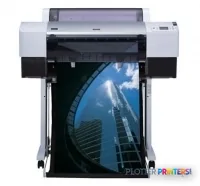
Epson Stylus Pro 7400
technical / CAD plotter
- Model7400
- Score54/100
Authorized Epson dealerGenuine hardware & ink
2-year warranty includedExtension plans available
Free shippingContinental U.S.
Plotter specialistsAEC experts, not just sellers
Analyst take
- A1, or 23 x 33 inches, is the documented maximum print size.
- The printer accepts both roll paper and cut sheets for different drawing and presentation jobs.
- Epson lists a normal-quality print speed of 17.9 m²/Hr (A1), but completed-set time also depends on files and handling.
Not sure if the 7400 is right for you?
Compare key specs and an AI analyst read-out against similar models.
- Fine detail 1440 x 720 DPI maximum resolution for crisp line work.
- Verified specs 8 specs checked against the manufacturer datasheet.
- Analyst score Scores 54/100 in our class-relative rating.
Overview
Built for the work
Epson Stylus Pro 7400 Photo Black Edition, 1440 x 720 DPI, 17.9 m²/Hr (A1), A1 (594 x 841 mm), USB Type-A, 64 MB, 50 dB
- 193 ft²/hRated speed
- 4Ink channels
- 1,440 dpiMax resolution
- 24 moIncluded warranty
Spec Analysis
overall
overall
Expert analysis
What you should know

Key takeaways
- A1, or 23 x 33 inches, is the documented maximum print size.
- The printer accepts both roll paper and cut sheets for different drawing and presentation jobs.
- Epson lists a normal-quality print speed of 17.9 m²/Hr (A1), but completed-set time also depends on files and handling.
- The supplied compatibility list is limited to older Mac and Windows operating systems, so modern-workstation testing is essential.
- Documented connectivity includes USB 2.0 and FireWire, while network and security functions are not established in the supplied data.
At 4:45 p.m., the question is not whether a printer can make a color drawing. It is whether the permit sheet, coordination plan, or marked-up A1 set is readable when it lands at the tray. This 23-inch class color printer is aimed at offices that need A1 output from roll paper or cut sheets without handing every drawing to an outside reprographics shop.
Its documented maximum print size is A1, or 23 x 33 inches. That fits many architectural details, engineering exhibits, GIS maps, and color-coded coordination sheets. It does not turn a 36-inch civil plan into something smaller by force of personality. Paper has limits. So do deadlines.
A1 (23" x 33" (594 x 841 mm))Maximum print sizeA practical ceiling for drawings and presentation sheets that fit the A1 format.
1440 x 720 DPIMaximum resolutionResolution matters most when fine annotation, linework, and small symbols must remain clear.
17.9 m²/Hr (A1)Rated normal-quality speedUse the estimator below for planning; real turnaround also includes file processing and paper handling.
107.8 lbs (48.9 kg)Printer weightPlan its location before delivery rather than discovering the furniture problem afterward.
Where it fits in an AEC office
This machine makes the most sense where A1 is the actual working format. Think design studios printing review sheets, engineers issuing color exhibits, survey teams checking maps, or a jobsite office producing a controlled number of plan sheets. It supports both roll paper and cut sheets, which is useful when routine drawings come from a roll but a one-off presentation or special sheet needs individual handling.
Color is part of the point. Four cartridges support color output for discipline overlays, phasing graphics, utility maps, markup conventions, and presentations where grayscale loses meaning. The supplied specifications do not establish color-management performance, media range, or line-accuracy tolerances, so firms with formal proofing or tightly controlled output standards should test their own PDFs before committing a deadline to it.
Bottom line: it is a sensible A1-format production tool when readable color drawings matter more than very large plan output.
Throughput needs context, especially on bid day
Epson rates normal-quality printing at 17.9 m²/Hr (A1). That is a useful planning figure, but it is not the whole shift. A real AEC job includes PDF interpretation, raster-heavy sheets, roll loading, cut-sheet changes, pickup at the printer, and the occasional file that behaves like it was assembled during a power outage. First-sheet timing and operator intervention can matter more than a headline rate on a short issue set.
The 64 MB internal memory also deserves a practical reading. It is documented hardware information, not a verdict on any particular CAD or PDF file. Test the actual files that cause pain: dense utility basemaps, shaded BIM views, aerial imagery, and multipage PDF sets. For broader context, use the printer-class ranking alongside your own job tests.
Bottom line: plan around completed sets, not a single-sheet speed figure.
Estimate printing time from the documented rated speed, then allow real working time for file preparation, paper changes, and collecting the set.
One set: – · Weekly plotting time: –
Computed from the manufacturer's rated 193 ft²/h. Real-world mixed sets run slower — treat this as a best case for comparing machines, not a promise.
IT and placement checks before the printer arrives
The documented connections are one USB 2.0 port and one FireWire (IEEE 1394) port. The listed compatible operating systems are Mac OS X, OS 9, Microsoft Windows 2000, and Windows XP. That makes pre-purchase compatibility testing essential in a modern managed environment. The supplied information does not document current network, authentication, cloud, accounting, or security functions, so do not assume they are present.
At 46.4 x 19.7 x 22 inches and 107.8 lbs, it is office-sized but not invisible. Printing sound pressure is listed at 50 dB, and typical power consumption is listed at 55 W. Put it where an operator can load paper, retrieve output, and clear an issue without blocking a corridor or a project team trying to leave. Review the evaluation methodology when comparing its documented capabilities with your workflow requirements.
Bottom line: confirm workstation, connection, and support arrangements before this becomes somebody else’s Friday-afternoon problem.
Useful planning resources
The read
This is for AEC teams whose normal work stops at A1 and includes enough color drawings to justify in-house output. It is less appropriate when projects routinely require wider civil sheets, heavy unattended set production, documented modern network controls, or verified color-management and accuracy requirements. No catalog-listed step-up or step-down model is available for a direct named comparison here. Bottom line: buy it for an A1 color workflow you have tested, not for capabilities the documentation does not claim.
Spec analysis
How the specs grade
Overall performance
within technical / CAD plotters
70% spec coverage
- This printer
Verified specifications
The specs that decide it
| Maximum roll width | 8.5 inmanufacturer-verified |
|---|---|
| Maximum print length | 47.2 inmanufacturer-verified |
| Ink colors | Cyan, Magenta, Yellow and Blackmanufacturer-verified |
| Print technology | UltraChrome pigment inkmanufacturer-verified |
| Print head | Micro Piezo (permanent, designed to last the life of the printer)manufacturer-verified |
| Maximum resolution | 1440 x 720 DPI |
| Page description language | Epson ESC/P-R (no PostScript)manufacturer-verified |
| Connectivity | 10/100 Mbps Ethernet, Hi-Speed USB, Wi-Fi 802.11 b/g/n |
| Media types | bond and tracing papermanufacturer-verified |
| Internal memory | 64 MB |
manufacturer-verified = checked against the manufacturer’s official datasheet, not aggregator data. Everything else is standards-body / catalog data we consider reliable.
Specifications
Full technical detail
Max resolution1440 x 720 DPI
ConnectivityUSB
Use casePhoto / Fine Art
Printing
| Color | Yes |
|---|---|
| Maximum resolution | 1440 x 720 DPI |
| Number of print cartridges | 4 |
| Print speed (normal quality) | 17.9 m²/Hr (A1) |
Performance
| Internal memory | 64 MB |
|---|---|
| Country of origin | China |
| Sound pressure level (printing) | 50 dB |
Paper handling
| Cut sheets | Yes |
|---|---|
| Roll paper | Yes |
| Maximum print size | A1 (594 x 841 mm) |
Ports & interfaces
| USB port | Yes |
|---|---|
| USB connector | USB Type-A |
| USB 2.0 ports quantity | 1 |
| Firewire (IEEE 1394) ports | 1 |
Weight & dimensions
| Weight | 107.8 lbs (48.9 kg) |
|---|---|
| Dimensions (WxDxH) | 46.4 x 19.7 x 22" (1178 x 501 x 560 mm) |
Power
| Power consumption (standby) | 6 W |
|---|---|
| Power consumption (typical) | 55 W |
Logistics data
| Pallet width | 31.5" (80 cm) |
|---|---|
| Pallet height | 32.3" (82 cm) |
| Pallet length | 47.2" (120 cm) |
| Pallet width (UK) | 39.4" (100 cm) |
| Quantity per pack | 1 pc(s) |
| Pallet height (UK) | 32.3" (82 cm) |
| Pallet length (UK) | 47.2" (120 cm) |
| Quantity per pallet | 1 pc(s) |
| Quantity per pallet (UK) | 1 pc(s) |
| Quantity per pallet layer | 1 pc(s) |
| Quantity per pallet layer (UK) | 1 pc(s) |
Packaging data
| Package depth | 52.8" (1340 mm) |
|---|---|
| Package width | 28" (710 mm) |
| Package height | 26.4" (670 mm) |
| Package weight | 198.9 lbs (90.2 kg) |
System requirements
| Mac compatibility | Yes |
|---|---|
| Compatible operating systems | Mac OS X, OS 9 Microsoft Windows 2000 / XP |
Everything that fits the Epson Stylus Pro 7400
The full supplies hub lists every cartridge, printhead, roll and accessory verified against the manufacturer's own documentation for this machine.
9 ink cartridges · 18 paper & media items
Epson Stylus Pro 7400 ink and paper →Supplies
Compatible ink, printheads & media
Genuine consumables that fit the Epson Stylus Pro 7400 (Photo Black) — only the cartridges, printheads and media compatible with this model.
Ink Cartridges 9
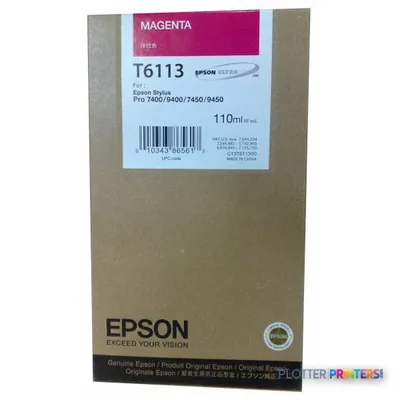 Epson Singlepack Magenta T611300
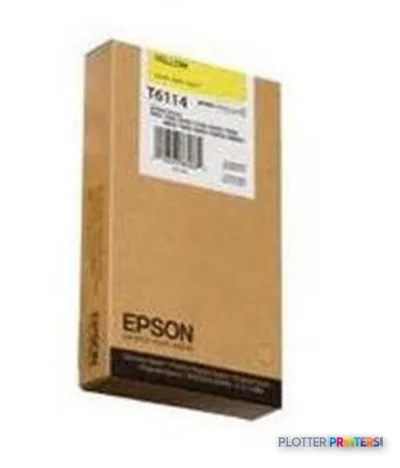 Epson Singlepack Yellow T611400
 Epson Singlepack Yellow T612400 220 ml
 Epson Singlepack Cyan T611200
 Epson Singlepack Matte Black T611800
 Epson Singlepack Cyan T612200 220 ml
 Epson Singlepack Magenta T612300 220 ml
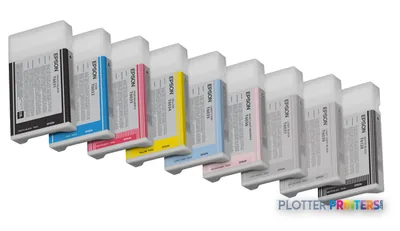 Epson Singlepack Matte Black T612800 220 ml
 Epson Singlepack Photo Black T612100 220 ml
Paper & Media 18
 Epson Glossy Photo Paper Roll, 24" x 20,7 m, 190g/m²
 Epson Semigloss Photo Paper Roll, 24" x 25 m, 180g/m²
 Epson Smooth Fine Art Paper, 24" x 30", 425g/m²
 Epson Textured Fine Art Paper Roll, 24" x 15,2 m, 255g/m²
 Epson Smooth Fine Art Paper Roll, 24" x 15,2 m, 255g/m²
 Epson Photo Grade Glossy Paper Roll, 24" x 30,5 m, 160g/m²
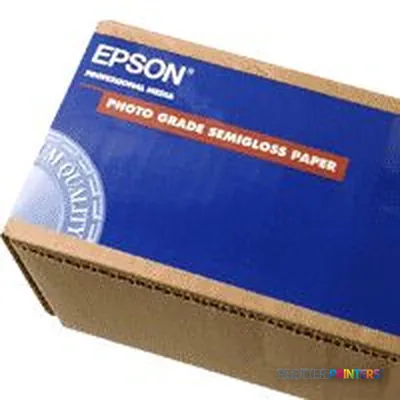 Epson Photo Grade Semiglossy Paper Roll, 24" x 30,5 m, 172g/m²
 Epson Smooth Fine Art Paper Roll, 17" x 15,2 m, 255g/m²
 Epson Photo Grade Glossy Paper Roll
 Epson Enhanced Matte Paper, 17" x 22", 189g/m², 50 Sheets
 Epson Singleweight Matte Paper, 17" x 22", 120g/m², 100 Sheets
 Epson Ultrasmooth Fine Art Paper, 17" x 22", 325g/m², 25 Sheets
 Epson Glossy Photo Paper, DIN A4, 225g/m², 20 Sheets
 Epson Photo Grade Semiglossy Paper Roll
 Epson Glossy Photo Paper BOGOF, DIN A4, 225g/m², 40 Sheets
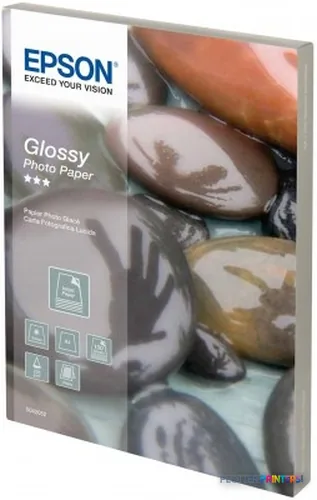 Epson Glossy Photo Paper, DIN A4, 225g/m², 100 Sheets
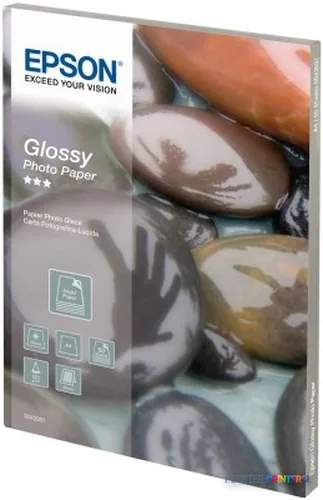 Epson Glossy Photo Paper, DIN A4, 225g/m², 50 Sheets
 Epson Singleweight Matte Paper Roll, 36" x 40 m, 120g/m²
Questions
Straight answers
Can this printer handle standard AEC drawing sizes?
It supports a maximum print size of A1, listed as 23 x 33 inches. It is suited to work that fits within that format, not wider plan-sheet requirements.
Can we print both rolls and individual sheets?
Yes. The supplied data lists both roll paper and cut-sheet support, which can help offices switch between routine drawings and one-off sheets.
Is the rated speed enough for bid or permit deadlines?
Epson lists 17.9 m²/Hr (A1) at normal quality. Treat that as a planning reference, then test representative PDFs because processing, paper changes, and operator handling affect actual turnaround.
Will it work with our current managed network?
The supplied specifications document USB 2.0 and FireWire connections and list older Mac and Windows operating systems. They do not document network, authentication, accounting, or current operating-system support, so validate the full workflow before deployment.
What should we check during a practical evaluation?
Print the files that matter: dense CAD sheets, raster maps, shaded views, small annotations, and multipage PDF sets. Also test roll changes, cut-sheet handling, and the time required to produce a complete issue set.
Ready to put the Epson Stylus Pro 7400 to work?
Configuration, media and a quote tailored to your workflow — from AEC plotter specialists.