
Home / Wide-Format Printers / Canon imagePROGRAF
Canon · Wide-Format Plotter
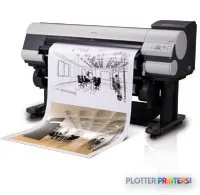
Canon imagePROGRAF iPF810
44" wide-format inkjet printer
- ModeliPF810
- Prints44" wide
Genuine OEM hardwareAuthorized U.S. distribution
Manufacturer warrantyExtension plans available
Free shippingContinental U.S.
Plotter specialistsAEC experts, not just sellers
Analyst take
- The 44-inch maximum media width suits full-size AEC drawings, maps, and color coordination sheets.
- Its listed operating-system support is legacy, so workstation and driver testing should come before deployment decisions.
- The 2400 x 1200 DPI maximum resolution is relevant to detailed linework, but file construction and media still affect the result.
Not sure if the iPF810 is right for you?
Compare key specs and an AI analyst read-out against similar models.
- Wide-format reach Prints up to 44" wide on rolls and sheets.
- Fine detail 2400 x 1200 DPI maximum resolution for crisp line work.
- Connectivity Ethernet for shared team printing.
Overview
Built for the work
Canon IPF810, 2400 x 1200 DPI, GARO, A0 (841 x 1189 mm), 0.07 – 0.8 mm, 708.7" (18 m), 44" (111.8 cm)
Expert analysis
What you should know

Key takeaways
- The 44-inch maximum media width suits full-size AEC drawings, maps, and color coordination sheets.
- Its listed operating-system support is legacy, so workstation and driver testing should come before deployment decisions.
- The 2400 x 1200 DPI maximum resolution is relevant to detailed linework, but file construction and media still affect the result.
- The 80 GB internal storage, Ethernet LAN connection, and USB Type-A port support established local print workflows.
- At 313.3 lbs and 74.5 x 38.4 x 45 inches, this printer needs a planned location rather than a spare corner.
- Compare current alternatives using actual project PDFs, not a clean vendor test file.
It is 4:45 p.m., the permit set needs one more full-size sheet, and somebody is standing at the plotter waiting for a clean A0 drawing rather than a discussion about drivers. This 44-inch Canon is an older wide-format color printer built for that familiar AEC job: putting CAD PDFs, markups, maps, and presentation sheets onto roll media without turning the print room into a side project.
It remains a practical installed-base machine where its existing workflow is stable. The catch is not the output width. It is the age of the surrounding environment. Its listed Windows support stops at Windows Vista and its Mac support includes Mac OS 9 and OS X, so IT compatibility deserves attention before anyone promises a painless deployment.
44"Maximum print widthEnough width for full-size AEC sheets and A0 output.
2400 x 1200 DPIMaximum resolutionUseful headroom for fine CAD lines, small notes, and color-coded drawing layers.
80 GBInternal storageOnboard storage can help keep submitted work moving through the device.
74.5 x 38.4 x 45"Physical footprintMeasure the print room, including space for loading rolls and collecting output.
Where it earns its floor space
This machine fits an architecture studio, engineering department, survey team, or contractor office that still needs occasional-to-regular 44-inch output. Its 44-inch maximum media width covers the familiar full-size drawing workflow, while the stated maximum print size reaches A0. For civil exhibits, utility maps, structural sheets, MEP coordination drawings, and large color review prints, that width is the point. Nobody wins a deadline by trimming a drawing into smaller pieces.
The 2400 x 1200 DPI maximum resolution and 4 ink drop specification suggest why it can remain useful for linework and annotated color documents. But resolution is not a promise that every PDF will print correctly. Driver behavior, source-file construction, media choice, and the condition of an older printer still decide whether fine text looks right at the tray.
It accepts media from 0.003″–0.031″ thick. That range matters when the office alternates between ordinary drawing stock and heavier presentation media. Bottom line: this is a capable full-width output device when the files, media, and workstation are already under control.
The real replacement question is the workstation
The failure mode here is usually not a dramatic mechanical event. It is the day a new workstation cannot use the old submission path, or a project team starts sending heavier PDFs than the established workflow can comfortably handle. The printer has USB Type-A, Ethernet LAN through one RJ-45 connection, an 80 GB internal drive, a 384 MB buffer, and GARO page-description support. Those are useful building blocks, but they do not erase the listed legacy operating-system support.
For a firm retaining this unit, test the actual CAD-to-PDF-to-print route before a bid deadline. Print a dense plan sheet, a raster-heavy map, a color coordination sheet, and a mixed-page PDF. Check line readability, margin behavior, job release, and recovery after an interrupted job. That unglamorous test beats discovering a driver problem while the courier is waiting.
Where a current 44-inch Canon option is needed, review the Canon iPF815 44-in and Canon iPF825 44-in against the present workflow rather than assuming a like-for-like replacement. Bottom line: the network connection is straightforward; the legacy software stack is the item that needs adult supervision.
Supplies, room conditions, and sensible expectations
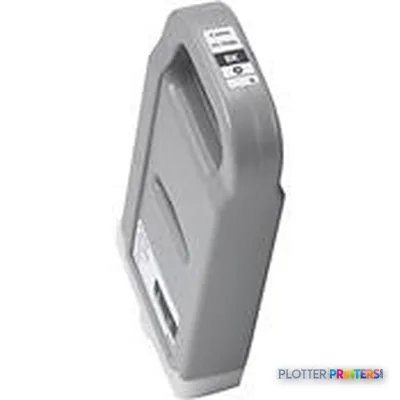
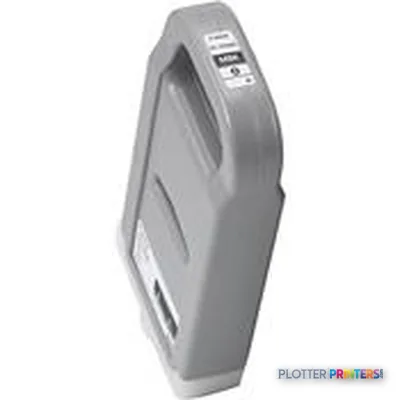
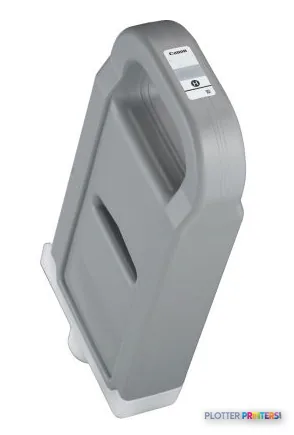
Compatible supplies listed for this machine include Canon 2957B001, Canon 2958B001, and Canon 2963B001 inks, plus the Canon CT-06 accessory. Confirm the exact installed configuration and supply availability before committing the printer to a live project workflow. An older plotter is only useful when the needed consumables are on hand.
It requires AC 100 – 120V, 50 – 60Hz. During printing, the stated sound pressure level is 50 dB; standby sound power is listed at 35 dB. At 313.3 lbs, it is not something to shuffle around after the furniture plan changes. Give it a stable location, practical network access, and enough clearance to load its 708.7-inch maximum roll length without performing office gymnastics.
For a wider-format comparison within the same catalog, the Canon iPF9400 60-in changes the width conversation. For a current dual-roll alternative, the Epson P8570DR 44-in is worth putting through the same real-file test. Bottom line: service readiness and workflow compatibility matter more than a familiar badge on the front panel.
Compare the practical alternatives
The read
This is a sensible keep-running machine for an AEC office with established 44-inch drawing output, compatible workstations, available supplies, and staff who know its habits. It is less appropriate for a firm trying to standardize on newer desktop operating systems or redesign its print workflow around current equipment. Do not replace it merely because it is old. Replace it when compatibility, service exposure, or operator workarounds start costing deadline time. Bottom line: if it prints your real project files reliably today, it still has a job; if the workflow has moved on, test a current replacement before the next bid set does it for you.
Spec analysis
How the specs grade
Overall performance
—Not enough data for an overall score
Individual dimensions are shown where the specs support them.
- This printer
Verified specifications
The specs that decide it
| Maximum print width | 44 in |
|---|---|
| Maximum resolution | 2400 x 1200 DPI |
| Page description languages | GARO |
| Maximum print size | A0 (841 x 1189 mm) |
| Media thickness | 0.07 – 0.8 mm |
| Maximum roll diameter | 5.91" (15 cm) |
| Ethernet | Yes |
| Sound level (printing) | 50 dB |
| Power consumption | 190 W |
Specifications
Full technical detail
Max resolution2400 x 1200 DPI
Max print width44"
ConnectivityEthernet (Gigabit LAN), USB
Use caseCAD / Technical
Printing
| Color | Yes |
|---|---|
| Maximum resolution | 2400 x 1200 DPI |
| Page description languages | GARO |
Performance
| Storage media | HDD |
|---|---|
| Drive device, buffer size | 384 MB |
| Internal storage capacity | 80 GB |
| Sound power level (standby) | 35 dB |
| Sound pressure level (printing) | 50 dB |
Paper handling
| Media thickness | 0.07 – 0.8 mm |
|---|---|
| Maximum print size | A0 (841 x 1189 mm) |
| Maximum roll width | 44" (111.8 cm) |
| Maximum media width | 44" |
| Maximum roll length | 708.7" (18 m) |
| Maximum roll diameter | 5.91" (15 cm) |
Ports & interfaces
| USB port | Yes |
|---|---|
| Ethernet LAN | Yes |
| USB connector | USB Type-A |
| RJ-45 ports quantity | 1 |
| USB 2.0 ports quantity | 1 |
Weight & dimensions
| Weight | 313.3 lbs (142.1 kg) |
|---|---|
| Size (imperial) | 44" |
| Dimensions (WxDxH) | 74.5 x 38.4 x 45" (1892 x 975 x 1143 mm) |
Power
| Power requirements | AC 100 – 120V, 50 – 60Hz |
|---|---|
| Power consumption (standby) | 6 W |
| Power consumption (typical) | 190 W |
Operational conditions
| Operating temperature (T-T) | 59 – 86 °C |
|---|---|
| Operating relative humidity (H-H) | 10 – 80% |
Other features
| Ink drop | 4 |
|---|
Packaging data
| Bundled software | Digital Photo Front-Access |
|---|---|
| Drivers included | Yes |
System requirements
| Compatible operating systems | Windows 2000/XP/Vista 32/64bit MAC OS9,OSX |
|---|
Supplies
Compatible ink, printheads & media
Genuine consumables that fit the Canon IPF810 large format printer Colour 2400 x 1200 DPI A0 (841 x 1189 mm) Ethernet LAN — only the cartridges, printheads and media compatible with this model.
Questions
Straight answers
What AEC work suits this printer?
It fits full-size CAD drawings, A0 output, maps, markups, and color-coded coordination documents where 44-inch roll media is appropriate. It is most practical in an established workflow with compatible workstations.
Can it print full-size plan sheets?
It supports a maximum media width of 44 inches and a maximum print size of A0, listed as 33 x 47 inches. Confirm the required sheet layout and margins using your actual drawing files.
What should IT check first?
Check the print path from current workstations to the printer. The listed compatible operating systems are Windows 2000, XP, and Vista in 32- and 64-bit versions, plus Mac OS 9 and OS X.
What connectivity does it have?
It has Ethernet LAN through one RJ-45 port and one USB 2.0 Type-A connection. It also lists an 80 GB internal storage capacity and a 384 MB buffer.
Which consumables are listed as compatible?
The listed compatible inks are Canon 2957B001, Canon 2958B001, and Canon 2963B001. Canon CT-06 is listed as a compatible accessory.
What should replace it if the workflow needs a current machine?
Start with the Canon iPF815 44-in or Canon iPF825 44-in if a current 44-inch Canon comparison is wanted. If dual-roll handling is a priority, include the Epson P8570DR 44-in in the same real-file evaluation.
Ready to put the Canon imagePROGRAF iPF810 to work?
We’ll point you to the current equivalent and quote it for your workflow.