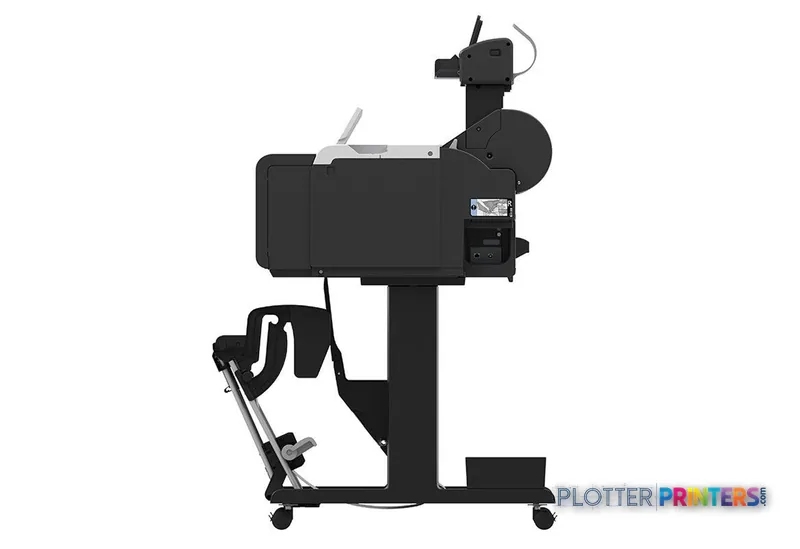
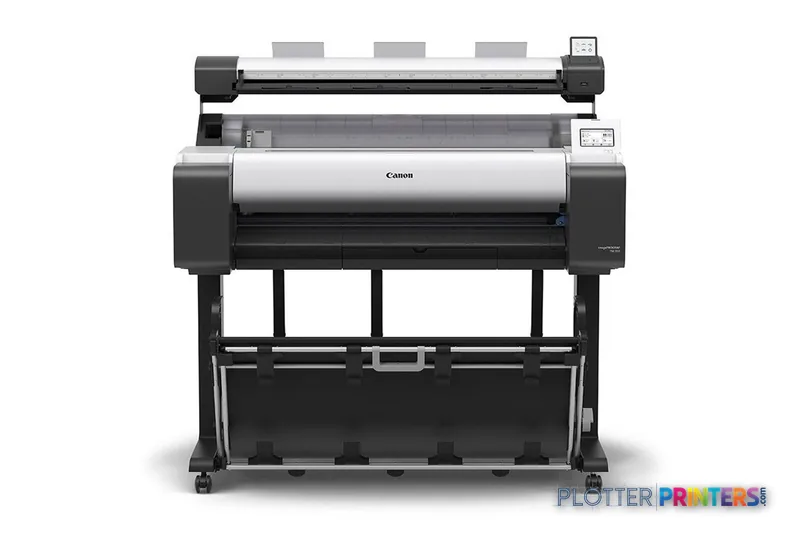
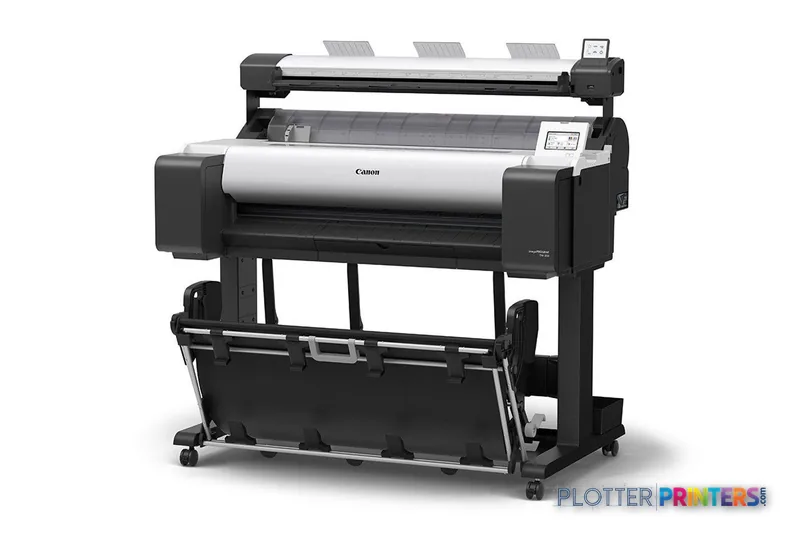
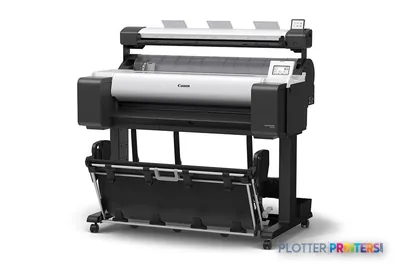
The Canon TM-350 Lm MFP supports A0 color inkjet printing and color scanning, but copying is listed as unavailable.
PDF 1.7, HP-GL/2, HP-RTL and CALS G4 support makes it relevant to mixed CAD and PDF document workflows.
Its stated 0.2% accuracy and 2400 x 1200 DPI resolution are relevant specifications for technical drawing output.
Roll and cut-sheet support suits offices balancing plan production with occasional smaller-format work.
IT should validate workstation compatibility, network controls and job-submission practices before deployment.
The Canon TM-350 36-in is the closest in-family reference for a print-focused 36-inch workflow.
AEC plotting rarely fails because a drawing is too large. It fails because a deadline set arrives as a mix of PDF sheets, HP-GL/2 files, marked-up plans and a scan request that someone assumed would also be a copy request. The Canon TM-350 Lm MFP is a color inkjet device aimed at that 36-inch plan-production space, with A0 output, color scanning and support for PDF 1.7, HP-GL/2, HP-RTL and CALS G4.
For architects, engineers, survey teams and construction offices, its appeal is straightforward: it can produce detailed linework, color-coded coordination drawings and presentation-oriented output while accepting roll media and cut sheets. The important qualification is equally straightforward: color scanning is specified, but copying is not. Treat scanning and copying as separate workflow requirements rather than assuming the label does the work for you.
A0 (33" x 47" (841 x 1189 mm))Maximum print size
2400 x 1200 DPIMaximum resolution
0.2%Specified accuracy
109.1" (2.77 m)Maximum scan length
A compact 36-inch-class footprint matters in a project office, but leave room for media loading, output handling and the person who will inevitably arrive with a last-minute revision.
Where it fits in an AEC document workflow
This machine is particularly well suited to teams producing ordinary plan sheets alongside color overlays: civil utility markups, MEP coordination drawings, GIS maps, phasing plans and client-review boards. Its five-color ink system includes black and matte black, and its stated 2400 x 1200 DPI resolution gives the device a credible technical basis for fine linework and small annotation text when the source PDF, driver settings and selected media are equally disciplined.
The supported page-description languages matter more than they first appear. Native PDF 1.7, HP-GL/2 and HP-RTL support make it a sensible candidate for environments where CAD exports and consultant-issued PDFs arrive through different routes. A plotter that saves thirty seconds at the device buys little if the file spends four minutes finding a driver. Standardize the submission path before judging any printer’s productivity.
Media handling is flexible enough for roll work and cut sheets, with a stated media-thickness range of 0.003″–0.031″ (0.07 – 0.8 mm). Borderless printing is listed for A0 through A3+ and B2 sizes. That is useful for presentation graphics, although construction-document production still needs the margins, title blocks and check plots your standards require.
Scanning, IT and the operational details that decide ownership
Color scanning is a meaningful advantage where survey sketches, redlines or legacy drawings need to enter a digital review process. The maximum scan resolution is 600 x 600 DPI and the maximum scan length is 109.1″ (2.77 m). But the specification lists copying as “No,” so a print room that routinely needs walk-up scan-copy-archive work should verify the exact workflow at demonstration rather than discovering the distinction during a permit deadline.
Connectivity includes Ethernet LAN, Wi-Fi, USB Type-B and a USB port; Ethernet supports 10,100,1000 Mbit/s. For IT, those are connection options, not a security policy. Ask who can submit jobs, whether the device can be placed on the intended network segment, what logging is available, and how firmware and driver deployment will be handled. The listed Windows support is Windows 10, Windows 7 and Windows 8.1; listed Mac support extends through Mac OS X 13.0 Ventura. Validate current workstation support in your own environment before committing.
The 3″ color touch display can simplify local interaction, but the real productivity question is whether staff can submit correctly from Bluebeam-generated PDFs, CAD exports and project platforms without repeated driver adjustments. The scanner is free. The person standing at it is not.
The device supports both roll media and cut sheets, a practical combination for plan sets and occasional smaller presentation output.
How it sits within the Canon TM range
For a 36-inch AEC workflow, the closest comparison is the Canon TM-350 36-in. It shares the same listed 36-inch class and 2400 x 1200 DPI specification, making it the sensible reference point if your requirement is plot production rather than color scanning. Compare the actual scan and document-handling workflow, not just the printer engine.
Firms with mainly 24-inch drawings, smaller office footprints or limited need for A0 output should look at the Canon TM-250 24-in. Conversely, a department that needs to assess another 36-inch Canon option can review the Canon TM-355 36-in. The specification deserves context: printer width alone does not define throughput. Roll changes, file processing, scan handling and output collection determine whether a machine keeps pace with a deadline.
For a cross-brand same-class check, use the comparison view with Epson SC-T5100 36-in and focus on the media, scan and driver requirements that match your actual job mix.
Before installation, map the full operating space: device footprint, roll access, scanned-document handling and where completed sets will be checked.
The read
Choose the Canon TM-350 Lm MFP if your AEC team needs A0 color output, supported CAD/PDF-oriented languages and color scanning within one device workflow—and can accept that copying is not specified. Choose the Canon TM-250 24-in if 24-inch work is the practical ceiling. Choose the Canon TM-350 36-in if your decision is fundamentally about 36-inch printing rather than scanning. Buy the machine for the workflow you have, not the one the brochure imagines.
Verified specifications
The specs that decide it
Maximum print resolution
2400 x 1200 dpi
Print technology / ink set
Canon Bubblejet on Demand, 5 cartridges (MBK/BK/C/M/Y)
Maximum roll width
36.1 in (917 mm)manufacturer-verified
Maximum roll diameter
5.9 in (150 mm)
Print speed (Canon-quoted, Fast Economy)
0:17 for A1manufacturer-verified
Page description languages
HP-GL/2, HP RTL, JPEG (JFIF 1.02), CALS G4
Connectivity
Gigabit Ethernet, Wi-Fi (802.11 b/g/n), Hi-Speed USB
Maximum scan resolution
600 x 600 dpi (CIS)
Power consumption (typical)
65 W
Footprint / weight
50.6 in W x 34.8 in D x 41.7 in H; 140.7 lbs (63.8 kg)manufacturer-verified
manufacturer-verified = checked against the manufacturer’s official datasheet, not aggregator data. Everything else is standards-body / catalog data we consider reliable.
Specifications
Full technical detail
Print technologyInkjet
Max resolution2400 x 1200 DPI
Max print width36"
ColorColor
ConnectivityEthernet (Gigabit LAN), USB, Wi-Fi
Use caseCAD / Technical
Printing
Color
Yes
Printing colors
Black, Cyan, Magenta, Matte black, Yellow
Print technology
Inkjet
Maximum resolution
2400 x 1200 DPI
Number of print cartridges
5
Page description languages
CALS G4, PDF 1.7, HP-GL/2, HP-RTL
Performance
Display
LCD
Control type
Touch
Color display
Yes
Product color
Black, White
Built-in display
Yes
Display diagonal
3"
Paper handling
Cut sheets
Yes
Media thickness
0.003"–0.031" (0.07 – 0.8 mm)
Maximum print size
A0 (33" x 47" (841 x 1189 mm))
Maximum roll diameter
5.91" (15 cm)
Paper tray media types
Photo paper, Roll
ISO A-series sizes (A0…A9)
A0, A1, A2, A3, A3+
Borderless printing media sizes
A0, A1, A2, A3, A3+, B2
Ports & interfaces
Wi-Fi
Yes
USB port
Yes
Ethernet LAN
Yes
USB connector
USB Type-B
Ethernet LAN data rates
10,100,1000 Mbit/s
Weight & dimensions
Depth
34.8" (885 mm)
Width
50.6" (1285 mm)
Height
41.7" (1060 mm)
Weight
140.7 lbs (63.8 kg)
Power
AC input voltage
100 – 240 V
AC input frequency
50/60 Hz
Power consumption (off)
0.1 W
Power consumption (typical)
65 W
Operational conditions
Operating temperature (T-T)
15 – 30 °C
Operating relative humidity (H-H)
10 – 80%
Copying
Copying
No
Scanning
Accuracy
0.2%
Scanning
Color scanning
Maximum scan length
109.1" (2.77 m)
Maximum scan resolution
600 x 600 DPI
Packaging data
Package depth
44.2" (1122 mm)
Package width
57.6" (1462 mm)
Package height
31.5" (801 mm)
Package weight
249.1 lbs (113 kg)
System requirements
Mac operating systems supported
Mac OS X 10.7 Lion, Mac OS X 10.7.5 Lion, Mac OS X 10.2 Jaguar, Mac OS X 10.8 Mountain Lion, Mac OS X 10.3 Panther, Mac OS X 10.9 Mavericks, Mac OS X 10.4 Tiger, Mac OS X 11.0 Big Sur, Mac OS X 10.5 Leopard, Mac OS X 12.0 Monterey, Mac OS X 10.6 Snow Leopard, Mac OS X 13.0 Ventura
Windows operating systems supported
Windows 10, Windows 7, Windows 8.1
Supplies
Compatible ink, printheads & media
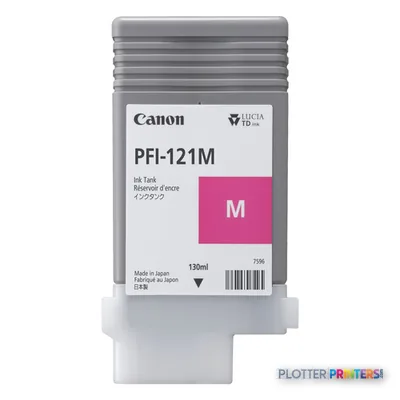
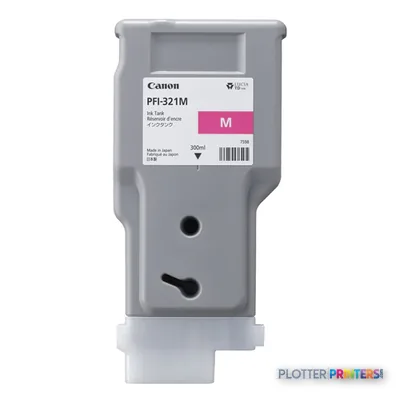
Genuine consumables that fit the Canon imagePROGRAF TM-350 Lm MFP large format printer Wi-Fi Inkjet Colour 2400 x 1200 DPI A0 (841 x 1189 mm) Ethernet LAN — only the cartridges, printheads and media compatible with this model.
Can this machine print full-size architectural and engineering sheets?
Yes. Its maximum print size is A0 (33″ x 47″ (841 x 1189 mm)), which fits the 36-inch plan-production class.
Does the Canon TM-350 Lm MFP copy scanned drawings?
Color scanning is specified, with a maximum scan resolution of 600 x 600 DPI. Copying is listed as “No,” so confirm the intended scan-to-file and reproduction workflow before purchase.
Which AEC file languages does it support?
The listed page-description languages are CALS G4, PDF 1.7, HP-GL/2 and HP-RTL. That supports common CAD- and PDF-based document routes, subject to testing with your files and submission software.
Can it handle both rolls and cut sheets?
Yes. Roll media and cut sheets are listed, with a maximum roll diameter of 5.91″ (15 cm) and supported media thickness from 0.003″–0.031″ (0.07 – 0.8 mm).
What should IT verify before installation?
Confirm driver support for the organization’s workstation operating systems, then review Ethernet, Wi-Fi and USB connection policies. The listed Ethernet capability is 10,100,1000 Mbit/s, but authentication, logging and network-segmentation requirements should be checked locally.
When should I consider another Canon TM model?
Consider the Canon TM-250 24-in when 24-inch output is sufficient. Consider the Canon TM-350 36-in when the priority is a comparable 36-inch print workflow rather than the listed color-scanning capability.