Talk to an Expert980-536-0080
Get a Quote

Home / Wide-Format Printers / Canon imagePROGRAF

Canon · Wide-Format Plotter

Canon imagePROGRAF TM-300

36" color graphics & photo printer

  • ModelTM-300
  • Prints36" wide
Genuine OEM hardwareAuthorized U.S. distribution
Manufacturer warrantyExtension plans available
Free shippingContinental U.S.
Plotter specialistsAEC experts, not just sellers

Analyst take

  • The Canon TM-300 is a printer-only, color thermal-inkjet device with no scanning or copying capability.
  • It supports roll paper and cut sheets, making it suitable for varied AEC drawing and presentation output.
  • HP-GL/2 and HP-RTL support are relevant to established CAD plotting workflows.

Read the full expert analysis ↓

Not sure if the TM-300 is right for you?

Compare key specs and an AI analyst read-out against similar models.

Compare printers →
  • Wide-format reach Prints up to 36" wide on rolls and sheets.
  • Fine detail 2400 x 1200 DPI maximum resolution for crisp line work.
  • Ink platform Black, Cyan, Magenta, Matte black, Yellow.
  • Connectivity Wi-Fi + Ethernet for shared team printing.
  • Verified specs 10 specs checked against the manufacturer datasheet.

Overview

Built for the work

Canon imagePROGRAF TM-300, Thermal inkjet, 2400 x 1200 DPI, HP-GL/2, HP-RTL, Black, Cyan, Magenta, Matte black, Yellow, PF-06, A0 (841 x 1189 mm)

Expert analysis

What you should know

Key takeaways

  • The Canon TM-300 is a printer-only, color thermal-inkjet device with no scanning or copying capability.
  • It supports roll paper and cut sheets, making it suitable for varied AEC drawing and presentation output.
  • HP-GL/2 and HP-RTL support are relevant to established CAD plotting workflows.
  • A 36-inch borderless width supports full-size plan and presentation-oriented output.
  • The Canon TM-205 24-in is the smaller-format in-family alternative, while the Canon TM-250 24-in adds scanner/MFP capability.

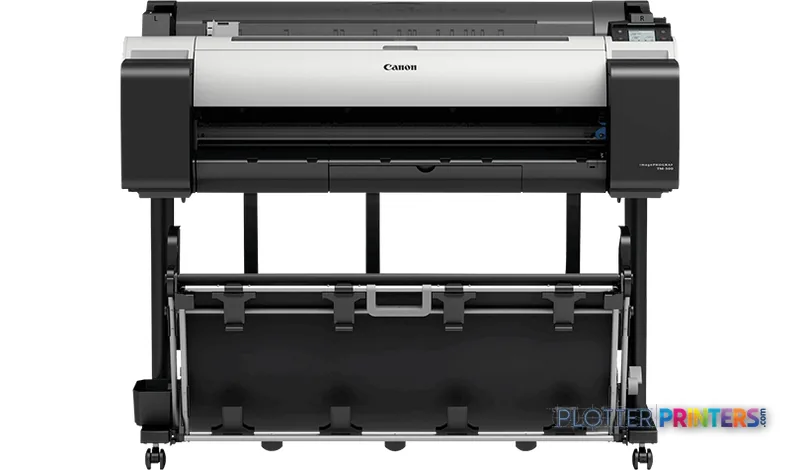
A permit set arrives late, the structural overlays need one more revision, and the plan table cannot wait for a central reprographics queue. The Canon TM-300 is a color thermal-inkjet wide-format printer for that familiar AEC moment: rendering A0 drawings, GIS maps, coordination sheets, and presentation-ready plan graphics directly from the office.

Its strength is practical versatility rather than an all-in-one document-production promise. It accepts roll paper and cut sheets, supports HP-GL/2 and HP-RTL, and connects through Gigabit Ethernet, Wi-Fi, or USB. Fine linework has a 2400 x 1200 DPI maximum resolution to work with; the important operational question is whether your workflow also needs scanning, copying, or greater media automation. This model has neither scanning nor copying, so it is a printer-first choice.

2400 x 1200 DPIMaximum resolutionThermal inkjet output
36"Borderless widthFor full-width presentation output
2 GBMemorySupports job processing
132.3 lbs (60 kg)Printer weightPlan its location and installation accordingly

Where it fits in an AEC office

This is particularly well suited to an architecture studio, engineering department, survey team, or contractor office that needs dependable access to wide-format color without adding scan-and-copy duties to the same device. The 3-inch touch display and roll/cut-sheet support suit a mixed day of issued drawings, review plots, and occasional boards. At 44 dB while printing, it is also specified for a comparatively restrained office presence—more like an ongoing mechanical hush than a print-room roar.

Its five listed ink colors—black, matte black, cyan, magenta, and yellow—give it a sensible role in monochrome CAD sheets as well as color-coded discipline overlays. But do not turn the resolution figure into a color-fidelity conclusion. No measured ICC gamut data is provided here, so firms with tightly controlled visualization or branded presentation requirements should test their own PDFs, media, and profiles before standardizing output.

Workflow, media, and IT considerations

The TM-300 accommodates media from 0.003"–0.031" thick and supports A1, A2, A3, and A3+ ISO sizes alongside wider roll and sheet media. Its maximum roll length is 708.7", while the specified maximum roll diameter is 5.91". Those figures matter when deciding how often an operator will need to load media during a busy issuance cycle.

For IT, the useful baseline is Ethernet LAN at 10, 100, or 1000 Mbit/s, Wi-Fi, and a USB Type-B connection. HP-GL/2 and HP-RTL support keeps the machine relevant to established CAD plot workflows. Confirm current driver support against your managed desktop environment: the supplied compatibility information lists Windows 7 through Windows 10 and Mac OS X 10.10 through 10.12. Review how we assess wide-format printers before treating any single specification as a complete workflow answer.

The family choice: printer-only, 24-inch, or scan-capable

The Canon TM-300 makes sense when 36-inch borderless output matters and printing is the assignment. A smaller-office alternative is the Canon TM-205 24-in, where 24-inch output may better match the available space and typical sheet sizes. If site markups, legacy drawings, or redline copying are part of the daily workload, the Canon TM-250 24-in is the more relevant in-family direction because it is listed as a scanner/MFP.

For buyers staying at this width but wanting to examine a related 36-inch model, compare the Canon TM-300 and Canon TM-305 36-in directly. The trade-off should be judged on the actual workflow, not family naming: scanning needs, media-loading patterns, local service capability, and driver validation are usually more consequential than a modest spec-sheet distinction.

The read

Choose the Canon TM-300 when your team needs a networked, color-capable 36-inch printer for A0 plan output, CAD-oriented languages, and a mixture of roll and cut-sheet work. It is less appropriate as the only device for departments that routinely scan, copy, archive, or distribute marked-up paper drawings. In those environments, evaluate the scan-capable Canon TM-250 24-in or maintain a separate wide-format scanning process. The best proof remains a controlled trial with your own line-heavy PDFs and media—especially where a cyan edge, a small note, or a revision cloud must remain unambiguous.

Verified specifications

The specs that decide it

Maximum print size36" / 914 mm
Maximum resolution2400 x 1200 dpi
Ink system6-ink pigment (Black, Matte Black, Cyan, Magenta, Yellow)
Print headPF-06, 15,360 nozzles, min 5 pl dropletmanufacturer-verified
Media width (rolls)36.1 in (917 mm), min 8 in (203.2 mm)
Page description languagesSG Raster, HP-GL/2, HP RTL, JPEG
ConnectivityGigabit Ethernet, Wi-Fi (802.11 b/g/n), Hi-Speed USB
Onboard memory2 GBmanufacturer-verified
Power / noise69 W operating, 0.3 W off; 44 dB(A) printing
Dimensions / weight50.7 x 34.9 x 41.7 in; 132.3 lb (60 kg)

manufacturer-verified = checked against the manufacturer’s official datasheet, not aggregator data. Everything else is standards-body / catalog data we consider reliable.

Specifications

Full technical detail

Print technologyThermal inkjet
Max resolution2400 x 1200 DPI
Max print width36"
ColorColor
ConnectivityEthernet (Gigabit LAN), USB, Wi-Fi
Use caseCAD / Technical
Printing
ColorYes
Print headPF-06
Printing colorsBlack, Cyan, Magenta, Matte black, Yellow
Print technologyThermal inkjet
Maximum resolution2400 x 1200 DPI
Page description languagesHP-GL/2, HP-RTL
Performance
DisplayLCD
Control typeTouch
RAM capacity2 GB
CertificationCE, EAC, TUV, CB
Product colorBlack, White
Built-in displayYes
Display diagonal3"
Sound pressure level (printing)44 dB
Paper handling
Cut sheetsYes
Roll paperYes
Media thickness0.003"–0.031" (0.07 – 0.8 mm)
Maximum print sizeA0 (33" x 47" (841 x 1189 mm))
Maximum roll length708.7" (18 m)
Media width (rolls)8" x 36" (203.2 x 917 mm)
Media width (sheets)8" x 36" (203.2 x 917 mm)
Maximum roll diameter5.91" (15 cm)
Borderless printing width36"
ISO A-series sizes (A0…A9)A1, A2, A3, A3+
Ports & interfaces
Wi-FiYes
USB portYes
Ethernet LANYes
USB connectorUSB Type-B
RJ-45 ports quantity1
USB 2.0 ports quantity1
Ethernet LAN data rates10,100,1000 Mbit/s
Weight & dimensions
Depth34.9" (887 mm)
Width50.7" (1289 mm)
Height41.7" (1060 mm)
Weight132.3 lbs (60 kg)
Power
Power consumption (off)0.3 W
Power consumption (standby)3.6 W
Operational conditions
Operating temperature (T-T)15 – 30 °C
Operating relative humidity (H-H)10 – 80%
Other features
TouchscreenYes
Copying
CopyingNo
Scanning
ScanningNo
Logistics data
Harmonized System (HS) code84433210
Packaging data
ManualYes
Package depth35.9" (913 mm)
Package width57.6" (1462 mm)
Package height37.8" (961 mm)
Package weight231.5 lbs (105 kg)
Drivers includedYes
Sustainability
Sustainability certificatesENERGY STAR
System requirements
Mac operating systems supportedMac OS X 10.10 Yosemite, Mac OS X 10.11 El Capitan, Mac OS X 10.12 Sierra
Windows operating systems supportedWindows 10, Windows 7, Windows 8, Windows 8.1

Supplies

Compatible ink, printheads & media

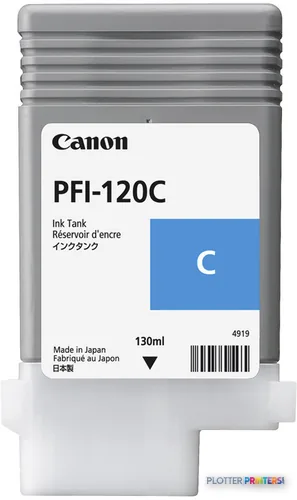
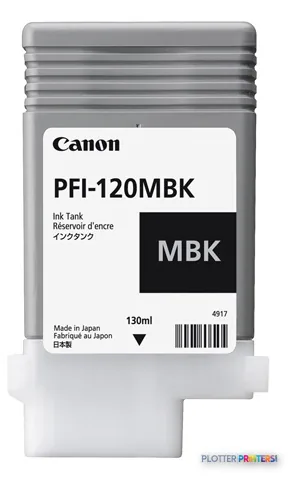
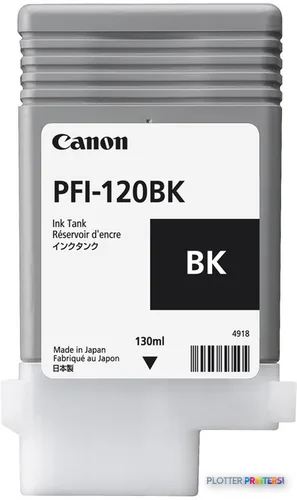
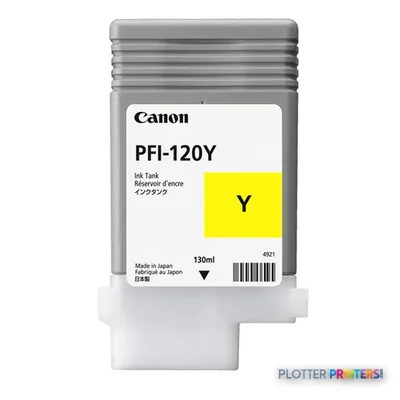
Genuine consumables that fit the Canon imagePROGRAF TM-300 large format printer Wi-Fi Thermal inkjet Colour 2400 x 1200 DPI A0 (841 x 1189 mm) Ethernet LAN — only the cartridges, printheads and media compatible with this model.

Questions

Straight answers

Can the Canon TM-300 scan or copy existing drawings?

No. The supplied product data lists both scanning and copying as unavailable. Firms handling paper redlines, legacy plans, or frequent wide-format copying need a separate process or a scanner/MFP alternative.

What AEC file workflows does it support?

The TM-300 supports HP-GL/2 and HP-RTL page-description languages, which are relevant to many CAD plotting environments. Validate driver behavior with your own CAD, BIM, and PDF files before deployment.

Can it handle full-size architectural and engineering drawings?

Its maximum print size is A0, specified as 33 x 47 inches, and it supports 36-inch borderless printing. It also supports roll paper and cut sheets.

What network connections are available?

The printer provides Wi-Fi, one RJ-45 Ethernet LAN port with 10, 100, and 1000 Mbit/s data rates, and one USB 2.0 Type-B connection.

Which in-family option should I consider if I need scanning?

Consider the Canon TM-250 24-in, which is listed as a scanner/MFP. Its 24-inch format is a different fit, so assess whether scanning capability or 36-inch output is the greater operational priority.

Resources

Brochures, datasheets & video

Ready to put the Canon imagePROGRAF TM-300 to work?

We’ll point you to the current equivalent and quote it for your workflow.

Canon imagePROGRAF TM-300