The iPF6200 supports roll paper and cut sheets up to 24 inches wide.
Its listed media support suits color drawings, GIS exhibits, renderings and presentation-oriented AEC output.
A total output capacity of one sheet makes operator attendance important during larger print runs.
The listed operating-system compatibility is older, so current endpoint and driver testing matters.
The Canon iPF6300 33-in is the relevant in-family move when 24-inch width is no longer enough.
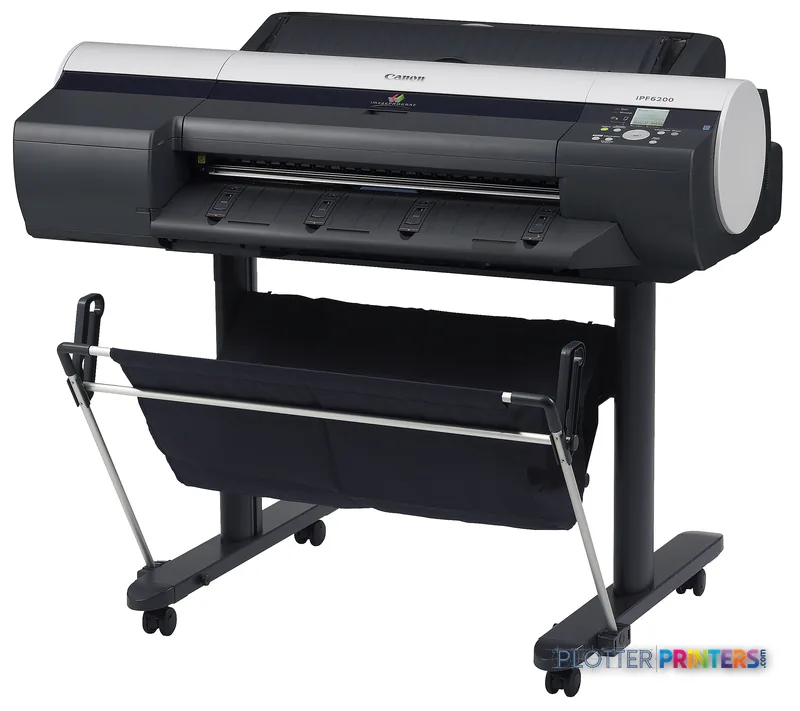
At 4:45 p.m., somebody needs an A1 coordination sheet, a 22 x 34 plan, or a presentation print that can be read without squinting. The Canon iPF6200 is a 24-inch color printer for that desk-side or small print-room job: rolls or cut sheets, ordinary technical sizes, and media ranging from paper to opaque film.
Its 2400 x 1200 DPI maximum resolution and support for coated, glossy, proofing and photo papers make it more at home with color-sensitive drawings, GIS maps, renderings and review sets than with a nonstop stream of collated construction plans. It has a place in AEC. It just needs the right place.
24" (610 mm)Maximum media widthFits common office-scale technical and presentation output.
2400 x 1200 DPIMaximum resolutionUseful when fine drawing detail and color graphics share the page.
0.003"–0.059" (0.07 – 1.5 mm)Media thicknessAllows a broad range of supported paper and film media.
80 GBInternal storageIncludes an internal HDD.
A 24-inch format suits a design studio or project office where the printer stays close to the people marking up the work.
Where it earns its floor space
The iPF6200 handles roll paper and cut sheets, with a maximum A1 print size of 23 x 33 inches and listed ANSI support through 22 x 34 inches. That makes it a sensible fit for architects issuing smaller drawing packages, engineers printing review sheets, survey teams producing color exhibits, and construction staff needing a readable site graphic before the meeting starts.
Media flexibility is the practical attraction. Opaque paper, coated paper, high-resolution paper, glossy paper, photo paper, vinyl media, opaque film and roll-up film are all listed as supported. For an AEC team, that opens the door to color-coded MEP coordination sheets, GIS maps, permit exhibits and presentation graphics without treating every print as a plain-bond plot.
The trade-off is output handling. Total output capacity is listed as one sheet. That is not a set-and-forget answer for a busy bid room. Someone needs to be near the machine when a deadline stack starts building. Bottom line: This printer fits mixed technical and presentation work better than unattended plan-set production.
What the print-room and IT team should check
The printer includes an LCD, one USB 2.0 Type-A connection, Fast Ethernet and an 80 GB HDD. Its listed network protocols include HTTP, TCP/IP, SNMP and IPX/SPX. Those are useful facts for an inventory sheet, but they are not a substitute for testing driver deployment, authentication expectations and network policy with the actual office environment.
Compatibility is specifically listed for Windows XP, Server 2003, Server 2008, Vista and Windows 7, plus older Mac OS X versions. A firm using newer endpoints should make a test print part of acceptance, especially for PDF-heavy workflows and CAD output. The bundled tools lean toward graphics and image workflows: EFI Colorproof eXpress, PosterArtist Lite, Adobe Photoshop and Digital Photo Professional plug-ins, Digital Photo Front-Access, and Printer Driver Extra Kit.
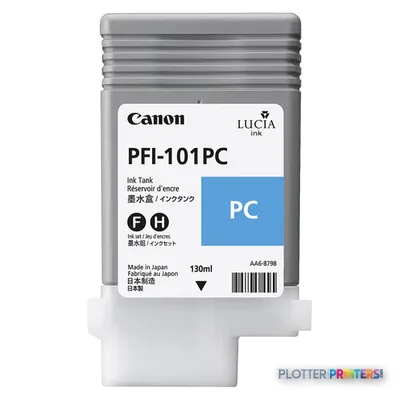
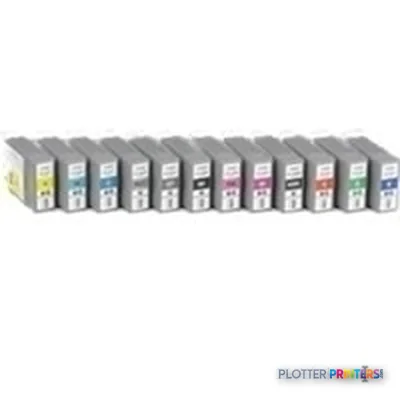
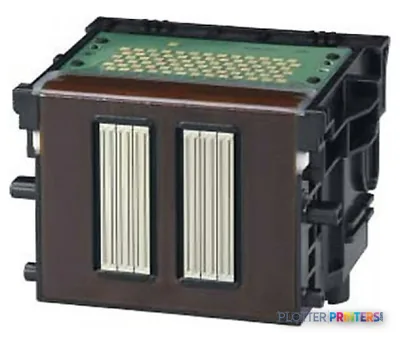
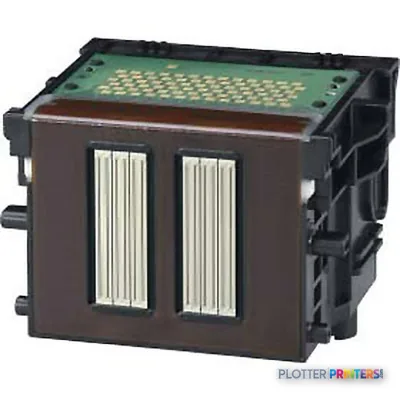
Plan maintenance around Canon PF-03 printheads, Canon MC-16 maintenance supplies, and the listed Canon 0887B001 and Canon 2213B001 inks. Confirm local supply and service arrangements before the first urgent reprint. Printers have an uncanny sense of timing. Bottom line: Validate current-driver and network fit before treating this as a drop-in replacement.
How it sits in the Canon range
The Canon iPF6100 24-in is the obvious same-width comparison because it is also listed at 24 inches and 2400 x 1200 DPI. The available catalog data does not establish a simple feature hierarchy between the two, so compare the actual media, software and support requirements rather than assuming a model number settles the matter.
When 24 inches is the bottleneck, the Canon iPF6300 33-in is the meaningful in-family step-up: it moves to 33-inch media while retaining the listed 2400 x 1200 DPI resolution. That extra width matters for teams routinely working beyond A1-size output. Use the side-by-side comparison to keep the decision tied to the jobs on your schedule, not a spec-sheet staring contest.
Bottom line: Choose the iPF6200 when 24-inch media covers the work; move wider when drawing size, not image quality, is holding up the day.
The Canon iPF6200 is for AEC offices that need color-capable 24-inch output across technical papers and presentation-oriented media, with roll and cut-sheet flexibility. It is less appropriate for a high-volume plan room that needs unattended stacking and collated sets. Match it to the work that lands on the tray, not the work you hope will someday disappear. Bottom line: Good fit for mixed, attended A1 and 22 x 34 work; wrong fit for continuous deadline-set production.
Verified specifications
The specs that decide it
Maximum resolution
2400 x 1200 DPI
Number of print cartridges
4
Page description languages
GARO
Maximum print size
A1 (594 x 841 mm)
Media thickness
0.07 – 1.5 mm
Maximum roll diameter
5.91" (15 cm)
Sound level (printing)
49 dB
Power consumption
100 W
Specifications
Full technical detail
Max resolution2400 x 1200 DPI
Max print width24"
ConnectivityEthernet (Gigabit LAN), USB
Use caseCAD / Technical
Printing
Color
Yes
Print head
PF-03
Maximum resolution
2400 x 1200 DPI
Number of print cartridges
4
Page description languages
GARO
Performance
Display
LCD
Storage media
HDD
Built-in display
Yes
Drive device, buffer size
384 MB
Internal storage capacity
80 GB
Sound power level (standby)
35 dB
Sound pressure level (printing)
49 dB
Paper handling
Cut sheets
Yes
Roll paper
Yes
Media thickness
0.003"–0.059" (0.07 – 1.5 mm)
ANSI paper sizes
8.5" x 11", 8.5" x 14", 11" x 17", 13" x 19", 17" x 22", 22" x 34"
Maximum print size
A1 (23" x 33" (594 x 841 mm))
Architectural sizes
9" x 12", 12" x 18"
Maximum media width
24" (610 mm)
Maximum roll length
708.7" (18 m)
Maximum roll diameter
5.91" (15 cm)
ISO A-series sizes (A0…A9)
A1, A2, A3, A4
ISO B-series sizes (B0…B9)
B1, B2, B3, B4
ISO C-series sizes (C0…C9)
C2, C3, C4
JIS B-series sizes (B0…B9)
B2, B3, B4
Ports & interfaces
USB port
Yes
USB connector
USB Type-A
USB 2.0 ports quantity
1
Ethernet LAN data rates
10/100 Base-T/TX
Ethernet interface type
Fast Ethernet
Supported network protocols
IPX/SPX, HTTP, TCP/IP, SNMP
Weight & dimensions
Weight
174.2 lbs (79 kg)
Dimensions (WxDxH)
52 x 25.4 x 36" (1320 x 645 x 914 mm)
Power
Power supply type
AC
Power requirements
100 – 120 V, 50 – 60 Hz
Power consumption (off)
1 W
Power consumption (standby)
5 W
Power consumption (typical)
100 W
Operational conditions
Operating temperature (T-T)
59 – 86 °F
Operating relative humidity (H-H)
10 – 80%
Other features
Opaque film
Yes
Photo paper
Yes
Vinyl media
Yes
Coated paper
Yes
Glossy paper
Yes
Opaque paper
Yes
Roll-up film
Yes
Proofing paper
Yes
Capacity cartridge
2560 sheets
Line width minimum
8" (203 mm)
High resolution paper
Yes
Compliance industry standards
IEEE 802.3, IEEE 802.3u
Compatible ink types, supplies
MC-16, PFI-101, PFI-103
Acoustic power emissions (standby)
63 dB
Packaging data
Bundled software
EFI Colorproof eXpress, PosterArtist Lite, Print Plug-in Adobe Photoshop, Print Plug-in Digital Photo Professional, Digital Photo Front-Access, Printer Driver Extra Kit
Drivers included
Yes
Sustainability
Sustainability certificates
ENERGY STAR
System requirements
Mac compatibility
Yes
Compatible operating systems
Windows XP, Server 2003, Server 2008, Vista, 7 (32/64bit)
Mac OS X 10.3.9-10.6 (32 bit), OS X 10.5-10.6 (64 bit)
Input & output capacity
Total output capacity
1 sheets
Supplies
Compatible ink, printheads & media
Genuine consumables that fit the Canon imagePROGRAF iPF6200 large format printer Colour 2400 x 1200 DPI A1 (594 x 841 mm) — only the cartridges, printheads and media compatible with this model.
Can the Canon iPF6200 print common AEC drawing sizes?
Yes. Listed ANSI sizes include 8.5 x 11, 8.5 x 14, 11 x 17, 13 x 19, 17 x 22 and 22 x 34 inches. It also supports A1, A2, A3 and A4 sizes.
Is this a good printer for bid sets and large plan packages?
It can print technical sheets, but its total output capacity is listed as one sheet. That makes it less suited to unattended, high-volume set production where stacking and collation are essential.
What AEC work fits the iPF6200 best?
It is a practical fit for color coordination drawings, GIS maps, review sheets, permit exhibits and presentation output where supported coated, glossy, photo, film or vinyl media are useful.
What should IT verify before deployment?
Test the current workstation, driver and network environment. The listed operating-system support covers older Windows and Mac OS X versions, while network support includes Fast Ethernet and protocols such as TCP/IP and SNMP.
What consumables should a buyer confirm are available locally?
Confirm support for Canon PF-03 printheads, Canon MC-16 maintenance supplies, and Canon 0887B001 and Canon 2213B001 inks. Local service and supply coverage can matter more than a tidy brochure.