
Home / Wide-Format Printers / HP PageWide XL
HP · Wide-Format Plotter
HP PageWide XL F40
PageWide production printer
- ModelF40
Authorized HP dealerGenuine hardware & ink
Manufacturer warrantyExtension plans available
Free shippingContinental U.S.
Plotter specialistsAEC experts, not just sellers
Analyst take
- The F40's folder turns a plotter into a finishing line, delivering permit and bid sets cut and folded.
- PageWide XL single-pass inkjet is built for high-volume monochrome plan runs, not occasional prints.
- Ink ships in 1-liter cartridges (HP 866M black, HP 867M cyan and yellow), signaling a volume-oriented machine.
Not sure if the F40 is right for you?
Compare key specs and an AI analyst read-out against similar models.
Overview
Built for the work
HP PageWideXL F40 folder
Expert analysis
What you should know

Key takeaways
- The F40's folder turns a plotter into a finishing line, delivering permit and bid sets cut and folded.
- PageWide XL single-pass inkjet is built for high-volume monochrome plan runs, not occasional prints.
- Ink ships in 1-liter cartridges (HP 866M black, HP 867M cyan and yellow), signaling a volume-oriented machine.
- It's the entry model in its family; the HP F60 is the step-up for more capacity.
- The discontinued HP F70 is worth knowing only if you're weighing a used unit against current support.
- A low-volume design studio will find the folder and liter-ink economics oversized for its needs.
It’s 4:15 p.m. Someone needs a full permit set — collated, folded, ready to hand to the plan checker. That’s the job the HP PageWide XL F40 with folder is built for. Not just printing D-size sheets, but delivering them folded and stacked so nobody’s standing at a table creasing paper by hand while the client waits.
PageWide XL is HP’s single-pass inkjet line. The printheads span the page and the paper moves under them — no shuttling carriage, which is why this family moves quickly on high-volume monochrome plan runs. The F40 sits at the entry point of that family. The folder is the reason you’d pick this specific configuration.
What the folder actually buys you
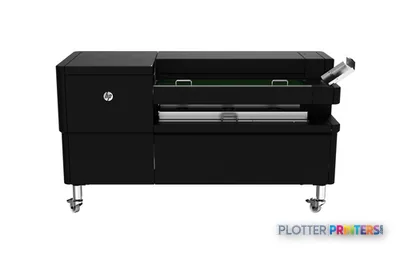
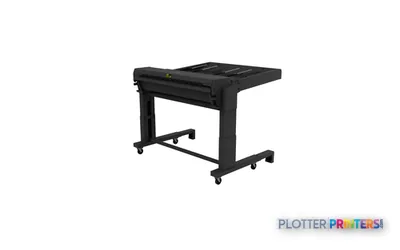
Here’s the honest part: I don’t have a published print speed or roll count for the F40 in front of me, so I won’t quote one. What I can tell you is what the configuration is for. The HP F40 Folder paper cutter and the folding hardware turn this from a plotter into a finishing line. Prints come off cut and folded to standard fold packages — the kind you file, mail, or drop on a superintendent’s desk.
That matters most in a print room running bid sets and permit sets on deadline. Manual folding is the quiet time-sink nobody accounts for. Ten sets of forty D-size sheets is an afternoon of somebody’s hands. The folder gives that afternoon back.
PageWide XLInk technologysingle-pass inkjet, stationary printhead array
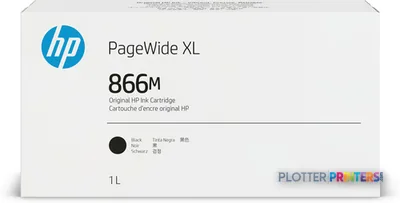
HP 866M 1-liter Black PageWide XL Ink CartridgeBlack ink1-liter cartridge sized for volume runs
HP F40 Folder paper cutterFinishingthe reason to buy this configuration
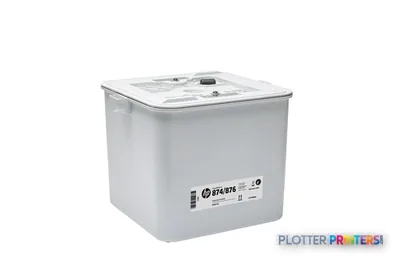
HP 874Maintenance kitconsumable serviceability built in
Consumables and the cost of running it
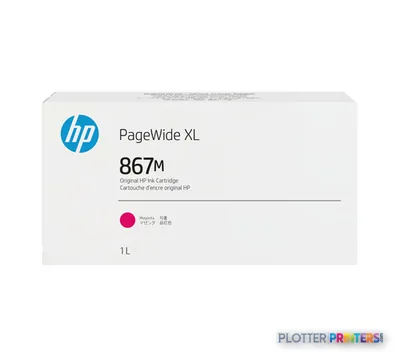
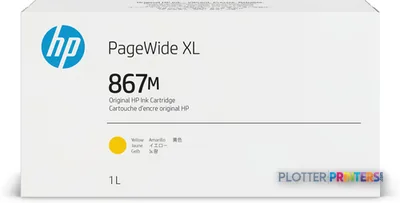
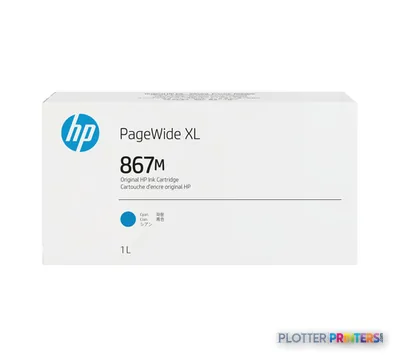
Ink comes in 1-liter cartridges — the HP 866M 1-liter Black PageWide XL Ink Cartridge plus the HP 867M 1-liter Cyan and HP 867M 1-liter Yellow PageWide XL cartridges. Liter bottles tell you something: this machine is designed to eat volume, not to sit idle between projects. If your monthly output is a handful of sheets, that’s a lot of ink to have parked on a shelf.
Routine upkeep runs through the HP 874 maintenance cartridge. Media loads via the HP PageWide XL Drawer, and if your work mixes cut sheets with roll media, the HP PageWide XL Pro Sheet Feeder and HP PageWide XL Pro Stacker are available to round out the finishing chain.
Where it fits — and where it doesn't
The F40 is the entry point of this PageWide XL family. If your volume is climbing, or you need more roll capacity for unattended overnight runs, the step-up HP F60 is the next machine to look at in the same line. The HP F70 is the older, higher-tier model — worth knowing if you’re weighing a used unit against a current one, but it’s discontinued, so factor parts and support into that decision. Worth running through the F40 vs F60 comparison before you commit.
Where the F40 is the wrong tool: low-volume design studios printing a few presentation boards a week. The liter-ink economics and the folder hardware are overkill for that. This is a production machine for a production workflow.
Keep reading
The read
The F40-with-folder configuration answers one question well: how do you get permit and bid sets off the printer folded and ready without tying up a person to do it? If that’s your bottleneck and your volume justifies liter-ink economics, it earns its floor space. If you’re a small studio or your output is sporadic, look downstream in the family or elsewhere. Bottom line: buy the F40 for the folder and the volume, not because it’s the smallest PageWide XL you can get.
Spec analysis
How the specs grade
Overall performance
—Not enough data for an overall score
Individual dimensions are shown where the specs support them.
Specifications
Full technical detail
Use caseGIS / Mapping
Supplies
Compatible ink, printheads & media
Genuine consumables that fit the HP PageWide XL F40 — only the cartridges, printheads and media compatible with this model.
Ink Cartridges 5
Paper & Media 2
Questions
Straight answers
What is the F40 folder configuration actually for?
It pairs the PageWide XL printer with folding and cutting hardware — the HP F40 Folder paper cutter — so prints come off cut and folded into standard packages. It’s aimed at print rooms producing collated permit and bid sets on deadline.
What ink does the F40 use?
It uses PageWide XL inks in 1-liter cartridges: the HP 866M 1-liter Black plus HP 867M 1-liter Cyan and Yellow PageWide XL cartridges. Routine upkeep runs through the HP 874 maintenance cartridge.
How does the F40 compare to the HP F60?
The F40 is the entry point of the family and the F60 is the step-up. If your volume is climbing or you need more capacity for unattended runs, look at the F60. Run the comparison tool before deciding.
Should I consider a used HP F70 instead?
The F70 is the older, higher-tier model in the line and is discontinued. A used unit can be worth it, but weigh parts availability and service support against buying a current machine.
Is the F40 a good fit for a small design studio?
Probably not. The folder hardware and liter-ink economics are built for production volume. A studio printing a few boards a week won’t use enough of the machine to justify it.
What accessories extend the F40's finishing?
Media loads through the HP PageWide XL Drawer, and the HP PageWide XL Pro Sheet Feeder and HP PageWide XL Pro Stacker are available to handle cut sheets and output stacking.
Ready to put the HP PageWide XL F40 to work?
Configuration, media and a quote tailored to your workflow — from AEC plotter specialists.