
Home / Wide-Format Printers / Epson SureColor
Epson · Wide-Format Plotter
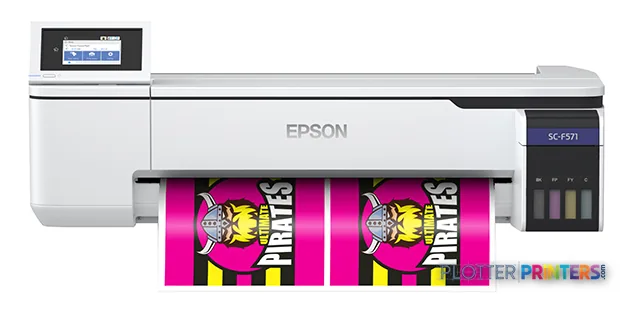
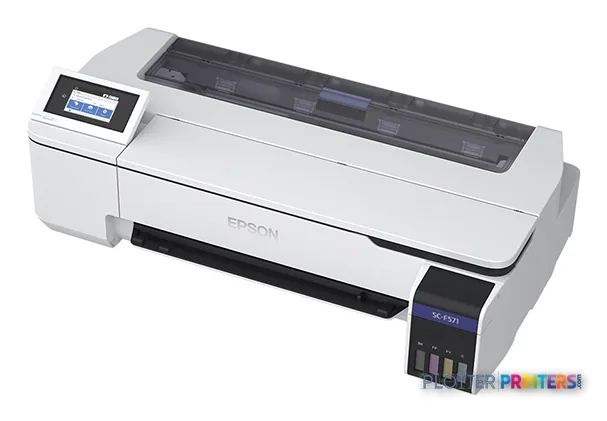
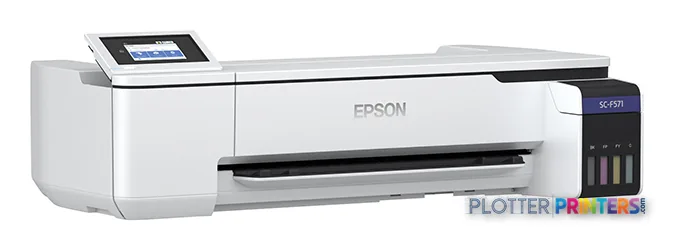
Epson SureColor F571
24" dye-sublimation printer
- ModelF571
- Prints24" wide
- Score49/100
Authorized Epson dealerGenuine hardware & ink
Manufacturer warrantyExtension plans available
Free shippingContinental U.S.
Plotter specialistsAEC experts, not just sellers
Analyst take
- The Epson F571 is a dye-sublimation device, so its fit should be determined by the finished-output workflow rather than by resolution alone.
- Its compact 38.2-inch-wide, 63.9-lb chassis can suit constrained office locations.
- Ethernet LAN, Wi-Fi, USB, touch control, roll media, and cut-sheet support make it practical to deploy as a shared specialty-output device.
Not sure if the F571 is right for you?
Compare key specs and an AI analyst read-out against similar models.
- Wide-format reach Prints up to 24" wide on rolls and sheets.
- Fine detail 2400 x 1200 DPI maximum resolution for crisp line work.
- Ink platform Black, Cyan, Fluorescent pink, Fluorescent yellow.
- Connectivity Wi-Fi + Ethernet for shared team printing.
- Verified specs 4 specs checked against the manufacturer datasheet.
- Analyst score Scores 49/100 in our class-relative rating.
Overview
Built for the work
Epson SureColor F571, Dye-sublimation, 2400 x 1200 DPI, ESC P, Black, Cyan, Fluorescent pink, Fluorescent yellow, Roll, 4.33" (11 cm)
- 24″Max print width
- 4Ink channels
- 2,400 dpiMax resolution
Spec Analysis
overall
overall
Expert analysis
What you should know

Key takeaways
- The Epson F571 is a dye-sublimation device, so its fit should be determined by the finished-output workflow rather than by resolution alone.
- Its compact 38.2-inch-wide, 63.9-lb chassis can suit constrained office locations.
- Ethernet LAN, Wi-Fi, USB, touch control, roll media, and cut-sheet support make it practical to deploy as a shared specialty-output device.
- The supplied record contains no measured gamut or color-accuracy evidence, so firms should test their own PDFs, CAD exports, and specified media.
- For routine AEC document plotting, compare it with the Epson F501 24-in instead of assuming the two devices serve the same role.
At a review table, the question is not whether a device can make a wide image; it is whether that image belongs in the project-document workflow. The Epson F571 is a compact, color-capable dye-sublimation printer with a 2400 x 1200 DPI maximum resolution, touch control, roll media support, and Ethernet, Wi-Fi, and USB connectivity. Its 38.2-inch width and 63.9-lb weight make it physically manageable where a large production device would be difficult to place.
For AEC teams, that technology matters more than the resolution figure alone. Dye-sublimation is a specialized imaging approach, so the F571 should be assessed as a focused color-output device rather than assumed to be a conventional plan-production plotter. The catalog currently lists it as current; buyers replacing an older unit should confirm media, workflow, and service expectations with their supplier before treating it as a direct replacement for a CAD-document printer.
2400 x 1200 DPIMaximum resolution
38.2" (970 mm)Machine footprintWidth
63.9 lbs (29 kg)Weight
22 WTypical power consumption
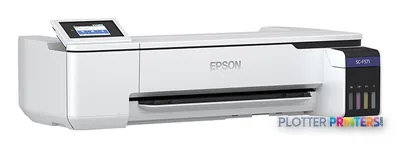
Where it can fit in an AEC environment
The F571 has the connectivity expected in a shared office: Gigabit-capable Ethernet LAN, Wi-Fi, one USB 3.2 Gen 1 port, an LCD color display, and touch controls. It supports cut sheets as well as roll media, with a rear-roll core diameter of 1.97 inches and a maximum roll diameter of 4.33 inches. Those details make it plausible for a controlled, occasional-use color station where staff need a compact device and straightforward local or network access.
Its strongest fit is likely adjacent to core document production: a specialized graphic-output workflow, a presentation-related process with validated media, or a department that already understands dye-sublimation handling. Before assigning it to an architectural, engineering, surveying, or construction workflow, test the actual PDFs, CAD exports, line weights, and media your team uses. Fine annotation, grayscale screening, and dimensional expectations should be checked on the finished output—not inferred from resolution alone.
The trade-off: specialized technology, narrower document-production assumptions
Do not confuse color capability with broad AEC plotting suitability. The supplied data identifies the F571 as dye-sublimation and lists black, cyan, fluorescent pink, and fluorescent yellow among its printing colors. That is a distinctive configuration, but it does not establish how a particular construction drawing, GIS map, permit set, or redlined PDF will render on the media your office specifies. There is no measured ICC-gamut evidence in the supplied record, so any claim about color range or color accuracy would be speculation.
For a more conventional 24-inch in-family alternative, evaluate the Epson F501 24-in alongside the F571 rather than assuming that shared resolution means shared workflow behavior. The meaningful comparison is media, finished-output requirement, driver behavior, and operator process. Use the side-by-side comparison to structure that discussion.
Consumables, support, and deployment checks
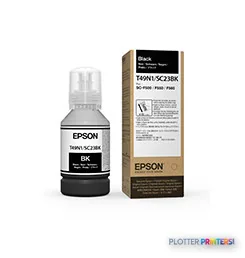
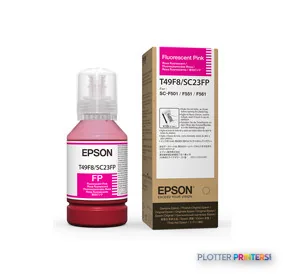
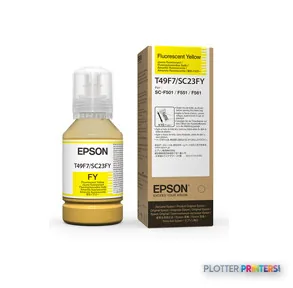
Compatible supplies in the catalog include Epson C13T49F700, Epson C13T49F800, Epson Dye Sublimation Black T49N100 (140mL), Epson Dye Sublimation Cyan T49N200 (140mL), Epson Dye Sublimation Magenta T49N300 (140mL), Epson Dye Sublimation Yellow T49N400 (140mL), and Epson C13S400145. Confirm the required consumables and media are available through the service channel that will support the device.
IT should also validate the supported operating systems against its endpoint estate. The supplied record lists Windows 10, Windows 8, Windows 7, Windows XP, Mac OS X 12.0 Monterey, and Mac OS X 13.0 Ventura. Network deployment, authentication requirements, accounting needs, and PDF-driver behavior should be verified in the local environment. For broader context, see the wide-format class ranking and the evaluation methodology.
Related evaluation tools
The read
The Epson F571 is a sensible candidate only when its dye-sublimation process is intentional rather than incidental. It offers a compact body, color output, roll support, and practical office connectivity, but the supplied specifications do not support treating it as a universal substitute for a conventional AEC CAD and plan-set printer. For teams with a validated specialty-media workflow, it may be a useful, contained tool. For routine mixed-size construction documents, permit sets, and everyday bond-paper plotting, test it against the required files and consider a more conventional 24-inch alternative such as the Epson F501 24-in.
Spec analysis
How the specs grade
Overall performance
within dye-sublimation printers
64% spec coverage
- This printer
Verified specifications
The specs that decide it
| Maximum print width | 24 in |
|---|---|
| Print technology | Dye-sublimation |
| Maximum resolution | 2400 x 1200 DPI |
| Printing colors | Black, Cyan, Fluorescent Pink, Fluorescent Yellowmanufacturer-verified |
| Page description languages | ESC P |
| Maximum roll diameter | 4.33" (11 cm) |
| Wi-Fi | IEEE 802.11 b/g/n; Wi-Fi Directmanufacturer-verified |
| Ethernet | IEEE802.3u (100BASE-TX); IEEE802.3ab (1000BASE-T); IEEE802.3az (Energy Efficient Ethernet)manufacturer-verified |
| Power consumption | approximately 22manufacturer-verified |
manufacturer-verified = checked against the manufacturer’s official datasheet, not aggregator data. Everything else is standards-body / catalog data we consider reliable.
Specifications
Full technical detail
Print technologyDye-sublimation
Max resolution2400 x 1200 DPI
ColorColor
ConnectivityEthernet (Gigabit LAN), USB, Wi-Fi
Use caseGraphics / Production
Printing
| Color | Yes |
|---|---|
| Printing colors | Black, Cyan, Fluorescent pink, Fluorescent yellow |
| Print technology | Dye-sublimation |
| Maximum resolution | 2400 x 1200 DPI |
| Page description languages | ESC P |
Performance
| Display | LCD |
|---|---|
| Control type | Touch |
| Color display | Yes |
| Product color | Black, White |
| Built-in display | Yes |
Paper handling
| Cut sheets | Yes |
|---|---|
| Maximum roll diameter | 4.33" (11 cm) |
| Paper tray media types | Roll |
| Roll weight (rear roll) | 37.5 lbs (17 kg) |
| Roll core diameter (rear roll) | 1.97" (5 cm) |
Ports & interfaces
| Wi-Fi | Yes |
|---|---|
| USB port | Yes |
| Ethernet LAN | Yes |
| Ethernet LAN data rates | 10,100,1000 Mbit/s |
| USB 3.2 Gen 1 (3.1 Gen 1) ports quantity | 1 |
Weight & dimensions
| Depth | 22.7" (577 mm) |
|---|---|
| Width | 38.2" (970 mm) |
| Height | 9.65" (245 mm) |
| Weight | 63.9 lbs (29 kg) |
Power
| AC input voltage | 100 – 240 V |
|---|---|
| AC input frequency | 50 – 60 Hz |
| Power consumption (off) | 0.2 W |
| Power consumption (sleep) | 1.6 W |
| Power consumption (standby) | 8 W |
| Power consumption (typical) | 22 W |
Operational conditions
| Storage temperature (T-T) | -20 – 40 °C |
|---|---|
| Operating temperature (T-T) | 10 – 35 °C |
| Storage relative humidity (H-H) | 5 – 85% |
| Operating relative humidity (H-H) | 20 – 80% |
System requirements
| Mac operating systems supported | Mac OS X 12.0 Monterey, Mac OS X 13.0 Ventura |
|---|---|
| Windows operating systems supported | Windows 10, Windows 8, Windows 7, Windows XP |
Everything that fits the Epson SureColor F571
The full supplies hub lists every cartridge, printhead, roll and accessory verified against the manufacturer's own documentation for this machine.
6 ink cartridges · 1 accessory
Epson SureColor F571 ink and paper →Supplies
Compatible ink, printheads & media
Genuine consumables that fit the Epson SureColor F571 24-in — only the cartridges, printheads and media compatible with this model.
Ink Cartridges 6
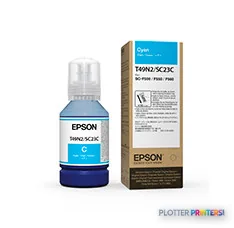
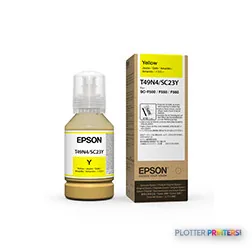
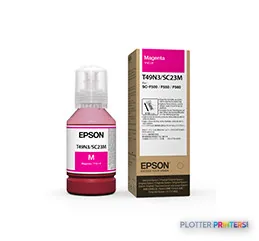
Accessories 1

Questions
Straight answers
Is the Epson F571 a conventional AEC plan printer?
The supplied data identifies it as a dye-sublimation printer. That makes it important to validate the complete media and finished-output process before assigning it to daily plan-set, permit-set, or CAD plotting work.
What connectivity does the Epson F571 provide?
It has Ethernet LAN with 10, 100, and 1000 Mbit/s data rates, Wi-Fi, and one USB 3.2 Gen 1 port. It also has a built-in LCD color display with touch control.
Can it use rolls and cut sheets?
Yes. The supplied specifications list roll media and cut sheets, with a maximum rear-roll diameter of 4.33 inches and a 1.97-inch rear-roll core diameter.
Which operating systems are listed as supported?
The supplied record lists Windows 10, Windows 8, Windows 7, Windows XP, Mac OS X 12.0 Monterey, and Mac OS X 13.0 Ventura. Organizations should still validate current endpoint, driver, and security requirements locally.
What consumables should buyers confirm before deployment?
Confirm availability of the listed Epson C13T49F700, Epson C13T49F800, Epson Dye Sublimation Black T49N100 (140mL), Epson Dye Sublimation Cyan T49N200 (140mL), Epson Dye Sublimation Magenta T49N300 (140mL), Epson Dye Sublimation Yellow T49N400 (140mL), and Epson C13S400145 supplies.
Ready to put the Epson SureColor F571 to work?
Configuration, media and a quote tailored to your workflow — from AEC plotter specialists.