
Home / Wide-Format Printers / Epson SureColor
Epson · Wide-Format Plotter
Epson SurePress L-6034VW
color graphics & photo printer
- ModelL-6034VW
Authorized Epson dealerGenuine hardware & ink
Manufacturer warrantyExtension plans available
Free shippingContinental U.S.
Plotter specialistsAEC experts, not just sellers
Analyst take
- The Epson L-6034VW is a color inkjet device with Ethernet LAN and a built-in display.
- Its listed maximum resolution is 600 x 600 DPI.
- Coated paper is the documented paper-tray media type, so media suitability should be checked against the intended AEC workflow.
Not sure if the L-6034VW is right for you?
Compare key specs and an AI analyst read-out against similar models.
- Fine detail 600 x 600 DPI maximum resolution for crisp line work.
- Productivity Rated at 15.
- Ink platform Black, Cyan, Magenta, White, Yellow.
- Connectivity Ethernet for shared team printing.
- Verified specs 4 specs checked against the manufacturer datasheet.
Overview
Built for the work
Epson L-6034VW, Inkjet, 600 x 600 DPI, Black, Cyan, Magenta, White, Yellow, Coated paper, 100 Mbit/s, Gray
Expert analysis
What you should know

Key takeaways
- The Epson L-6034VW is a color inkjet device with Ethernet LAN and a built-in display.
- Its listed maximum resolution is 600 x 600 DPI.
- Coated paper is the documented paper-tray media type, so media suitability should be checked against the intended AEC workflow.
- The supplied record lists Black, Cyan, Magenta, White, and Yellow, but provides no measured gamut or color-accuracy data.
- Scanner functions, finishing, roll handling, productivity, and lifecycle status are not established in the available record.
In an AEC office, the plotter is often judged at the moment a permit sheet, utility map, or color-coded coordination drawing lands on the table. The Epson L-6034VW is a gray, networked wide-format inkjet device with a built-in display, intended for color output rather than monochrome-only plan production.
Its listed 600 x 600 DPI resolution and five listed printing colors—Black, Cyan, Magenta, White, and Yellow—describe the imaging system at a useful baseline, but they do not alone answer whether it suits a busy construction-document room. Productive fit depends on the coated-paper workflow, Ethernet connection, and the operator demands around the machine. For context on how systems are assessed within their class, see the wide-format class ranking.
InkjetPrint technology
600 x 600 DPIMaximum resolution
Ethernet LANNetwork connection
100 Mbit/sEthernet LAN data rates
Where the workflow is a reasonable match
The documented media support is for coated paper. That makes this machine most straightforward to evaluate where coated output is already specified for presentation-oriented drawings, maps, review sheets, or color-marked coordination documents. Color can make a civil utility overlay easier to read at a glance—the cyan edge of a route, a yellow caution area—but document clarity still begins with the source PDF and the chosen media.
Ethernet LAN support is relevant in a shared studio or print-room setting, where several users need a common device rather than a locally attached printer. The built-in display also gives an operator a direct point of interaction at the machine. The supplied record does not establish scanner capability, roll configuration, finishing, stacking, automatic media switching, job-accounting functions, or driver and cloud-platform support. Those are practical items to confirm before placing it into a managed CAD or PDF workflow.
For a useful framework for separating a specification from an operational assessment, review how we evaluate wide-format devices.
Color and media: read the specification carefully
The listed color set includes Black, Cyan, Magenta, White, and Yellow. That is a factual description of the machine record, not a measured statement about gamut, color accuracy, or consistency on a particular substrate. No independent measured ICC gamut volume or coverage result is supplied here, so it would be inappropriate to turn the five-color listing into a claim about photographic, branding, or proofing performance.
Likewise, 600 x 600 DPI is the listed maximum resolution, not a guarantee of fine-line behavior across every CAD file or coated-paper grade. Firms with demanding small-text, hatch-pattern, or color-control requirements should test their own PDFs, including screened fills and layered exports, on the coated media they intend to use. Our ICC profile guidance explains why media and profile choice matter when the eye is judging the last increment of a saturated color.
Replacement and installed-base considerations
The available record does not verify whether the Epson L-6034VW is currently marketed, recently discontinued, or part of an older installed base. It is therefore sensible to treat lifecycle status, service coverage, parts availability, firmware support, and consumable supply as dealer-confirmation questions rather than assumptions.
The resolved ink family is Epson UltraChrome UV. Confirm the exact supported consumables, media settings, and maintenance procedure against the machine documentation and the service provider’s records. There are no verified in-family step-up, step-down, or cross-brand comparison models in the supplied catalog set, so a model-number comparison would add more confidence than evidence. Buyers needing higher unattended capacity, broader media flexibility, integrated scanning, or more production-oriented output handling should define those requirements first, then compare against a suitably configured alternative.
Useful evaluation resources
The read
The Epson L-6034VW is worth considering for a shared AEC environment that needs color inkjet output on coated paper, Ethernet connectivity, and direct at-device control. Its documented specifications establish a basic color-output profile, not a full production-workflow promise. It may be less appropriate where the decision depends on verified scanning, finishing, roll automation, high-volume set production, advanced security, or quantified color accuracy. In those cases, test the actual drawings and confirm support conditions before treating the machine as a dependable long-term document-production platform.
Spec analysis
How the specs grade
Overall performance
—Not enough data for an overall score
Individual dimensions are shown where the specs support them.
- This printer
Verified specifications
The specs that decide it
| Print technology | Inkjet |
|---|---|
| Maximum resolution | 600 x 600manufacturer-verified |
| Print speed | 15manufacturer-verified |
| Printing colors | Black, Cyan, Magenta, Yellow, White, Digital Varnishmanufacturer-verified |
| Ethernet | 1000 Base-Tmanufacturer-verified |
manufacturer-verified = checked against the manufacturer’s official datasheet, not aggregator data. Everything else is standards-body / catalog data we consider reliable.
Specifications
Full technical detail
Print technologyInkjet
Max resolution600 x 600 DPI
ColorColor
ConnectivityEthernet (Gigabit LAN)
Printing
| Color | Yes |
|---|---|
| Printing colors | Black, Cyan, Magenta, White, Yellow |
| Print technology | Inkjet |
| Maximum resolution | 600 x 600 DPI |
Performance
| Product color | Gray |
|---|---|
| Built-in display | Yes |
| Country of origin | Japan |
Paper handling
| Paper tray media types | Coated paper |
|---|
Ports & interfaces
| Ethernet LAN | Yes |
|---|---|
| Ethernet LAN data rates | 100 Mbit/s |
Logistics data
| Pallet width | 31.5" (80 cm) |
|---|---|
| Pallet height | 8.27" (21 cm) |
| Pallet length | 47.2" (120 cm) |
| Pallet weight | 0 oz (0 g) |
| Pallet width (UK) | 39.4" (100 cm) |
| Quantity per pack | 1 pc(s) |
| Pallet height (UK) | 8.27" (21 cm) |
| Pallet length (UK) | 47.2" (120 cm) |
| Pallet weight (UK) | 0 oz (0 g) |
| Quantity per pallet | 1 pc(s) |
| Quantity per pallet (UK) | 1 pc(s) |
| Quantity per pallet layer | 1 pc(s) |
| Quantity per pallet layer (UK) | 1 pc(s) |
Packaging data
| Package depth | 260.2" (6610 mm) |
|---|---|
| Package width | 80.7" (2050 mm) |
| Package height | 89.4" (2270 mm) |
| Package weight | 7085.7 lbs (3214 kg) |
Everything that fits the Epson SurePress L-6034VW
The full supplies hub lists every cartridge, printhead, roll and accessory verified against the manufacturer's own documentation for this machine.
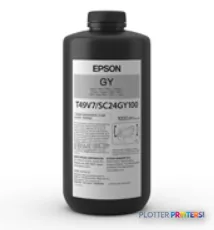
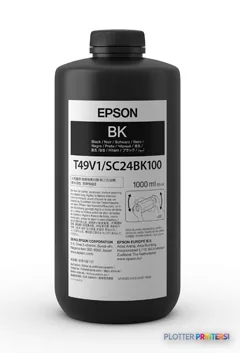
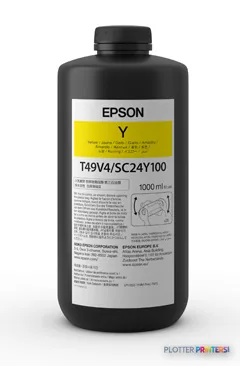
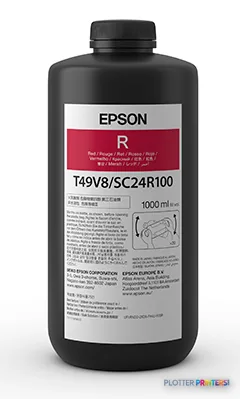
4 ink cartridges
Epson SurePress L-6034VW ink and paper →Supplies
Compatible ink, printheads & media
Genuine consumables that fit the Epson SurePress L-6034VW — only the cartridges, printheads and media compatible with this model.
Questions
Straight answers
Is the Epson L-6034VW suitable for color AEC drawings?
It is listed as a color inkjet device with Black, Cyan, Magenta, White, and Yellow. It can be evaluated for color-marked drawings and maps, but the supplied data does not verify color accuracy or gamut performance.
What media is documented for this machine?
The paper-tray media type listed for the Epson L-6034VW is coated paper. Confirm the precise coated media grades and settings required for your drawings before standardizing a workflow.
Can several office users connect to it?
Yes. Ethernet LAN is listed, with Ethernet LAN data rates of 100 Mbit/s. The record does not specify authentication, job accounting, driver behavior, or cloud-workflow compatibility.
Does it scan and copy drawings?
The provided information does not establish scanning or copying capability. Buyers who need archive scanning, redline copying, or oversized-document capture should confirm those functions directly.
What consumables should buyers verify?
The resolved ink family is Epson UltraChrome UV. Confirm the supported consumables, maintenance requirements, and local availability with the service provider before committing the device to an active print room.
Is this a current model or a legacy machine?
The supplied catalog information does not verify lifecycle status. Confirm current marketing status, service coverage, firmware support, parts availability, and consumable supply before making a replacement or retention decision.
Ready to put the Epson SurePress L-6034VW to work?
Configuration, media and a quote tailored to your workflow — from AEC plotter specialists.